
What is Pear Desktop?
Pear Desktop is an independent, non-profit and unofficial extension developed by a team of volunteers to provide a desktop experience for YouTube Music. The project states that it is not affiliated with, authorized by or endorsed by Google LLC or YouTube.
The app is built on Electron and has a plugin system: a plugin receives the Electron BrowserWindow and can change the app's behavior and front end. Users can load CSS files to change the look of the application from Options, Visual Tweaks, Themes. Translations are managed on Hosted Weblate.
Installation uses package managers. macOS users can run brew install pear-devs/pear/pear-desktop, Windows users can use winget install pear-devs.pear-desktop (Scoop is also documented), and Solus users can run sudo eopkg install pear-desktop. Arch Linux users install the pear-desktop package from the AUR. The software is provided as is, at the user's own risk.
Pear Desktop screenshots
Explore the interface. Open a screenshot to view it at full size.
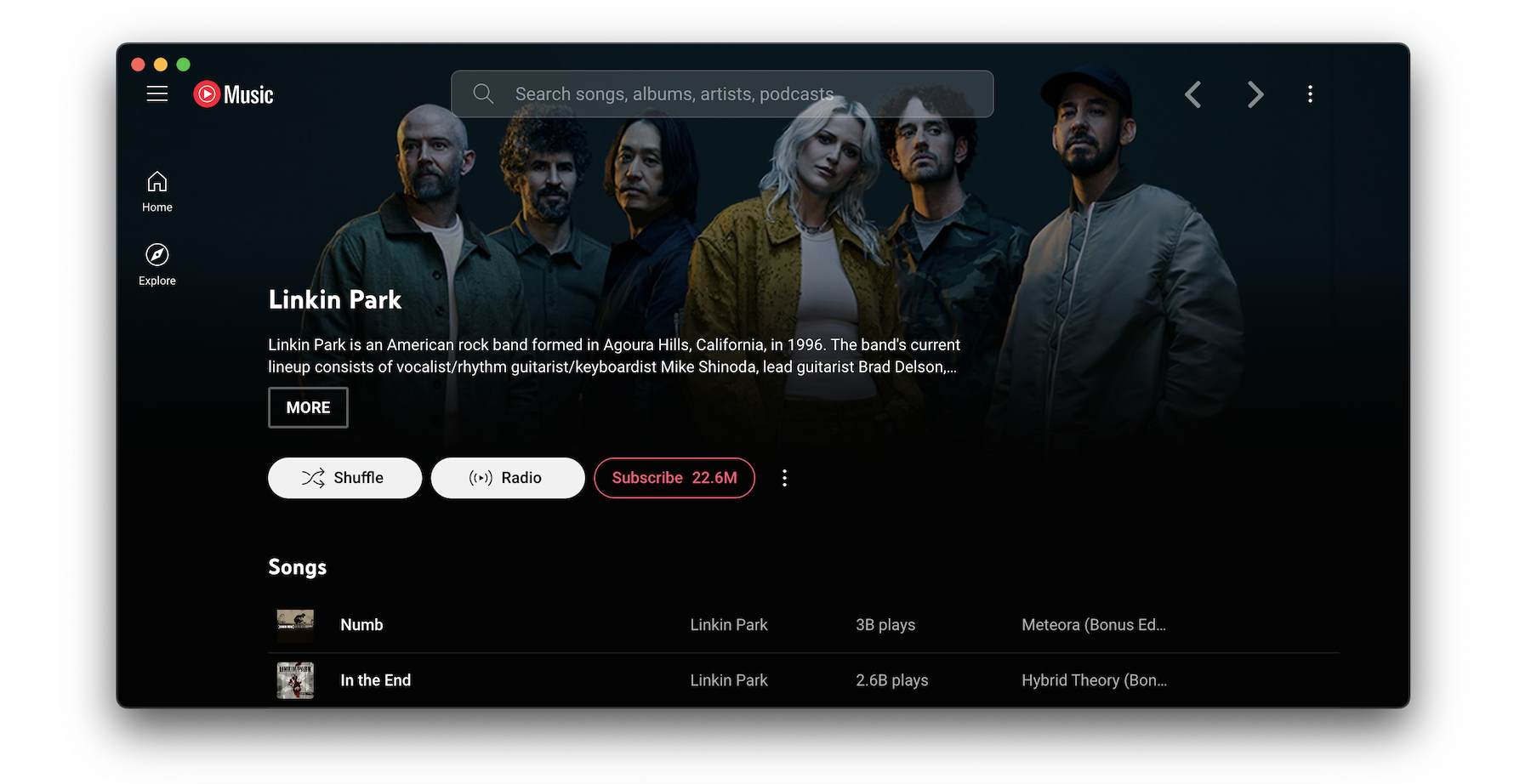
Source: official Pear Desktop project page.
Key capabilities
- Desktop application Provides an unofficial music-player desktop experience on Windows, macOS and Linux.
- Interface themes Loads custom CSS files through the application's theme settings.
- Plugin development Supports application-window manipulation, interface changes and Electron IPC communication.
- Synchronized lyrics Includes lyric parsing, romanization and language-specific conversion features documented in release notes.
- API server Supports HTTPS, custom certificates, WebSocket authorization and a playback-queue endpoint.
- Discord presence Offers Rich Presence options for displaying song artist and title information.
Where Pear Desktop fits
Pear Desktop fits desktop listening setups where users want a customizable YouTube Music experience. Themes can change its appearance, while developers can build plugins to alter interface behavior or interact with the application window.
Before deployment, users should verify the package for their operating system and architecture, test the required plugins on that platform, and review API authentication and certificate settings if enabling the API server. Windows installation may encounter SmartScreen warnings, and manual macOS installation may require troubleshooting. The documented offline Windows procedure concerns installation, not offline music playback.
Install
brew install pear-devs/pear/pear-desktopReviews of Pear Desktop
Be the first to share your experience with Pear Desktop.
Write a review
Loading review form…
Alternatives to Pear Desktop
 FreeTubeFreeTube is an open-source YouTube desktop client for Windows, macOS and Linux that plays videos without ads and keeps subscriptions on your computer.
 InvidiousInvidious provides a web interface for watching YouTube videos without ads or tracking. It supports independent subscriptions, audio-only playback, data imports and exports, and a developer API.