

What is SwiftDL?
SwiftDL is a free, open-source download manager for Windows, macOS and Linux, published on GitHub under the MIT License. It is built in Rust with Tauri 2: a download engine crate handles probing, segmentation, rebalancing, resume and speed limiting, a desktop app provides the windows, tray and browser integration, and a TypeScript interface built with Vite renders the UI. The same engine also powers swiftdl, a command-line downloader in the crates/cli folder.
The project's premise is that browsers fetch each file over a single connection, while many servers cap the speed of each connection. SwiftDL first asks the server for the first byte to learn the file size and whether ranged downloads are possible, reserves the full-size file on disk, splits it into parts fetched with HTTP range requests, and lets a connection that finishes early take over half of the largest remaining part. The list of missing ranges is saved every second, which is how resume works after a crash or a lost connection. The README's benchmark uses a server limited to 2 MB/s per connection and includes the throttled test server so the measurement can be repeated.
Installers are published on the GitHub releases page, which the README names as the only official download source. The latest release is v0.4.0, published on November 10, 2026, after a run of releases that started with v0.2.0 on October 30, 2026. Version 0.4.0 added FTP links with resume, Metalink files downloaded from several mirrors, SHA-256 checks, optional unpacking of finished archives, debrid service support (Real-Debrid, AllDebrid, Premiumize), a page file finder, batch link patterns, end-of-queue automation, SOCKS5 proxies, binding to a chosen network address, an optional clipboard watcher, an aria2-compatible local API with a web remote, and an experimental Windows ARM64 build. Version 0.3.3 introduced direct HLS and DASH stream downloads and the current logo.
According to the project FAQ, SwiftDL has no accounts, analytics or telemetry and only connects to the servers it downloads from. Cookies passed from the browser are stored with a download so it can resume and are cleared when it completes. For video sites that do not serve a plain file, SwiftDL uses yt-dlp and ffmpeg; DRM-protected video such as Netflix is stated as never to be supported. Security reports go through the private advisory form described in the security policy, and release notes are kept in the changelog.
SwiftDL screenshots
Explore the interface. Open a screenshot to view it at full size.
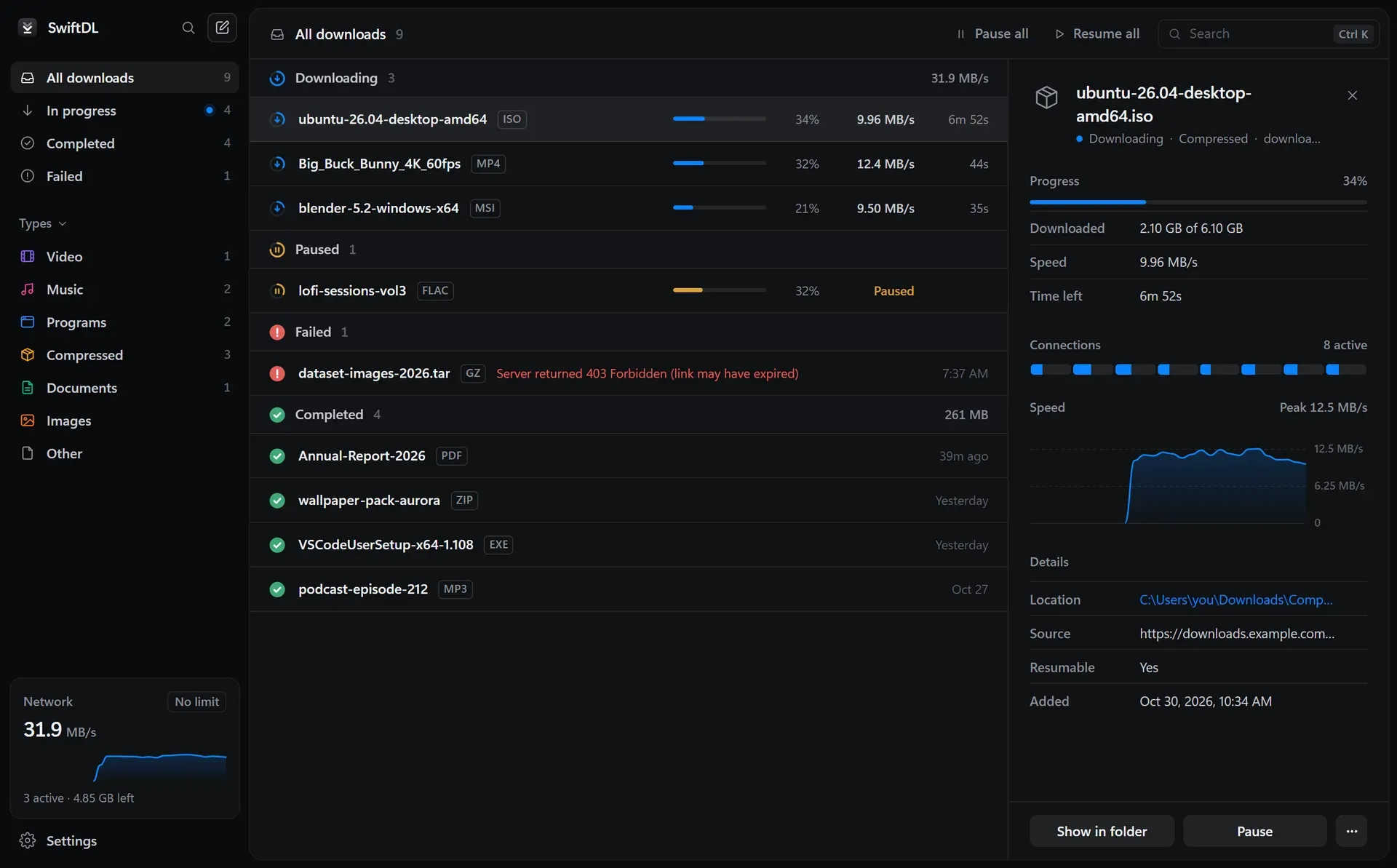
SwiftDL main window in dark mode, from the project README.
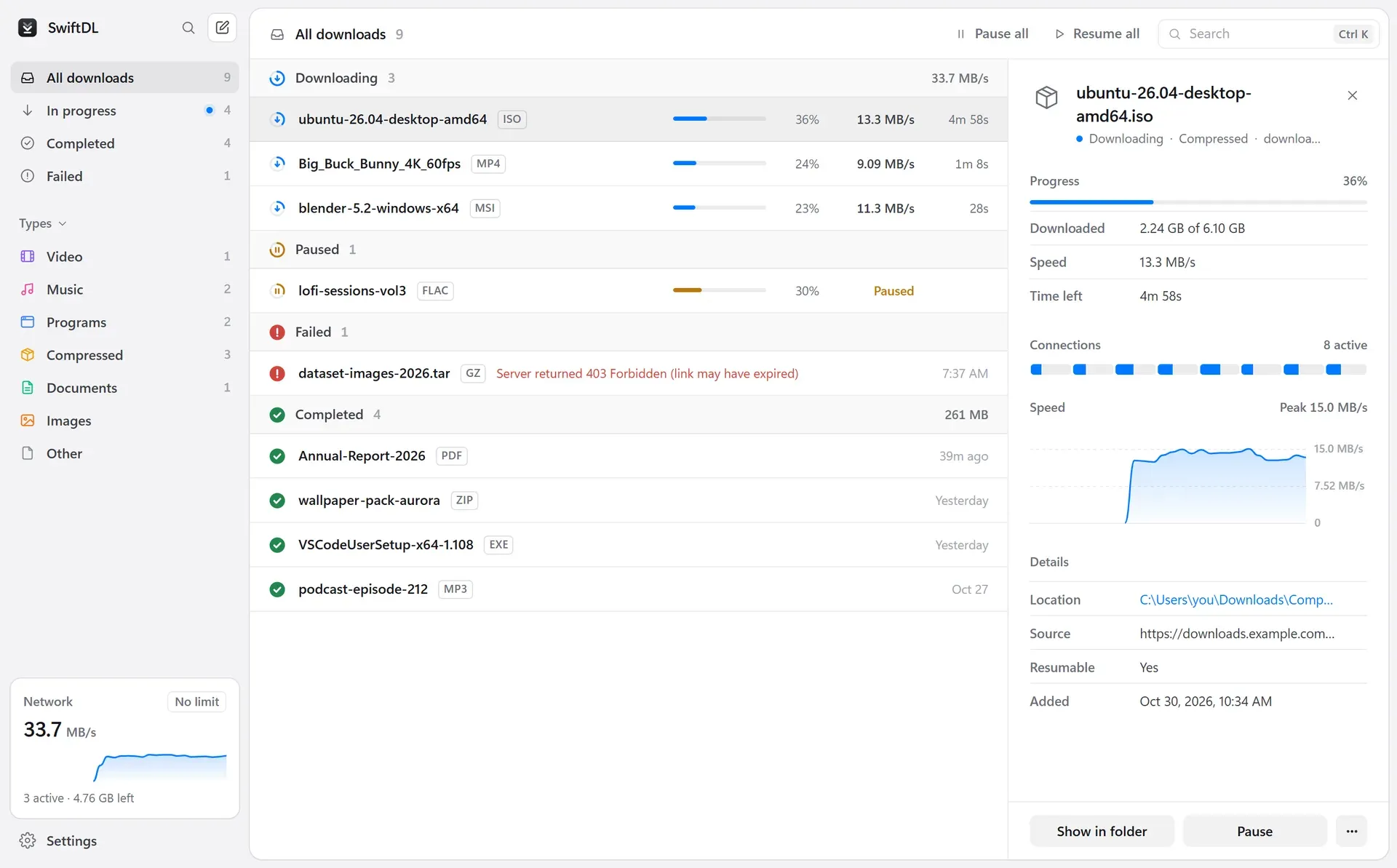
Main window in light mode with type filters in the sidebar.
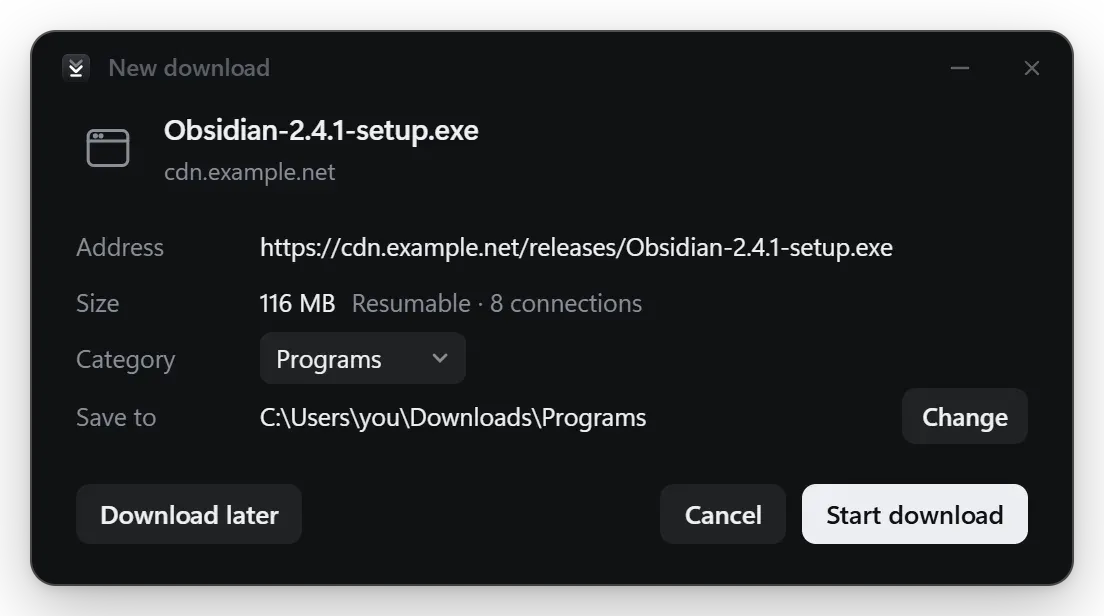
New download window showing file size, resume support, eight connections, category and target folder.
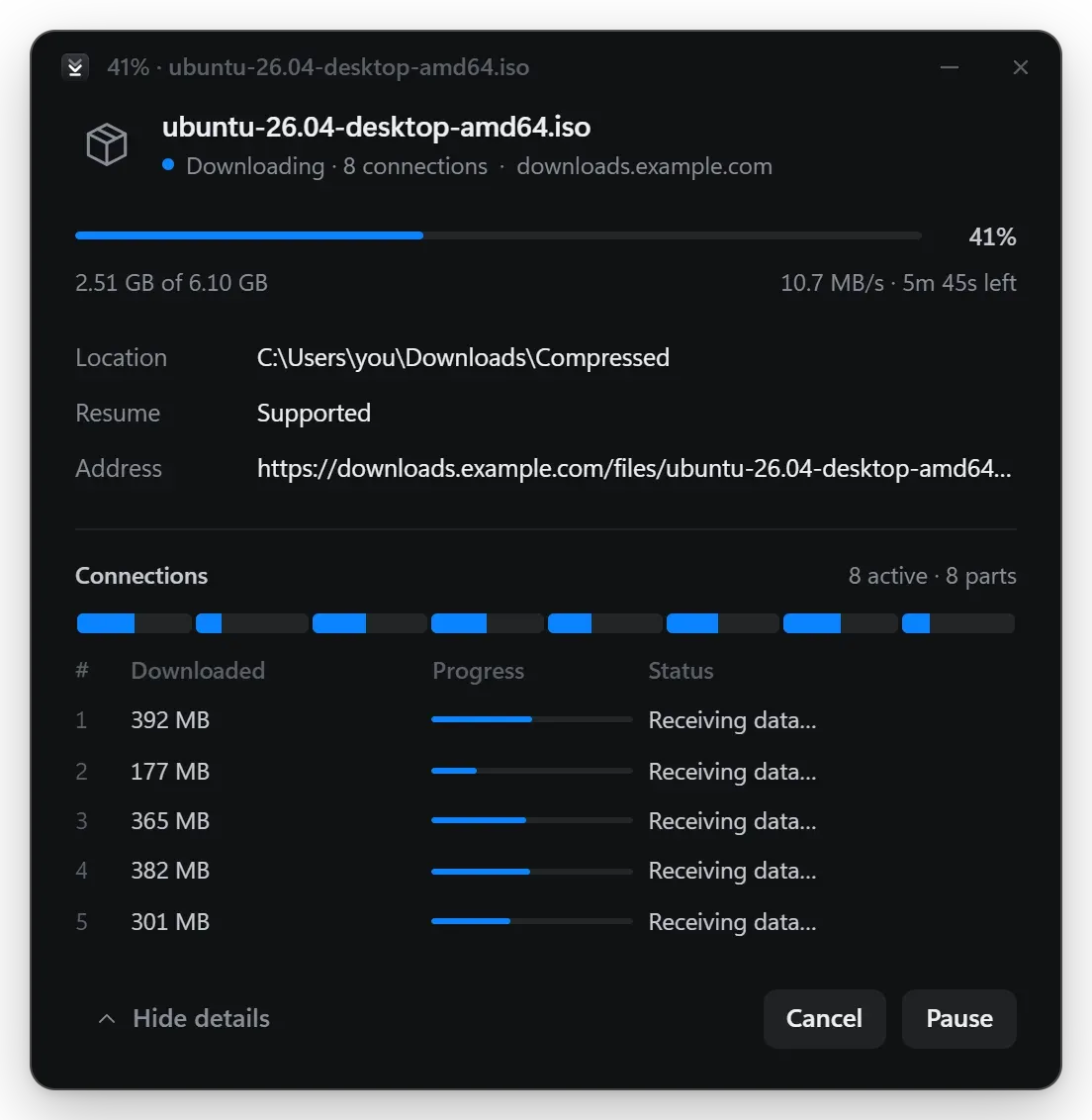
Progress window with the per-connection view for an eight-part download.
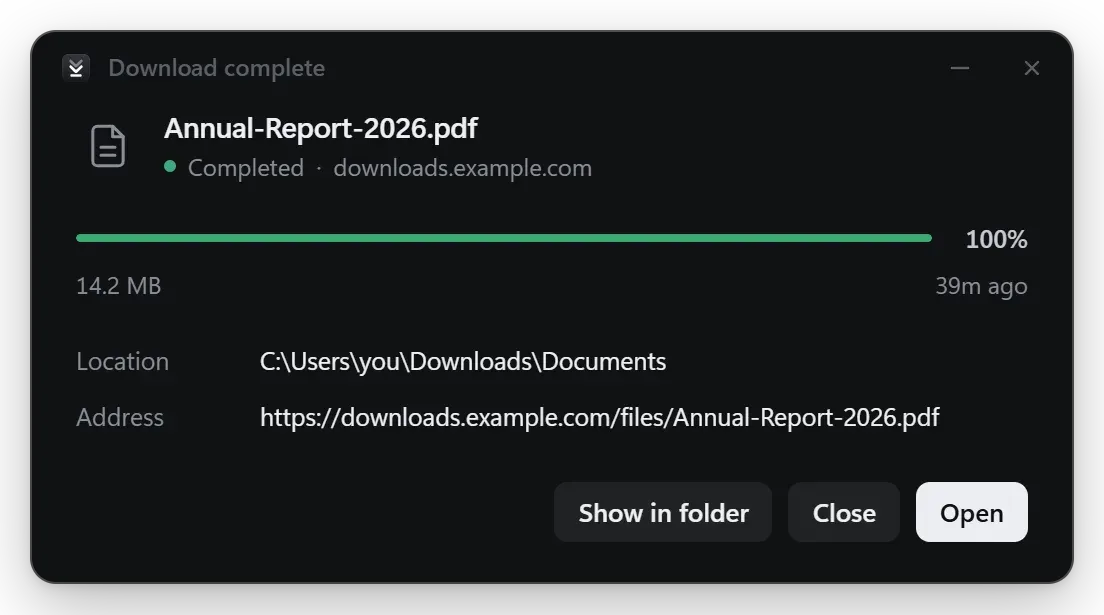
Download complete summary with Show in folder and Open.
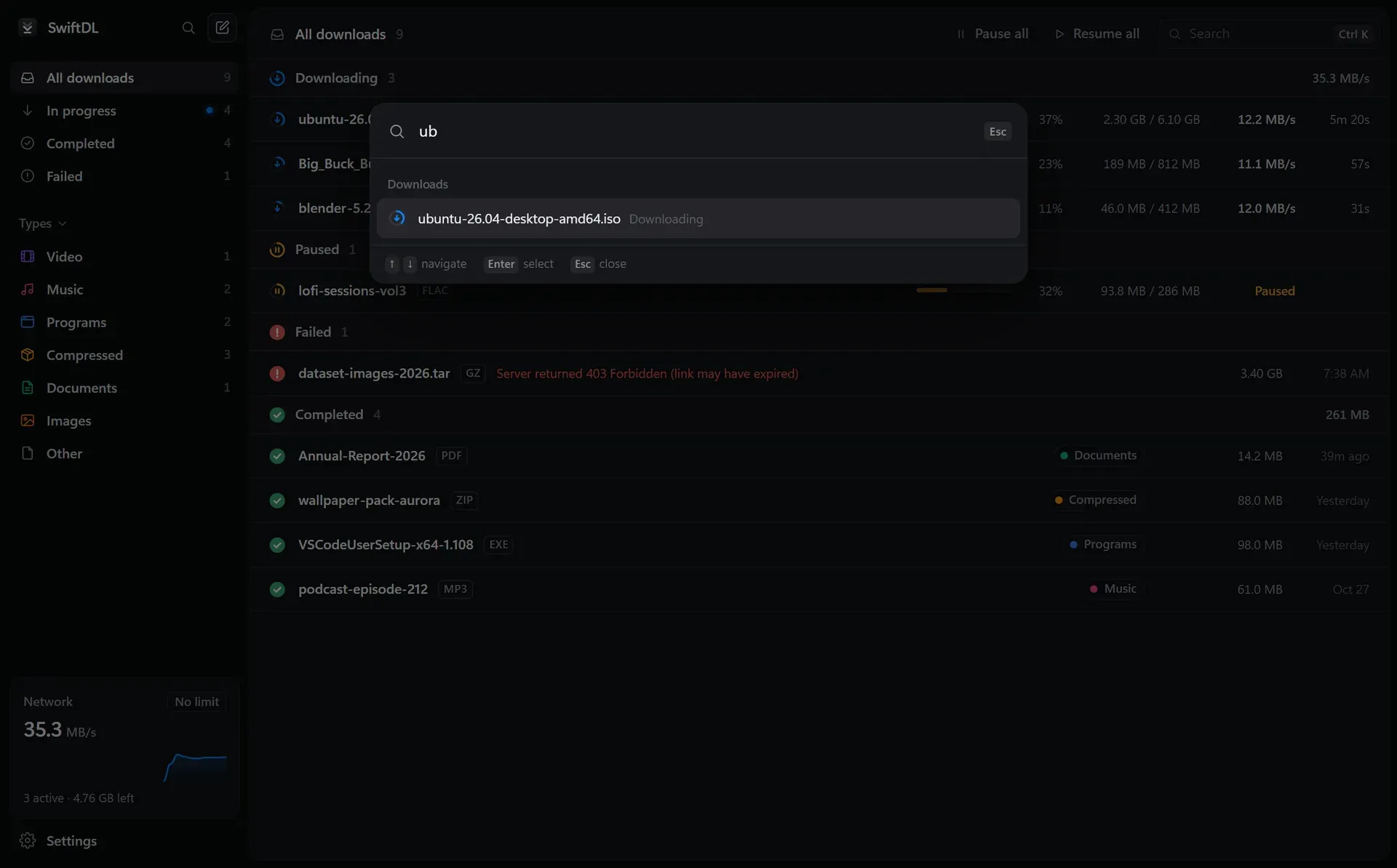
Ctrl+K command palette searching the download list.
Source: official SwiftDL project page.
Key capabilities
- Download SwiftDL for Windows Windows 10 and 11:
SwiftDL_x.y.z_x64-setup.exeinstalls per user without admin rights, and an x64 MSI is also attached. Release 0.4.0 adds experimental ARM64 setup and MSI packages. All files are on the latest release page. - Download SwiftDL for macOS A universal DMG covers Apple silicon and Intel Macs, and a universal
.app.tar.gzis also published. For video sites that need ffmpeg, the FAQ asks macOS users to install ffmpeg with Homebrew. - Download SwiftDL for Linux Linux builds come as an amd64 AppImage, a
.debpackage and an x86_64.rpmpackage. As on macOS, ffmpeg is installed through the system package manager when video merging is needed. - Many connections per file Each file can be split across up to 32 connections. The file is reserved up front and every connection writes straight into it, so there is no joining step at the end. The speed gain depends on the server: the FAQ notes that when one connection already fills the line, more connections cannot add bandwidth.
- Dynamic segmentation When a connection finishes its part, it takes over half of the largest part still remaining. This keeps every connection busy until the last byte instead of leaving one slow segment at the end.
- Resume after crashes Progress, stored as the list of missing ranges, is saved every second. After a crash, a closed laptop or a dropped connection, Resume repeats at most about a second of data, provided the server supports resuming; SwiftDL reports up front when it does not. Release 0.4.0 can also replace a dead link while keeping the parts already downloaded.
- Per-download windows When the browser hands over a file, a small window shows the real name, size, type and resume support, with a category and save location. Start turns it into a progress view with each connection's position and speed, followed by a Download complete summary with Open and Show in folder. Download later puts it in the queue.
- Browser extension The extension works in Chrome, Edge, Brave, Vivaldi and Firefox. It sends browser downloads to SwiftDL with cookies, referrer and user agent, adds a Download with SwiftDL context-menu entry, and can be disabled per site; holding Alt leaves a single download to the browser. Firefox users install it from Firefox Add-ons; Chromium browsers load the bundled extension folder in developer mode until a Chrome Web Store listing exists.
- Video downloads A Download video button over video players offers qualities from 4K down to audio only, on YouTube, Vimeo, X, Reddit and other sites. Since 0.3.3 SwiftDL fetches HLS and DASH pieces itself, many at a time, including AES-128 streams and separate audio, and joins them into one MP4; yt-dlp remains the fallback and is downloaded and kept updated on first use.
- Torrents and magnet links SwiftDL opens magnet links and
.torrentfiles and lets the user pick which files to download. - More link types Version 0.4.0 added
ftp://with resume, Metalink files (.meta4,.metalink) that pull one file from several mirrors with failover, a SHA-256 field to check the finished file, optional unpacking of.zip,.tar.gz,.tarand.7z, and file-hosting links through Real-Debrid, AllDebrid or Premiumize with the user's own API token. - Batch and page downloads Many links can be pasted at once, including numbered patterns such as
file[01-50].zip. Find files on a page lists the files a page links to, with category filters, and downloads the selected ones. - Queue, speed limit and automation Settings control how many downloads run at once and a total bandwidth cap. Waiting downloads show their queue position and can be moved to the front. The app can quit, sleep or shut down when all downloads finish, and hold the queue until a chosen time.
- Network options Downloads follow the system proxy settings, and SOCKS5 proxies are supported. A download can be bound to a specific network address, so a dropped VPN stops downloads instead of sending them over another interface. An optional clipboard watcher picks up copied links.
- Local API and web remote Off by default, an aria2-compatible API lets tools such as AriaNg and scripts control SwiftDL, and a built-in web page shows and controls downloads from a browser or phone. Every call needs a secret, and access is local-only unless the network is explicitly allowed.
- Organization and interface Finished files are sorted into Video, Music, Programs, Compressed and Documents folders. A Ctrl+K command palette finds downloads and runs actions. The app stays in the tray when its window is closed, follows the system light or dark theme, and offers an interface size setting from 90 to 150%.
- Command-line downloader and source build The
swiftdlCLI uses the same engine. Building from source requires Rust and the Tauri prerequisites; the interface alone can be developed with npm against a simulated backend.
Where SwiftDL fits
Downloading large files from speed-capped servers
For an ISO image or an installer on a server that limits each connection, SwiftDL splits the file into parts fetched in parallel and rebalances them as connections finish. The README example shows a 5.9 GB Ubuntu image downloaded over eight connections. The per-connection view in the download window shows how many parts are active and how much each has received.
Taking over downloads from the browser
With the extension installed, a click on a download link in Chrome, Edge, Brave, Vivaldi or Firefox opens SwiftDL's New download window instead of the browser's own download. Cookies, referrer and user agent are passed along, so files behind a sign-in also work. Since 0.4.0 the extension asks the site first and leaves the download to the browser when the site refuses, for example with a 403 or a sign-in page.
Saving videos from streaming sites
The Download video button lists the qualities of the stream a page is playing. SwiftDL downloads HLS and DASH streams directly over many connections and merges them into an MP4, falling back to yt-dlp with ffmpeg for sites that need it. The FAQ asks users to download only content they have the right to, and DRM-protected services are out of scope.
Recovering interrupted downloads
When a laptop sleeps, Wi-Fi drops or the app crashes, the saved range list lets Resume continue where the download stopped, as long as the server supports it. Failed downloads offer a Download in browser button, and an expired link can be replaced from the clipboard while keeping completed parts.
Batch downloads and mirrors
Lists of links, numbered URL patterns and the page file finder queue many files at once, with categories deciding the target folder. Metalink files spread one download across several mirrors and switch to another mirror when one fails, and the SHA-256 field checks the result.
Remote control and scripting
With the local API switched on, aria2-compatible clients such as AriaNg or custom scripts can add and control downloads, and the web remote shows progress on a phone. Similar tools in this directory include OmniGet and cobalt.
Reviews of SwiftDL
Be the first to share your experience with SwiftDL.
Write a review
Loading review form…
Alternatives to SwiftDL
 OmniGetOmniGet is a GPL-3.0 desktop app for Windows, macOS and Linux that downloads courses, social media, torrents and media from 1,800+ sites through yt-dlp, then converts, transcribes or reads the files locally.
 cobaltcobalt downloads publicly accessible media from a supplied link. Its repository includes a web frontend, an API, and documentation for running and protecting a self-hosted instance.