

What is Engram?
Engram is a persistent memory system for developers working with AI coding agents. It stores structured observations and session summaries, indexes them with SQLite FTS5, and lets agents retrieve previous work through search, session timelines, and full observation records. Project-aware resolution scopes memory to the relevant repository, while stable topic keys let evolving knowledge update an existing observation.
The local runtime is a Go binary available for macOS, Linux, and Windows. It exposes an MCP server over stdio, an HTTP API, a command-line interface, and an interactive terminal interface. Local SQLite remains authoritative. Git Sync exports portable compressed chunks, while optional self-hosted Engram Cloud provides project-scoped replication and a browser dashboard backed by PostgreSQL.
Engram screenshots
Explore the interface. Open a screenshot to view it at full size.
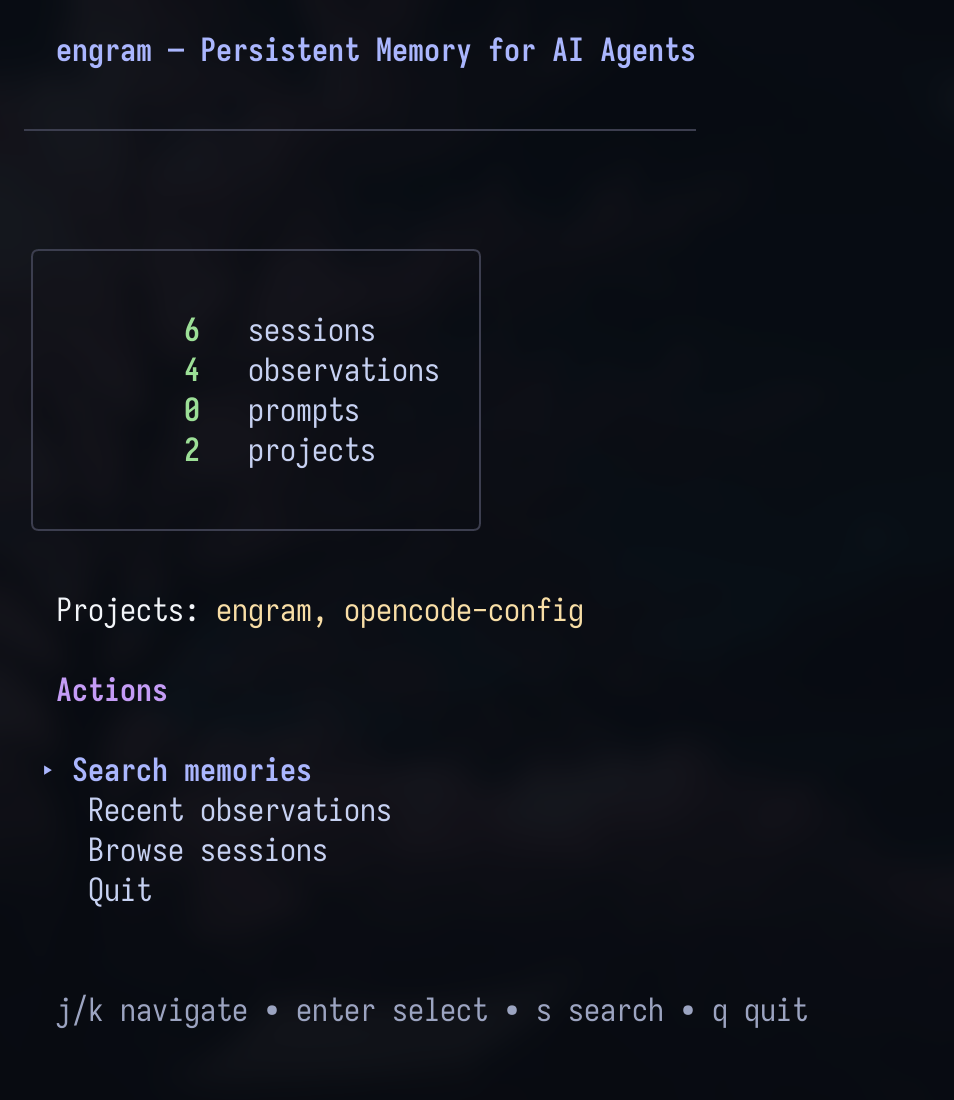
Source: official Engram project page.
Key capabilities
- Memory capture Stores structured observations, durable decisions, and session summaries for later retrieval.
- Progressive retrieval Combines full-text search previews, session timelines, and complete observation records.
- Project scoping Resolves project context and supports explicit selectors for targeted memory access.
- Memory maintenance Supports topic updates, duplicate detection, soft deletion, review schedules, and conflict surfacing.
- Agent access Exposes memory through MCP and HTTP, with documented setup paths for supported coding agents.
- Replication and inspection Provides Git Sync, optional self-hosted cloud replication, and terminal-based memory browsing.
Where Engram fits
Engram fits between a coding agent and the project knowledge that should survive individual sessions. Developers can retain architectural decisions, completed bug fixes, configuration changes, and handoff summaries, then retrieve the relevant records when related work resumes. Its shared-memory paths also support work across machines without replacing the local database.
Before deployment, teams should verify project detection, session ownership, and the capture behavior of their chosen integration. Bare MCP does not automatically inject previous context, and cloud onboarding remains a manual CLI workflow rather than part of agent setup. Existing installations require database backups and integration checks before upgrades. Cloud operators must configure authentication and HTTPS because the compressed sync envelope is not encryption.
Install
brew install gentleman-programming/tap/engramReviews of Engram
Be the first to share your experience with Engram.
Write a review
Loading review form…
