

What is Firefiles?
Firefiles is an open-source web app that gives your own cloud storage buckets a Dropbox-style file manager. It is not a storage service: you bring a provider account, enter its credentials, and Firefiles shows the bucket as a drive with folders, uploads, downloads, previews, sharing links and tags. The project describes itself as an open-source alternative to Dropbox, and the official site and the documentation repeat that files stay with the provider you choose. The code is in the faisalsayed10/firefiles repository.
The provider list in the source includes Firebase Storage, AWS S3, Backblaze, Wasabi, DigitalOcean Spaces, Cloudflare R2, Scaleway, Deta and a Git option. The README lists AWS S3 support, and release 1.3.0 added Backblaze. Support depth differs by provider, and the FAQ says tagging works only with Firebase custom metadata and S3 object tagging. Check the provider you plan to use in the documentation before committing to it.
You can use a hosted instance run by the project, or deploy your own. The getting started page compares the two: hosted updates automatically and is described as free but subject to change, while a self-hosted instance keeps keys under your control. The self-hosting guide deploys the Next.js app to Vercel or any host that supports Next.js, and needs a MySQL database, a SendGrid account for passwordless sign-in links and several environment variables. The source also contains a Resend email sender.
The latest GitHub release is v1.3.0, published March 10, 2023, which added Backblaze support and a faster upload path. The repository was last pushed in November 2025, so treat it as a small, slowly maintained project. The license shown by GitHub is AGPL-3.0, while the documentation footer says GPL-3.0; read the LICENSE file before redistributing or running it as a service for others.
Firefiles screenshots
Explore the interface. Open a screenshot to view it at full size.
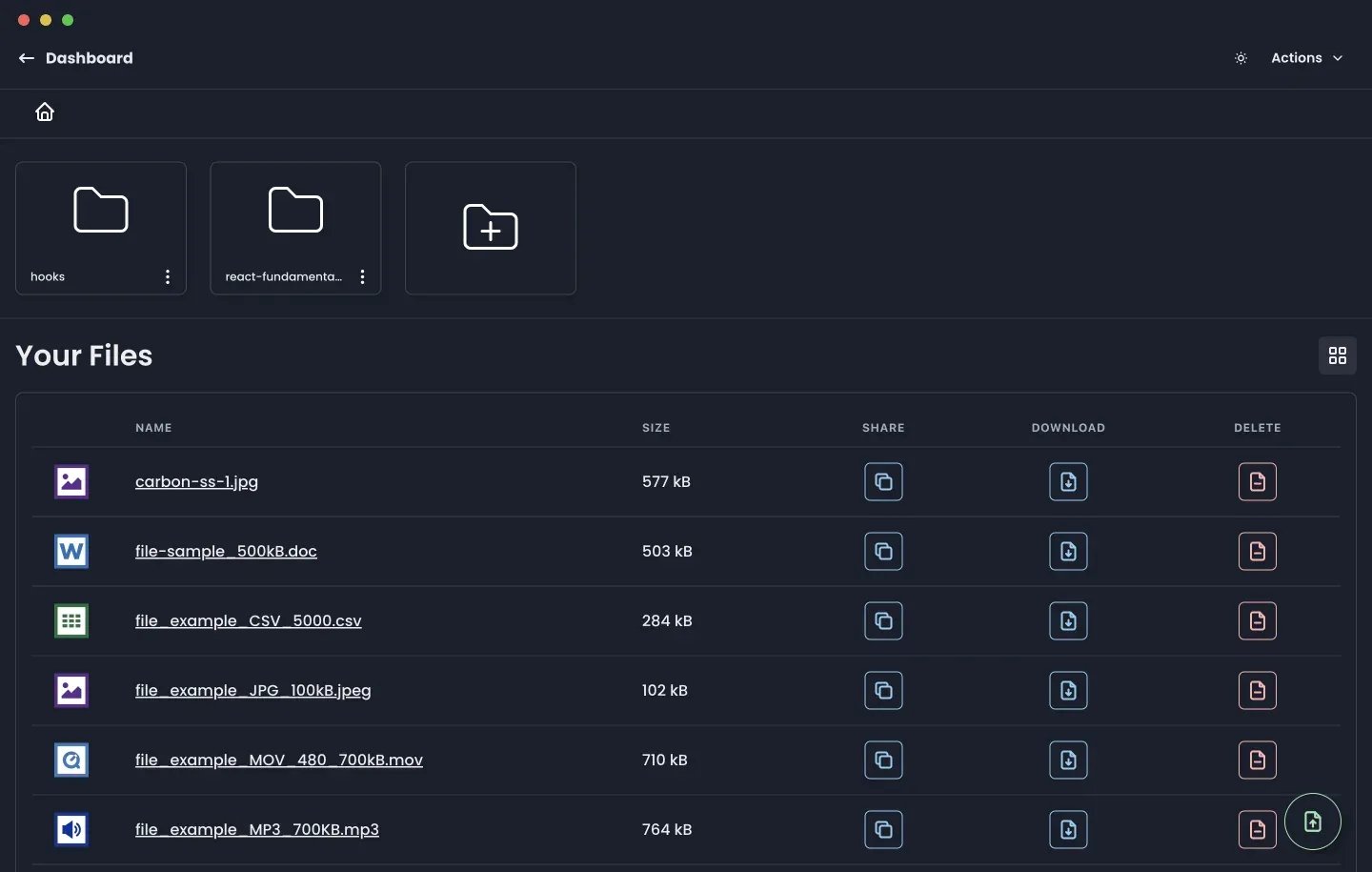
Official project screenshot of a drive in the dark theme with folders and files of several types.
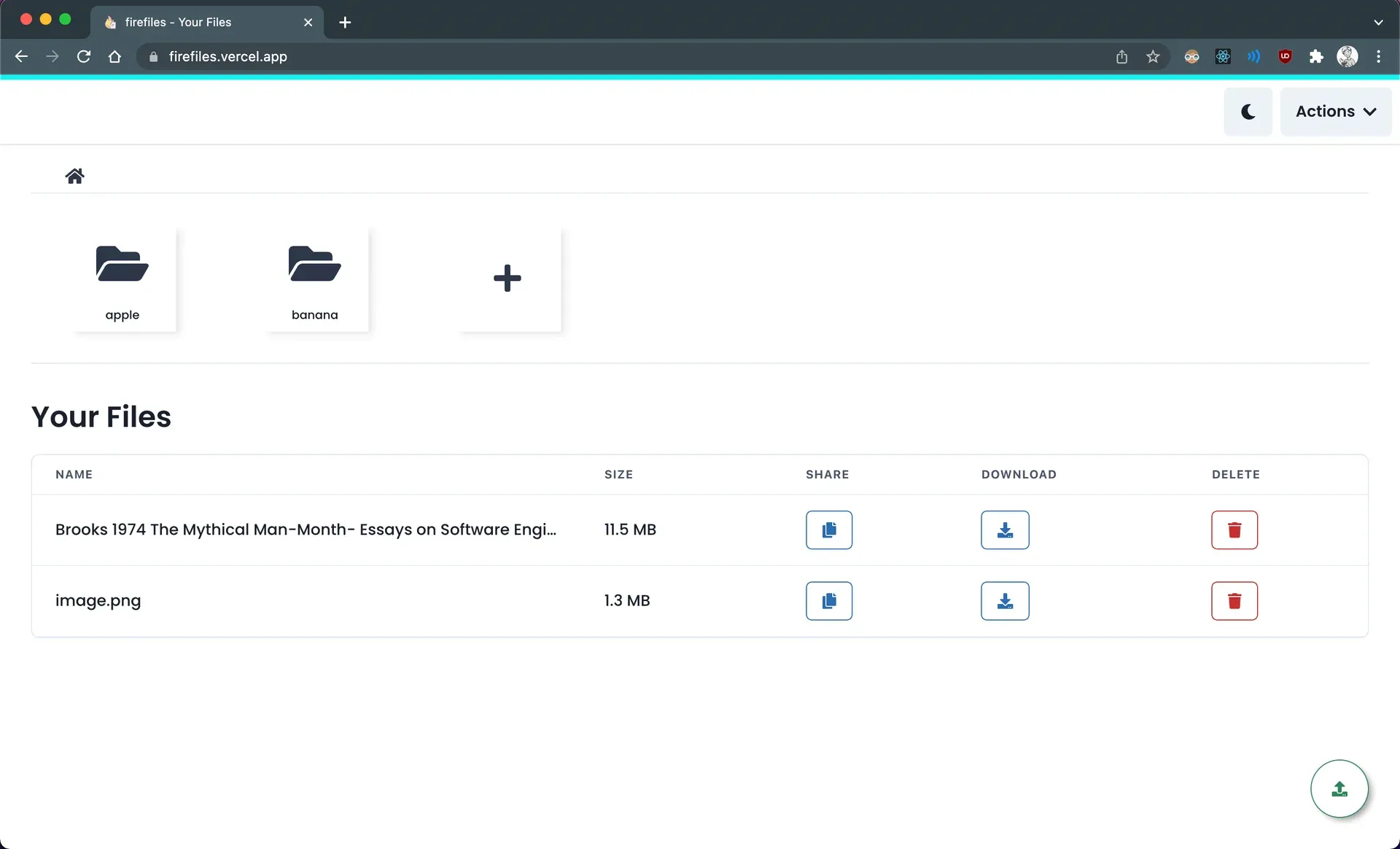
Official project screenshot of the light theme file view in a browser window.
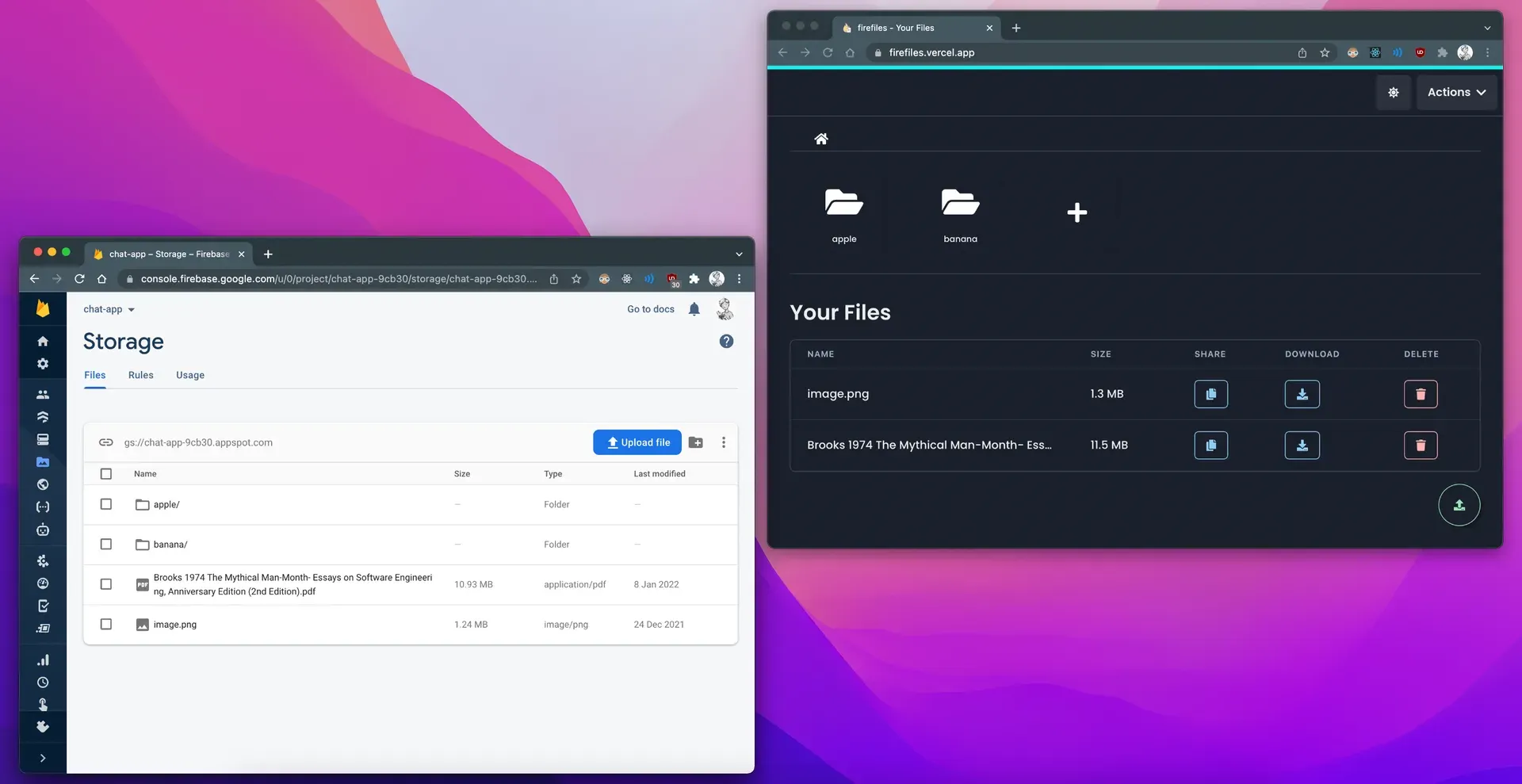
Official project screenshot comparing the Firebase console with the Firefiles interface for the same bucket.
Source: official Firefiles project page.
Key capabilities
- Drives on your own buckets Create a drive by entering provider credentials, then manage that bucket as a drive. The dashboard shows all your drives, such as Firebase and S3 drives, and you can add more. A drive is a view onto the bucket, not a copy of its files.
- Multiple storage providers The codebase lists Firebase, AWS S3, Backblaze, Wasabi, DigitalOcean Spaces, Cloudflare R2, Scaleway, Deta and Git as drive types. Region pickers exist for AWS and Wasabi, and the S3 flow lists buckets from the keys you provide.
- Create a bucket from the app The S3 documentation says you do not need a bucket before starting: if you supply access keys, Firefiles can create one for you. Enter the AWS region correctly or AWS may return errors.
- Folders and file browsing A file-system interface for the bucket with breadcrumbs, folders, a grid view and a list view, plus sorting and an empty state for new drives. Everything is handled in the browser.
- Uploads with progress Upload several files at once with progress indicators. Release 1.3.0 introduced a faster upload implementation. Large uploads depend on browser and provider limits, so test with your biggest files.
- Downloads Download a file in one click. A download endpoint exists for providers that need it, but the FAQ says files do not pass through the Firefiles server for normal use.
- File previews Preview files in the browser without downloading, including images and other common types. File icons mark documents, spreadsheets, audio, video and images.
- Sharing links A share action copies a link. The S3 documentation notes that S3 has no permanent links, so shared links are presigned URLs that expire after 24 hours, with an option to extend expiry planned. Firebase links behave differently.
- Tagging and filtering Tag files with key and value pairs and filter by them. The FAQ says tagging is supported on Firebase through custom metadata and on S3 through object tagging, with S3 allowing up to 10 tags per object and unique keys per file.
- Dark and light themes Switch between a light and a dark interface. Screenshots in the project show both.
- Passwordless sign-in Accounts sign in with an emailed link rather than a password. A self-hosted instance needs a SendGrid key or the Resend sender and a verified from address.
- Encrypted credential storage The FAQ says credentials are stored with AES-256 encryption, and the self-hosting guide has you set a cipher key, a cookie password and a JWT secret. These secrets must be long random strings and kept out of the repository.
- Firebase setup The Firebase guides cover creating a project and bucket, enabling email and password authentication so Firefiles can create a temporary user, editing security rules with that user's ID and setting CORS. Follow them exactly, because a wrong rule can expose or block the bucket.
- Invitations and shared drives The source includes user management, invitations and shared bucket hooks for S3, but the landing page marks team features as coming soon, so verify the current state before relying on them.
- Self-hosting on Vercel The documentation walks through deploying with Vercel, setting a MySQL database URL and changing the Prisma build script for databases other than PlanetScale. Any host that supports Next.js can run it.
- Built with a common web stack The web app uses Next.js 13, React 18, Chakra UI, Prisma with MySQL, the AWS SDK for S3 and the Firebase SDK, and is written in TypeScript. This makes it approachable for a web team to fork.
- Open-source project and community Issues and pull requests are accepted on GitHub, a contributing guide exists and there is a Discord server linked from the README. The FAQ invites requests for new providers.
Where Firefiles fits
Managing a Firebase or S3 bucket without the cloud console
Create a drive with your credentials and use folders, uploads and previews instead of the provider's console. Before giving credentials to a hosted instance, create a key limited to one bucket, and check that you can revoke it from the provider if needed.
Sharing files from an S3 bucket
Use the share action to copy a presigned link and send it to a recipient. Remember that the link expires after 24 hours, and confirm that your bucket's CORS and public-access settings match the documentation so previews and downloads work.
Running a private drive for a small team
Self-host on Vercel or another Next.js host with a MySQL database, set strong cookie, cipher and JWT secrets, and restrict who can register. Test the email sign-in flow before inviting anyone, and decide who owns the database backups.
Tagging and filtering files
Add key and value tags for projects or clients and filter the drive by them. This works for Firebase and S3 drives only, so confirm your provider supports tags, and respect S3's limit of 10 tags per object when you design a tagging scheme.
Moving between storage providers
Because Firefiles puts one interface over several providers, you can keep drives on different services in one dashboard and choose providers by price. Compare egress and request charges, since the FAQ states the provider bills you for storage and bandwidth.
Customizing or contributing
Developers can fork the monorepo, which has a landing site and the web app, add a provider and follow the contributing guide. Check the build script and Prisma settings first, because they differ by database and hosting setup.
Evaluating the hosted instance before self-hosting
Try a drive on a throwaway bucket with the hosted instance to judge the interface, then decide whether to deploy your own. Compare what you must supply yourself, such as the database, email service and secrets, and note that hosted pricing is described as subject to change.
Reviews of Firefiles
Be the first to share your experience with Firefiles.
Write a review
Loading review form…
Alternatives to Firefiles
 FilestashFilestash is an AGPL-3.0 Go file manager that gives one browser interface to SFTP, S3, SMB, WebDAV and other storage, with plugins, protocol and MCP gateways, a workflow engine and optional SSO.SSpacedriveSpacedrive brings local, remote, and cloud storage into a shared filesystem interface, with searchable offline catalogs, operation previews, and a self-managed daemon.
 DropboxDropbox is a file storage and sync service with team folders, shared links and apps for Windows, macOS, Linux, Android, iPhone, iPad and the web.