

What is Publii?
Publii is a free, open-source desktop CMS that generates static websites. You write posts and pages in an application on Windows, macOS or Linux, choose a theme, and Publii renders plain HTML, CSS and images that you upload to your own hosting. The published site has no public admin panel, database or PHP runtime, which is the main reason people choose it over a server-based CMS. The application is developed in the open at GetPublii/Publii on GitHub, and the website at getpublii.com carries the documentation, the theme and plugin marketplace and the changelog. The site footer names TidyCustoms as the publisher.
The editing model resembles WordPress or Ghost: posts, pages, tags, authors, menus and theme options live in a local interface, and the app runs offline. Content stays on your computer until you sync it. The official download page lists installers for macOS (Apple silicon and Intel, macOS 12 or later), 64-bit Windows 10 or later (an EXE) and 64-bit Linux (AppImage, RPM and DEB). The application is built with Electron, Vue and Handlebars themes.
Publishing targets documented on the site include FTP, FTPS and SFTP servers, Netlify, Amazon S3, Google Cloud, GitHub Pages, GitLab Pages, a Git repository, or a manual export you copy yourself. The reviewed release is 0.48.2 (build 17583), published November 3, 2026, which the release notes describe as a small build fix made before packages were released. The functional changes arrived in the 0.48 series, described in the 0.48 release post.
The source is licensed under GPL-3.0. The Publii application itself is free; the marketplace sells premium themes and plugins, and the company offers web-development services and premium support for paid products. Publii does not provide a hosted editing service: you choose and pay for your own hosting, and anything dynamic, such as comments or search, needs a static-friendly plugin or a third-party service.
Publii screenshots
Explore the interface. Open a screenshot to view it at full size.
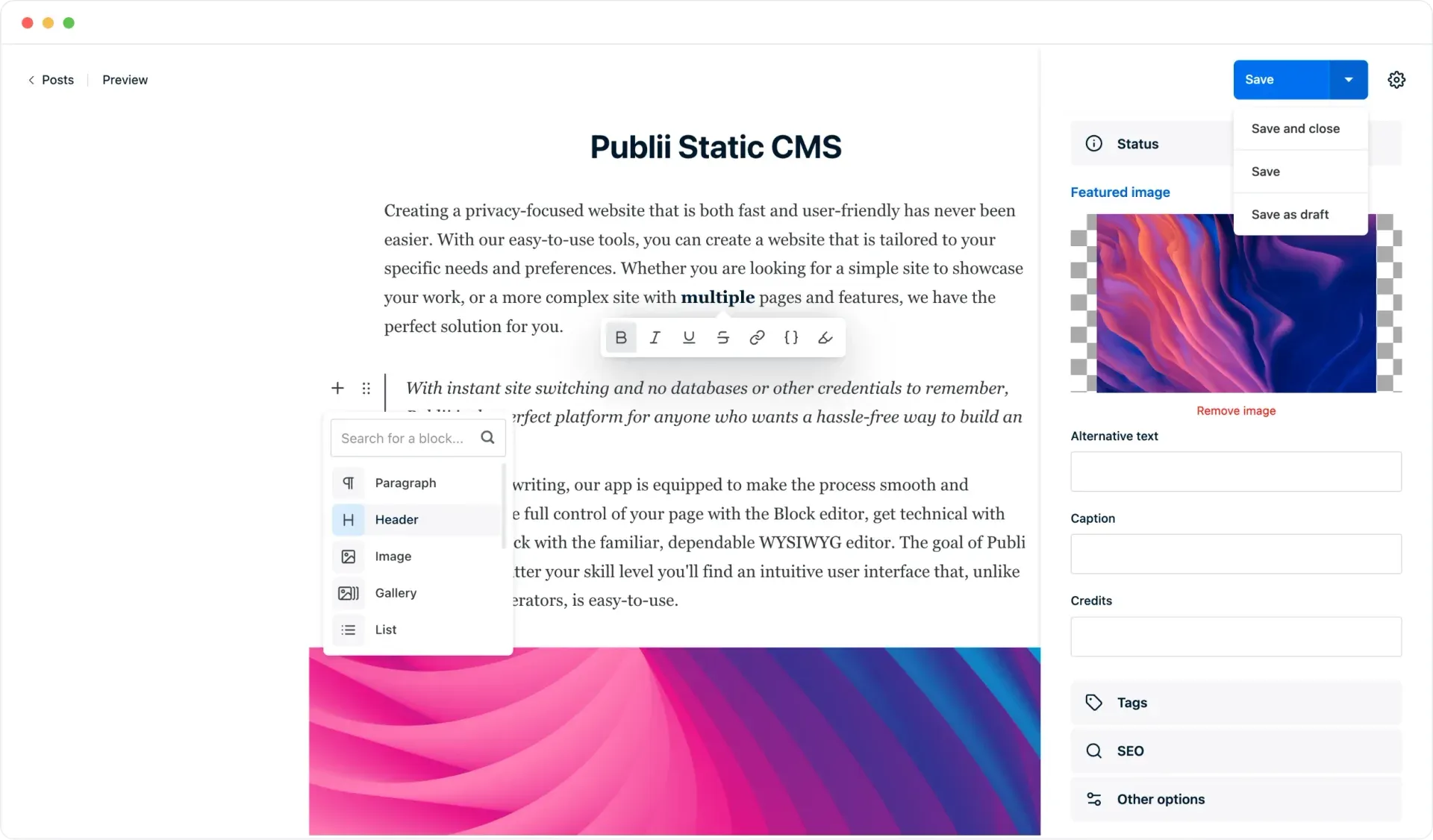
Official screenshot of the post editor with the block picker open and the save menu expanded.
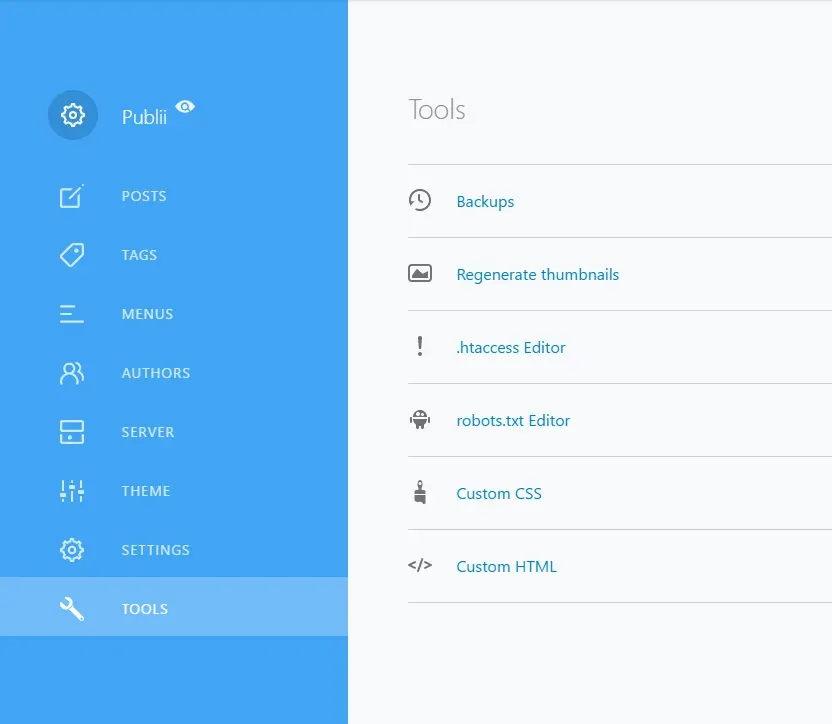
Official documentation screenshot of the Tools screen: backups, thumbnails, .htaccess and robots.txt editors, custom CSS and HTML.
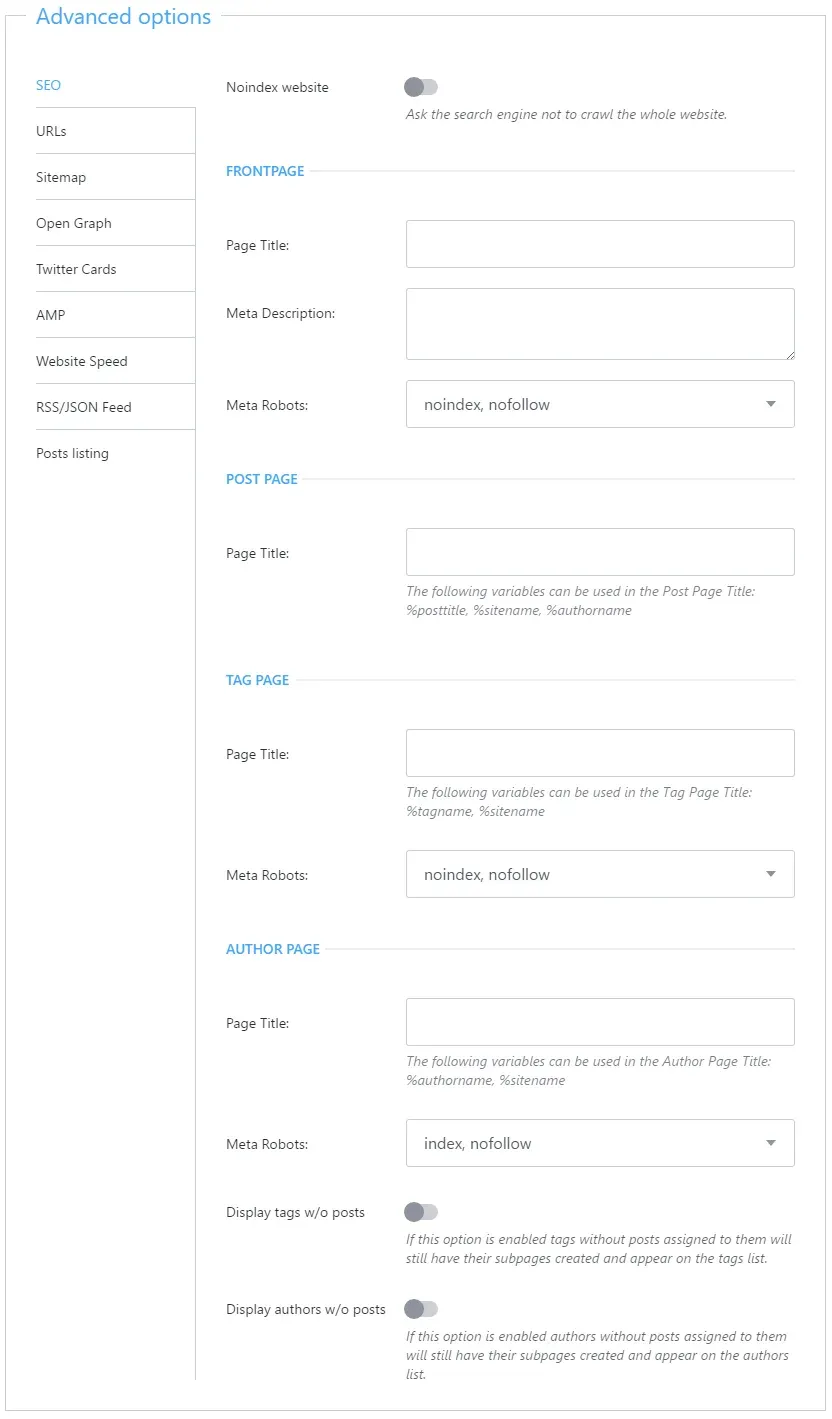
Official documentation screenshot of the advanced SEO options with sections for URLs, sitemap, Open Graph, feeds and more.
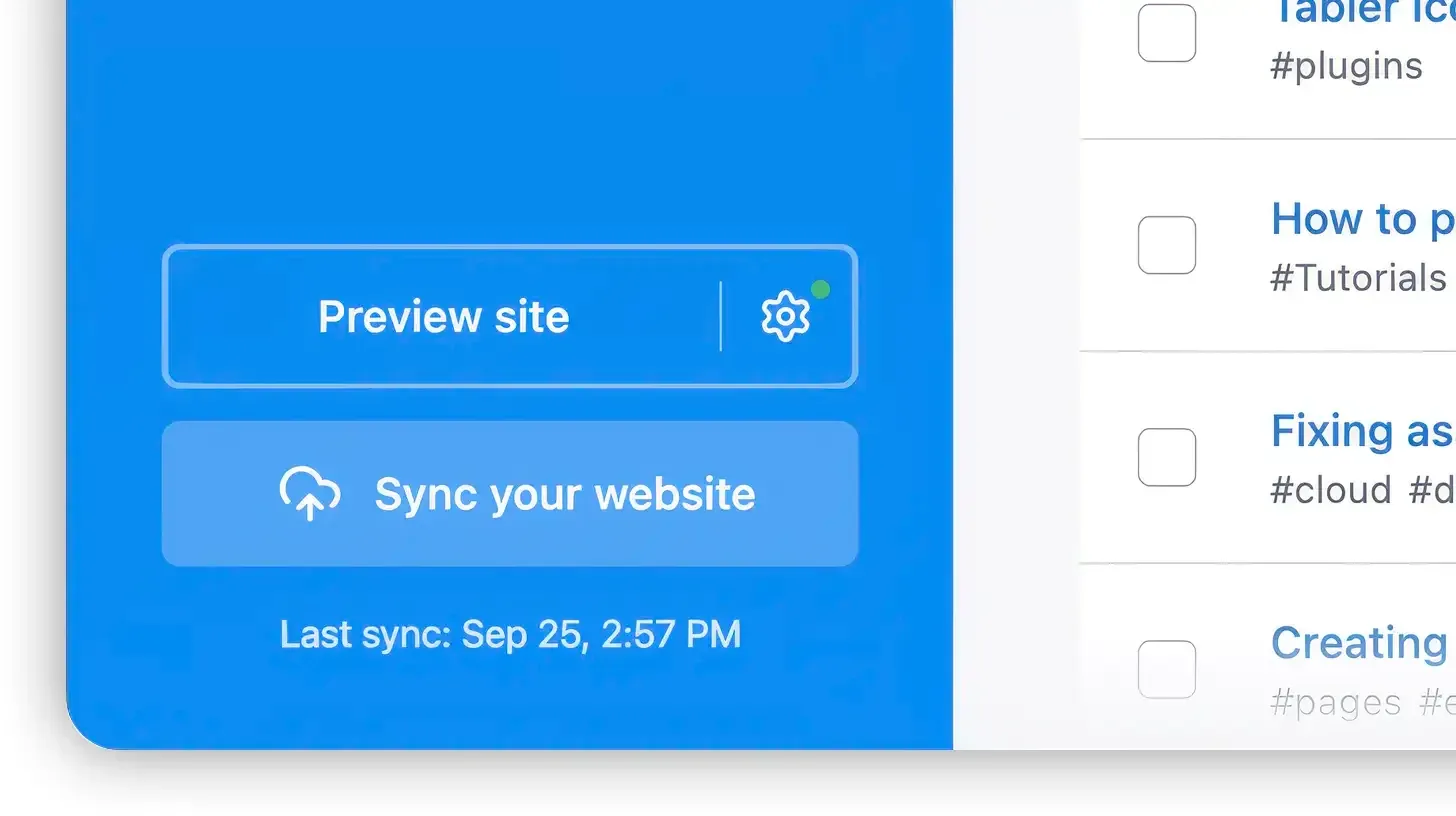
Official documentation image of the preview and sync controls used to upload a generated site.
Source: official Publii project page.
Key capabilities
- Desktop installers The official download page offers a macOS DMG for Apple silicon and one for Intel, requiring macOS 12 or later; a Windows EXE for 64-bit Windows 10 or later; and Linux AppImage, RPM and DEB files for 64-bit systems. Sizes at the time of review are roughly 130 to 190 MB. The page also lists an alternative CDN link and the previous version.
- Block, WYSIWYG and Markdown editors Posts can be written in a block editor with paragraph, header, image, gallery, list and code blocks, in a WYSIWYG editor, or in Markdown. The editor sidebar holds the featured image with alt text, caption and credits, tags, SEO fields and other options, and a save menu offers save, save and close and save as draft.
- Posts, pages, tags, authors and menus The left navigation separates posts, tags, menus and authors, so a site can have multiple authors, tag archives and several menu locations. Tags and authors without posts can be shown or hidden through an advanced option. Pages and the frontpage are configured separately.
- Multiple sites in one application You can manage several websites from one installation and switch between them without separate logins or databases. Each site stores its own theme, settings and content locally.
- Offline writing and local preview Because the app runs on your machine, you can create and edit content with no connection and preview the generated site before uploading. A Preview site button renders the site locally.
- One-click sync to the server A Sync your website action uploads the generated files and shows the time of the last sync. A server screen configures the method, and the server configuration guide and syncing guide cover each one.
- Hosting targets Documented guides cover Amazon S3, Netlify, GitHub Pages, GitLab Pages, Git repositories and Google Cloud. Access tokens and keys are entered in the app, so give them the narrowest permissions the provider allows.
- Theme system Themes are Handlebars templates with their own settings screen for layout, colors and typography. The theme guide explains installing, switching and updating, and developers can build custom themes with the developer documentation.
- Advanced SEO options A settings panel provides title templates, meta descriptions and robots values for the frontpage, posts, tags and authors, plus sections for URLs, sitemap, Open Graph, Twitter Cards, AMP, website speed and RSS or JSON feeds. A site-wide noindex switch is available for staging copies.
- AI search tools The site documents an llms.txt generator, a Markdown-for-AI option and an AI crawler blocker that manages crawler rules. These are optional site features, and whether any crawler honors them is outside Publii's control.
- Tools screen The Tools area includes backups, thumbnail regeneration, a .htaccess editor, a robots.txt editor, custom CSS and custom HTML injection. Back up the site folder separately as well before a major upgrade.
- Image handling The feature list describes responsive image generation, native lazy loading and conversion to WebP and AVIF. Regenerate thumbnails after changing a theme so sizes match the new layout.
- Plugins The plugin system covers analytics integrations (Matomo, Plausible, Umami, Google Analytics), comments, static search, a syntax highlighter, social sharing, favicon tools, icon sets and a reading time indicator. Plugins that call external services change what your visitors load, so review each one's privacy impact.
- WordPress import A documented path imports content from WordPress into a static site. Check media paths, shortcodes, custom post types and redirects afterwards, because dynamic features do not carry over.
- Privacy and consent tools The site describes cookie consent management and says the official themes serve their assets from your hosting and add no tracking by default. The site itself is described as hosted in the EU.
- Multilingual interface The application interface is available in several languages, and the official site is published in English, German and Polish.
- Updates and source builds The updating guide covers upgrades, and the repository wiki describes the app build process for contributors who want to compile from source.
Where Publii fits
Publishing a personal or company blog on cheap hosting
Create a site, choose a theme, write posts in the block editor and sync over SFTP or to an object store. Because the output is static files, the host needs only a web server. Check the generated sitemap and canonical URLs in the SEO panel before the first sync, and test the site on a staging path.
Moving a WordPress site to static output
Use the import guide to bring posts, pages and media into Publii, then rebuild menus and theme settings. Compare URLs between the old and new sites and add redirects at the server for any that change. Replace features that need PHP, such as comments or search, with a plugin or an external service.
Running several client sites from one machine
Keep each client in its own Publii site with its own theme and sync target. Record which person holds the S3 or SFTP credentials, back up each site folder, and decide who owns the installation so projects do not live on one laptop only.
Privacy-sensitive sites and consent
Pick a theme that loads no external fonts or scripts, add only the analytics plugin you need, and configure the consent tools if you serve visitors who require them. Open the generated site's network requests in a browser to confirm what loads.
Search and AI crawler settings
Set title templates and robots values in the SEO panel, enable the sitemap, and decide whether to publish llms.txt or Markdown versions and whether to block specific AI crawlers. Verify the resulting robots.txt in the Tools editor and in production.
Custom themes for a design team
Developers can build Handlebars themes using the developer documentation, add theme options that editors change from the settings screen, and package them for the team. Version the theme in Git and test it against the current Publii release before each client update, and keep a note of the theme options editors are expected to change so handover is clear.
Reviews of Publii
Be the first to share your experience with Publii.
Write a review
Loading review form…
Alternatives to Publii
 GhostGhost is an open source publishing platform for building a website, sending email newsletters and selling paid memberships, self-hosted or on Ghost(Pro).
 WordPressWordPress is the free, GPL-licensed content management system from wordpress.org that you install on your own PHP and MySQL or MariaDB host. Not to be confused with WordPress.com, the managed hosting service built on the same software.
 AstroAstro is an open-source, MIT-licensed framework for content-driven sites using islands architecture, shipping minimal JavaScript by default; its team joined Cloudflare in January 2026.