

What is Ubicloud?
Ubicloud is an open-source cloud platform that provides infrastructure-as-a-service features on bare metal providers such as Hetzner, Leaseweb and AWS Bare Metal. The README describes it as an open alternative to public cloud providers, in the way Linux is an alternative to proprietary operating systems. You can run the control plane yourself or use the managed service at console.ubicloud.com, where billing follows the resources provisioned.
The services covered today are Linux virtual machines on Cloud Hypervisor, managed PostgreSQL, managed Kubernetes, GitHub Actions runners, AI inference endpoints for open-weight models, and networking with private subnets, firewalls and load balancers. They are managed from the web console, the REST API described by an OpenAPI specification, the ubi command-line tool or a Terraform provider.
The architecture follows the pattern of public clouds: a control plane manages a data plane. The control plane is a Ruby application built with Roda, Sequel and Rodauth, and it is itself a Postgres application, with all state and in-flight workflows stored in one database. It reaches bare metal hosts over SSH. On the data plane, virtual machines run inside Linux namespaces, networking uses IPsec tunnels and nftables, and disks are served by ubiblk, a project-written vhost-user block backend that supports encryption at rest.
The repository has no GitHub releases, so there is no release number to cite. Development happens continuously on the main branch, and the repository was created in January 2023. The founding team says it comes from Azure and earlier worked at Amazon, Heroku and Citus Data, which Microsoft acquired. The code is licensed under AGPL-3.0.
Ubicloud is not a drop-in replacement for the full range of public cloud services. The project states a goal of implementing about 10 percent of the services that make up 80 percent of consumption, and block storage in the self-hosted build is non-replicated.
Ubicloud screenshots
Explore the interface. Open a screenshot to view it at full size.
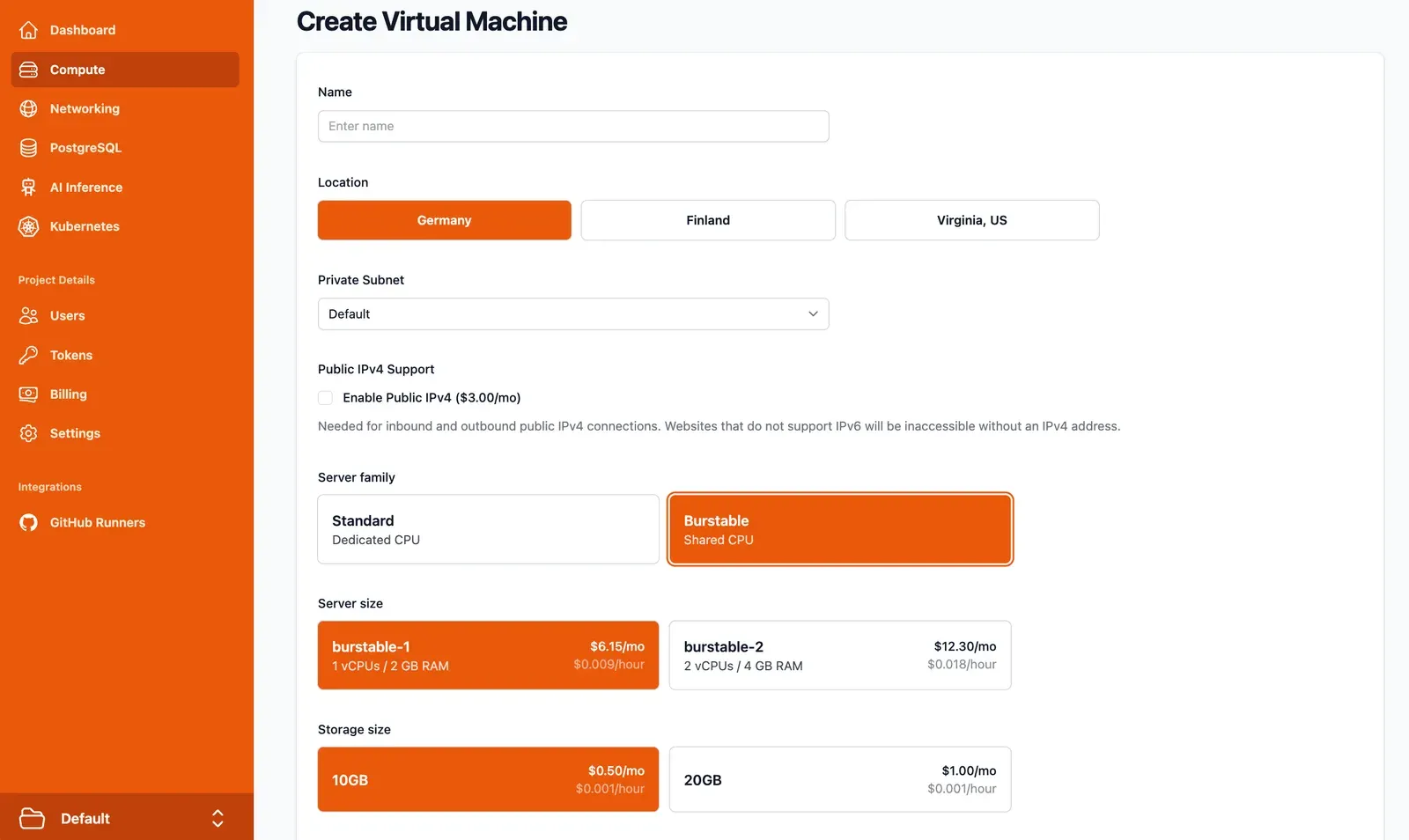
Official console view for creating a VM: location, private subnet, public IPv4, server family and size. The user menu was cropped out.
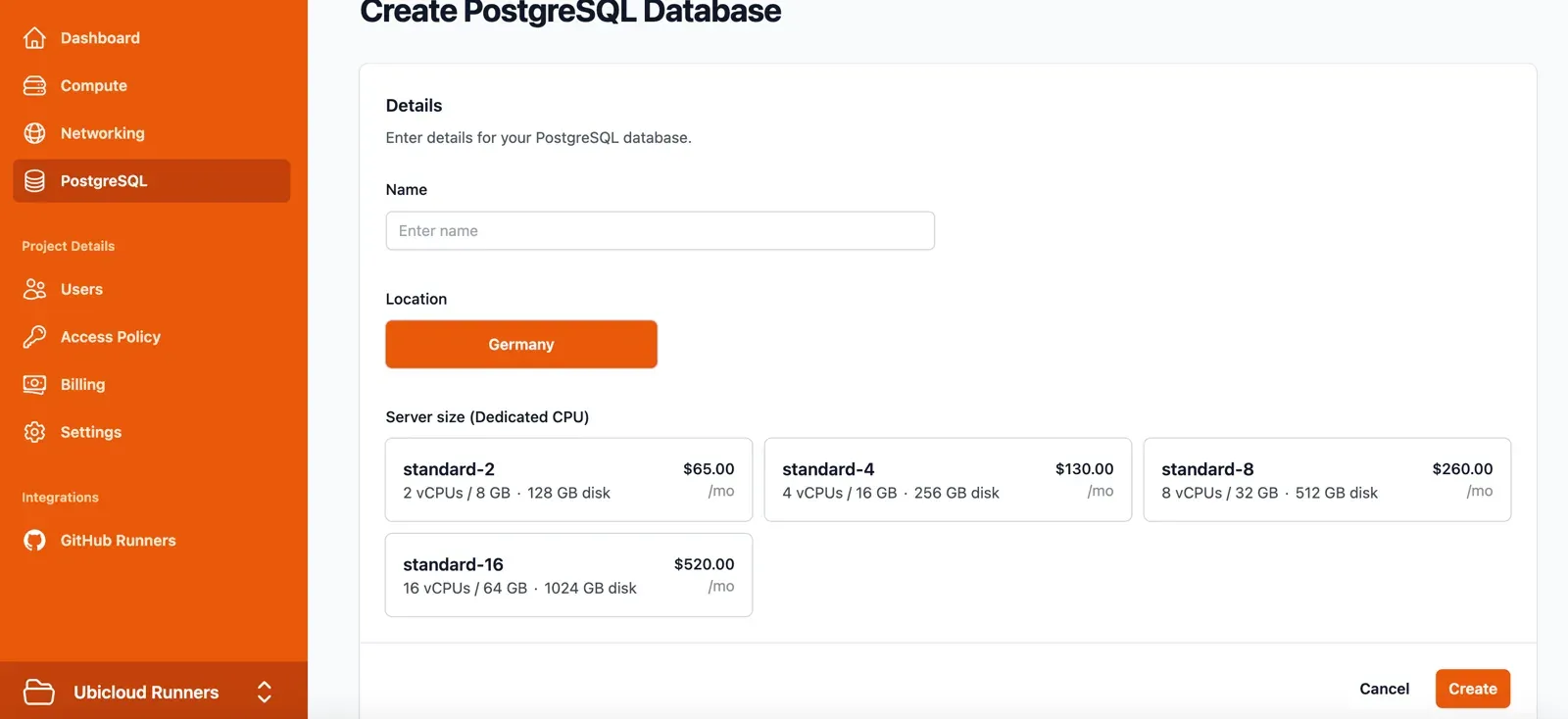
Official console view for creating a managed PostgreSQL database with standard server sizes. Header cropped to remove the user menu.
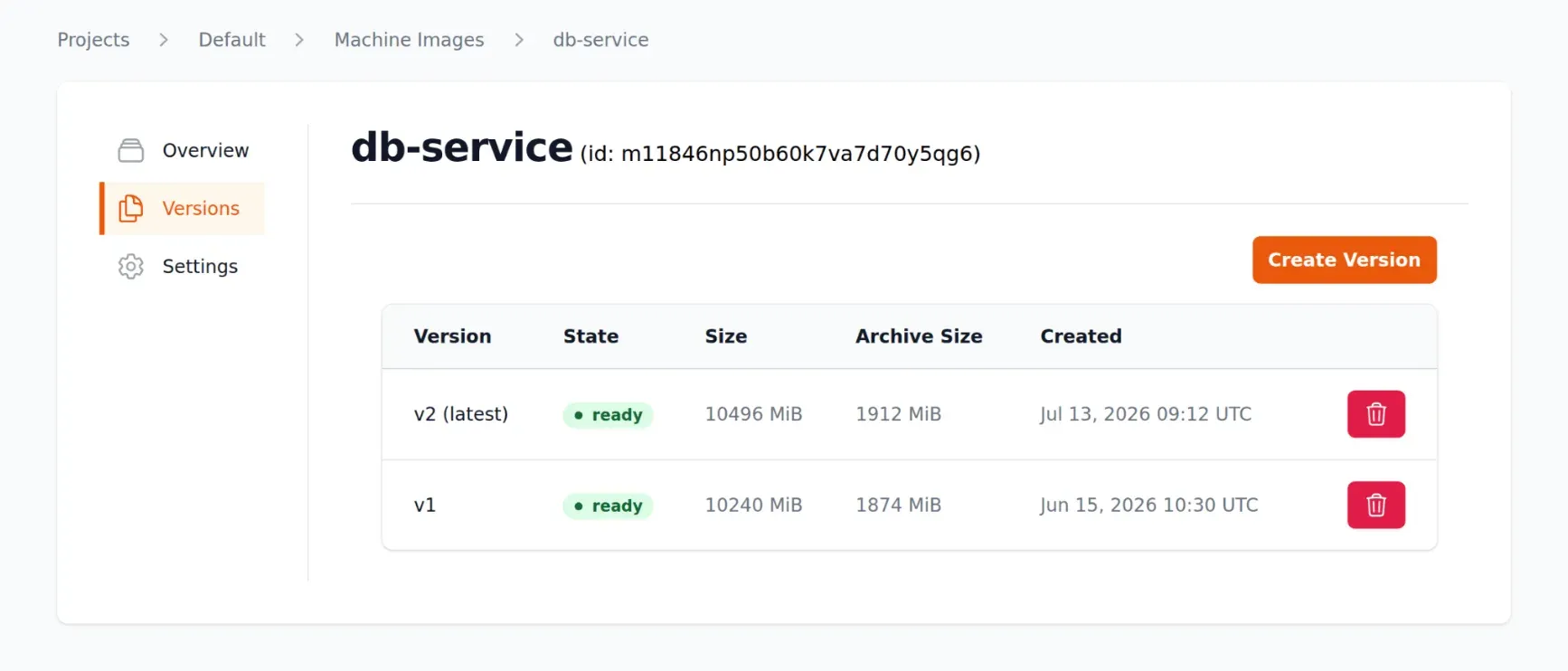
Official console view of a machine image with two ready versions, from the machine images announcement.
Source: official Ubicloud project page.
Key capabilities
- Elastic compute on bare metal Virtual machines are provisioned on leased bare metal servers using Linux KVM and Cloud Hypervisor, each VMM in its own Linux namespaces. Managed instances come in standard dedicated-CPU and burstable shared-CPU families, with public IPv4 and IPv6 and optional public IPv4 addresses billed separately.
- Encrypted block storage Disks are provided by ubiblk, an open-source vhost-user block backend. The security documentation describes envelope encryption, with a data encryption key per volume protected by a key held by the control plane. Self-hosted block storage is non-replicated, so plan backups yourself.
- Virtual networking and firewalls Private subnets use IPsec tunnels with daily key rotation, with dual-stack IPv4 and IPv6. Firewalls are stateful ingress filters built on nftables, and the default firewall for a new subnet allows all inbound traffic, so restrict it before exposing services. A load balancer is included.
- Managed PostgreSQL The service covers the latest PostgreSQL versions with high availability using one or two standbys, read replicas, point-in-time restore, major version upgrades, PgBouncer and metrics and log export. Backups use WAL-G to object storage, and the database runs on bare metal, AWS or GCP according to the README. The PostgreSQL docs give sizing and settings.
- Managed Kubernetes Clusters are created with node pools, with documentation for exposing applications over TLS, firewalls, persistent volumes, resizing, upgrades and autoscaling. A tutorial shows self-hosting Windmill on a cluster.
- GitHub Actions runners X64 and arm64 runners in standard and premium sizes are selected by changing the
runs-onlabel in a workflow. Each job runs in an isolated ephemeral VM. The pricing page compares per-minute prices with GitHub-hosted runners and documents caching and SSH debugging. - AI inference endpoints Endpoints serve open-weight models with API keys and a playground, and a Python chat completion tutorial is documented. Check the current model list and data handling terms in the docs before sending sensitive prompts.
- Attribute-based access control Roles, attributes and permissions give fine-grained access to resources in a project. The authorization documentation describes the model, which is worth reviewing before inviting a team.
- Machine images Custom machine images can be created, versioned and generalized for reuse, and a quickstart explains how to build one.
- Command line, API and Terraform The
ubiCLI, the beta REST API and the Terraform provider cover the same resources as the console. Treat API stability accordingly, since the reference marks it as beta. - Build your own cloud The README starts the control plane with Docker Compose from the demo directory, then a script cloudifies Hetzner bare metal servers installed with Ubuntu 24.04. IPv6 connectivity is assumed unless you add IPv4 addresses to the control plane.
- Managed regions The managed service runs in Hetzner Falkenstein in Germany, Hetzner Helsinki in Finland and Leaseweb in Manassas, Virginia, according to the regions page. GitHub runners are provisioned in European regions.
- Pricing in the managed service Billing is per minute and invoiced monthly. The pricing page lists burstable VMs from $10.47 per month and Hobby managed PostgreSQL from $19.54 per month, with comparisons against other clouds that are the vendor's own figures.
- Security and trust documentation A Trust Center, a security overview and service-specific security pages describe infrastructure controls and compliance status. Review them against your own requirements rather than assuming a certification.
Where Ubicloud fits
Cutting CI costs with managed runners
Change the runs-on label of a workflow to a Ubicloud runner type, run a representative pipeline and compare duration, cache behavior and price with your current runners. Check which regions serve the jobs and whether private network access to your resources is needed. The GitHub Actions quickstart covers installation and labels.
Running PostgreSQL where you choose
Create a managed instance, enable standby replicas if you need high availability, then test a point-in-time restore and a failover. Verify the location and the object storage used for WAL backups, and set connection limits with PgBouncer. The same service can run on bare metal, AWS or GCP according to the README.
Hosting applications on dedicated and burstable VMs
Pick the server family by load pattern: burstable for light services and dedicated CPU for steady work. Place VMs in a private subnet, tighten the default firewall and test connectivity over IPv6 and IPv4. Note that the managed service bills public IPv4 addresses separately.
Running Kubernetes with node pools
Create a cluster, expose a test application with TLS, attach a persistent volume and run a resize or upgrade rehearsal. Review firewall rules for node traffic and autoscaling limits before moving production workloads.
Building a private cloud on leased bare metal
Lease servers from a supported provider, install the requested Ubuntu version through its rescue system and cloudify them with the provided script. Read the build-your-own-cloud guide for current requirements, and plan for the non-replicated block storage and your own backup scheme.
Automating infrastructure
Use the CLI, API or Terraform provider to script project resources. Pin tool versions, because the API is labeled beta, and store credentials as you would for any cloud API token.
Reviews of Ubicloud
Be the first to share your experience with Ubicloud.
Write a review
Loading review form…
Alternatives to Ubicloud
 Hetzner CloudHetzner Cloud offers hourly billed virtual servers, volumes, load balancers, firewalls and S3 object storage in Germany, Finland, the USA and Singapore, with a REST API, the hcloud CLI and Terraform.
 DigitalOceanDigitalOcean offers Droplet virtual machines from $4 a month, managed Kubernetes from $12 and a fully managed App Platform.
 ProxmoxProxmox VE is an open-source server virtualization platform that combines KVM virtual machines, LXC containers, storage and networking in one web interface.