

What is Pullfrog?
Pullfrog is an open-source GitHub bot from Pullfrog, Inc. that runs coding agents inside your repository's GitHub Actions. It listens for events such as a pull request opening, an issue being created, a review being submitted or a CI failure, then starts an agent run according to your configuration. The project describes itself as a bring-your-own-key alternative to hosted review bots, and the repository contains the action that powers those runs. You control the runner, the model keys and the costs.
Pullfrog is not an agent itself. According to the README it wraps the vendors' own Claude Code, Codex and OpenCode agents and selects the one that matches your key or subscription, so a run reads the CLAUDE.md or AGENTS.md file, skills, custom commands and repository MCP servers you already maintain. Models can come from your own API key, a Claude, ChatGPT or Grok subscription, Kimi or OpenCode Go access, your own Amazon Bedrock, Vertex AI or Azure OpenAI account, or Pullfrog Router, which bills at raw provider cost with no markup.
Setup takes three parts: install the GitHub App from the console, let the console commit a pullfrog.yml workflow to the default branch, and choose how to pay for models. The command npx pullfrog init starts the same flow from a local repository. The same pullfrog/pullfrog@v0 action can also be used directly as a step in your own workflows, taking a prompt and returning a result output.
The latest GitHub release at the time of review is v0.1.121. It fixes the to-do spinner on GitHub's new pull request Overview page, a false failure when a review was posted outside the review tool, and makes the agent say why it has no shell on self-hosted runners without a sandbox. The project is pre-1.0 and ships frequent releases. The code is licensed under the MIT license. Pullfrog does not offer general self-hosting of its console; the Enterprise plan mentions on-premises or private cloud options, and the product is not a standalone agent.
Pullfrog screenshots
Explore the interface. Open a screenshot to view it at full size.
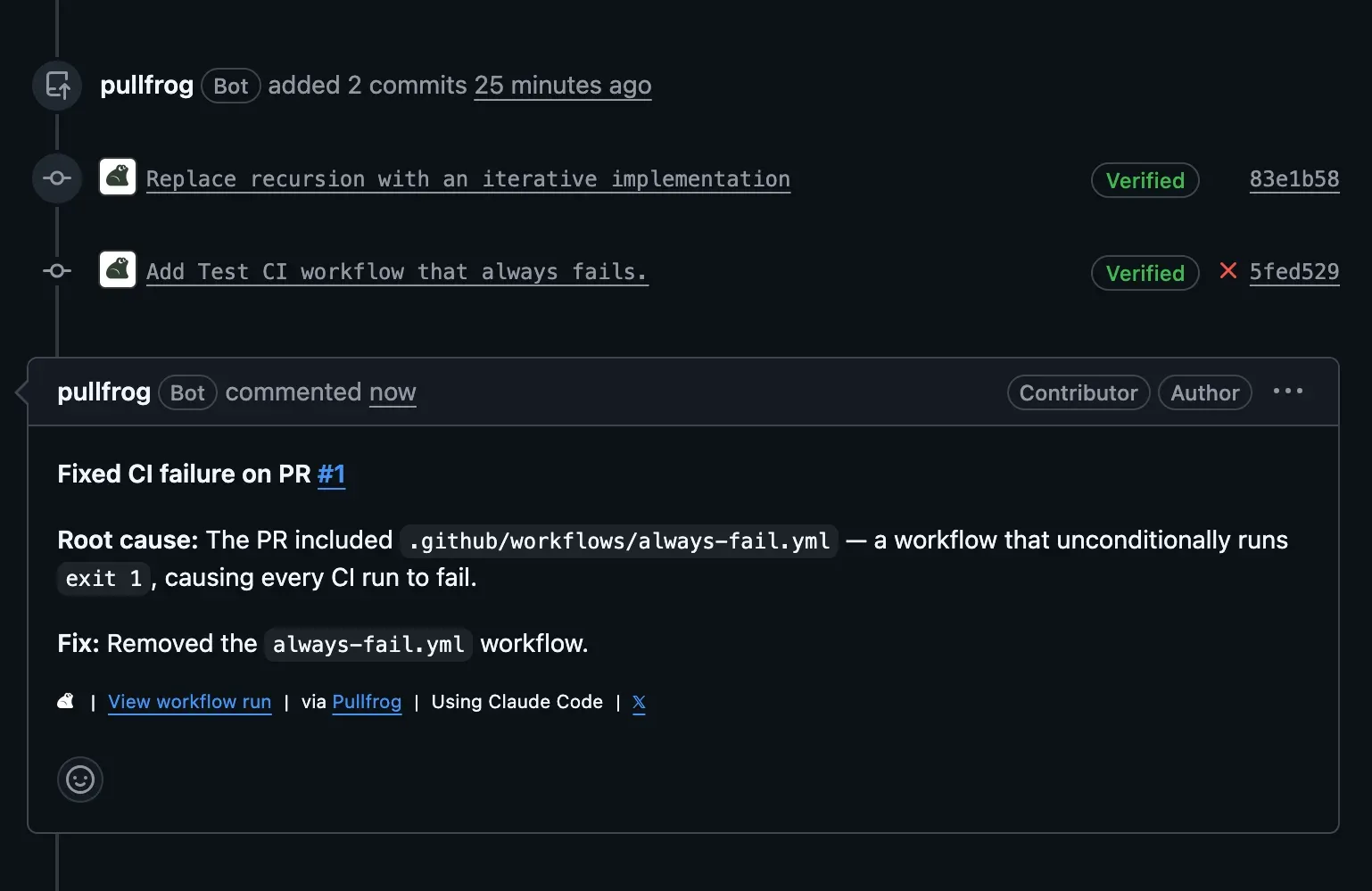
Official website image: the Pullfrog bot adds verified commits and explains the root cause of a CI failure.
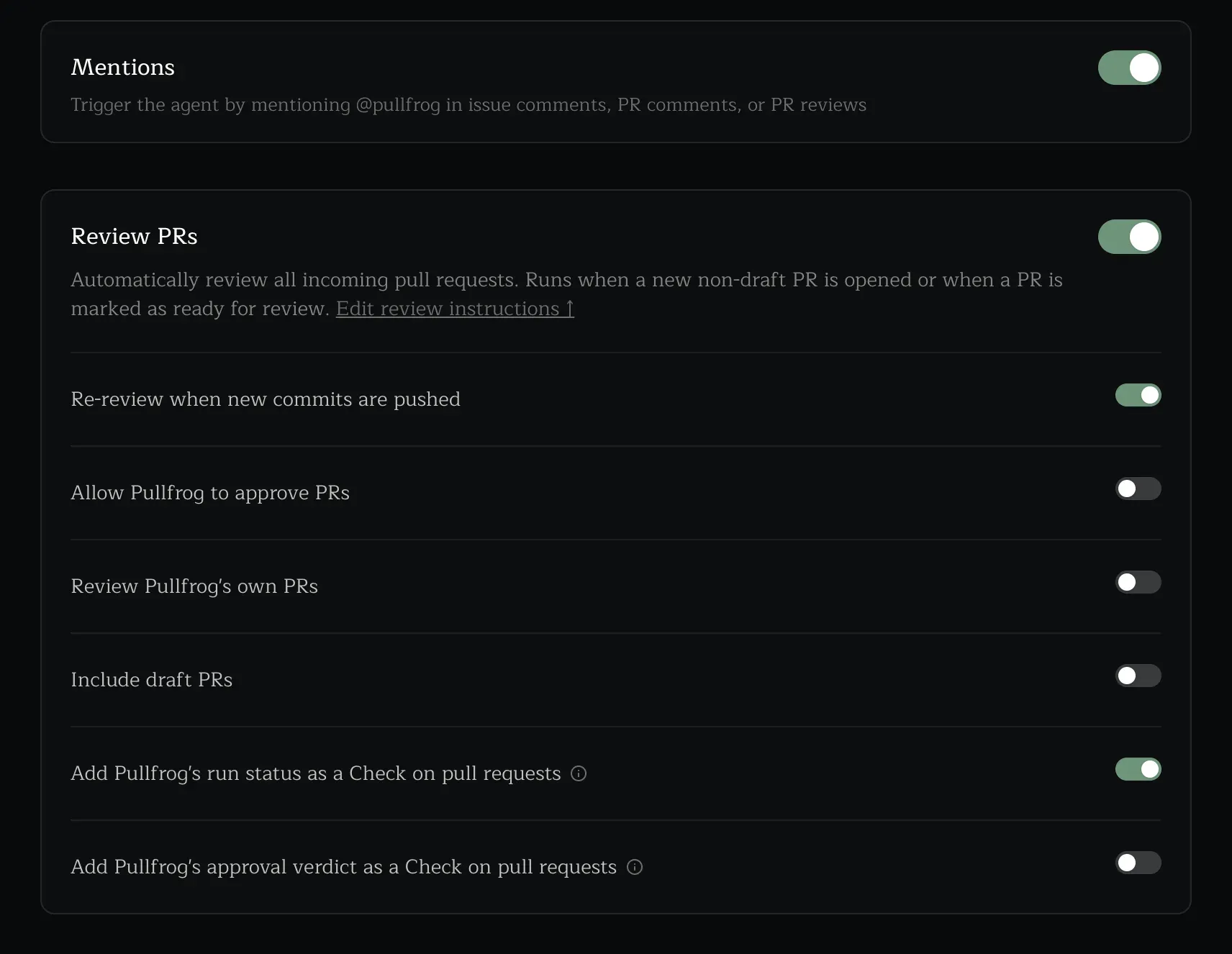
Official website image of the console switches for mentions and automatic PR review.
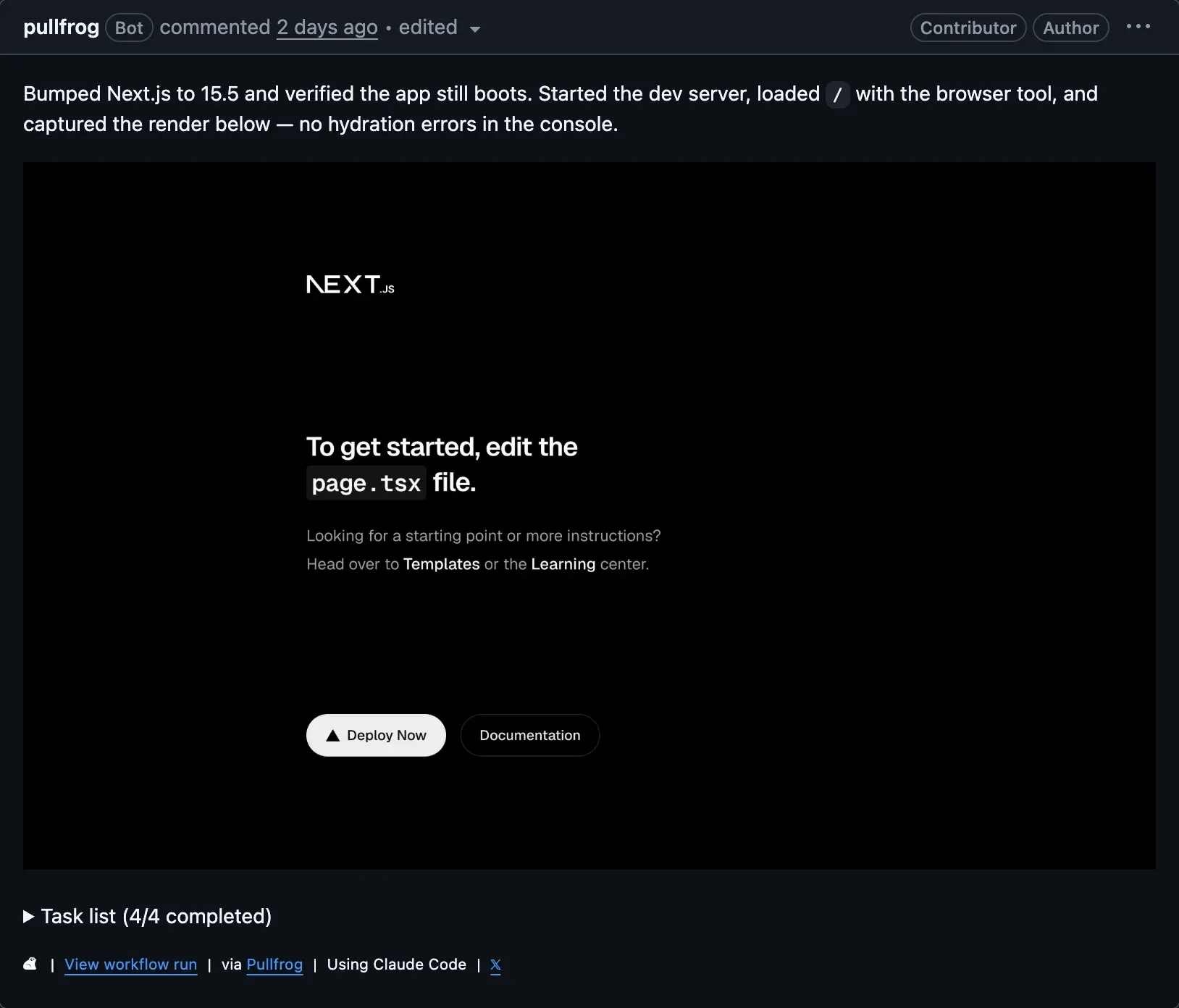
Official website image: the agent verifies a dev server render and posts a screenshot.
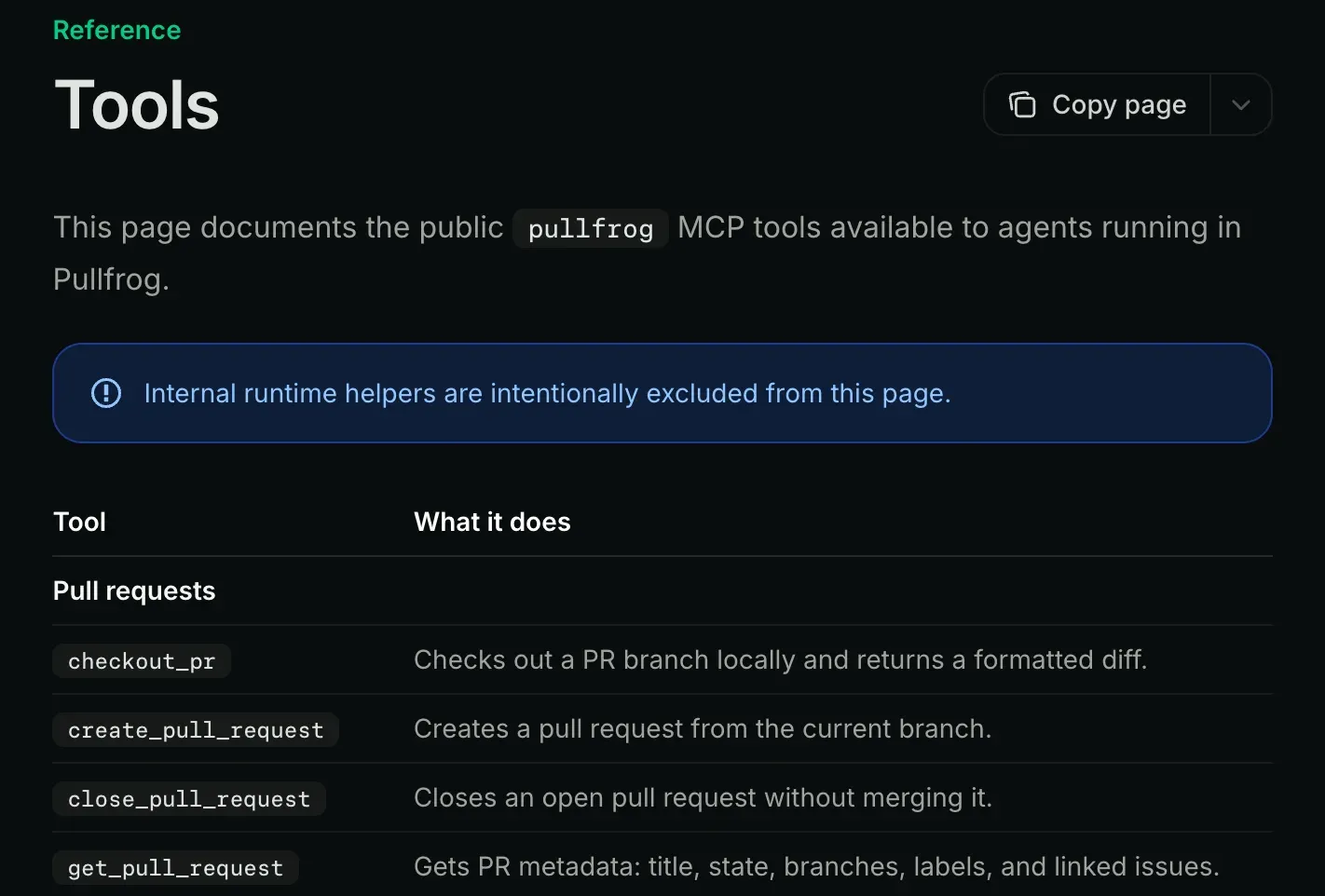
Official documentation excerpt of the pullfrog MCP tools available to agents.
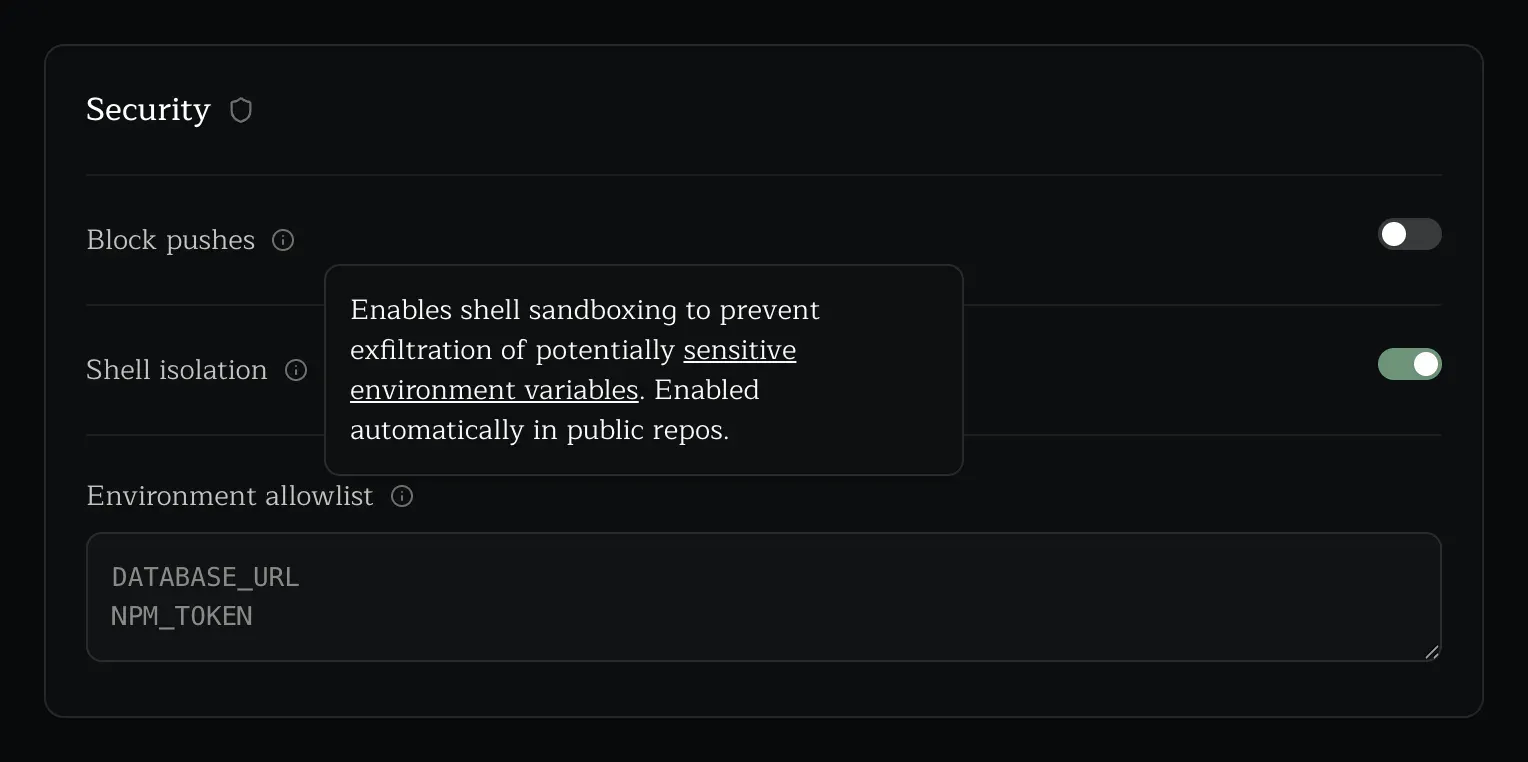
Official website image of the security panel with shell isolation enabled.
Source: official Pullfrog project page.
Key capabilities
- Automatic pull request review Pullfrog reviews new non-draft pull requests, or PRs marked ready for review, and can re-review when new commits are pushed. Review instructions are editable, draft PRs and Pullfrog's own PRs are off by default, and a check can report run status or the approval verdict so branch rules can gate merges.
- Review feedback handling Review comments left on a pull request created by Pullfrog are addressed by the agent in the same way as comments to a human colleague. The PR reviews guide also describes one-click fixes for review feedback, approval checks and auto-merge.
- CI autofix When CI fails on a Pullfrog pull request, the agent reads the failure and attempts a fix. It can be configured to do the same for human-authored PRs. Treat the result as a proposed commit that still needs the usual review.
- Merge conflict fixes Pullfrog can try to keep pull requests mergeable by resolving conflicts, which reduces manual rebasing. The outcome depends on the repository and its tests, so keep required checks enabled.
- Issue triage and planning On new issues, Pullfrog can check for duplicates, add related context, apply labels and draft an implementation plan. The issue enrichment guide describes these options, and each automation can be toggled and given its own instructions.
- Mentions and ad hoc prompts Tag
@pullfrogin an issue, PR comment or review, or send a prompt from the console, and the agent pulls in the surrounding context. The documentation also describes double-dash flags in an instruction that pick the model, effort and timeout. - Bring your own key or subscription Use a provider API key stored in Pullfrog's encrypted store or in GitHub Actions secrets, or connect a Claude, ChatGPT or Grok plan with
npx pullfrog auth claude,codexorgrok. Providers listed on the site include Anthropic, OpenAI, Google, xAI, Mistral, DeepSeek, OpenRouter, Vercel AI Gateway and others. - Cloud provider and gateway routes Runs can use models in your own AWS Bedrock account, Google Vertex AI project or Azure OpenAI resource, or any OpenAI-compatible endpoint such as LiteLLM or vLLM. Gateway-specific headers are set through documented environment variables.
- Pullfrog Router Router gives access to models through Pullfrog's gateway, billed from a prepaid balance at provider cost with no markup. By default Pullfrog selects the model for each run. Model usage and taxes are billed separately from plan fees.
- GitHub and git MCP tools A purpose-built MCP server gives the agent tools for checking out a PR, creating pull requests, leaving reviews and comments, reading CI logs and managing issues. The tools reference lists them, and operations pass through Pullfrog's permission layer.
- Sandboxed shell access In CI, each shell command and setup or pre-push script runs in its own Linux PID and mount namespace with a default-deny environment. Names ending in _TOKEN, _KEY, _SECRET, _PASSWORD or _CREDENTIAL are dropped. Where no isolation method works, shell and gh are disabled rather than run unsandboxed.
- Short-lived credentials GitHub operations use an installation token that is revoked when the run ends, and git tokens are single-operation. Pullfrog secrets are encrypted at rest and released only to Actions runs that prove through OIDC that they belong to the repository. Fork PR workflows get no OIDC token.
- Headless browser The agent can start a dev server, load a page and capture screenshots for end-to-end checks or UI iteration, with screenshot uploads built in. It is useful for UI changes, but the screenshots are uploaded to storage, so avoid pages that show secrets.
- Hooks Setup, post-checkout, pre-push and stop scripts run inside the agent's permission boundary. A stop script that exits non-zero resumes the agent with the failure as context, so it can fix its own broken push before opening a failing PR.
- Push controls Repository admins can disable code pushes, allow feature branches only or allow full push access, which is the default. The agent can never delete the default branch, and runs from non-collaborators get a read-only git token.
- Learnings and versioning Pullfrog can carry context between runs at the repository, pull request and organization level. The versions guide explains how the action reference pins a release, including pinning to a commit SHA for reproducible workflows.
- Standalone CI step The
pullfrog/pullfrog@v0action runs any prompt as one stage of a pipeline, accepts aprompt_fileand anoutput_schemafor validated JSON output, and needs onlyid-token: writeto mint its token.
Where Pullfrog fits
Reviewing every incoming pull request
Install the app on one repository, keep the default review instructions short, and turn on the run-status check. Compare the first reviews with your human reviewers before making any Pullfrog check required. Confirm that draft handling and re-review on new commits match how your team works, because each run uses model tokens. Write review instructions that name what matters in your codebase, such as security-sensitive paths, and read the first week of reviews for noise before widening the rollout.
Fixing CI failures on agent pull requests
Enable CI autofix for Pullfrog's own PRs first and add build instructions so the agent knows how to run tests. Check that the stop hook and your required checks both pass before merging. Extending autofix to human PRs is a separate decision with separate review expectations.
Triaging and planning issues
Turn on issue enrichment for a repository with an active tracker. Check duplicate detection and labels on a handful of issues, then try asking @pullfrog for an implementation plan. Edit the triage instructions to your label taxonomy so results are consistent, and check that a planned task is small enough for a single pull request.
Running on a Claude or ChatGPT subscription
Use npx pullfrog auth claude or codex to connect a plan so runs bill against it instead of API tokens. Check the provider's terms for automated use of the plan, and review the fallback behavior if the subscription quota runs out.
Using your own cloud or gateway
For teams that must keep model traffic in their own account, route runs through Bedrock, Vertex AI, Azure OpenAI or an OpenAI-compatible gateway. Set any custom headers through the documented variables, and verify in the run logs that traffic reaches only the intended endpoint.
Adding an agent step to an existing workflow
Use the action directly with a prompt and capture the result output, for example to draft release notes on a new tag. Pin the action to a commit SHA, and constrain the output with a JSON schema when a later step depends on its format. Keep the job's permissions minimal and review what the step is allowed to write.
Install
npx pullfrog initReviews of Pullfrog
Be the first to share your experience with Pullfrog.
Write a review
Loading review form…
Alternatives to Pullfrog
 KodusKodus reviews pull requests on GitHub, GitLab, Bitbucket, Azure DevOps and Forgejo with the model you choose. It runs as Kodus Cloud, a self-hosted Docker or Helm stack, or a CLI, under AGPL-3.0 with separately licensed Enterprise code.
 PR-AgentPR-Agent is an open-source AI code review agent that describes, reviews and improves pull requests from comments, a CLI, GitHub Actions or webhooks.
 OpenCodeReviewOpenCodeReview is an open-source CLI that reviews Git diffs or whole files with an LLM agent and produces structured, line-level comments.