

What is Pi?
Pi is a minimal, extensible agent harness whose main product is the pi coding agent: a command-line program that starts in a project directory, reads and edits files and runs shell commands for a model you choose. By default the model gets four tools (read, bash, edit and write); grep, find, ls and, on Windows, a PowerShell tool can be enabled. The project deliberately leaves out sub-agents, plan mode, permission popups, built-in to-do lists and background shell jobs. Those come from extensions, skills or third-party Pi packages instead. It is published by Earendil Inc. and was started by Mario Zechner, whose November 2025 write-up explains the original design.
The repository is a TypeScript monorepo. Besides @earendil-works/pi-coding-agent (the CLI), it publishes pi-ai, a unified API over OpenAI, Anthropic, Google and other providers; pi-agent-core, the agent runtime with tool calling and state management; pi-tui, a terminal UI library with differential rendering; pi-durable, an experimental runtime for long-running conversations, tasks and documents; chord, an object runtime for multi-process apps; and pi-telemetry, vendor-neutral telemetry contracts. Everything is MIT licensed.
The recommended install is the pi.dev installer script for macOS and Linux or its PowerShell counterpart on Windows. It pins every transitive dependency and later updates through pi update. Pi can also be installed globally with npm, pnpm or bun using --ignore-scripts, which does not pin transitive dependencies, or run from the Nix flake on Linux and macOS. Each GitHub release carries standalone archives for macOS, Linux and Windows on arm64 and x64, a source tarball and a SHA256SUMS file. npm-based installs need Node.js 22.19 or newer; the installers can provide it.
Pi 1.0 shipped on October 1, 2026 and added Codemode (native MCP support plus non-LLM models such as classifiers), virtual models defined by extensions, deferred tool loading, cache warming for Anthropic models, mid-conversation system messages, a new theme and full-screen mode by default. Versions 1.3 and 1.4 added a choice of /share target, image input for classifier models and uncapped compaction summaries. The current release, v1.5.0 of November 2, 2026, shows changelogs for updated extension packages, parses large streamed tool calls incrementally, supports a custom self-update command and adds GPT-6.1 Terra. It also moves tool argument validation to @earendil-works/pi-schema, a breaking change for extensions that relied on TypeBox features outside JSON Schema, and restricts MCP OAuth metadata URLs to http and https.
Pi is not a hosted service and does not include model access: you sign in to a provider subscription or supply API keys. It also has no built-in permission system. It runs with the rights of the user who starts it, and the security guide recommends a container, sandbox or micro-VM when that is too much access. The gallery images come from the project documentation and website and show earlier versions of the interface.
Pi screenshots
Explore the interface. Open a screenshot to view it at full size.
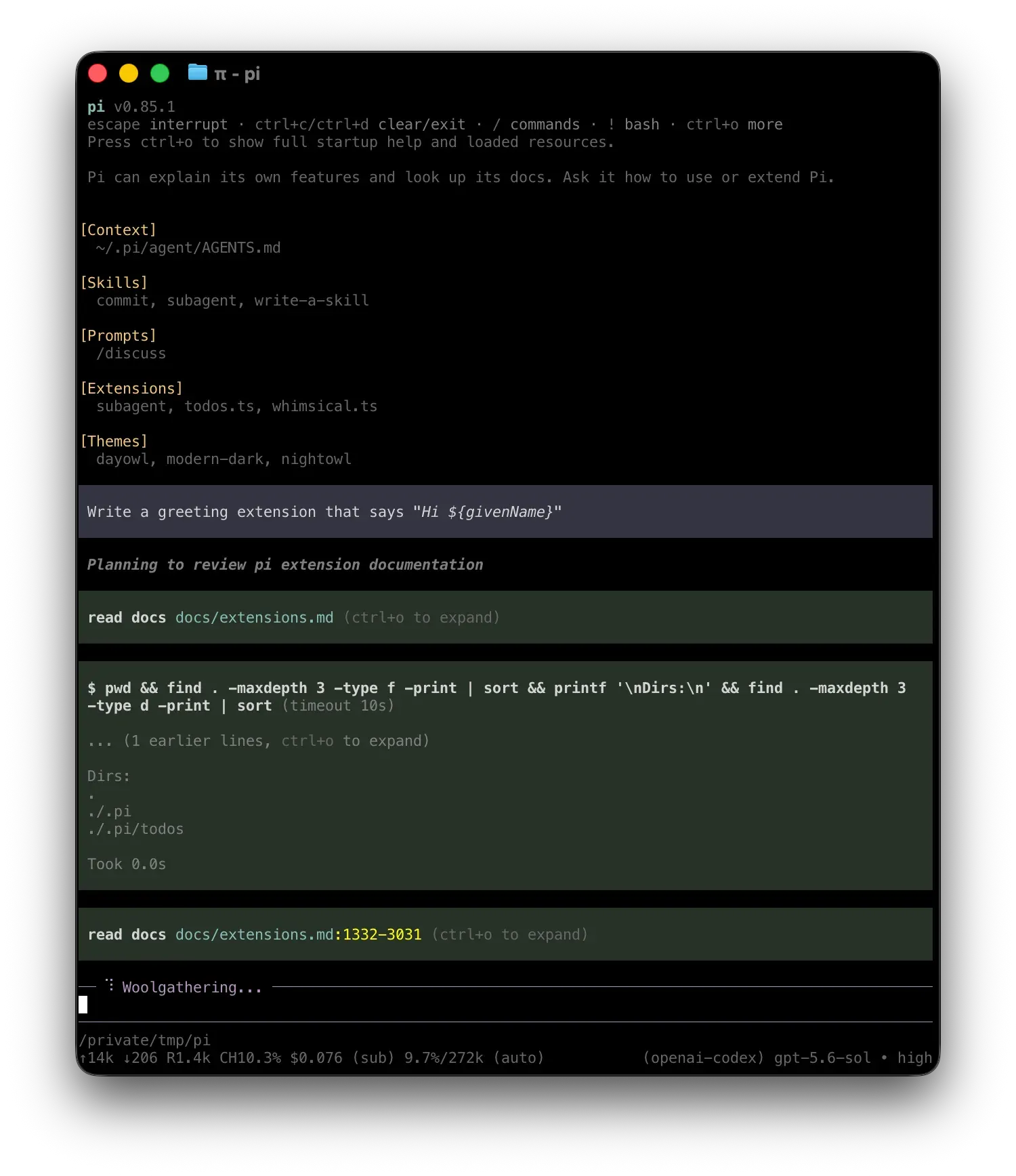
Official documentation image of Pi v0.85.1 in interactive mode with an OpenAI Codex model; the footer shows tokens, cost and context use.
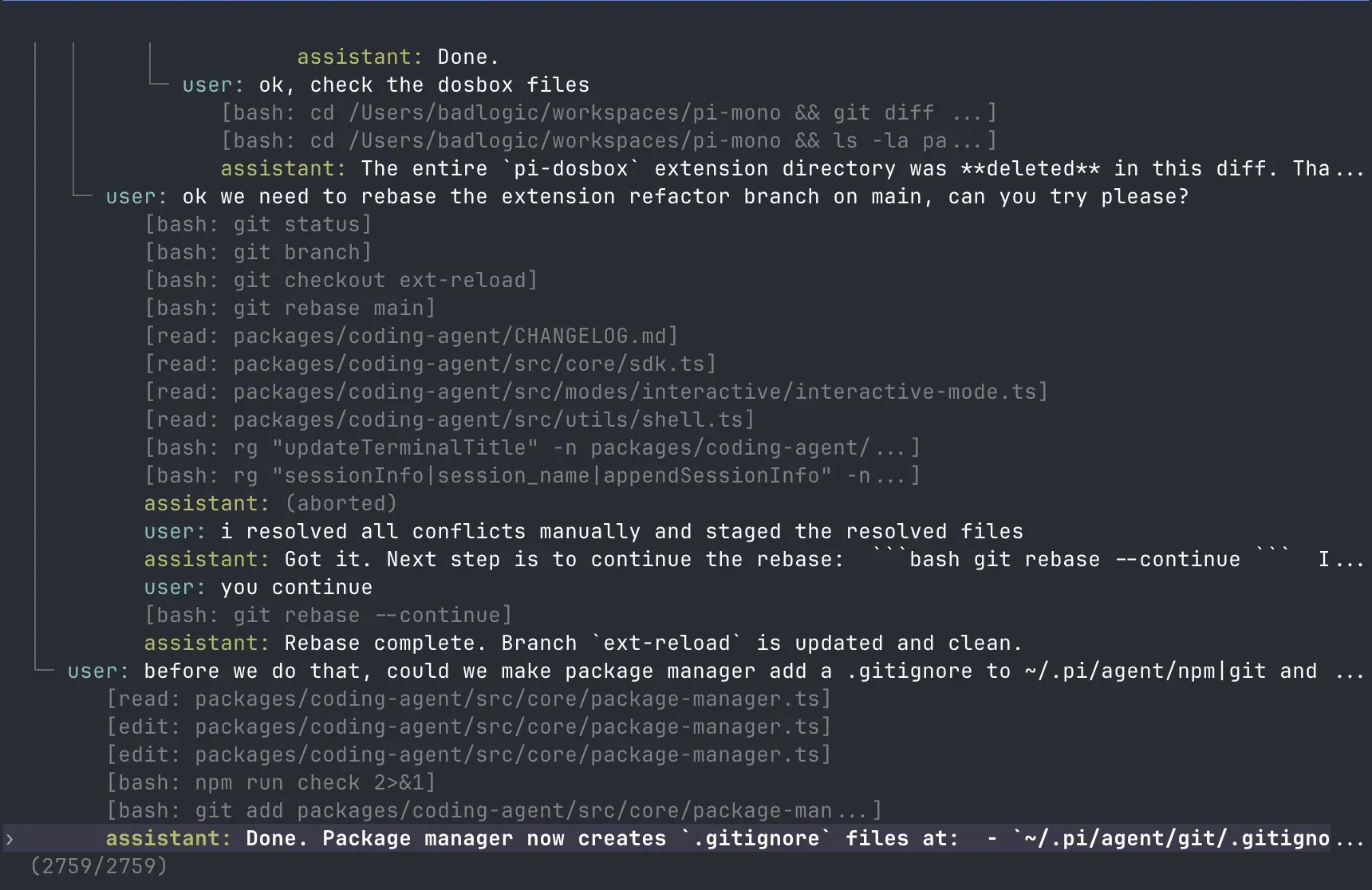
Official image of the /tree session navigator on a long development session, with branches drawn as an indented tree.
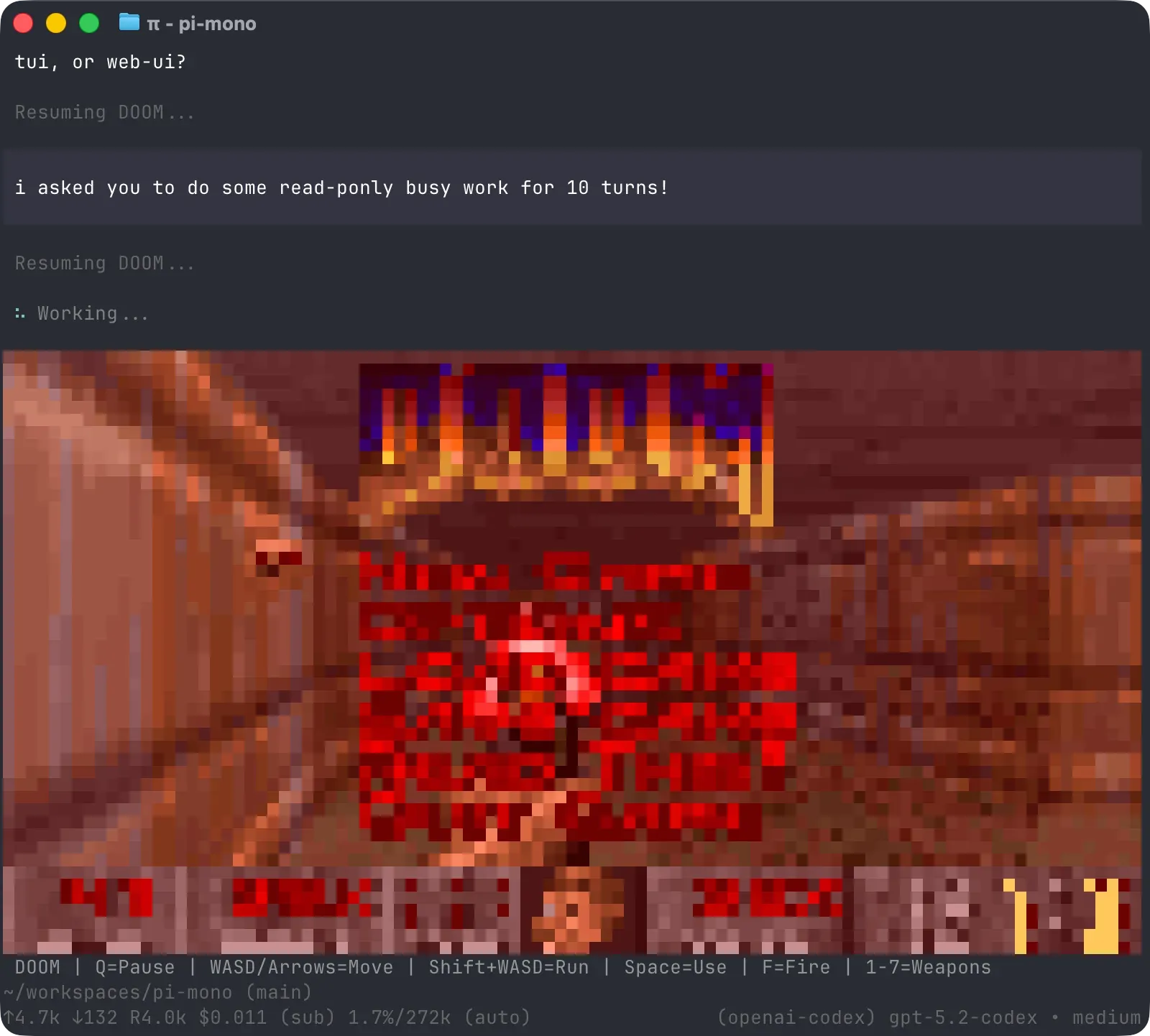
Official website figure of the DOOM extension, an example of an extension drawing custom graphics in the TUI while the agent works.
Source: official Pi project page.
Key capabilities
- Install on macOS and Linux Run
curl -fsSL https://pi.dev/install.sh | sh, then startpiinside a project folder and use/loginto connect a provider. The installer pins all dependencies from the release lockfile and installs Node.js 22.19 or newer if needed. Updates run throughpi update, and since v1.5.0 a wrapper or other package manager can be set withPI_SELF_UPDATE_COMMAND. - Install on Windows Run
powershell -c "irm https://pi.dev/install.ps1 | iex". Native Windows uses Git Bash for the bash tool by default, so Git for Windows is usually required; an optionalpowershelltool runs commands throughpwsh.exeor Windows PowerShell. Pi can also run inside WSL with the Linux toolchain. The Windows guide lists the shell discovery order. - npm, pnpm, bun and Nix
npm install -g --ignore-scripts @earendil-works/pi-coding-agentand the pnpm and bun equivalents install the same CLI without lifecycle scripts, but without pinned transitive dependencies. Nix users can runnix run github:earendil-works/pi/stableon ARM64 or x86-64 Linux and macOS; Nix builds from source with a pinned model catalog. - Standalone binaries and source builds Release assets include
pi-darwin-arm64,pi-darwin-x64,pi-linux-arm64,pi-linux-x64,pi-windows-arm64andpi-windows-x64archives with aSHA256SUMSfile. The versioned source archive contains release model data and native prebuilds, soscripts/build-binaries.sh --offline-model-datacan rebuild a binary without contacting provider catalogs. - Small default tool set The model starts with read, bash, edit and write. The
defaultToolssetting adds grep, find, ls, powershell,codemodeortool_search, or removes tools; an empty list disables all built-in tools. Pi does not ask for approval before each tool call. - Many providers and models The site lists more than 15 providers, including Anthropic, OpenAI, Google, Azure, Bedrock, Mistral, Groq, Cerebras, xAI, Hugging Face, OpenRouter and Ollama. Authentication uses OAuth subscriptions, device-code login such as GitHub Copilot, API keys from environment variables, or ambient cloud credentials for Bedrock and Vertex AI. Switch models mid-session with
/modelor Ctrl+L. See Providers. - Local and custom models A built-in llama.cpp extension and Ollama support cover locally served models, and further providers or models can be declared in
models.jsonor registered by an extension. Extensions can also define virtual models, for example one that plans with one model and implements with another. Model quality and tool-calling reliability then depend on the chosen model. - TypeScript extensions Extensions are TypeScript modules with access to tools, slash commands, keyboard shortcuts, lifecycle events and the full TUI, including custom editors, overlays and status bars. The repository ships more than 50 examples, among them sub-agents, plan mode, permission gates, protected paths and SSH execution. After Pi edits an extension,
/reloadloads the change without restarting. See Extensions. - Skills, prompt templates and context files Skills are capability packages loaded on demand and exposed as
/skill:namecommands. Prompt templates are Markdown files expanded with/name.AGENTS.mdfiles load from~/.pi/agent/, parent directories and the current directory, andSYSTEM.mdreplaces or extends the default system prompt per project. - Pi packages Extensions, skills, prompt templates and themes can be bundled and installed with
pi install npm:...,pi install git:...or a local path, listed withpi listand removed withpi remove.pi -etries a package for one run. Packages can run code, so the packages guide asks you to review third-party sources first. - Built-in MCP client Pi connects to MCP servers over stdio or streamable HTTP; the legacy SSE transport is not supported.
pi mcp addwrites user servers to~/.pi/agent/mcp.json, or project servers to.pi/mcp.jsonwith-l, which load only after project trust. HTTP servers can use headers or OAuth, and/mcpinspects and toggles connections. See MCP Servers. - Codemode When enabled, the
codemodetool lets the model write JavaScript that calls Pi's other tools and non-LLM models such as classifiers and image models; only the script output returns to the model. Scripts run in a QuickJS sandbox without Node APIs, file system, network or timers, and output defaults to a 10,000-token limit. Tool calls made by a script are real and are not undone if it fails. - Session trees, branching and resume Sessions are saved automatically as trees in a single file per session.
/treejumps to any earlier message and continues from there without losing the abandoned branch,/forkand/clonecreate separate sessions, and--continueor--resumereopen work./sessionshows the file, token usage and cost. - Compaction and context control Automatic compaction summarizes older messages as the context limit approaches, and
/compactruns it manually. Extensions can replace the summarizer, filter history before each turn, inject messages or implement retrieval and memory. Since v1.4 summaries use the model's own output limit instead of a fixed cap. - Steering and follow-up messages Pressing Enter while the agent works sends a steering message that is delivered after the current tool and interrupts the remaining ones. Alt+Enter queues a follow-up that waits until the run finishes. This keeps a long run correctable without aborting it.
- Export and share sessions
/exportwrites a session as HTML or JSONL./shareuploads it to a private GitHub gist, or to a Radius artifact when Radius authentication is configured, controlled bysessionShareDestination. Shared sessions can contain prompts, tool arguments, command output and file contents, so review them first. - Print, JSON and RPC modes
pi -p "query"prints a single answer for shell scripts, and--mode jsonstreams events.pi --mode rpcruns Pi as a long-lived subprocess controlled by JSON records on stdin and stdout, suited to IDEs, custom interfaces and non-Node languages. A typedRpcClientis exported for TypeScript callers. See RPC Mode. - TypeScript SDK
createAgentSession()from@earendil-works/pi-coding-agentembeds the agent in a Node.js or Bun process with direct access to sessions, tools, models and resources. OpenClaw is the project's cited real-world integration. The lower-levelpi-aiandpi-agent-corepackages can be used without the CLI. See SDK. - Project trust and supply-chain controls A folder containing
.pi/settings.json,.pi/mcp.json, project extensions or skills requires a trust decision before those resources load; decisions are stored in~/.pi/agent/trust.json. Context files such asAGENTS.mdstill load. On the build side, direct dependencies are pinned, CI installs with--ignore-scriptsand a scheduled workflow runsnpm auditand signature checks.
Where Pi fits
Daily coding work in a repository
Start pi in the project root, sign in with /login and add an AGENTS.md with build, test and style rules. Pi reads it at startup together with any parent-directory files. Give a task, watch the tool rows, and press Enter to steer if it heads the wrong way. Check the diff and test output yourself before committing, since edits are applied directly to the working tree.
Building a team-specific workflow as an extension
Ask Pi to write an extension for a recurring step, such as a commit-and-push command with its own TUI, then run /reload and test it. Keep the extension in a Pi package in git so colleagues can install the same version with pi install git:.... Pin versions for shared setups, and review the extension's source as you would any code that runs with your user rights.
Scripting Pi in shell pipelines and CI
Use pi -p "..." for single answers inside scripts, or --mode json to consume the event stream. Combine --no-session, explicit --provider and --model options and API keys from environment variables so runs are reproducible. Run these jobs inside a container with only the needed repository and credentials, because there are no approval prompts.
Embedding Pi in another application
For Node.js or Bun hosts, create a session with the SDK and read messages, tools and usage from the AgentSession. For other languages or process isolation, spawn pi --mode rpc and exchange JSONL commands and events. Confirm how your host stores sessions and credentials, and test the behavior of aborts and queued messages before exposing it to users.
Running Pi in an isolated environment
The containerization guide describes plain Docker, Docker Sandboxes, OpenShell and the Gondolin micro-VM extension. Whole-process isolation also contains extensions; Gondolin only routes built-in tools and ! commands into the VM. Avoid mounting ~/.pi/agent unless needed, as it holds credentials, settings, extensions and sessions.
Connecting MCP servers and comparing models
Add servers with pi mcp add and check them with pi mcp list or /mcp. Enable Codemode when a task needs many tool calls whose results should be filtered before reaching the model. Use /model to switch providers mid-session on the same branch, and compare cost and token figures with /session before standardizing on one model.
Install
curl -fsSL https://pi.dev/install.sh | shReviews of Pi
Be the first to share your experience with Pi.
Write a review
Loading review form…
Alternatives to Pi
 Codex CLIOpen-source Rust CLI from OpenAI that reads a repository, edits files and runs local commands inside a sandbox with approval prompts. Includes code review, MCP, skills, codex exec for CI, a TypeScript SDK and an app-server.OOpenCodeOpenCode is an open-source AI coding agent available through a command-line interface and a beta desktop app. It provides separate agents for development work and read-only code exploration.TThinkRailThinkRail is an Apache-2.0 agentic IDE from JetBrains that wraps the pi coding agent and runs each task in an isolated git worktree workspace.