

What is Zola?
Zola is an open-source web interface for chatting with large language models from several providers in one place. The repository was created in April 2025 by the GitHub user ibelick (Julien Thibeaut), and a public instance runs at zola.chat. The same code is meant to be self-hosted: the README offers a cloud quick start with only an OpenAI key, a local quick start against Ollama, a Docker Compose file that starts Zola together with Ollama, and a one-click Vercel deployment.
There are no tagged GitHub releases. Deployments track the main branch, the package.json still declares version 0.1.0 and the README describes the project as a beta whose codebase may change. Recent work on the main branch added a multi-model chat mode in July 2025, quoting of assistant text and pinned chats in August 2025, and editing of earlier user messages in November 2025. On December 11, 2025 the maintainers patched Next.js for CVE-2025-55182 and then moved the app to Next.js 16 and React 19.2. No newer commit had been pushed when this profile was checked in November 2026, so plan for upgrades of your own.
The stack is TypeScript on Next.js with the App Router. The Vercel AI SDK handles streaming and provider adapters for OpenAI, Anthropic, Google, Mistral, xAI, Perplexity and OpenRouter, while Ollama models are detected from a running Ollama server. The interface uses Tailwind CSS, shadcn/ui, prompt-kit chat components and motion-primitives. Supabase provides authentication, the Postgres tables for users, chats, messages and projects, and storage buckets for attachments and avatars. Without Supabase the app still runs, but sign-in, file uploads and server-side history are unavailable and chats are cached in the browser's IndexedDB.
Configuration lives in environment variables and a few source files. The installation guide lists the Supabase URL and keys, a required CSRF secret, an encryption key for stored user API keys, provider keys and the Ollama base URL. Usage limits, the default model, guest models and prompt suggestions are constants in lib/config.ts, which also holds the domain used in share links.
Zola is licensed under the Apache License 2.0. It is a chat front end, not a model server, a retrieval pipeline or an agent builder: it does not ship document indexing, knowledge bases or workflow tools, and the MCP client code in the repository is marked as work in progress. Model costs, quotas and data handling remain those of the providers you connect.
Zola screenshots
Explore the interface. Open a screenshot to view it at full size.
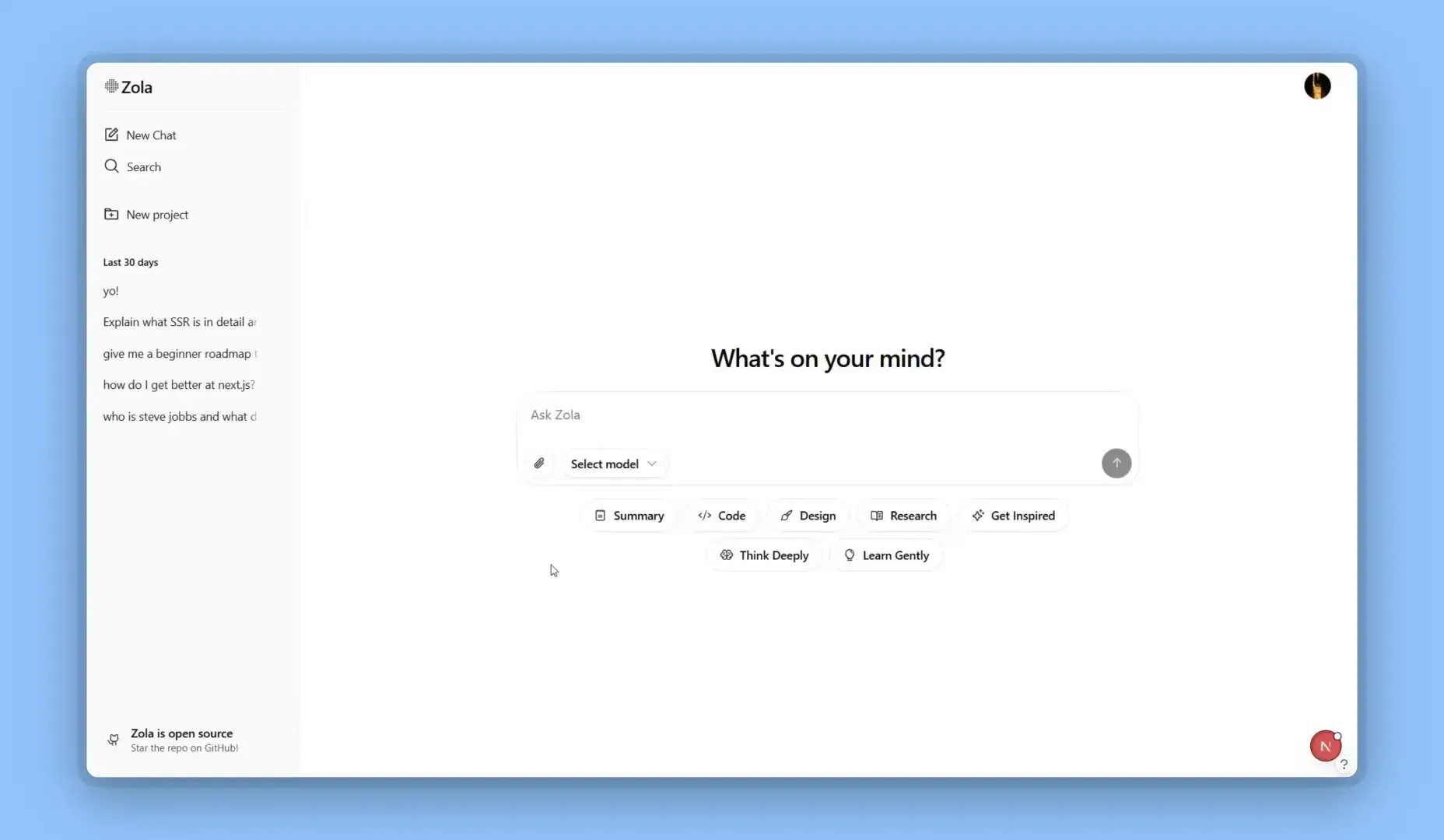
Zola start screen with recent chats in the sidebar and prompt suggestions. Frame from a demo video attached to the official pull request that added pinned chats.
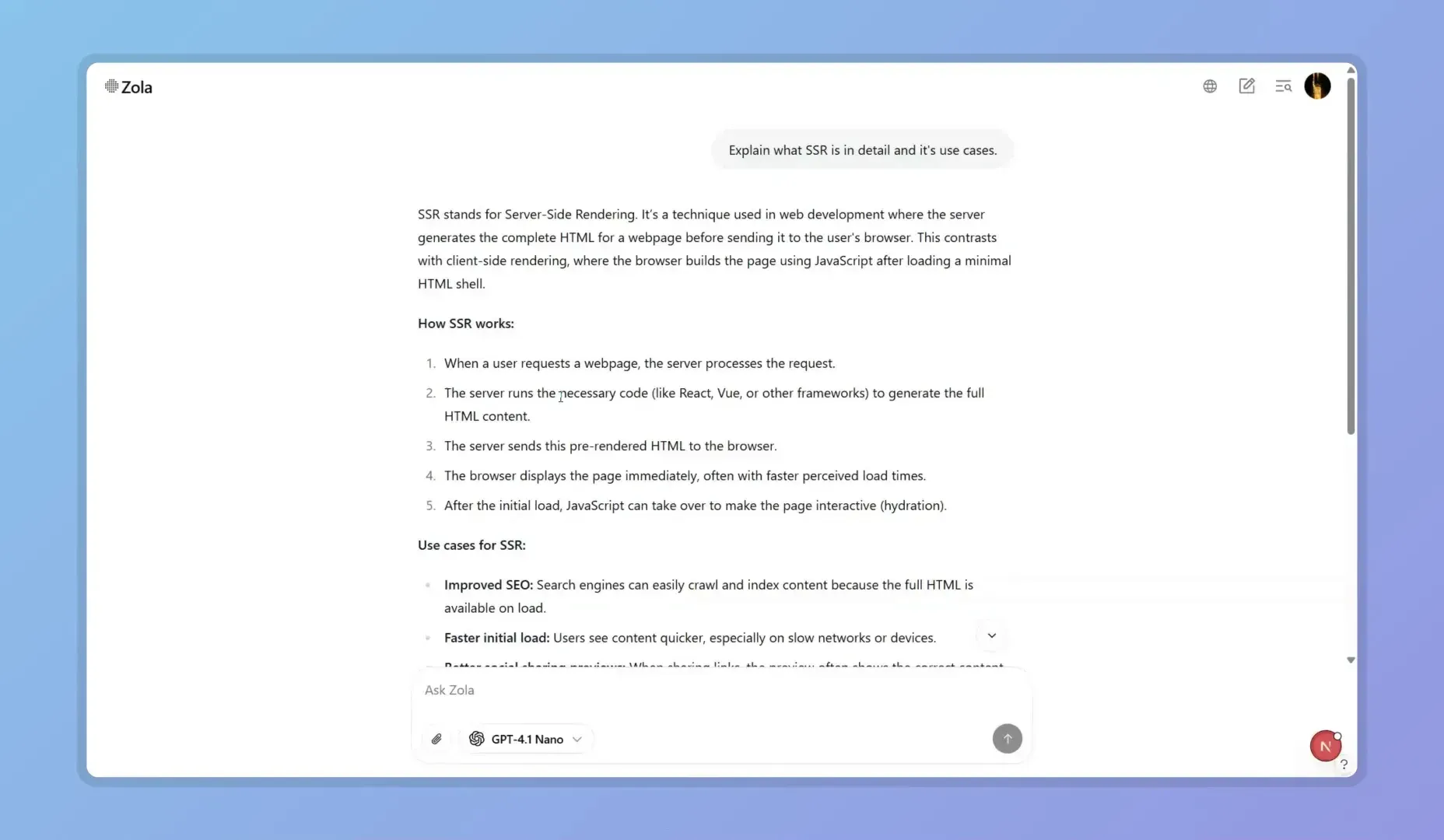
A conversation with Markdown headings and lists, answered by GPT-4.1 Nano. Frame from a demo video attached to official pull request 256.
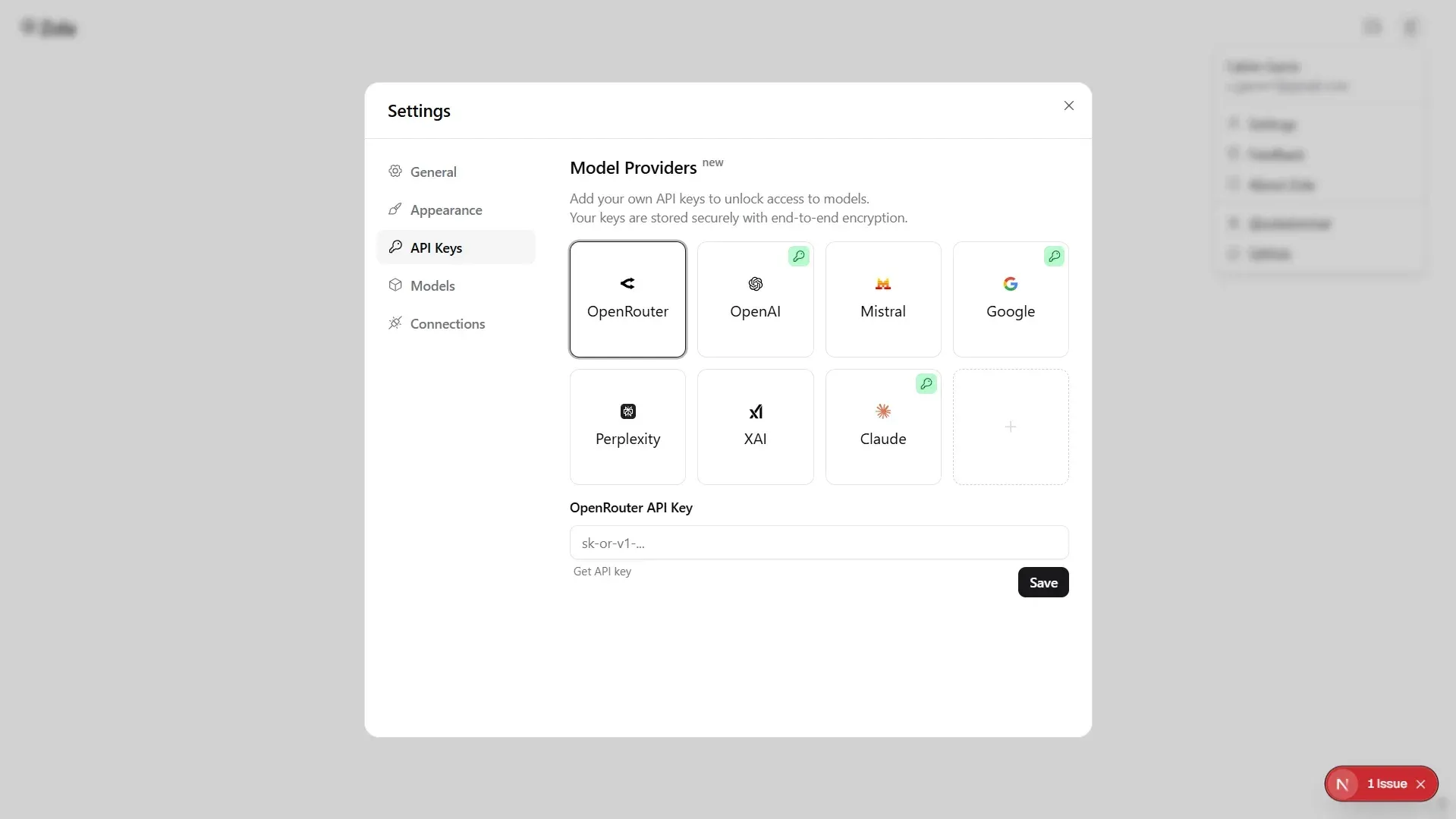
Settings, API Keys: provider tiles for bring-your-own keys, with a key badge on providers that have a saved key. Screenshot from official pull request 251.
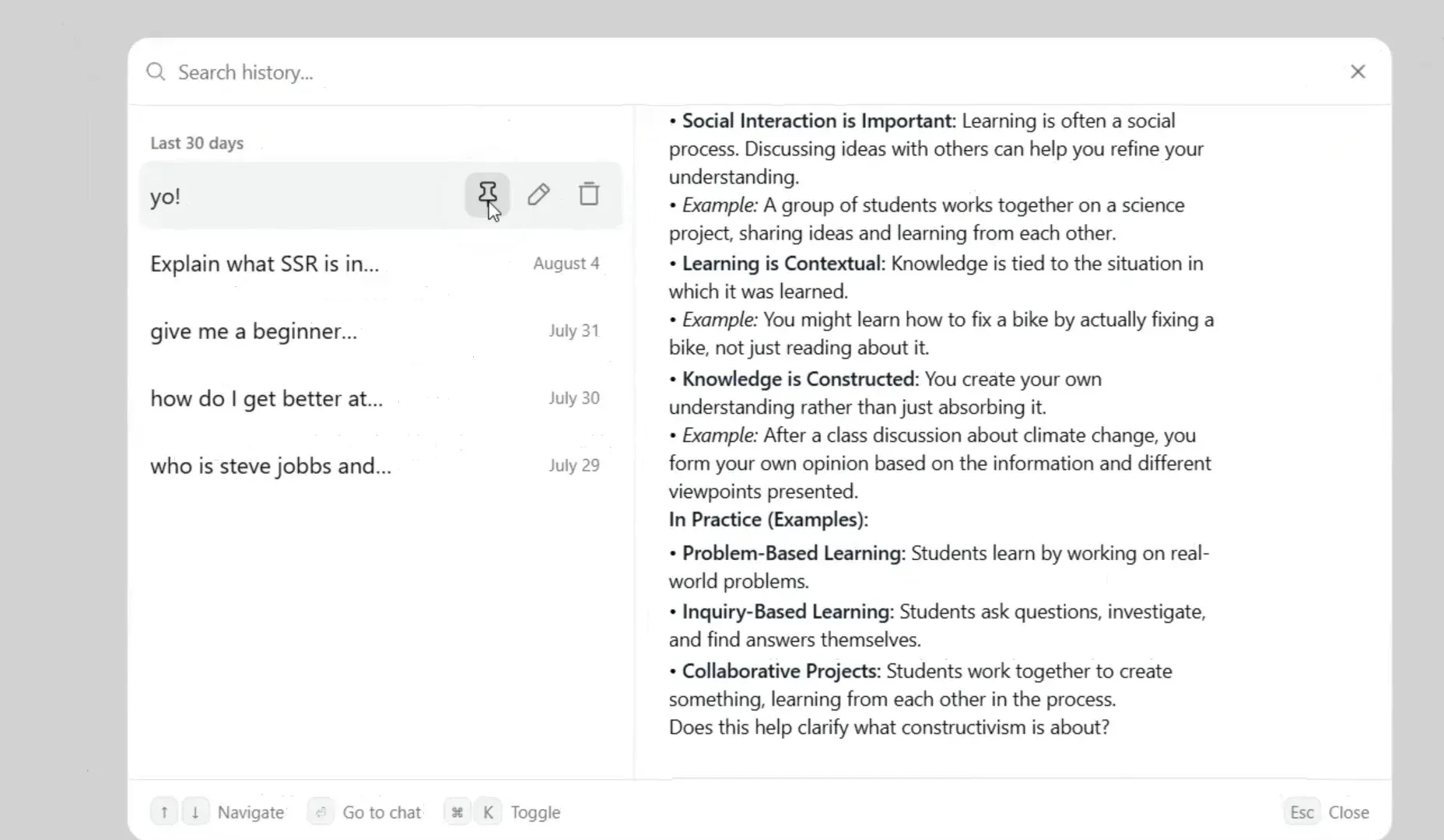
Chat history panel with search, pin, rename and delete actions and a conversation preview. Frame from a demo video attached to official pull request 261.
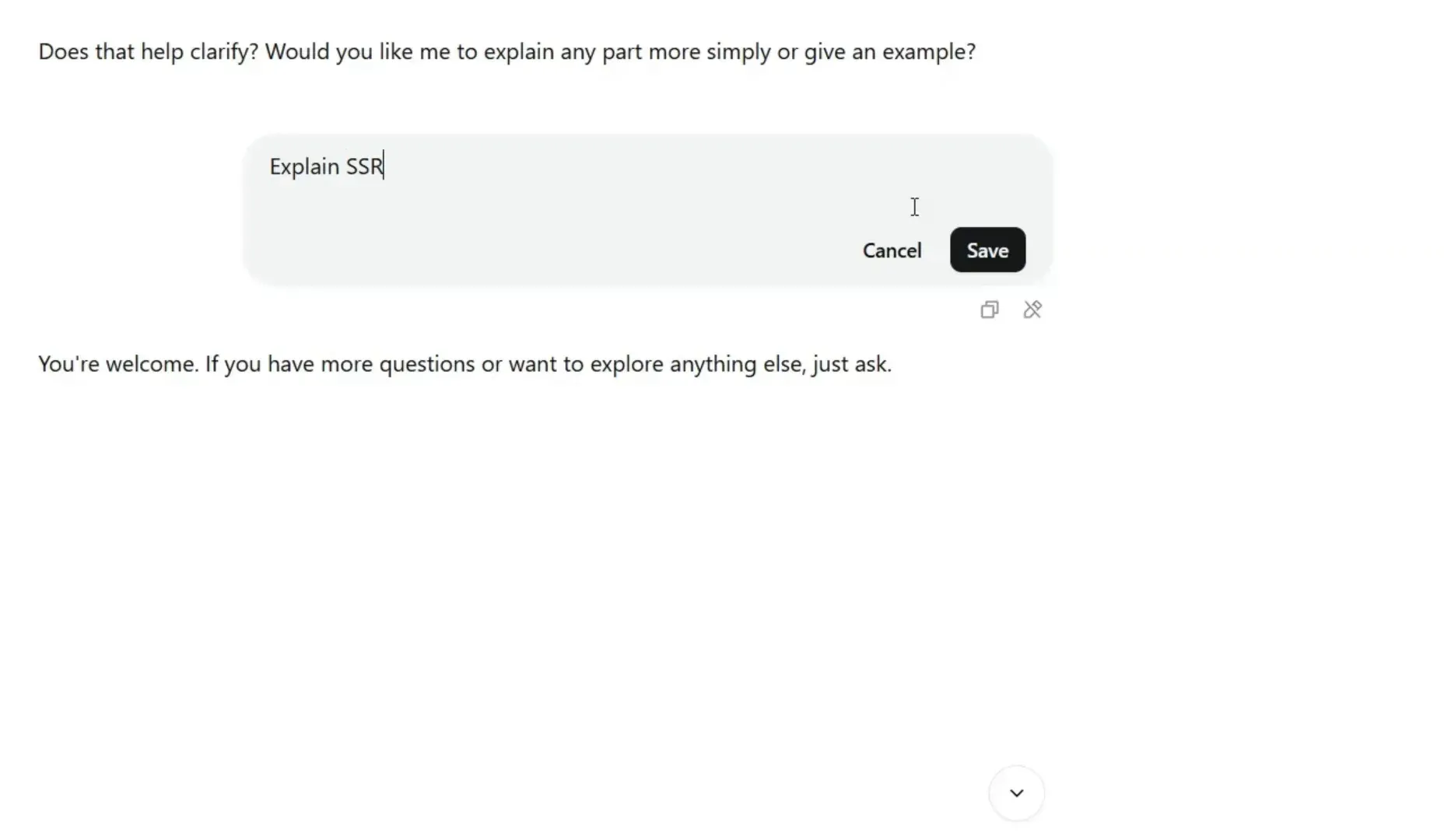
Editing an earlier user message before regenerating the answer. Frame from a demo video attached to official pull request 266.
Source: official Zola project page.
Key capabilities
- Self-hosting with Node.js Clone the repository, run npm install and start the development server with npm run dev, or build with npm run build and serve with npm start. The app listens on port 3000. The installation guide lists Node.js 18 or later, npm or yarn and Git as prerequisites; check that against the Next.js 16 dependency now declared in package.json before choosing a runtime.
- Docker image and Compose files The repository Dockerfile builds a multi-stage node:18-alpine image from the Next.js standalone output and runs it as a non-root user with telemetry disabled. A docker-compose.yml adds a health check against the /api/health route. The Ollama Compose file starts ollama/ollama alongside Zola, exposes port 11434 and keeps models in a named volume. No prebuilt image is published, so the image is built locally.
- Vercel deployment The README carries a Deploy with Vercel button that clones the repository into a new Vercel project. Environment variables are set in the Vercel dashboard. Zola is part of the Vercel open-source program, and the hosted zola.chat instance is a separate deployment with its own limits.
- Multi-provider model catalog Model definitions in lib/models cover OpenAI, Anthropic Claude, Google Gemini, Mistral, xAI Grok, Perplexity, DeepSeek, Meta Llama and OpenRouter. A provider becomes usable when its API key is set on the server or supplied by the user. Models without a key appear locked, and a dialog explains that a personal key unlocks them.
- Bring your own key Signed-in users can store their own provider keys in Settings, API Keys. Keys are encrypted with AES-256-GCM using the server's ENCRYPTION_KEY, a 32-byte base64 value, and saved with their IV in the user_keys table. The server decrypts a key when it calls the provider, so this is encryption at rest, not end-to-end encryption. Losing ENCRYPTION_KEY makes stored keys unrecoverable.
- Local models through Ollama Zola queries an Ollama server at OLLAMA_BASE_URL, http://localhost:11434 by default, lists installed models and tags them by family and size. The list is cached for five minutes, and Ollama models are not subject to the paid-model gate. The source disables detection when NODE_ENV is production or DISABLE_OLLAMA is true, which also affects production Docker builds.
- Multi-model chat When multi-model mode is enabled in preferences, one prompt can be sent to several selected models and the answers are grouped as one message group. This supports side-by-side comparison of tone, accuracy and latency. Each answer still counts against the corresponding provider's usage and the instance's daily limits.
- File attachments Users can attach JPEG, PNG and GIF images, PDF, plain text, Markdown, JSON, CSV and Excel files up to 10 MB each. Zola checks the actual file signature rather than trusting the extension. Uploads go to the Supabase chat-attachments bucket and require Supabase; the default limit is five uploads per day. Whether a model reads a given file type depends on that model's capabilities.
- Web search toggle Models flagged for web search show a search control in the input. For OpenRouter models, enabling it adds OpenRouter's web plugin with up to three results, and answers can display their sources. Search therefore depends on the chosen provider and model, not on a search index run by Zola.
- Chat history, projects and pinned chats Chats are listed by date in a sidebar and in a history panel opened with Cmd+K, with search and a preview of each conversation. Chats can be renamed, deleted, pinned to a separate section or grouped into projects. Pinning does not change the chat's last-updated date.
- Editing and quoting messages An earlier user message can be edited and resubmitted; the server deletes the messages that followed it before the new answer is stored. Selecting at least three characters of an assistant answer shows a quote button that inserts the passage as a Markdown quote. Both features arrived in the second half of 2025.
- Public chat sharing A chat can be made public and opened at /share/ followed by its ID, with a copy button and an X sharing shortcut. The share link is built from the APP_DOMAIN constant in lib/config.ts, which points to zola.chat, so a self-hosted instance should change it. Shared pages are readable by anyone with the link.
- Guest access and accounts With Supabase configured, users sign in with Google OAuth, and anonymous sign-in can be enabled for guests. Guests get five messages per day and the gpt-4.1-nano model by default; signed-in users get 1,000 messages per day and 500 per day on models outside the free list. These defaults are constants that operators can change.
- Settings and personalization The settings dialog has General, Appearance, API Keys, Models and Connections sections. Users can set a personal system prompt, choose light or dark theme and a layout, hide models, mark favorites, and configure Ollama endpoints. The default system prompt is defined in lib/config.ts.
- Markdown and code rendering Answers render as GitHub-flavored Markdown with syntax-highlighted code blocks through Shiki, copy buttons and a reasoning section for models that return one. User input is passed through DOMPurify on the server before it is stored. Messages are limited to 10,000 characters by default.
- MCP client code (work in progress) The repository includes helpers that load Model Context Protocol tools from a local stdio command or an SSE URL through the AI SDK's experimental MCP client. The README marks full MCP support as work in progress, and the chat route currently passes an empty tool set. Do not plan on tool calling until this is wired up.
- Security plumbing The Next.js middleware refreshes Supabase sessions, sets a Content-Security-Policy header and rejects POST, PUT and DELETE requests without a valid CSRF token derived from CSRF_SECRET. Its matcher excludes the /api paths, so API routes rely on their own session and usage checks. The repository runs CodeQL and Codacy workflows and Dependabot updates. Row-level security policies for the Supabase tables are left to the operator; the guide only gives example policies.
Where Zola fits
Running a private multi-provider chat for a small team
Create a Supabase project, run the SQL schema from the installation guide, create the chat-attachments and avatars buckets and enable Google sign-in. Set the Supabase keys, CSRF_SECRET, ENCRYPTION_KEY and the provider keys you pay for, then deploy on Vercel or Docker. Before inviting users, enable row-level security on every table, review whether the buckets really need public access, and adjust the daily limits in lib/config.ts to match your provider budget.
Chatting with local models on a workstation
Install Ollama, pull a model such as llama3.2 and run Zola with npm run dev; installed models appear in the model selector without extra configuration. For a remote Ollama host, set OLLAMA_BASE_URL. If you build for production or use the Docker image, check whether Ollama models still appear, because the source disables detection when NODE_ENV is production. This route keeps prompts on your network only if you also avoid hosted providers.
Comparing models before choosing one
Enable multi-model mode in preferences, select two or more models and send the same prompt. Use realistic prompts from your own work and compare answer quality, formatting, refusal behavior and speed. Each comparison consumes quota on every selected provider, so keep test sets small. For local candidates, compare against Ollama model variants of different sizes on the hardware you will actually use.
Letting users bring their own API keys
Generate a 32-byte base64 ENCRYPTION_KEY, store it in your secret manager and use the same value in every environment. Users then add keys in Settings, API Keys, and locked models become available to them. Test what happens when a key is revoked or out of credit, and document that the server can decrypt stored keys. Back up the encryption key separately from the database, since without it stored keys cannot be recovered.
Building a branded chat front end from the code
Zola is a compact Next.js codebase built from shadcn/ui and prompt-kit components, so it can serve as a starting point for a custom chat product. Change APP_NAME, APP_DOMAIN, the default system prompt and the suggestion sets in lib/config.ts, and replace the logo component. Keep the Apache-2.0 license and notices, and check the licenses of model providers you expose. Because there are no releases, record the commit you fork from and track upstream security fixes yourself.
Publishing a conversation
Use the share action to make a chat public and copy its link. On a self-hosted instance, update APP_DOMAIN first or the link will point to zola.chat. Treat a public chat as published content: review it for personal data and keys, and remember that anyone with the link can read it until it is made private again.
Install
git clone https://github.com/ibelick/zola.git && cd zola && docker-compose -f docker-compose.ollama.yml upReviews of Zola
Be the first to share your experience with Zola.
Write a review
Loading review form…
Alternatives to Zola
 LibreChatLibreChat brings multiple AI providers, custom agents, file interactions, and conversation management into a self-hosted web interface with multi-user access controls.
 better-chatbotbetter-chatbot is an open-source AI chat and agent platform with MCP connections, searchable project documents and visual workflows. It supports self-hosting and local or gateway-based model access.