

What is keqdroid?
keqdroid is a proxy and VPN client for Android, Android TV, Windows and Linux. It is a Flutter application written in Dart that runs two proxy cores, Xray-core and mihomo, and manages subscriptions, server configurations and traffic routing in one interface. The project is developed in the Lemonochka/keqdroid repository on GitHub, with user documentation in English and Russian at kequinq.art/docs/keqdroid and a Telegram chat for questions.
The README states that keqdroid does not provide servers: it needs a subscription or a server configuration from a provider the user chooses. The README also states that users are responsible for complying with the laws of their country. The application has no servers of its own and, according to its privacy section, collects no usage statistics. It connects to the subscriptions, servers and rule lists the user adds, to GitHub for update checks and downloads, to a Cloudflare trace address through the connected server to show the exit country, and to latency and speed test addresses when those tests run.
Builds are published on the GitHub Releases page. Android 7.0 and later, including Android TV, use one APK, with a separate armeabi-v7a APK for 32-bit firmware. Windows 10 and 11 on x64 get a setup.exe installer and a portable ZIP. Linux x86_64 builds come as AppImage, .deb, .rpm, .tar.gz and a PKGBUILD for Arch Linux, for distributions on par with Ubuntu 22.04 and Debian 12 or newer. Each release includes a SHA256SUMS file and an Ed25519 signature in SHA256SUMS.sig, which the built-in updater checks before installing. Releases after 0.35.0 are built by GitHub Actions and can be checked with gh attestation verify. Windows code signing through SignPath is being set up; until it is enabled, Windows builds are not signed.
The latest release is v0.36.3, published November 12, 2026. It changes the custom color hex field so that typing replaces the selected code and a pasted #RRGGBB value is accepted, and on Android it routes the app's own update downloads and subscription refreshes through the local proxy with the running core's password so they no longer fail with HTTP 407. Version 0.36.0, released November 9, 2026, filtered sections of ready-made Xray configs that open ports, write files or run scripts, blocked other Android apps from toggling the VPN through keqdroid, and limited updates and the full geo database to releases with a valid signature.
keqdroid is licensed under AGPL-3.0. The bundled cores keep their upstream licenses: Xray-core under MPL-2.0 and mihomo under GPL-3.0. On Android, crash reports are sent to Google Firebase Crashlytics with links, keys and tokens removed; the Windows and Linux builds do not include Firebase. Other client and VPN projects listed on iThub include ProxyBridge and OpenVPN.
keqdroid screenshots
Explore the interface. Open a screenshot to view it at full size.
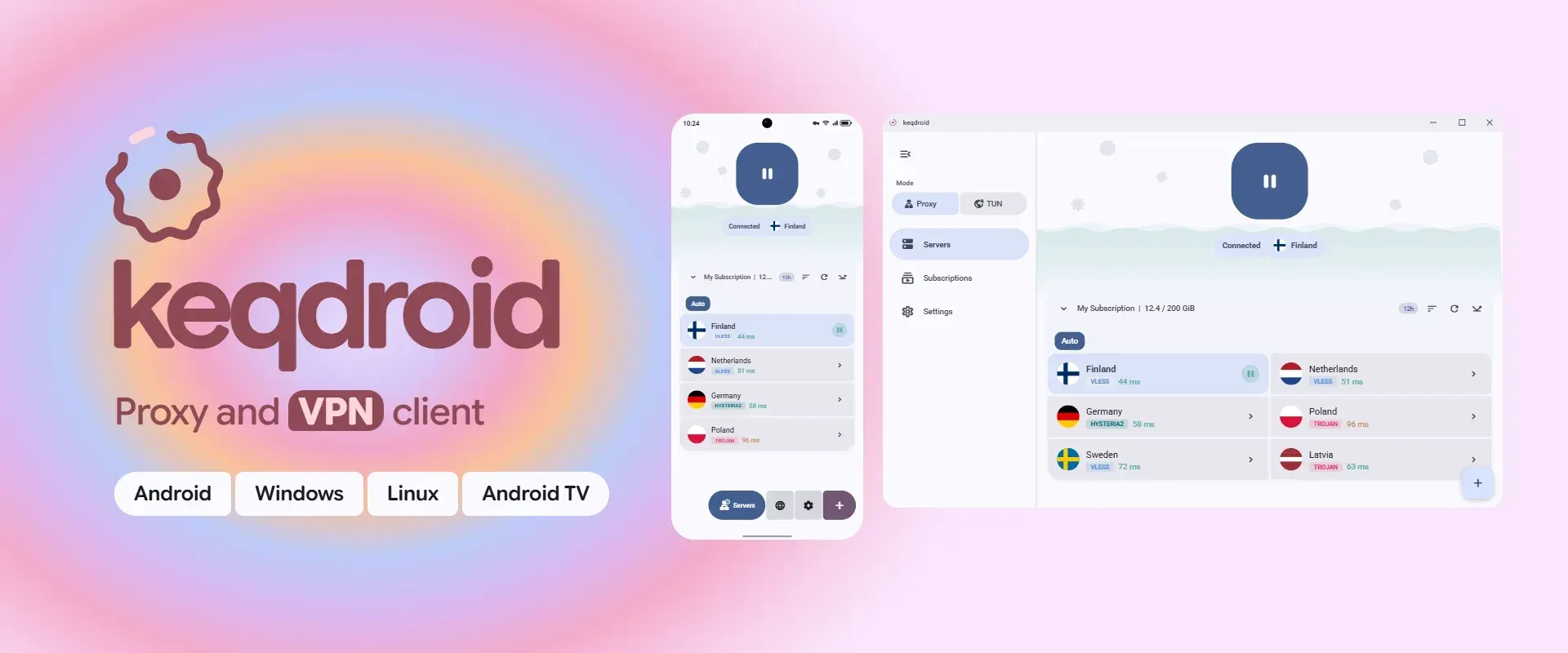
Official README banner: the connected screen and server list on Android and Windows, with Android, Windows, Linux and Android TV labels.
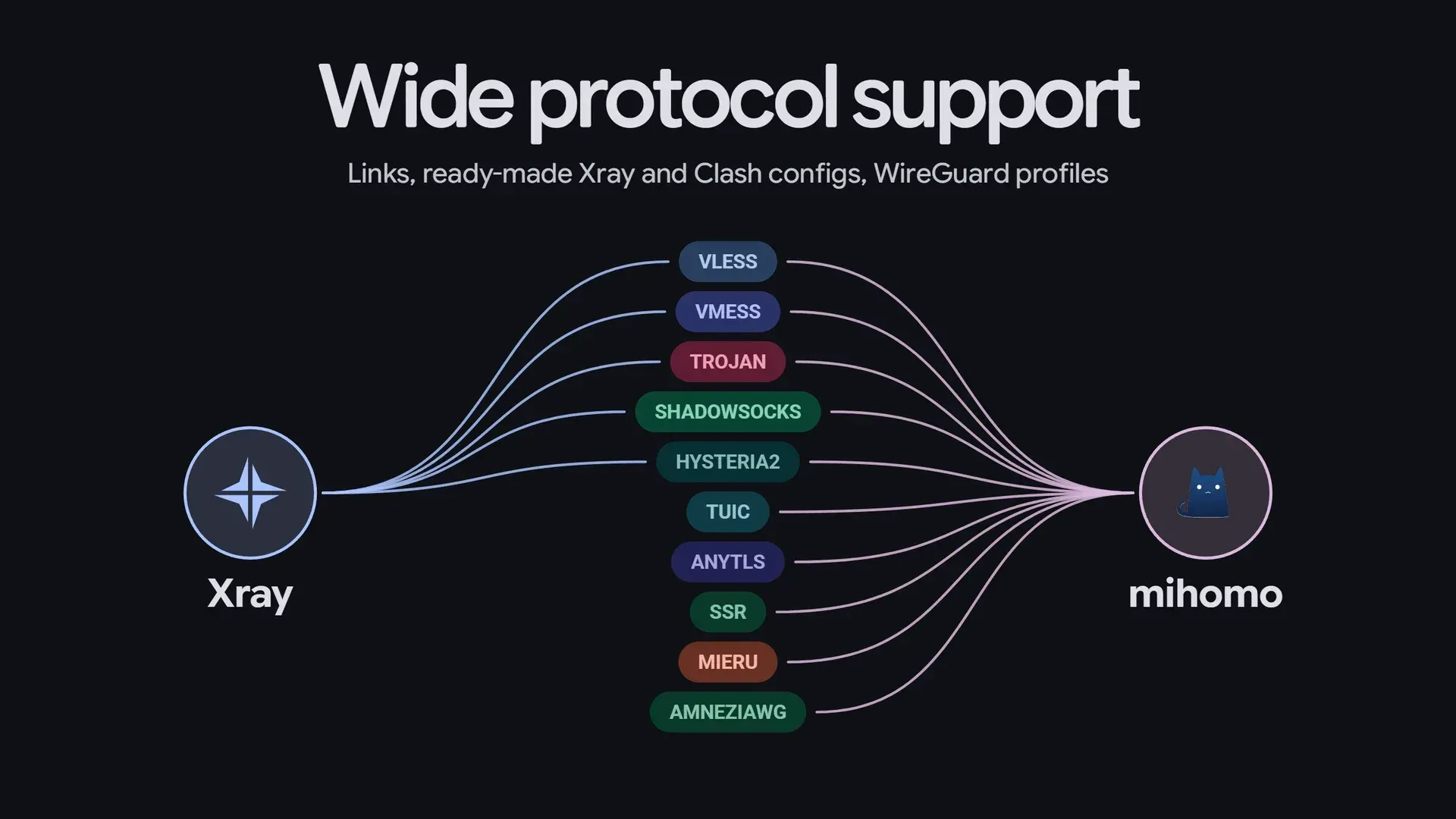
Frame from the official README video: protocols handled by the Xray and mihomo cores.
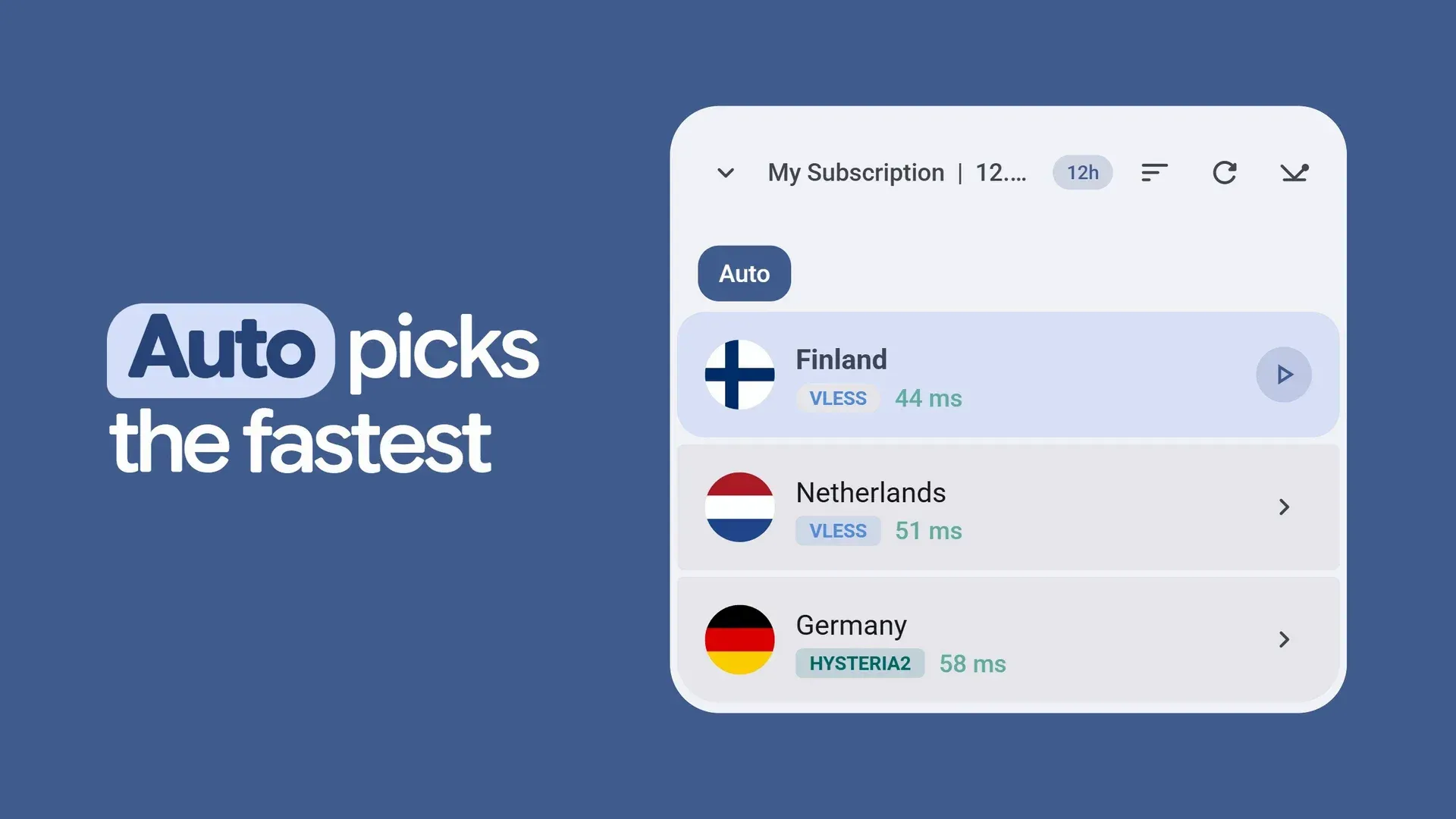
Frame from the official README video: Auto mode selecting a server from a subscription by ping.
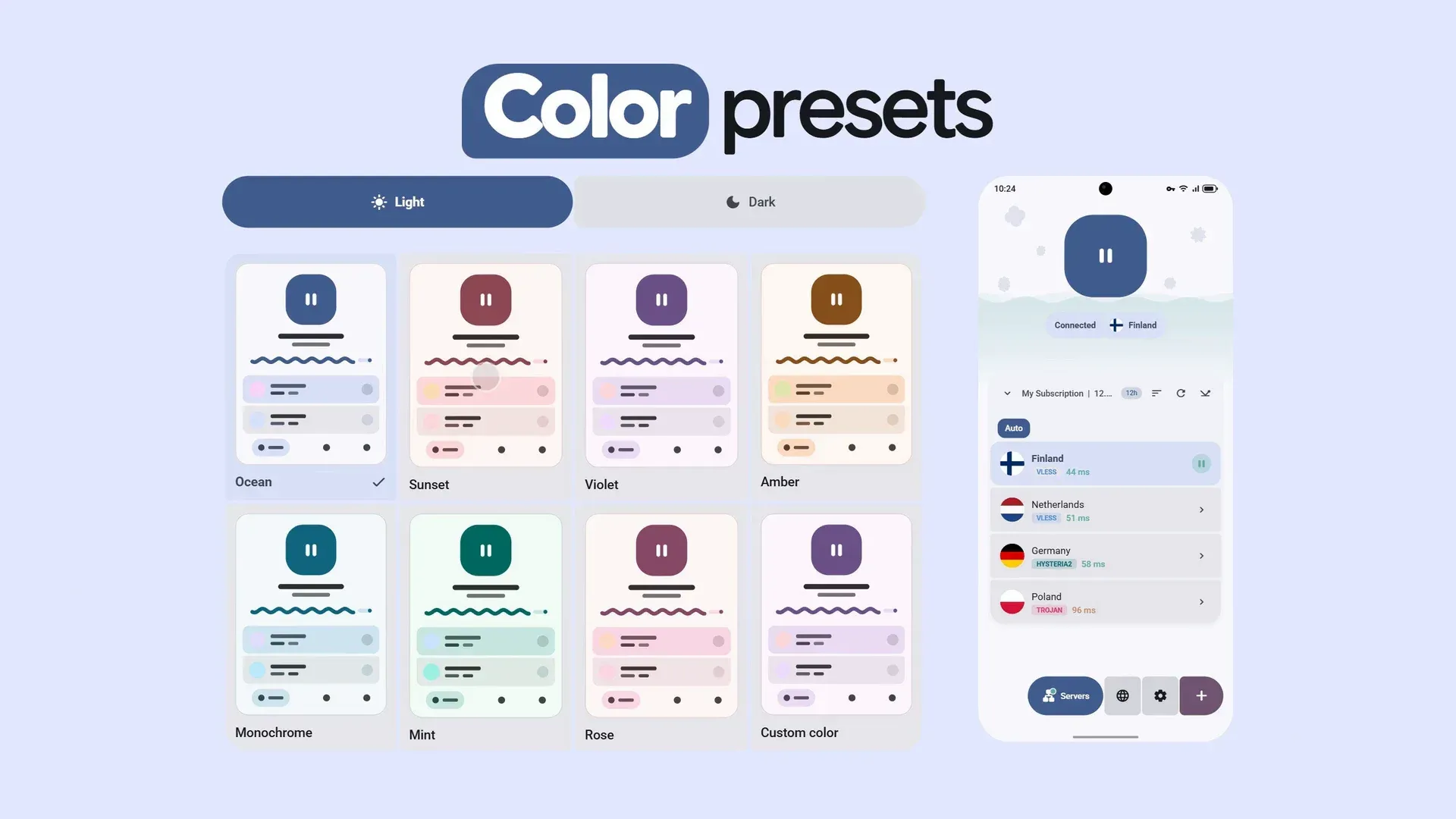
Frame from the official README video: light and dark color presets applied to the Android interface.
Source: official keqdroid project page.
Key capabilities
- Two cores: Xray-core and mihomo Servers run on Xray-core or mihomo. For servers both cores support, the core is chosen in Settings under About, and Xray is the default. A server that uses a transport only one core supports always runs on that core, for example TUIC, AnyTLS, ShadowsocksR, Mieru, WireGuard and AmneziaWG on mihomo, and mKCP or VMess and Trojan over XHTTP on Xray. The Xray or mihomo page lists the full mapping.
- Supported protocols and formats Import links are accepted for VLESS, VMess, Trojan, Shadowsocks, Hysteria 2 (hysteria2:// and hy2://) and SOCKS5 on both cores, and for ShadowsocksR, TUIC, AnyTLS and Mieru on mihomo. WireGuard and AmneziaWG are added from .conf files or wg://, awg:// and wireguard:// links. Neither core supports Hysteria v1 links.
- Ready-made configurations Xray JSON configurations and Clash or mihomo YAML configurations can be imported from a file, by pasting or through a subscription. A ready-made configuration keeps its own routing, DNS and outbounds, while inbounds and logging are managed by the application. Since 0.36.0, sections of an Xray config that open ports, write files, change the environment or run scripts do not reach the core. Clash and sing-box configurations are imported as individual servers.
- Subscriptions with scheduled updates Subscriptions are added by URL or from a provider panel through a keqdroid:// link, and update every 12 hours unless the provider or user sets another interval. Subscriptions are only downloaded over https; home network addresses and localhost are not accepted. Each subscription can have its own device identity and custom User-Agent.
- Provider headers and subscription card The app reads subscription-userinfo for traffic used, limit and expiry, plus profile-title, announce, support-url, profile-web-page-url and profile-update-interval to fill the subscription card. new-url, new-domain and fallback-url let a provider move a subscription or supply a backup address. The headers are documented for panel operators on the subscription headers page.
- Adding servers Single servers can be added from links, files, the clipboard or a QR code. On Android, vless://, vmess://, trojan://, ss://, hysteria2:// and hy2:// links open the app directly; on Windows keqdroid:// and keqdis:// links are registered, and on Linux links are pasted into the app. Ctrl+V on the Servers or Subscriptions tab adds links from the clipboard.
- Proxy chains Traffic can be sent through several servers in a set order. A chain runs on the core that supports all its hops: a chain with an AmneziaWG hop runs on mihomo, one with mKCP on Xray. Chains are always checked with HTTP ping, because TCP and ICMP only reach the first hop.
- Automatic server selection Auto keeps the connection on one server of a chosen subscription and switches only when the current server stops responding. It scores servers from their last five measurements using typical ping, the spread between measurements and a 1000-point penalty per unanswered check. Servers can be excluded from Auto. The method is described on the Auto page.
- Latency and speed tests Server checks use TCP ping, ICMP ping, HTTP ping through the proxy or a speed test that downloads 2 MB from Cloudflare through the server. HTTP ping uses connectivitycheck.gstatic.com by default, with Cloudflare, Microsoft or a custom URL as options. In VPN mode TCP and ICMP checks are replaced by HTTP ping, as explained on the server checks page.
- Routing rules Routes send a destination through the tunnel, directly, through another server or block it. Destinations are defined by domain, IP address, built-in lists, or AdBlock and hosts lists by URL, and routes can be limited to selected applications, TCP or UDP, and ports. Routing profiles can be set per subscription, including profiles supplied by the provider. The order of evaluation is documented on the routing page.
- Shared routing profiles Profiles can be shared as a keqdroid://routing/add link or a QR code. Routing links in the Happ and Incy format are accepted when pasted. Per-app routes, routes through another server, routes with a protocol or port and lists by link are left out of shared links because the format cannot express them.
- VPN, TUN and proxy modes On Android, VPN mode sends all device traffic through the tunnel and needs the VPN permission; proxy mode opens local SOCKS on 127.0.0.1:2080 and HTTP on 127.0.0.1:2081. On Windows, proxy mode sets the system proxy and TUN mode uses a virtual adapter with administrator rights. On Linux, proxy mode writes the system proxy into GNOME and KDE settings, and TUN mode needs root through pkexec or a one-time polkit rule.
- Split tunneling and live connections Split tunneling works by application on Android and by program on Windows and Linux, with All apps, Selected only and All except selected modes. It requires VPN or TUN mode. A live list shows current connections with the rule applied to each one.
- Signed updates The app checks GitHub Releases at launch, on return after more than 6 hours and on demand. Before installing, it verifies the Ed25519 signature of SHA256SUMS with a key built into the app and compares the file hash; a file that fails either check is deleted. Updates install through the system installer on Android, silently over the old version on Windows, and through pkexec for .deb and .rpm on Linux, as listed on the updates page.
- Android and Android TV controls On Android the connection can be controlled from the notification, a Quick Settings tile, a home screen widget and launcher shortcuts, and an active VPN session resumes after an app update or a device restart. On Android TV the app is operated with the remote, and a subscription can be sent from keqdroid on a phone by scanning a QR code shown on the TV over the same Wi-Fi network.
- Desktop tray, autostart and hotkeys On Windows and Linux the app can start at login, connect automatically and stay in the tray. Hotkeys can connect and disconnect, switch between TUN and proxy, move to the server with the best ping and show or hide the window; on Windows they work globally, on Linux only while the window has focus.
- Interface, backup and LAN sharing The app has light and dark themes, color presets and Material You on Android, an interface scale from 70% to 140% and an adaptive layout for tablets and landscape. Settings, servers and subscriptions can be backed up and restored, and the local proxy can be shared over the LAN. The interface is available in English, Russian, German, Chinese and Persian.
- Building from source The app builds with flutter pub get followed by flutter build apk or flutter build windows. Prebuilt cores are included in the repository, and a release APK needs a signing key in android/key.properties. Linux builds and rebuilding the cores are described in docs/BUILD.md.
Where keqdroid fits
Adding a provider subscription
The Getting started section of the README describes three steps: open Subscriptions, paste the subscription URL and select Add & Fetch, then pick a server under Servers and press the connect button. A provider panel can instead offer a keqdroid://add link with the encoded subscription URL, which adds and downloads the subscription in one tap, as described on the links page. A subscription request carries a device ID, OS name and version and device model unless Share device HWID is turned off.
Routing selected destinations
Routes are created in Settings and checked from top to bottom: blocking first, then the server addresses themselves, per-app routes, Direct, the local network, Another server, Via VPN and finally Everything else. In the All apps section routes can be dragged into a custom order, for example to send one site through the tunnel while the rest of a country list goes direct. Provider-supplied routing profiles can be attached per subscription.
Device-wide tunnel or local proxy
VPN mode on Android and TUN mode on Windows and Linux send all traffic through the connection and enable DNS interception, per-app routes, split tunneling and Fake IP. Proxy mode needs no elevated rights and covers only programs that use the system or manually configured proxy. On Windows the installer and portable builds share settings in %APPDATA%\com.keqdroid\keqdroid, so only one can run at a time.
Using keqdroid on Android TV
The same APK runs on Android TV with remote control navigation. To avoid typing a URL with the remote, the TV shows a QR code under Servers, Receive from phone, and keqdroid on a phone scans it and sends the subscription over the home network. Servers for Auto are marked by holding OK on the Auto button.
Keeping a connection on a working server
With Auto enabled in one subscription, the app watches traffic and starts a check when data goes out without a reply for 2 seconds (5 seconds on a computer), when the core cannot connect, or every 5 minutes while there is traffic. It tests the current server and up to 9 of the best-scored servers, stays on the current one if it answers and otherwise switches to the best answering server.
Checking a downloaded release
Each release lists SHA256SUMS and SHA256SUMS.sig next to the packages. The docs show sha256sum -c SHA256SUMS --ignore-missing for checking a file hash and gh attestation verify with --repo Lemonochka/keqdroid for confirming that a file came from the GitHub Actions build. The in-app updater runs the signature and hash checks automatically; the v0.36.3 release page lists all files for the current version.
Reviews of keqdroid
Be the first to share your experience with keqdroid.
Write a review
Loading review form…
Alternatives to keqdroid
 ProxyBridgeProxyBridge is an open-source client that routes or blocks traffic per application through SOCKS5 or HTTP proxies on Windows, macOS and Linux.
 OpenVPNOpenVPN Community Edition is the open-source OpenVPN 2.x daemon from OpenVPN Inc., licensed under GPL-2.0. It builds TLS-authenticated tun or tap tunnels over UDP or TCP on Windows, Linux, BSD and macOS, with DCO kernel offload.