What is Ventoy?
Ventoy is an open source tool to create a bootable USB drive for ISO, WIM, IMG, VHD(x) and EFI files. With Ventoy you do not need to format the disk over and over: you copy the image files to the USB drive and boot them. You can copy many image files at once and Ventoy shows a boot menu to select them.
It supports x86 Legacy BIOS, IA32 UEFI, x86_64 UEFI, ARM64 UEFI and MIPS64EL UEFI in the same way, along with both MBR and GPT partition styles, IA32 and x86_64 UEFI Secure Boot, and Linux persistence. Ventoy can be installed on a USB drive, local disk, SSD, NVMe or SD card.
On Windows, you run Ventoy2Disk.exe, select the device and click Install or Update. The same author has a separate project, iVentoy, for network (PXE) installs.
Ventoy screenshots
Explore the interface. Open a screenshot to view it at full size.
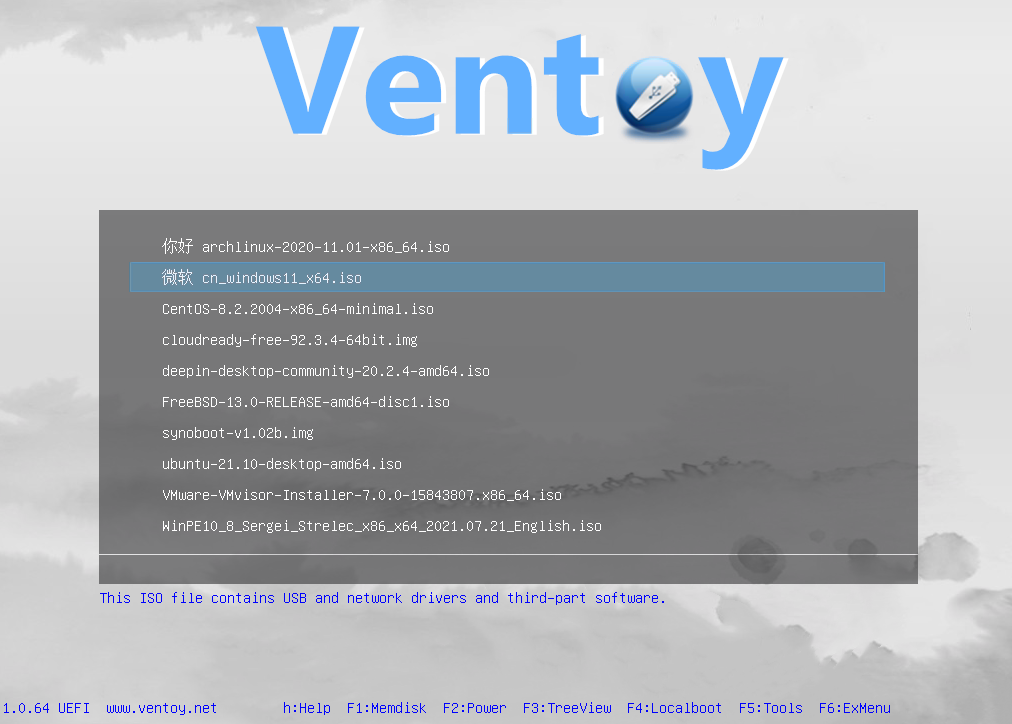
Source: official Ventoy project page.
Key capabilities
- A USB drive that boots ISO, WIM, IMG, VHD(x) and EFI files directly
- A boot menu for many images on one drive
- BIOS and UEFI support on x86, ARM64 and MIPS64EL
- MBR and GPT partition styles and UEFI Secure Boot
- Linux persistence
- Install to USB, disk, SSD, NVMe or SD card
Where Ventoy fits
Ventoy fits operating system installation, live-environment testing and maintenance workflows where administrators need several bootable images on shared removable media. It can bring installation images and supported rescue environments into the same boot menu, while automatic installation plugins support repeatable setup tasks.
Before deployment, teams should check the tested-image list for their intended images and validate booting on target hardware. Firmware architecture, partition layout and Secure Boot configuration need particular attention. Persistence and unattended installation should also be tested with the chosen operating systems and plugin settings.
Reviews of Ventoy
Be the first to share your experience with Ventoy.
Write a review
Loading review form…