
What is optimizerDuck?
optimizerDuck is a free, open-source Windows optimization tool focused on performance, privacy and simplicity. The README explains that a fresh Windows installation includes background services, telemetry, pre-installed apps and scheduled tasks that keep running even if you never use them, and that many settings that could improve performance or reduce latency are not enabled by default.
To use it, you download the release from GitHub, run the .exe directly with no installation, choose the optimizations you want, apply them, and restart your PC when ready. The README advises creating a system restore point before making changes.
The project lists Windows 10 and later on x64 and ARM64 as supported, is released under GPL v3, and has a documentation site with getting started, how-it-works and FAQ pages. Its README is translated into many languages.
optimizerDuck screenshots
Explore the interface. Open a screenshot to view it at full size.
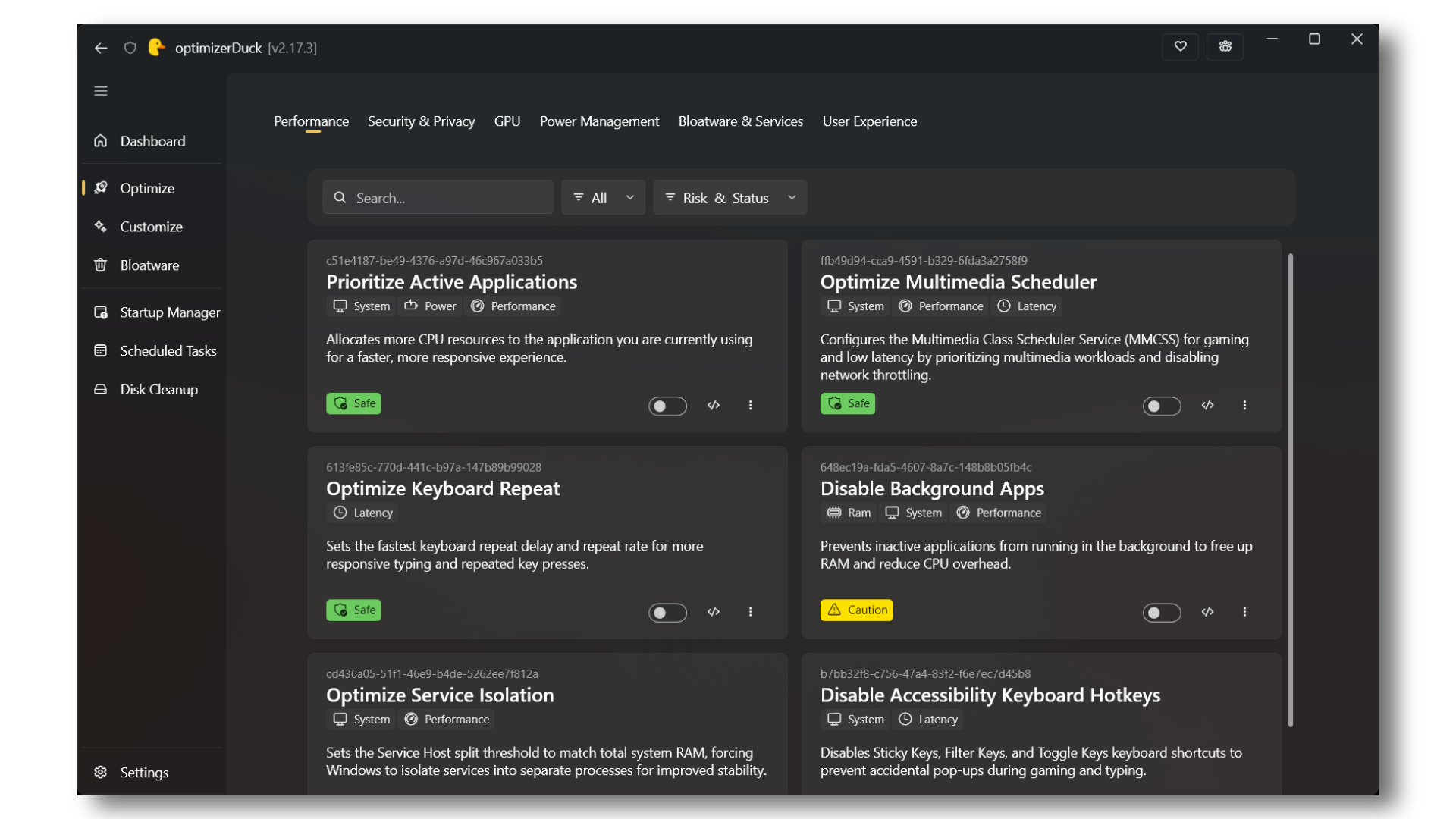
Source: official optimizerDuck project page.
Key capabilities
- System tuning Adjusts process priorities, service behavior, GPU registry settings, and power management options.
- Privacy controls Provides options to disable Windows telemetry, advertising identifiers, location tracking, and selected built-in AI features.
- Desktop customization Exposes taskbar, File Explorer, appearance, and gaming preferences through graphical controls.
- Startup and task management Lists startup applications and scheduled tasks, with controls to change their execution state.
- Cleanup and app removal Clears temporary files and system leftovers, and lists removable AppX packages with risk badges.
- Rollback and history Stores local revert files and records what optimization apply and revert operations changed, skipped, or failed to complete.
Where optimizerDuck fits
optimizerDuck fits into local Windows setup and maintenance, particularly after a fresh installation has received drivers, updates, and the user's usual applications. It can consolidate app removal, startup review, privacy adjustments, and desktop configuration that would otherwise involve several Windows tools.
Before deployment, the operator should confirm the Windows version and processor architecture, review each tweak's risk rating, and assess whether affected services or applications are needed. Important data and a system restore point should be backed up before changes. The executable is not code-signed and may trigger SmartScreen warnings; some changes need a restart, and Windows feature updates can reset settings.
Reviews of optimizerDuck
Be the first to share your experience with optimizerDuck.
Write a review
Loading review form…