

What is ZaneOps?
ZaneOps is a self-hosted platform for deploying and managing web apps, static sites, databases, workers and multi-container stacks on your own servers. It positions itself as a free alternative to Heroku, Railway and Render, and it is built on Docker Swarm for orchestration and Caddy for routing and automatic HTTPS. Each service you deploy maps one to one to a Swarm service, so the model stays close to plain Docker.
The control plane is a Django and Django REST Framework backend with a React Router single-page frontend, according to the architecture page. Around it run background workers coordinated by Temporal, PostgreSQL for data, Valkey for cache and sessions, fluentd to collect logs and Grafana Loki to store and search them. You install it with one script on a server with at least 2 CPU cores, 2 GB of RAM and 30 GB of disk, and the docs describe a manual installation that needs Docker 27.0.3 or later, make, curl, jq and openssl.
The current release is v1.15.2, published on November 3, 2026. It raises the Temporal server memory limit, evicts expired workflows from the history cache, fixes a volume count on git service cards and bumps the gitpython and tornado dependencies. The release notes urge instances to update because the release contains major security fixes. Version 1.15 added scoped API tokens and made deploy webhooks require one; webhook URLs that worked before return 401 until you send a bearer token.
The core is MIT licensed. Files under any ee directory use the ZaneOps Commercial License, and the optional Enterprise Edition image adds licensing for team features. The default image is pure MIT and contains no licensing code. The free tier allows one workspace and three users, and everything else, including unlimited projects, services, environments and deployments, is unaffected.
ZaneOps screenshots
Explore the interface. Open a screenshot to view it at full size.
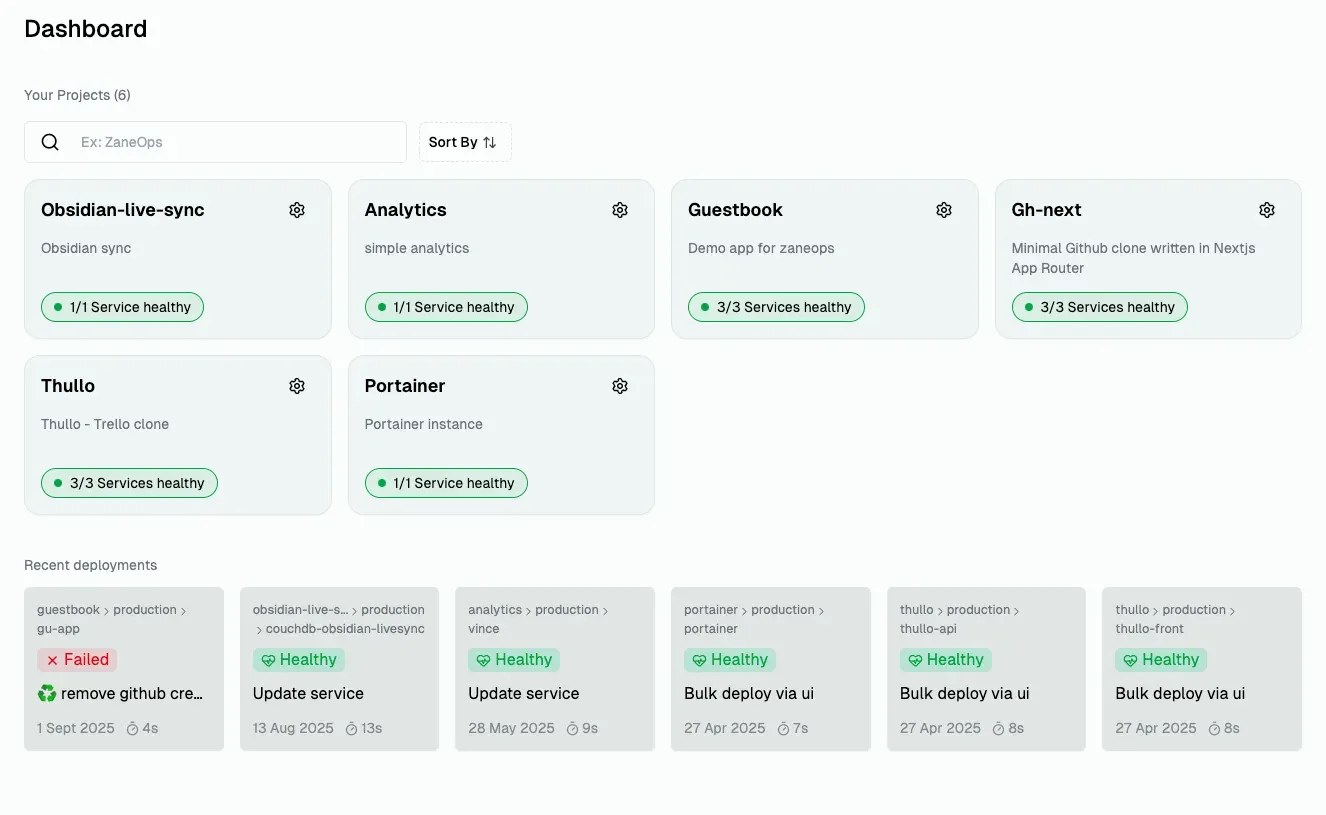
Official project screenshot of the dashboard, cropped to remove the browser frame and account name.
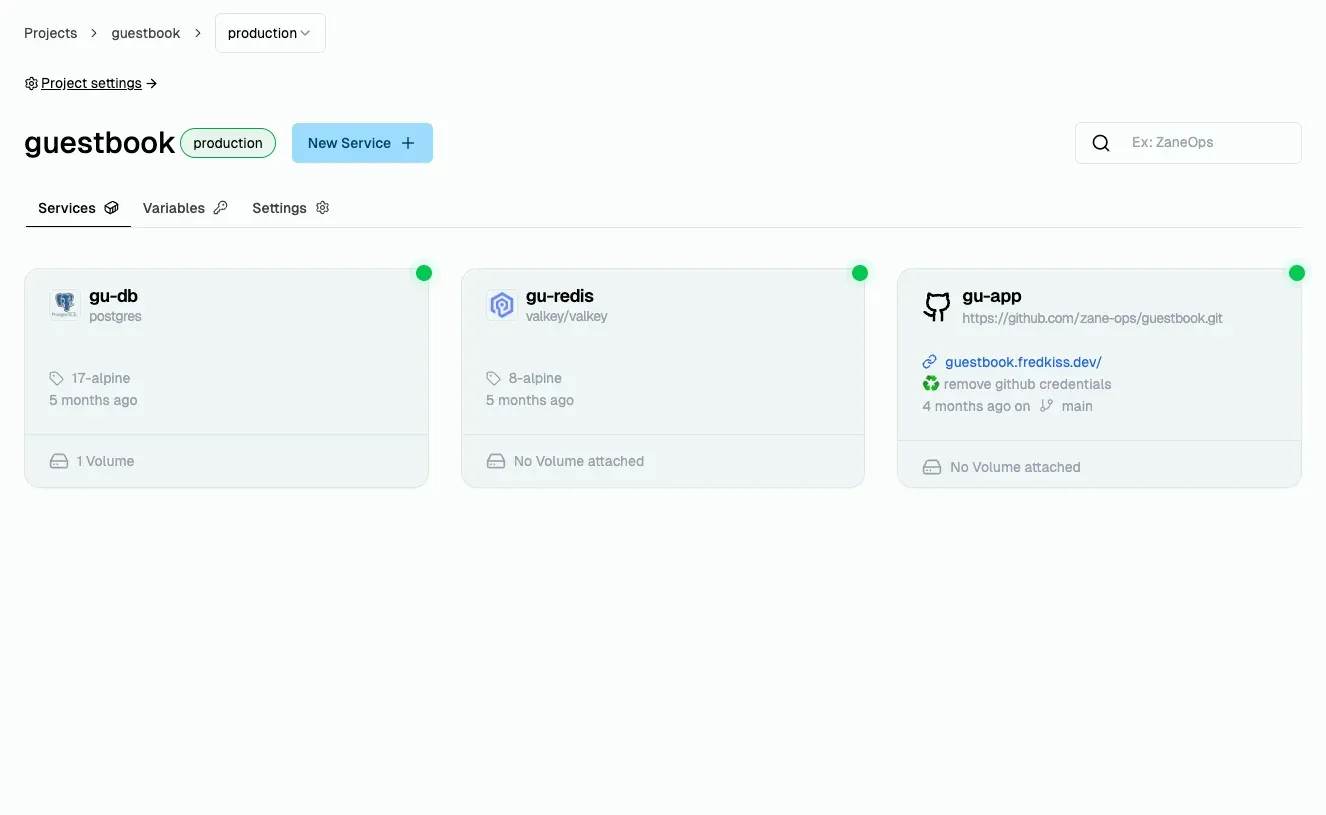
Official project screenshot of an environment with three services, cropped to remove the browser frame and account name.
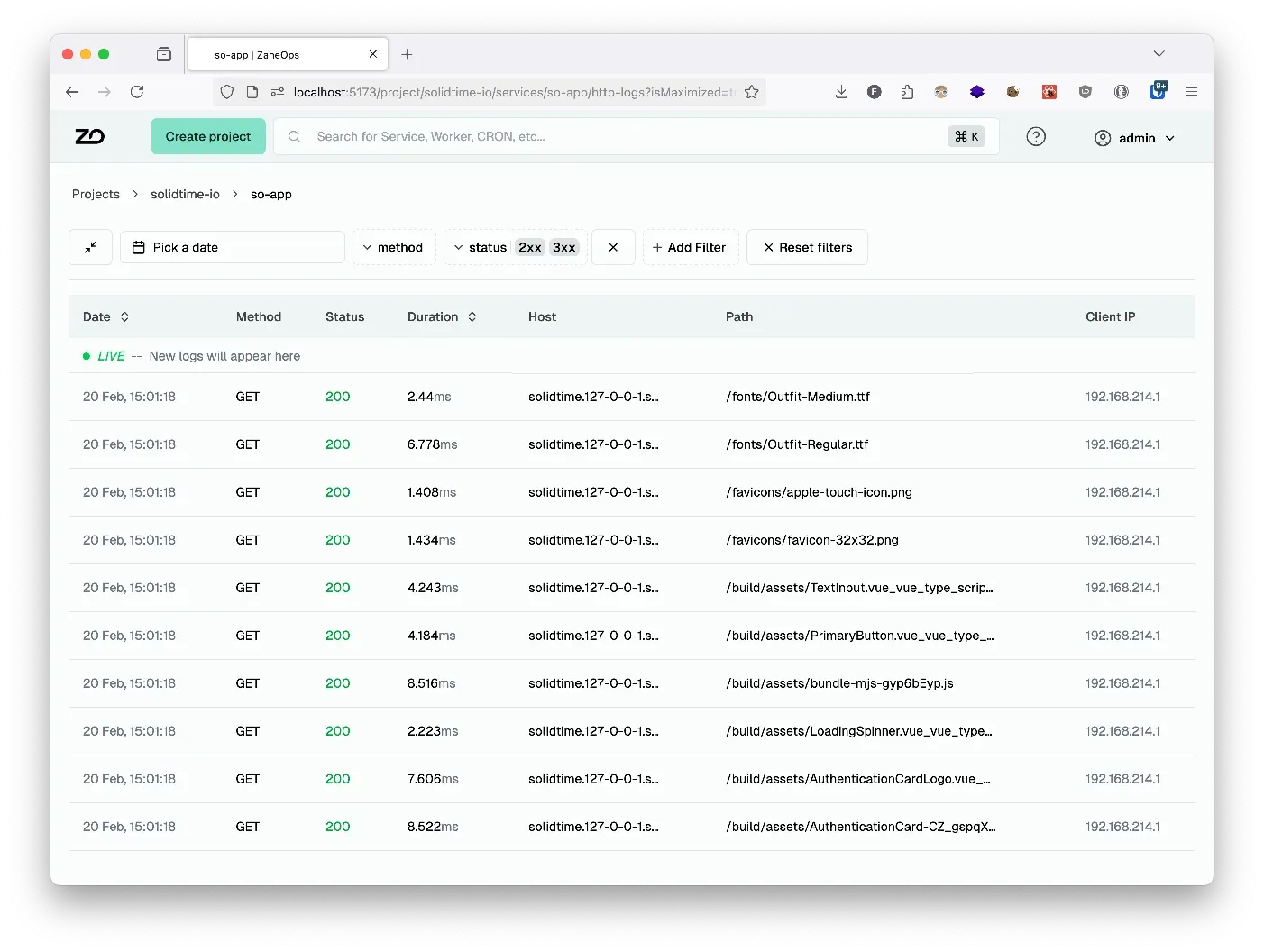
Official project screenshot of filtered HTTP request logs for a service.
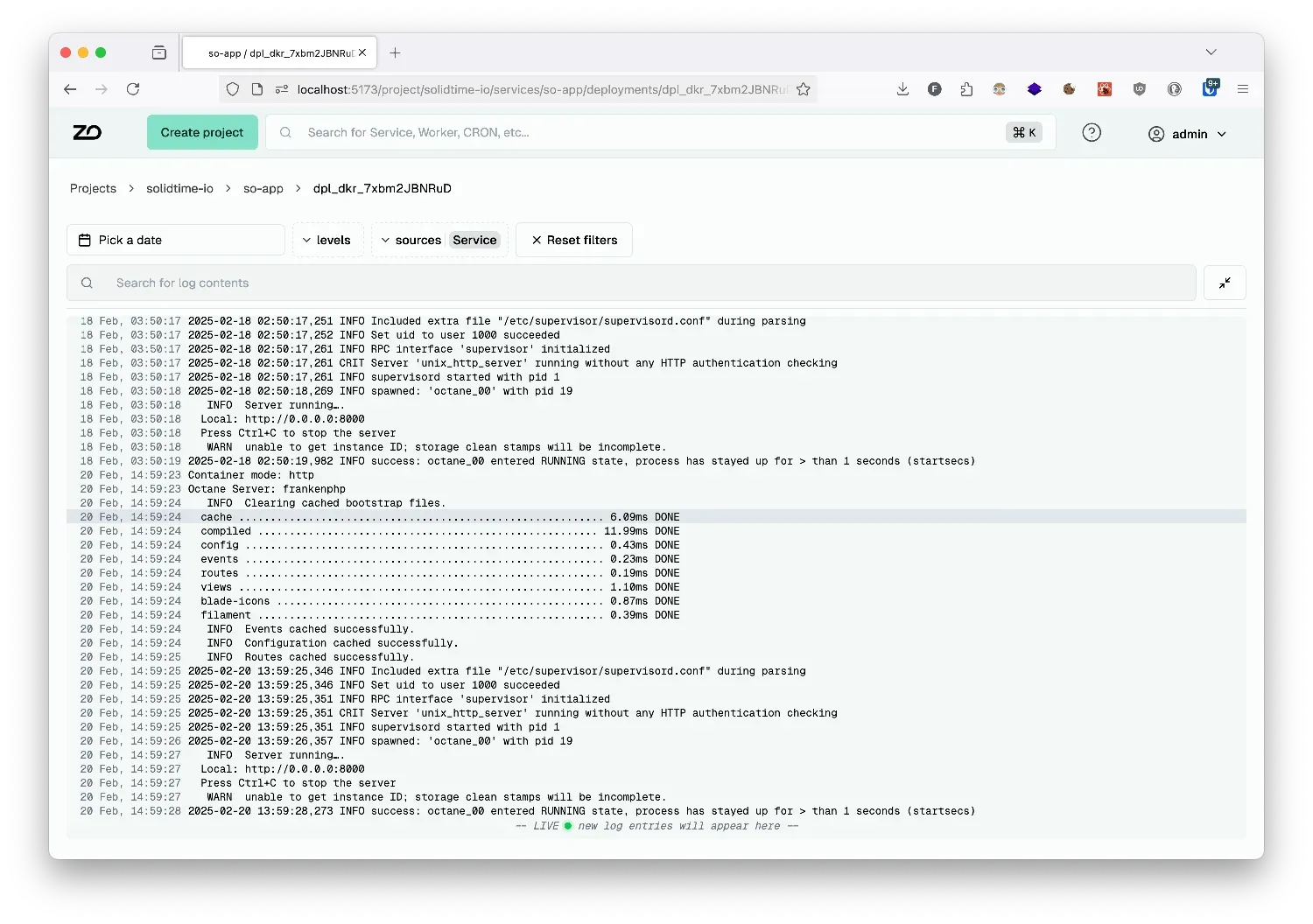
Official project screenshot of runtime logs for a deployment.
Source: official ZaneOps project page.
Key capabilities
- One-script installation A single command downloads a Makefile and sets up the Swarm stack. Since v1.15 the script explains what it will do on the server and asks for confirmation. Tested platforms include Debian and Ubuntu, Red Hat family distributions, Raspberry Pi OS 64-bit, macOS on Apple silicon, Alpine, NixOS and Arch Linux.
- Git-based deployments Connect GitHub or GitLab apps, select a repository and deploy with a click, on every push or from CI. The git documentation covers apps, auto-deploy and SSH keys. Private repositories need credentials configured through those apps.
- Builders Git services are packaged by Nixpacks, Railpack, a Dockerfile builder or a static directory builder, introduced in v1.8. They detect or generate a Dockerfile and then run
docker build. All services in the same project are reachable by network alias during a build. - Docker images and databases Services can run any Docker image, so databases such as PostgreSQL and Valkey appear as ordinary services with volumes. The project screenshots show such services next to a git-built app in one environment.
- Compose stacks Introduced in v1.13, Docker Compose files can be pasted, taken from a curated template or created another supported way, and are deployed as Swarm stacks with blue/green deployments and web routing. They are not plain
docker compose up, so check the compose syntax reference for supported keys. - Templates directory A library of ready-made templates helps deploy common software such as WordPress, Ghost or Supabase. Review each template's volumes, variables and exposed domains before deploying it to production.
- Zero-downtime deployments ZaneOps attempts blue/green by default, keeping the old version running until the new one passes checks. Health checks can use an HTTP path expecting a 2xx or a command that exits 0, and some situations disable zero-downtime behavior, which the zero-downtime page lists.
- Environments and preview environments Each project can have environments such as staging and production, isolated from one another. Preview environments, from v1.12, clone services from a base environment for a pull request or an API call. Volumes are not cloned; fresh ones are created, and a preview template limits which services are copied.
- Domains and HTTPS Caddy routes traffic and issues free certificates for custom and generated domains. The configuring guide explains DNS records for the ZaneOps dashboard and the services you deploy.
- Logs and monitoring Runtime logs, HTTP request logs with filters, and built-in metrics for services and deployments live in the dashboard. A terminal gives shell access to running deployments. Logs are collected by fluentd and stored in Loki, so allow disk for retention.
- Optional observability stacks Commands deploy an OpenTelemetry tracing stack with Grafana and a Temporal UI to inspect workflows behind deployments. The docs show changing the default Grafana admin credentials before enabling it.
- Config files and shared volumes Mount configuration files into services and share volumes between services. Plan backups separately, because ZaneOps does not describe a built-in off-host backup of volumes in the pages reviewed here.
- Workspaces and roles From v1.14 a workspace contains projects, services and Git apps, and members hold a Viewer, Member, Admin or Owner role. Viewers cannot see sensitive fields and can be limited to specific projects. The free tier allows one workspace and three users, counting pending invitations.
- REST API and API tokens Version 1.15 added bearer tokens limited by role, scopes, project access and expiry, 30 days by default. A token can never do more than its creator, and the full value is shown once. See the API reference and its OpenAPI document.
- Deploy webhooks A deploy endpoint per service can be called from CI, such as GitHub Actions or a cron job, with an API token holding the
deploy:writescope for that project. Store the token as a CI secret. - Upgrades Update from a dashboard notification, introduced in v1.7, or set
IMAGE_VERSIONin.envand rerunmake setupandmake deploy. The canary tag follows the main branch and can contain breaking changes, so avoid it on production hosts. - Licensing page and Enterprise Edition A license is bound to one instance and checked with the license server about every 12 hours. The Starter tier unlocks extra workspaces and extra user seats. Switching to the
ee-image tag is required, and uninstalling the license returns the instance to the free tier. - Anonymous telemetry Since v1.10 the instance sends a ping at most every 30 minutes to the ZaneOps CDN with a doubly hashed IP address. Set
TELEMETRY_ENABLED=falsein.envto turn it off, as the telemetry page explains.
Where ZaneOps fits
Replacing a managed PaaS for side projects
Install ZaneOps on a small VPS, point a domain at it and deploy a Git repository with the Nixpacks or Railpack builder. Add a database service with a volume and set environment variables per environment. Verify that the build, the health check and the HTTPS certificate all succeed before moving traffic. Keep the old host running until the new one has served real requests for a day.
Running staging and production on one server
Create separate environments, give each its own variables and domains, and deploy from different branches. Use health checks so that a failed release does not replace the working one. Watch memory, because both environments share the same host. Set resource limits on services so one release cannot starve the rest.
Reviewing pull requests with preview environments
Connect a GitHub or GitLab app and enable preview environments so each pull request gets a cloned environment. Use a preview template that includes only the services needed, since volumes are created empty and data is not copied. Delete previews when the pull request closes. Do not point previews at production databases.
Self-hosting an off-the-shelf application
Pick a template or paste a Compose file for software such as a CMS or analytics tool. Read the compose syntax reference, set a domain and check which volumes hold persistent data. Schedule backups outside ZaneOps before you rely on the data.
Automating deployments from CI
Create an API token with the deploy scope for one project, store it as a CI secret and call the service deploy endpoint after tests pass. Rotate tokens before their expiry date and keep them scoped to the least access needed.
Sharing an instance with a small team
Invite teammates as Viewers, Members or Admins under Settings and Team. Remember that the free tier stops at three users, so plan a license if more people need access. Review who holds the Owner role. Remove accounts promptly when someone leaves.
Install
curl -fsSL https://cdn.zaneops.dev/install.sh | sudo bashReviews of ZaneOps
Be the first to share your experience with ZaneOps.
Write a review
Loading review form…
Alternatives to ZaneOps
 CoolifyCoolify is an open-source, self-hostable platform for deploying apps, databases and 360+ one-click services to your own servers over SSH.
 DokployDokploy is an open-source, self-hostable deployment platform on Docker and Traefik for apps, databases and Docker Compose stacks, with an optional paid cloud.
 CapRoverCapRover is a free, self-hosted PaaS under the Apache 2.0 license that deploys apps from a dashboard, CLI, webhook or Git workflow onto Docker Swarm.