

What is devpush?
devpush is an open-source deployment platform for applications that run on your own Linux servers. You connect a GitHub repository that contains a Docker Compose file, assign a server, and a push to a matching branch deploys it. It started as a way to make deploying Python apps feel like Vercel and now targets any workload that runs under Compose, including web apps, APIs, workers and databases. The project is published by Rotsu, and the author's GitHub account is hunvreus.
The architecture has two parts. The dashboard runs on Cloudflare Workers or as a Node.js app (the supplied Node install uses Docker Compose and SQLite). A small Go agent on each Linux server connects outbound to the dashboard, runs Docker Compose, configures Traefik for HTTPS and reports logs, health and metrics. Application traffic goes directly to your servers, and no SSH key is stored in the dashboard. Install starts with npx devpush@latest init, which needs Node.js 22.12 or newer and either Docker Compose or a Cloudflare account. A hosted dashboard is also available at app.devpu.sh.
The latest GitHub release is v1.1.0, published November 2, 2026. It adds the npm-based init wizard for standalone Docker Compose or Cloudflare installs without a source checkout. The changelog describes 1.0.0 (October 29, 2026) as a complete rewrite that replaces the earlier architecture and needs a fresh installation, and 1.0.2 and 1.0.3 reduced agent polling and scheduling work. Teams that ran the earlier version should treat this as a migration, not an upgrade.
The code is MIT licensed. Compose is required: Dockerfile-only projects and Swarm are not supported, updates happen in place without a zero-downtime guarantee, and the project warns to deploy only trusted code because Docker workloads can reach their host. Projects sharing a server are not isolated from a hostile repository. This profile summarises the official repository and documentation.
devpush screenshots
Explore the interface. Open a screenshot to view it at full size.
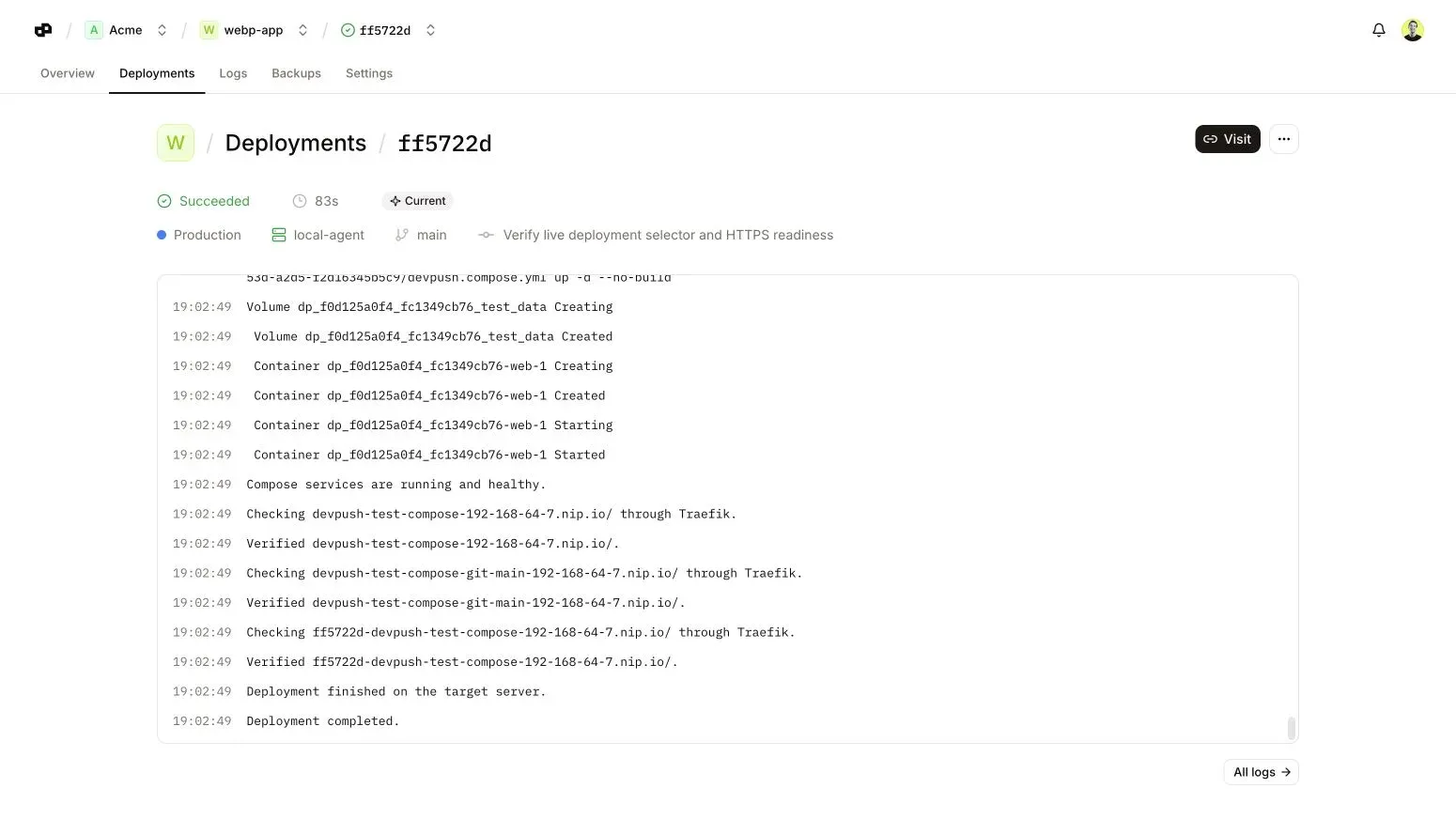
Official devpu.sh screenshot of a deployment with its status, environment, server, branch and build log lines.
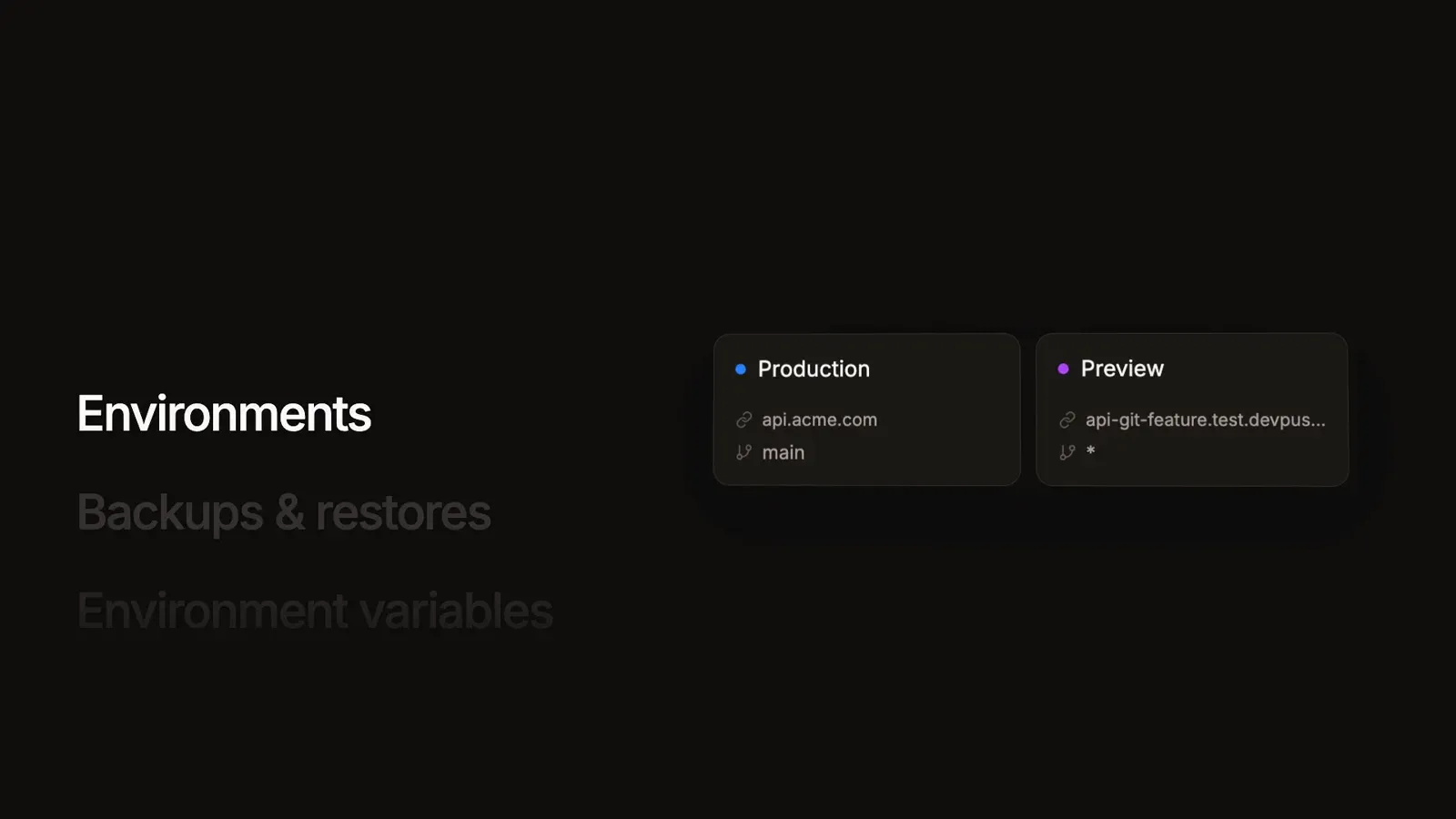
Frame from the official devpush demo video illustrating environments with branch rules. It is a stylised illustration, not a live dashboard capture.
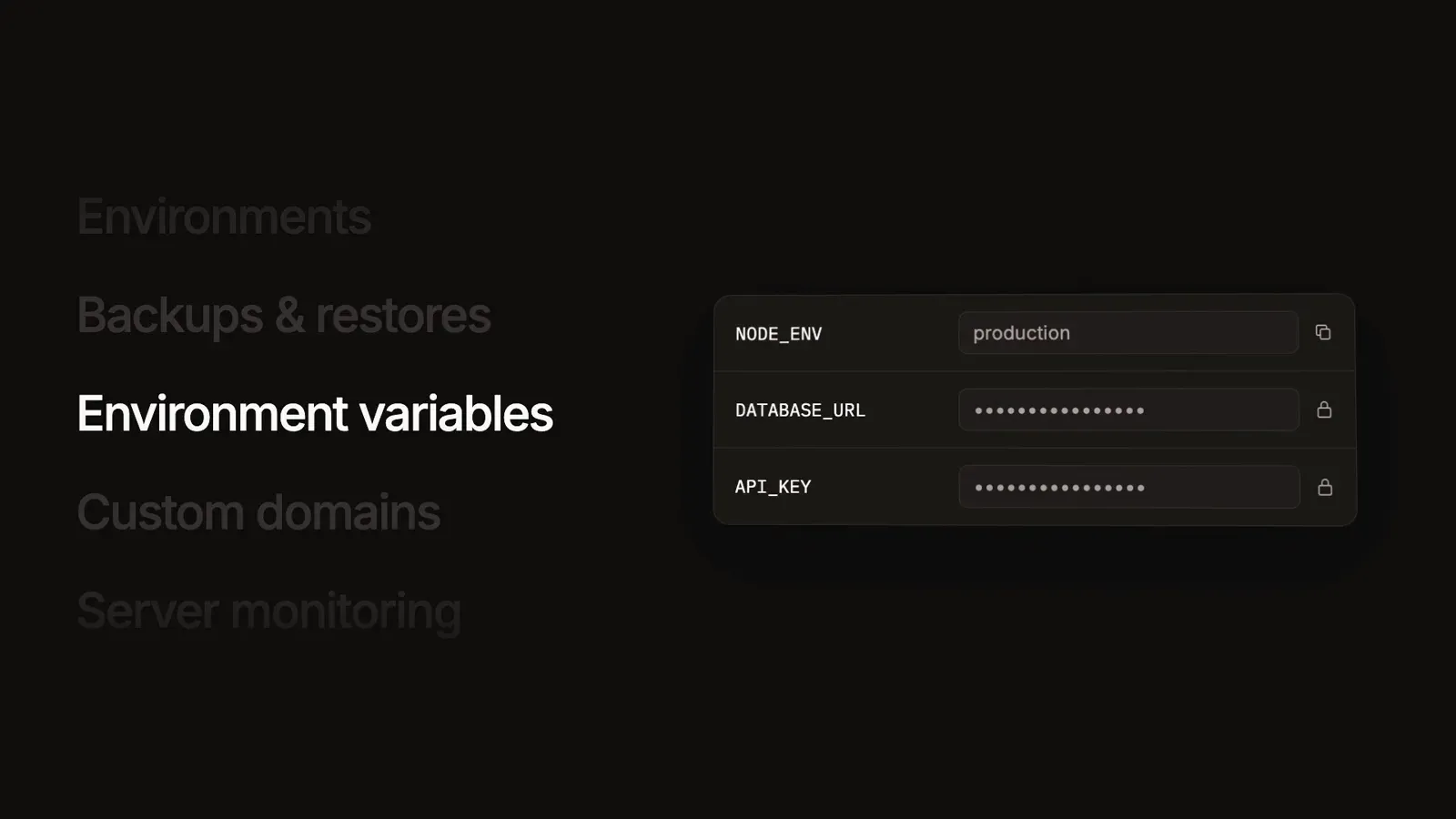
Frame from the official devpush demo video showing encrypted environment variables with masked values. It is a stylised illustration.
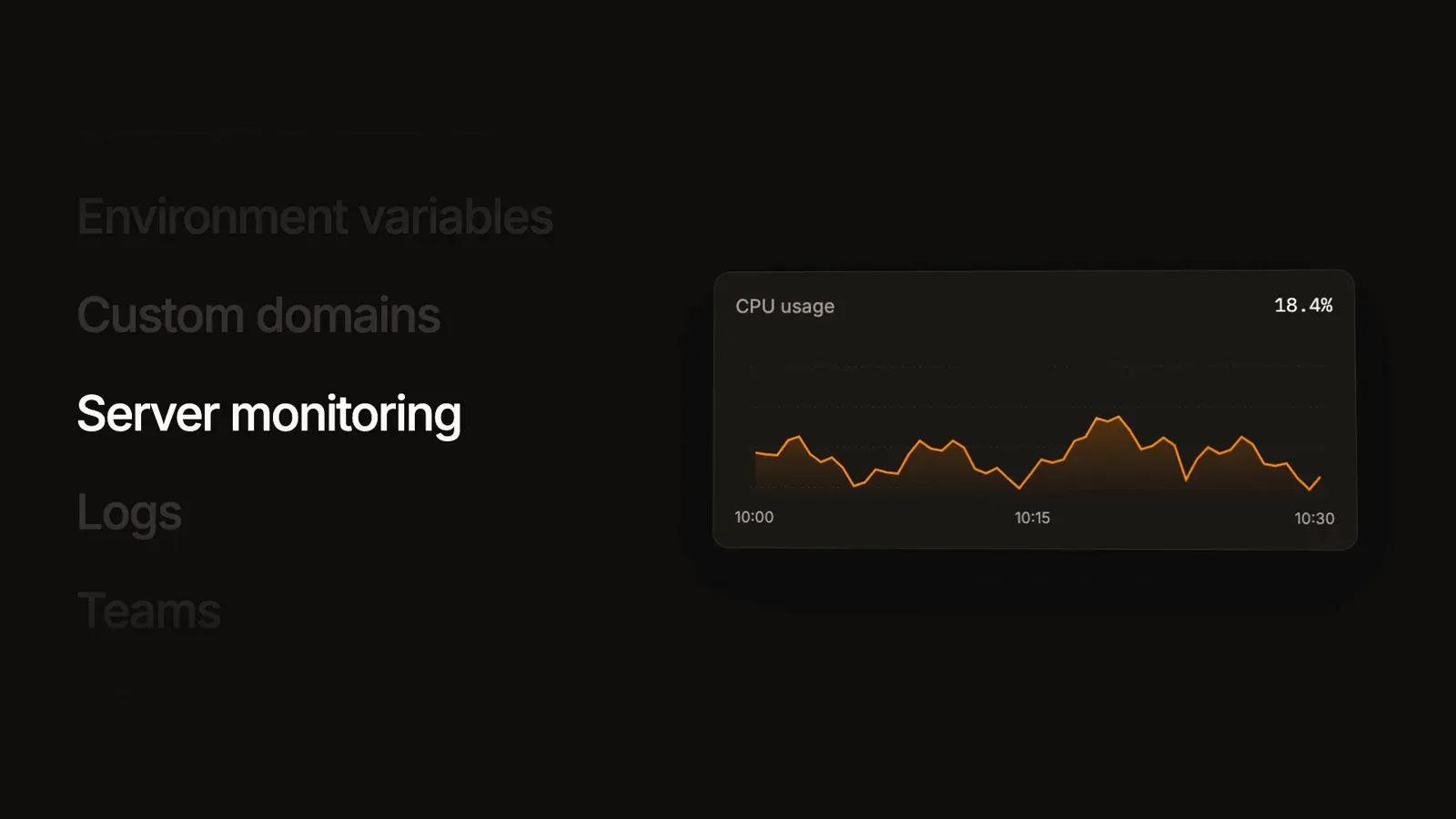
Frame from the official devpush demo video illustrating server monitoring. The chart is sample data in a stylised illustration.
Source: official devpush project page.
Key capabilities
- Install with one command Run
npx devpush@latest initto create adevpushfolder, choose Docker Compose or Cloudflare Workers, set the dashboard URL and administrator email, configure sign-in and a GitHub App, then approve deployment. Resume later withnpm run configureand redeploy withnpm run deploy. See the installation guide. - Docker Compose dashboard The Node stack runs the app, a built-in scheduler and a one-shot migrator. It binds to 127.0.0.1:7429, so you must provide an HTTPS reverse proxy. Upgrades back up both databases and uploads, install a pinned package version with
npm install --save-exactand rerun deploy. Run one app instance with SQLite on a local filesystem, never a network share. - Cloudflare Workers dashboard The control plane can instead run on Cloudflare using a workers.dev URL or your own domain. Your applications still run on your own Linux servers. Review the Cloudflare deployment guide for the account and binding requirements.
- Linux server agent A server needs Linux with systemd, an amd64 or arm64 CPU and ports 80 and 443 free for Traefik. The generated installer checks Docker, Compose and Git and tries to install missing dependencies on Debian, Ubuntu, Fedora and RHEL-family systems. Enrollment credentials expire after one hour. Details are in the servers documentation.
- GitHub push to deploy Connect a repository through the GitHub App, pick a server and Compose file, and add a health check path. A push to a branch that matches an environment deploys automatically, and a manual deploy can target a chosen commit. GitHub webhooks need a publicly reachable dashboard, so a localhost dashboard supports manual deploys only.
- Docker Compose projects Devpush builds or pulls the services in your Compose file, searching for compose.yml, compose.yaml, docker-compose.yml and docker-compose.yaml in the repository root unless you set a path. Saved variables are available for interpolation but are not injected into containers automatically. Published ports and host networking are stripped from the resolved configuration.
- Environments and branch rules Production tracks the default branch, and you can add staging or preview environments with branch rules such as feature/*. Rules are evaluated in order and only the first match applies. A wildcard updates one shared environment, not a separate app per branch, and a newly queued deployment cancels the previous one.
- Encrypted variables Variables can be scoped to all environments or one, with environment values overriding shared ones. Values are encrypted and captured when a deployment is queued, so edits affect only new deployments. Redeploy and rollback reuse the recorded values.
- Routes, domains and HTTPS A route maps a path to a Compose service and internal port, and a domain selects the hostname. Without DNS setup, devpush generates nip.io addresses from the server's routing IP. Custom domains need A or AAAA records, verification and a redeploy, and Traefik obtains and renews certificates. Wildcard hostnames are not accepted.
- Logs, redeploy and rollback Each deployment shows build and runtime logs, and you can redeploy or roll back. Runtime logs are kept for 24 hours and are not an archive. Rollback to a deployment on a different server is rejected, and each environment runs a single current revision.
- Server monitoring and alerts Server pages show connection state, agent version, addresses and resource charts covering 24 hours, with raw metrics retained for seven days by default. Email alerts cover deployment failures, backup and restore failures, domain verification failures, disconnections and low disk space, with disk alerts starting at 90 percent usage.
- Scheduled backups and restores Policies pick an environment, named volumes and or database services, a UTC cron schedule, local retention and an optional S3-compatible destination that needs rclone. PostgreSQL, MySQL, MariaDB and MongoDB are supported. Volume archives are not atomic snapshots, and restore overwrites data without rolling back code, so test on a disposable environment first. See backups.
- Teams and roles Teams own projects, servers and backup storage. Members deploy and edit ordinary settings, admins also manage servers, backups and team settings, and owners manage ownership. Installation administration is separate, with a sign-up allowlist of exact emails, domains or regular expressions that is open to everyone when empty.
- REST API with scoped keys Keys are created per team with optional project limits, a read only, deploy or manage level, a separate log permission and an expiry. The hosted base URL is app.devpu.sh/api/v1, and self-hosted installs use their own host. Lists use cursors with 25 items by default and a maximum of 100. See the API guide.
- MCP server for assistants An assistant connects to the dashboard's /mcp endpoint with a browser sign-in flow and a 30-day grant, or with a bearer API key. Access levels mirror the API, and variable values and agent credentials are never returned. The MCP guide shows a Claude Code command and lists the tools.
- Example Compose apps The repository includes a small
compose-webexample with a web service on port 3000 and a /health path, and the website lists Compose examples for apps such as WordPress, Gitea and n8n. Use the example for a first test before deploying a production repository. - Free and open source The dashboard, API and MCP server are MIT licensed with no paid tiers listed on the website. You pay your own providers for servers, storage and the control plane, and a hosted dashboard at app.devpu.sh is offered for trying it online.
Where devpush fits
Self-hosting a Heroku-style workflow on a VPS
Install the dashboard with Docker Compose behind an HTTPS reverse proxy, connect one Linux server and deploy the example app. Confirm that ports 80 and 443 are free, that the agent shows Connected and that the health path returns success. Follow the first deployment guide and restrict sign-up with the allowlist before sharing the URL.
Deploying a Compose stack from GitHub
Add a Compose file to the repository, map a route to the web service and internal port, set required variables and push to the production branch. Check that the app listens on all container interfaces and that build arguments are passed through Compose interpolation. Keep secrets out of public build arguments.
Staging and preview environments
Add staging and feature/* environments with their own variables and server assignment. Remember that a wildcard preview is one shared environment, so parallel feature branches overwrite each other. Use a separate server for preview workloads so a hostile branch cannot reach production data.
Protecting application data with backups
Create a policy for named volumes or database services, choose a UTC schedule and add an S3-compatible bucket. Run a manual backup, then restore it into a disposable environment and inspect the data. Prefer native database dumps over live volume archives, and keep the dashboard's own database backups separate.
Operating servers and alerts
Watch the server page for connection, resource charts and disk usage, and enable the alert categories your team needs. Drain a server before maintenance instead of disabling it, because disabling leaves containers running. Review agent versions after each dashboard upgrade so older agents do not increase polling.
Automating releases through the API or an assistant
Create a deploy-level key limited to one project, store it in your CI secret manager and trigger deployments from a pipeline. For assistant access, grant read only first and add deploy or manage only when needed. Rotate keys when people leave the team.
Install
npx devpush@latest initReviews of devpush
Be the first to share your experience with devpush.
Write a review
Loading review form…
Alternatives to devpush
 CoolifyCoolify is an open-source, self-hostable platform for deploying apps, databases and 360+ one-click services to your own servers over SSH.
 DokployDokploy is an open-source, self-hostable deployment platform on Docker and Traefik for apps, databases and Docker Compose stacks, with an optional paid cloud.DDokkuDokku is an MIT-licensed, Docker-powered PaaS for a single host that builds Heroku-compatible apps with buildpacks and runs them in isolated containers.