
What is PrivateGPT?
PrivateGPT is the open-source API layer that turns local models into production AI applications. It does not run models itself: it connects to any OpenAI-compatible inference server via OPENAI_API_BASE, and Ollama is the easiest starting point. You need a running OpenAI-compatible LLM server before you start.
The API follows the Anthropic API spec and listens on port 8080 by default. It provides a standard messages API with streaming, async and token counting, file and artifact ingestion, retrieval with citations and agentic RAG, built-in tools that mirror the Claude API (web search, web fetch, code execution), custom tools and MCP connectors, and structured access to databases and CSVs.
A built-in workbench UI at /ui is meant for testing and demos, while the API is the actual product. The README says PrivateGPT powers Zylon, an on-premise AI platform for enterprises. On macOS, install it with brew install private-gpt; the README gives uv-based steps for Linux and Windows.
PrivateGPT screenshots
Explore the interface. Open a screenshot to view it at full size.
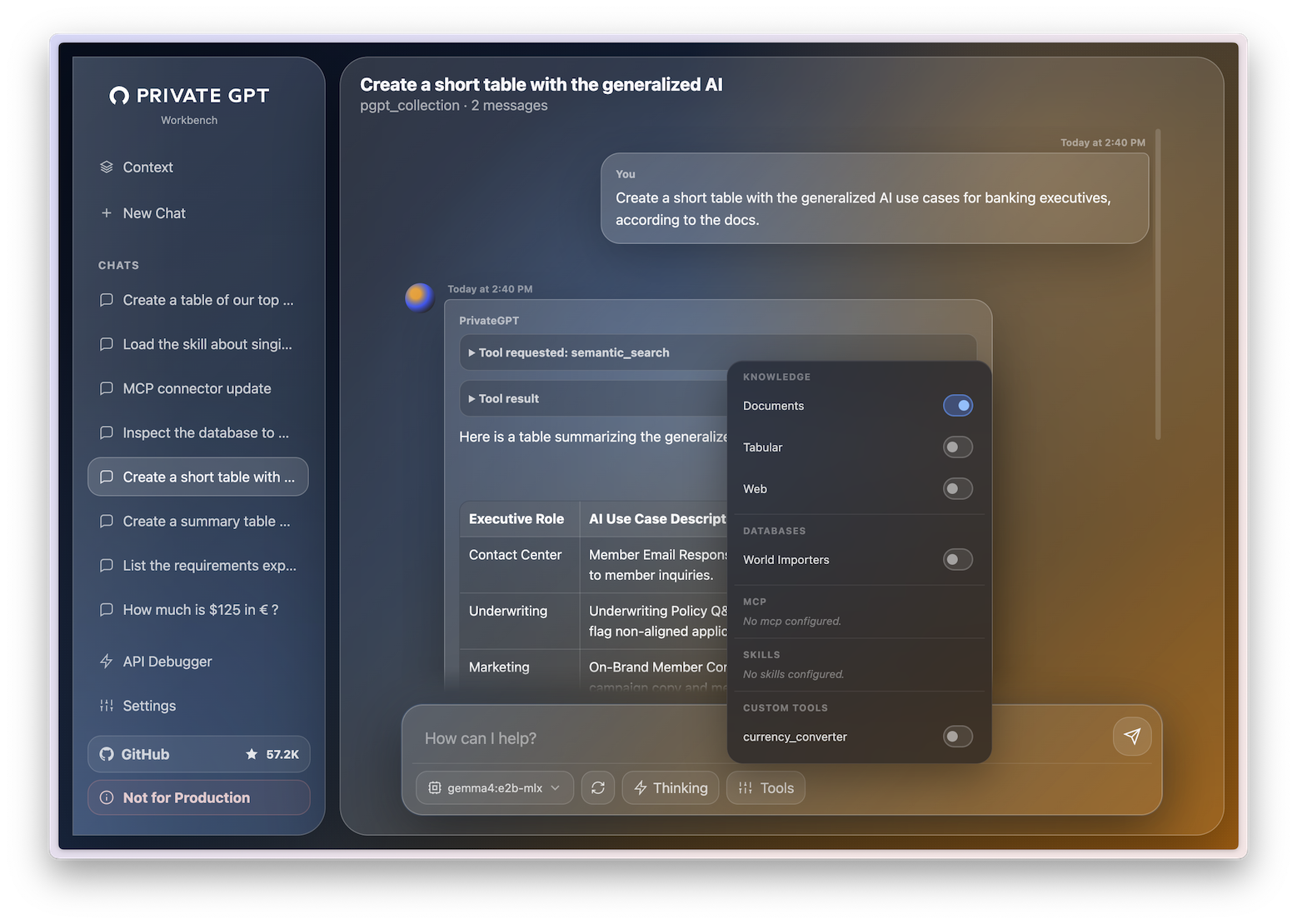
Source: official PrivateGPT project page.
Key capabilities
- A messages API with streaming, async and token counting
- File and artifact ingestion
- Retrieval with citations and agentic RAG
- Web search, web fetch and code execution tools
- Custom tools and MCP connectors
- A workbench UI at /ui for testing
Where PrivateGPT fits
- Messages API following the Anthropic API spec
- Document ingestion and retrieval with citations
- Built-in and custom tools
- MCP connectors
- Database and CSV access
- Connection to any OpenAI-compatible inference server
Install
brew install private-gptReviews of PrivateGPT
Be the first to share your experience with PrivateGPT.
Write a review
Loading review form…
Alternatives to PrivateGPT
 CogneeCognee is a free, open-source AI memory platform that turns documents, code and conversations into a knowledge graph with vector retrieval for agents.HHeadroomHeadroom compresses tool outputs, logs, files and chat history on your machine before they reach an LLM, as a Python or TypeScript library, proxy or MCP server.OOmniRouteOmniRoute is an MIT-licensed AI gateway by Diego Souza that routes requests across model providers through one endpoint, with a dashboard and API keys.