

What is Hanko?
Hanko is an open-source authentication and user management system developed by Hanko GmbH, whose website states that the product is designed in Kiel, Germany. It combines a Go backend API for passkeys, passwords, email passcodes, social and enterprise single sign-on, multi-factor authentication, sessions and JWT issuing with web components and a JavaScript client for the browser side. The same software runs self-hosted or as the managed Hanko Cloud service, and the project presents itself as an open-source alternative to hosted identity services such as Auth0, Clerk, WorkOS and Stytch.
The repository holds three main building blocks. The backend exposes a public API on port 8000 and a separate admin API on port 8001 by default, and stores its data in PostgreSQL or MySQL. Hanko Elements (@teamhanko/hanko-elements) supplies login, registration and profile web components styled with CSS, and @teamhanko/hanko-frontend-sdk is the client that both the components and custom interfaces use to talk to the API. A quickstart app, framework examples and Docker Compose and Kubernetes manifests complete the tree. The documentation is published at docs.hanko.io.
Backend releases ship prebuilt binaries for Linux (x86_64, i386, arm64), macOS (x86_64, arm64) and Windows (x86_64, i386, arm64), and a container image is published as ghcr.io/teamhanko/hanko. The latest release, Hanko v3.1 (tag backend/v3.1.0, October 1, 2026), adds organizations and tenant-level roles for B2B applications, tenant-defined custom claims mapped from SAML attributes and OIDC or OAuth claims, and session lifecycle webhooks. It also changes client IP resolution: the default is now the directly connecting peer, so deployments behind a reverse proxy must configure a header extractor and trusted proxy ranges to keep per-client rate limits. The same release fixes TOTP code replay, a third-party redirect allowlist bypass, cross-tenant data leakage and the linking of unverified provider email addresses.
Version 3.0, published in July 2026, introduced native multi-tenancy: one API deployment can serve a single tenant configured through YAML, as before, or many isolated tenants whose user pools and configuration are stored in the database. It removed the endpoints deprecated during the 2.x series, so older custom integrations need the 2.x to 3.x migration guide. Earlier 2026 releases added inactivity logout (2.6) and import of Firebase scrypt password hashes (2.7).
Licensing is split. Hanko Elements and the frontend SDK are MIT licensed; the backend and the rest of the repository are under AGPL-3.0, and the README states that non-copyleft commercial licensing is available on request. Native SDKs for iOS, Android, React Native and Flutter, and a hanko-menu web component, are still listed as planned rather than shipped. The Passkey API, which adds passkeys to an existing user base without replacing its login system, is a separate Hanko product and outside the scope of this profile. This description is based on the repository, release notes and official documentation.
Hanko screenshots
Explore the interface. Open a screenshot to view it at full size.
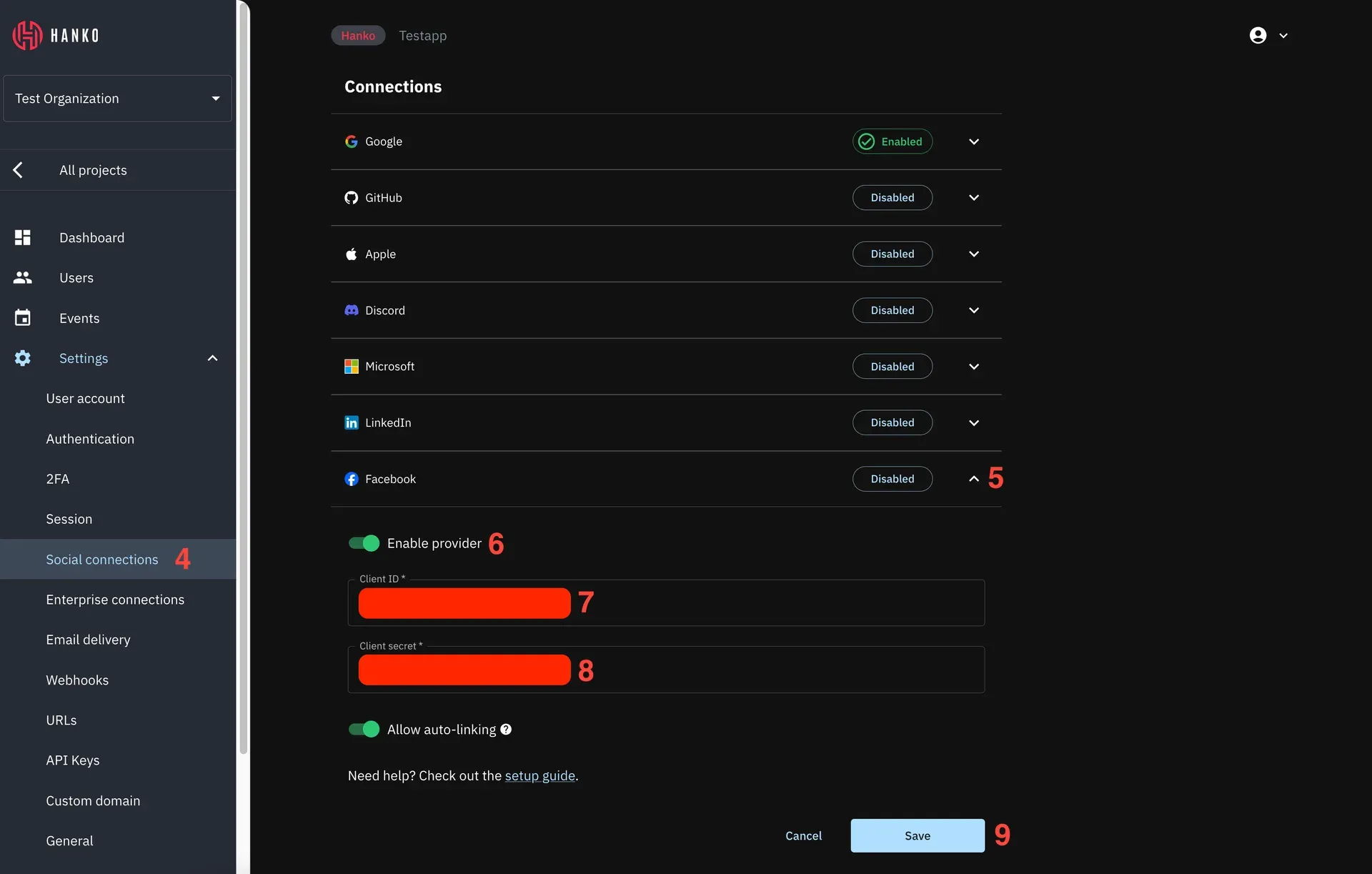
Hanko Cloud console with the social connection settings open for Facebook. Official documentation screenshot; the red numbers and bars are annotations from the guide.
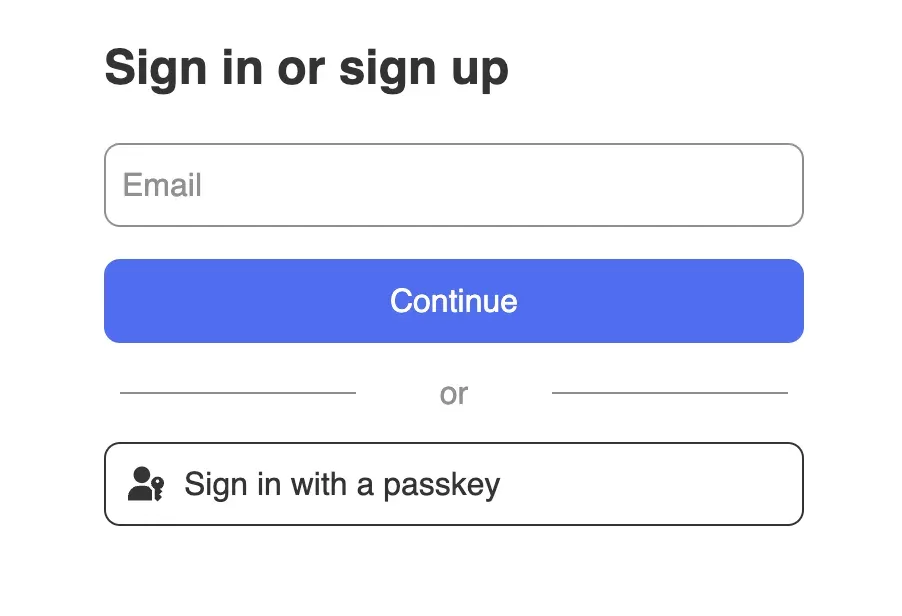
The hanko-auth web component in its default style, offering email sign-in or sign-up and passkey login. Official documentation screenshot.
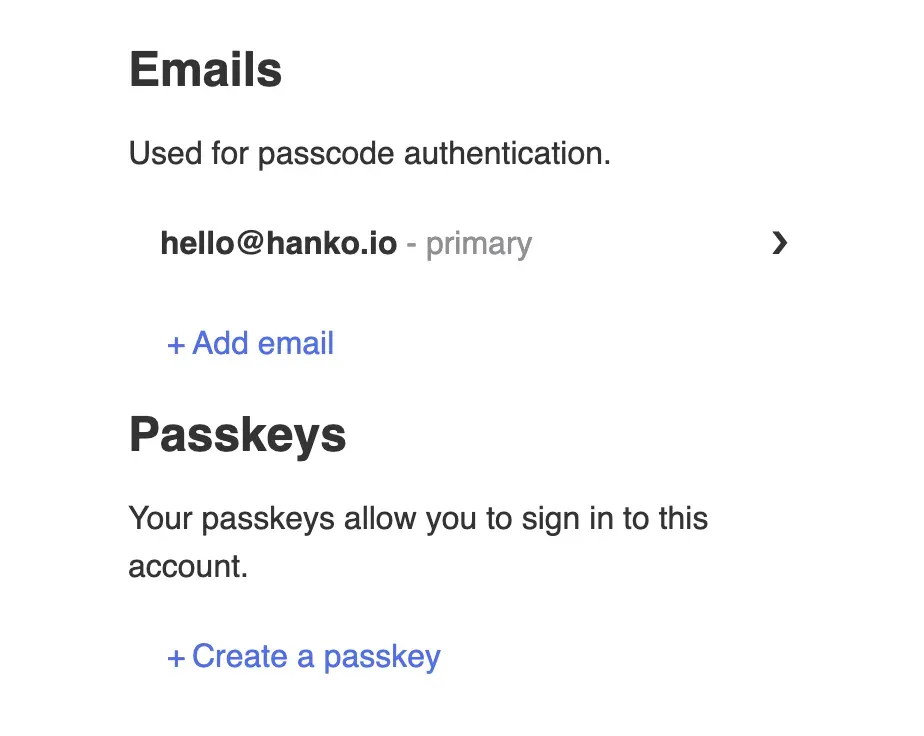
The profile web component, where users manage their email addresses and passkeys. Official documentation screenshot.
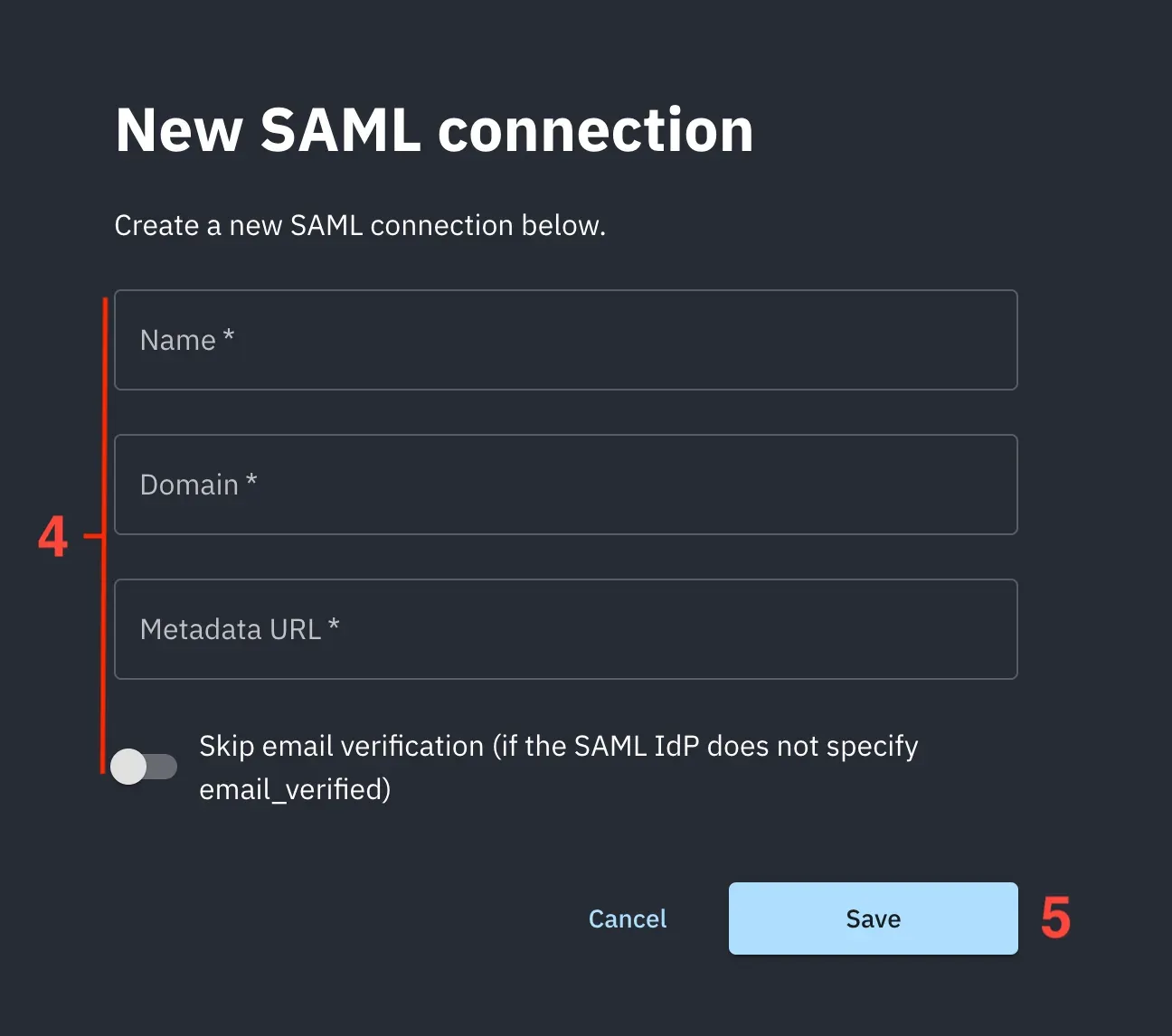
Creating a SAML enterprise connection in the Hanko console, with an option to skip email verification when the IdP does not specify it. Numbered markers come from the setup guide.
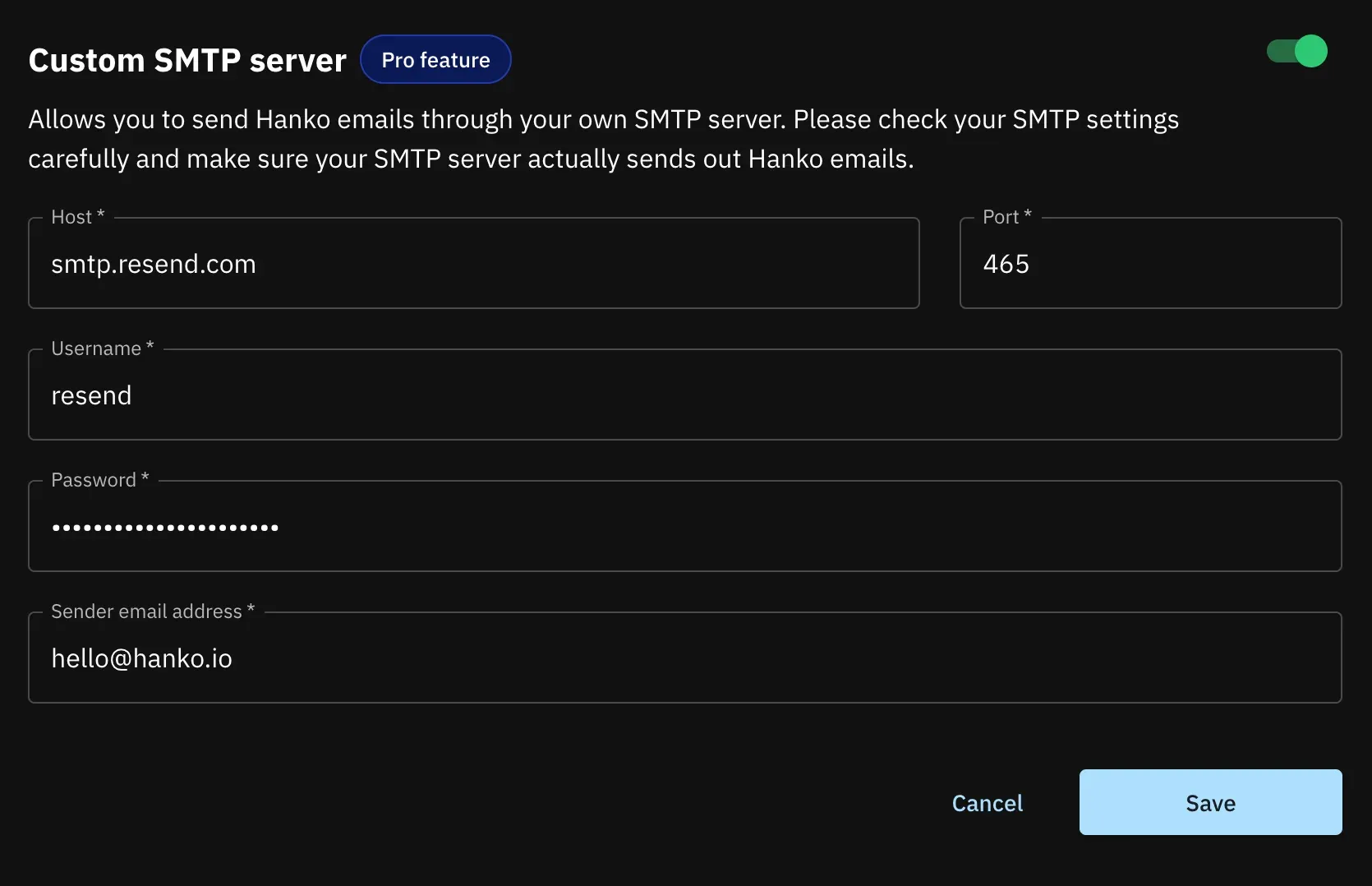
Custom SMTP server settings in Hanko Cloud, marked as a Pro feature, for sending Hanko emails through your own mail service. Official documentation screenshot.
Source: official Hanko project page.
Key capabilities
- Backend binaries for Linux, macOS and Windows Each backend release on GitHub releases includes tar.gz archives for Linux x86_64, i386 and arm64 and macOS x86_64 and arm64, plus ZIP archives for Windows x86_64, i386 and arm64. The same
hankoexecutable applies database migrations withhanko migrate upand starts the public API, the admin API or both withhanko serve public,serve adminorserve all. Building from source uses the Go module inbackend/, which declares Go 1.26.1. - Container image and Docker quickstart The backend is published as
ghcr.io/teamhanko/hanko, with the configuration file mounted at/config/config.yaml. The quickstart starts a complete stack with Docker Compose, serving a sample login page onlocalhost:8888and a Mailslurper test inbox onlocalhost:8080. For your own deployment, the README suggests removing the sample services fromquickstart.yamland editingconfig.yaml. - Hanko Cloud plans The managed service has a free Starter plan with 10,000 monthly active users and 2 projects, and a Pro plan at $29 per month with 10,000 included MAUs, 5 projects and $0.01 per additional MAU. Pro adds webhooks, the Admin API, custom SMTP and team invites; SAML SSO is a $49 per month add-on per connection. Enterprise pricing is custom and lists a 99.99% uptime SLA, private cloud and a commercial license option. Hanko Cloud is hosted only in the AWS Frankfurt region.
- Passkeys and security keys Passkey registration and login use the WebAuthn standard. The backend needs the relying party ID set to your application domain and the origin set to the full URL, including any non-standard port. Configurations can be passkey-only, and release 2.6 added a WebAuthn credential signature counter check. Security keys can also serve as a second factor.
- Passwords, passcodes and identifiers Users can be identified by email address, username or both. Email passcodes require a working SMTP server, while password login is disabled by default and is enabled with
password.enabledand amin_password_length. The README lists user-deletable passwords as a supported configuration, so accounts can move to passkeys over time. - Multi-factor authentication TOTP authenticator apps and security keys are available as second factors. Release 3.1 prevents a TOTP code from being replayed. Admins can read and delete a user's OTP secret metadata through the Admin API when a device is lost.
- Social login and custom OIDC providers Built-in providers include Apple, Discord, Facebook, GitHub, Google, LinkedIn and Microsoft; each is disabled until enabled with a client ID and secret. Custom OAuth or OIDC providers can use OIDC discovery or explicit endpoints, with scopes defined manually. Automatic account linking by email address is a documented risk when a provider allows unverified addresses, so the backend README recommends enabling
emails.require_verification. - SAML enterprise SSO SAML connections let customer identity providers sign users in, with setup guides for Auth0, Microsoft Entra, Google Workspace and Okta in the enterprise SSO documentation. Hanko publishes service provider metadata and certificates through a public endpoint and supports IdP-initiated login. Since 3.1, newly generated SP certificates are valid for 10 years by default.
- Hanko Elements web components The
hanko-auth, login, registration, profile and events components handle onboarding, sign-in and account settings in any framework that renders custom elements. Appearance is customized through CSS, and texts can be translated or overridden; Korean was added in 3.1. Example applications cover Angular, Next.js, React and Vue, and the documentation lists quickstarts for further frameworks, as described in the Elements guide. - Frontend SDK and Flow API The Flow API moves the state of registration, login, profile and token exchange flows to the backend, which returns the next possible actions to the client. The frontend SDK wraps these calls for teams that prefer their own UI, and the documentation includes a guide to building a custom login page. This keeps validation rules and flow order on the server instead of duplicating them in each frontend.
- Server-side sessions and JWTs Every session has a database record whose ID appears in the JWT as
session_id, so sessions can be revoked remotely. Tokens are signed with keys derived fromsecrets.keysentries of at least 16 characters and published as a JWK set at/.well-known/jwks.json. Hanko Cloud defaults to a 12-hour session and 5 concurrent sessions per user, and an optional idle timeout ends inactive sessions. - JWT templates and custom claims Session tokens can carry extra claims defined with Go
text/templatesyntax, reading user fields and public or unsafe metadata; standard keys such assubandexpare reserved. Since 3.1, each tenant can declare up to 50 custom claims and map them from SAML attributes or OIDC claims selected with GJSON paths. Mapped values are stored at login and readable throughGET /users/:id/custom_claimson the Admin API. - Organizations and roles Release 3.1 adds organizations, tenant-wide role definitions and per-organization role bindings, managed through Admin API endpoints. An application can call
POST /organizations/roles/checkwith the user's own session to test role membership, and session validation returns the user's organizations computed fresh from the database. According to the backend README, these endpoints do not yet trigger audit logs or webhooks. - User metadata Private, public and unsafe metadata types differ in which API can read or write them; unsafe metadata is writable by the user through the public API. Each type holds up to 3,000 characters of compact JSON. Public and unsafe metadata can be copied into session tokens through JWT templates.
- Webhooks Webhooks send a JSON body containing the event name and a JWT whose claims hold the changed object, verifiable with the instance's JWK set. Events cover user creation, deletion, login, email and username changes, custom claim changes and email sending, and 3.1 adds session creation and deletion events. Receiving endpoints must answer with HTTP 200 for a delivery to count as successful.
- User import and migration Existing users can be imported from a JSON file validated against a published schema with
hanko user import, and each file is applied in a single transaction. Supported password hashes include bcrypt (including the$2b$format since 3.1) and Firebase scrypt since 2.7. The import and export guide covers both directions. - Audit logs and rate limiting API operations are written to an audit log on stdout by default, with optional persistence in the database. Fixed-window rate limiting protects the passcode and password login endpoints, keyed on user ID and IP, with an in-memory or Redis store. Behind a proxy, rate limiting depends on the
server.ip.extractorandtrusted_proxiessettings introduced in 3.1. - Admin API The separate admin API manages users, emails, passwords, WebAuthn credentials, OTP secrets, sessions, metadata, organizations and roles. It also exposes a status endpoint that returns HTTP 500 when the database is unreachable, which suits health checks. Endpoint shapes are documented in the API reference.
Where Hanko fits
Adding passkey login to an existing web application
Install @teamhanko/hanko-elements, register the components with your Hanko API URL and place the hanko-auth and profile components in your pages. Decide early whether passwords stay enabled, whether passkeys are optional or required, and which email or username identifiers you collect. Test passkey creation and login on the browsers and operating systems your users have, including a second device, and confirm that the relying party ID matches the domain users will see in production.
Running the backend on your own infrastructure
Provision PostgreSQL or MySQL, run hanko migrate up, configure an SMTP server for passcodes and verification mails, set at least one random secrets.keys value and configure WebAuthn and CORS for your frontend origin. Expose the public API to users and keep the admin API on a private network. If a reverse proxy or load balancer sits in front, set the IP extractor and the proxy CIDR ranges described in the 3.1 release notes, then use the admin status endpoint for health checks.
Offering enterprise SSO to B2B customers
Create a SAML connection per customer identity provider, using the service provider metadata Hanko publishes, and test both SP-initiated and IdP-initiated login. Map department or group attributes to tenant-defined custom claims, place them in the session JWT template where your application needs them, and model customer accounts as organizations with roles. Check how a claim is cleared when its source connection stops sending it, as documented in the custom claims guide.
Protecting backend APIs with Hanko sessions
Your services can verify the session JWT locally with the published JWK set or call the session validation endpoint, which also checks the server-side session record and returns organization memberships. The documentation has backend quickstarts for Go, JavaScript, Java with Spring, Python and Rust. Decide whether a revoked session must be rejected immediately; if so, local JWT verification alone is not enough, because the token stays cryptographically valid until it expires.
Migrating users from another authentication provider
Export users from the current system, convert them to Hanko's import JSON format and validate the file against the published schema before running hanko user import. Bcrypt and Firebase scrypt hashes can be carried over, so users keep their passwords until they adopt passkeys. Since 3.1 caller-supplied user IDs only need to be unique within a tenant. Import into a test tenant first and sign in with accounts that use each original login method.
Upgrading a 2.x deployment to 3.x
Version 3.0 removed deprecated public endpoints such as the old passcode, password and WebAuthn login routes, so integrations still calling them must move to the Flow API first. Single-tenant YAML configuration continues to work without moving settings into the database. Read the migration guide, update Elements and the frontend SDK alongside the backend, and review the changed IP extraction default when upgrading to 3.1.
Install
npm install @teamhanko/hanko-elementsReviews of Hanko
Be the first to share your experience with Hanko.
Write a review
Loading review form…
Alternatives to Hanko
 Auth0Auth0 is an authentication platform for web and mobile apps, with quickstarts for 30+ languages and frameworks and a free plan priced by monthly active users.
 ClerkClerk provides authentication and user management through APIs and prebuilt UI for sign-up, sign-in and user profile, with a free plan for up to 50K users.
 SuperTokensSuperTokens is open source user authentication with passwordless and social login, free to self host and free on the managed service under 5K users.