What is SuniCapture?
SuniCapture is a free desktop application for capturing screenshots, annotating images, and recording the screen to MP4 on Windows and Linux, with no account required and no data leaving the machine. Built with .NET 10 and WPF on Windows, and a GTK interface on Linux, it handles the full capture-to-library workflow entirely offline.
Read the full overview
The tool was developed by Suniworks and first released in 2024. It ships with a built-in annotation editor, a persistent local library with search and favorites, and MP4 screen recording at 30fps H.264 with optional system audio. Available in French and English with a language toggle that takes effect immediately, SuniCapture also supports light and dark themes.
Distribution is straightforward: a portable ZIP for Windows requiring no admin rights, and a .deb package plus .tar.xz archive for Debian 12+ and Ubuntu 22.04+. The local library is separated from the application install so captures survive updates and reinstalls.
Screenshot, annotation and screen recording: offline, no account, no uploads
Key capabilities
Screenshot modes with optional delay
Capture a selected region, all displays at once, or a specific window, with a configurable delay of 0, 3, 5, or 10 seconds. Keyboard shortcuts Ctrl+Shift+1, +2, and +3 trigger each mode without opening the main window first.
Annotation editor
Annotate captures with arrows, rectangles, ellipses, freehand pen, highlights, text labels, numbered steps, and opaque redaction blocks for covering sensitive data. Undo and redo are unlimited within the session. Annotations auto-save 800ms after the last edit.
Export and clipboard
Export annotated images to PNG, JPEG, BMP, or single-page PDF. Copy the annotated image directly to the clipboard. Import existing images from disk or paste from the clipboard with Ctrl+V.
MP4 screen recording
Record the screen at 30fps H.264 with optional system audio and cursor included. Start and stop with Ctrl+Shift+4 or the floating Stop button. Recordings save directly to the local library alongside screenshots.
Local library
All captures and recordings are stored in a local library with search, rename, favorites, and a restorable Trash. The library lives in a separate folder from the application so updates never touch existing captures.
Privacy by design
No account. No telemetry. No cloud upload. No network connection is required or made during normal use. All data stays in the OS-standard app data folder: %LOCALAPPDATA%\SuniCapture on Windows, ~/.local/share/SuniCapture on Linux.
Where SuniCapture fits
Software documentation: annotated screenshots for user guides, changelogs, and release notes. Bug reporting: redact PII before attaching screenshots to issue trackers or Jira tickets. Technical training: numbered-step annotations for walkthroughs and onboarding guides. Security and compliance teams: offline capture on machines that must not reach external services. Developer workflows: screen recordings for pull request demos and code reviews without uploading to a SaaS platform.
Positioning and limitations
SuniCapture targets users and teams on regulated environments, air-gapped networks, or strict privacy policies who cannot use cloud-connected screen capture tools. Every screenshot and recording stays on the local machine; the application makes no outbound connections during normal use.
Compared to built-in OS tools (Windows Snipping Tool, Linux Scrot or Gnome Screenshot), SuniCapture adds the annotation editor, the local library with search, and integrated MP4 recording in a single portable application. Compared to commercial tools such as Snagit or Camtasia, SuniCapture is free and requires no subscription or registration. The stated scope (no scrolling capture, no webcam, no cloud destinations) keeps the feature set lean and auditable, which matters in environments where IT must approve each installed tool.
View interface preview
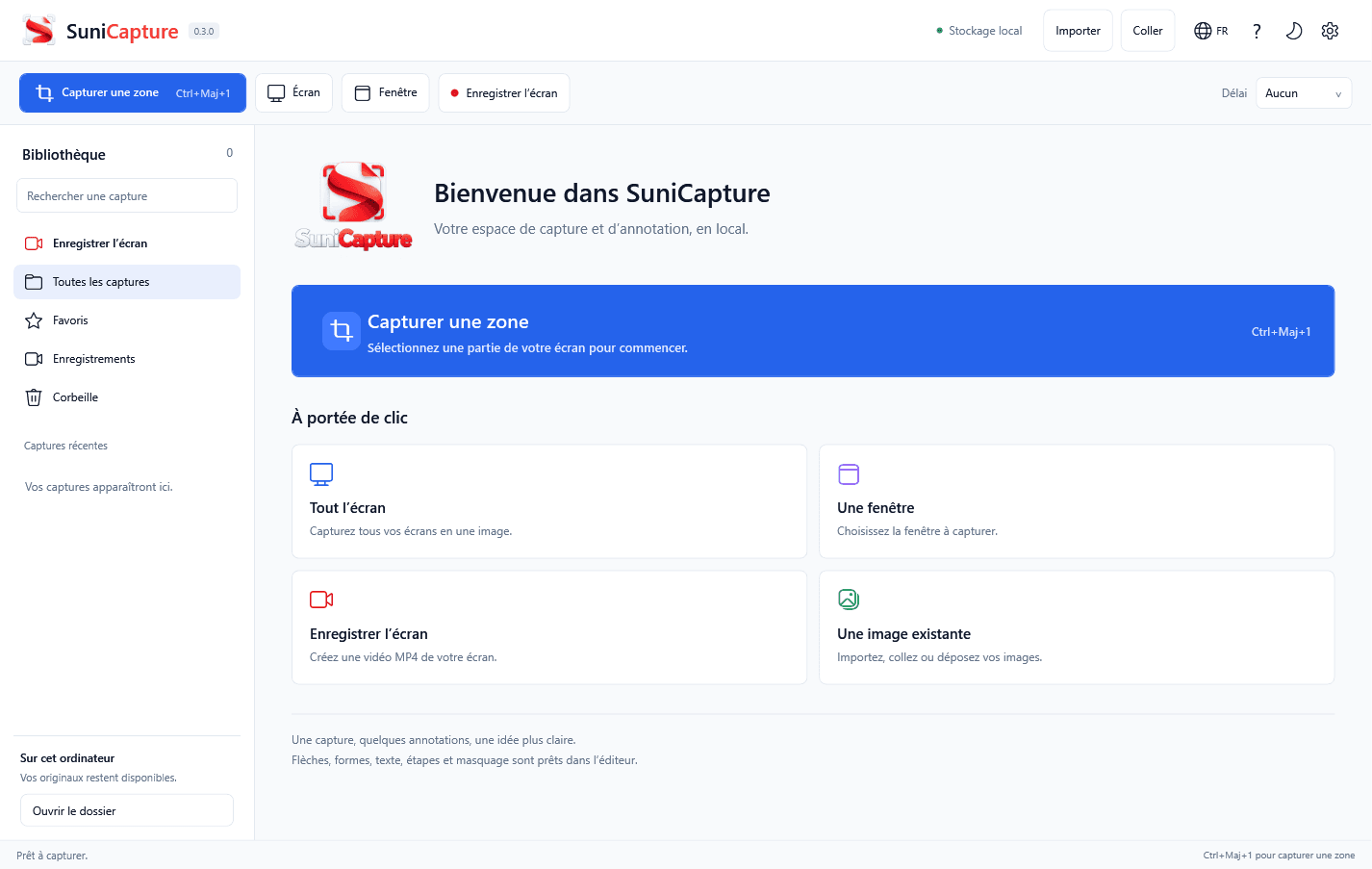
Most screenshot and screen recording tools in 2024 route captures through a cloud service by default, even when local storage appears to be an option. For environments handling sensitive data (healthcare, finance, legal, government IT) using a tool that silently uploads to a vendor's infrastructure is a compliance liability rather than a convenience.
SuniCapture removes that surface entirely. The annotation workflow, the MP4 recorder, and the local library are all self-contained. Teams deploying it on air-gapped workstations get the same feature set as teams on internet-connected machines. There is nothing to configure to keep data local; local storage is the only storage mode the application has.
“Screenshot, annotation and screen recording: offline, no account, no uploads”
Technical details
- Access
- Windows / Linux app
- Source model
- Open source
- License
- Verify license
- Founded
- 2024
- Headquarters
- Switzerland
- Pricing model
- Free
- Pricing details
- Software and service terms ↗
- API
- Not specified
- Website
- github.com ↗
- GitHub
- Source repository ↗
What to verify
Start from the users, systems and operating responsibilities the tool needs to support.
- Confirm current features, licensing and support terms.
- Validate deployment, data location and access control.
- Test integrations, exports and recovery workflows.
Reviews of SuniCapture
No published reviews yet.
Loading review form…