

What is Macro?
Macro is a unified team workspace built by Macro Inc., a company that says it designs the product in New York City and Toronto and used it internally for about two years before releasing it. One interface holds email, channels and direct messages, markdown documents, spreadsheets, canvases, tasks and projects, calls, calendars, databases, file storage, GitHub pull requests and a CRM. Every item is a Block in one backend, and @mentions between Blocks are stored as a bidirectional graph, so a task knows which email created it and a company record lists the messages that mention it. Agents use the same graph and a team-level memory that the project README says is refreshed nightly.
The hosted product runs at macro.com in any current browser, with iOS and Android apps on the App Store and Google Play. Desktop builds are attached to GitHub releases as a macOS Apple Silicon DMG and a Linux x86_64 AppImage, each with a SHA256SUMS file, while the website download page still reads Coming Soon. The same releases ship archives of macrod, the daemon that connects local coding agents, for Linux x86_64 and ARM64, macOS Intel and Apple Silicon, and Windows x64, plus a tarball of the web app build.
Releases use calendar version tags and appear several times a week. The current tag is v2026.11.6.1, published November 7, 2026. It requires individual consent before a primary mailbox feeds the CRM, lets code-mode SDK agents create routines with code steps, parses English date phrases without calling a model and ships iOS app 2.0.17. Version 2026.11.6.0 replaced the CRM Databases view with generic pipelines and added SDK file transfer and bot, webhook and token management. Version 2026.11.5.0 added agent accounts, routines triggered by task property values and in-view email composition on desktop.
The frontend is written in SolidJS and the backend services in Rust; the desktop shell is a Tauri application. Collaborative documents use CRDTs with Cloudflare Durable Objects. In each data region the workspace stores Blocks in Postgres, files and call recordings in S3 and the search index in OpenSearch. The documented local development stack adds Redis, Kafka, LocalStack and FusionAuth in Docker, with Nix as the only required host tool, as described in Running locally.
The code is licensed under the GNU Affero General Public License v3.0. According to the Macro FAQ, the project moved from a source-available BSL license to AGPLv3 on May 31, 2026, and the company describes it as fully open source rather than open core. Self-hosting is permitted but is not the company's main focus yet: mobile apps, Gmail access and the GitHub pull request integration depend on approvals held by the hosted service, and self-hosters must license or disable bundled services such as LiveKit, FusionAuth and PostHog.
Macro screenshots
Explore the interface. Open a screenshot to view it at full size.
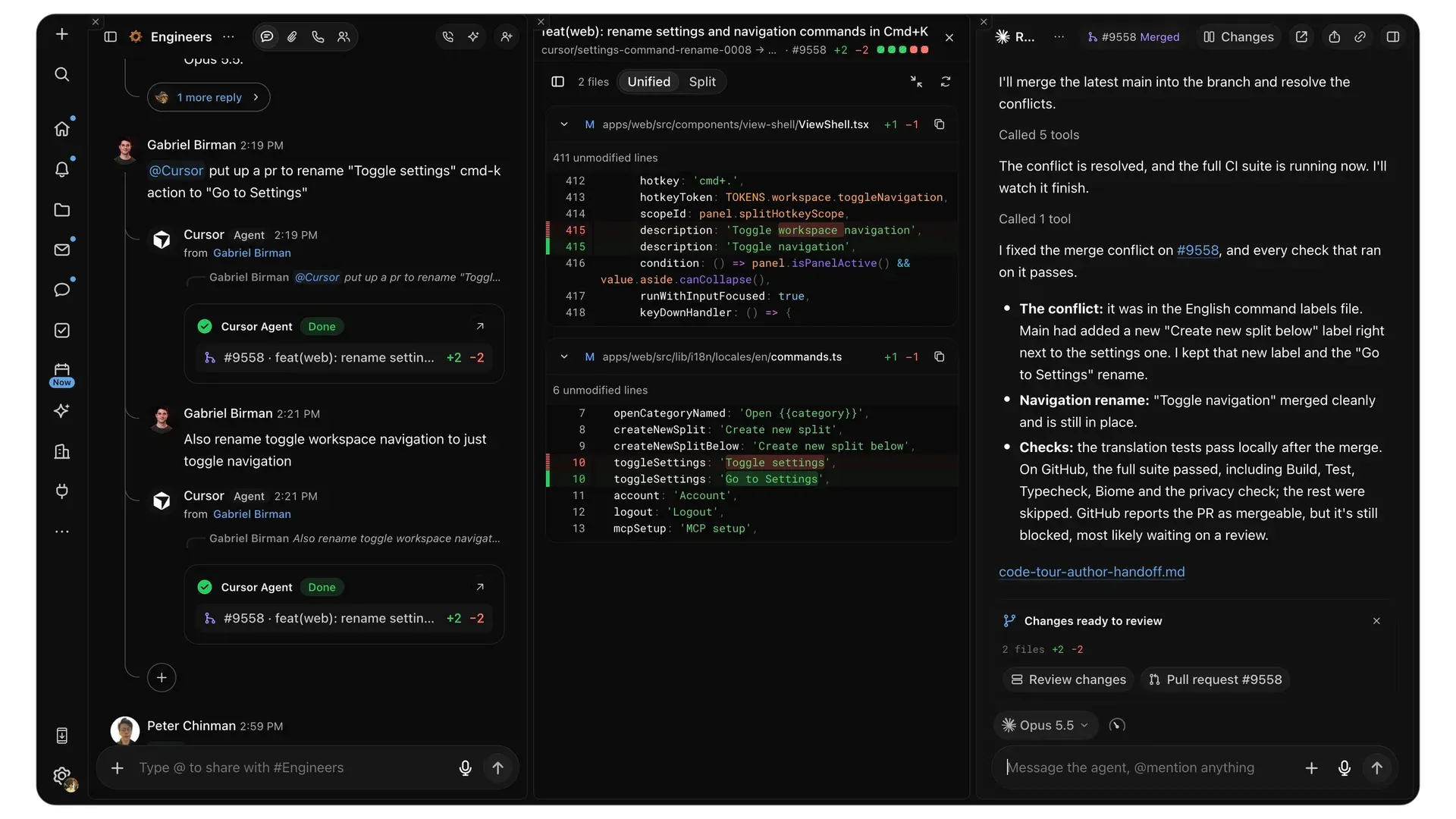
Official README image: a channel request to a Cursor agent, the linked code change and the agent session that resolved the merge conflict.
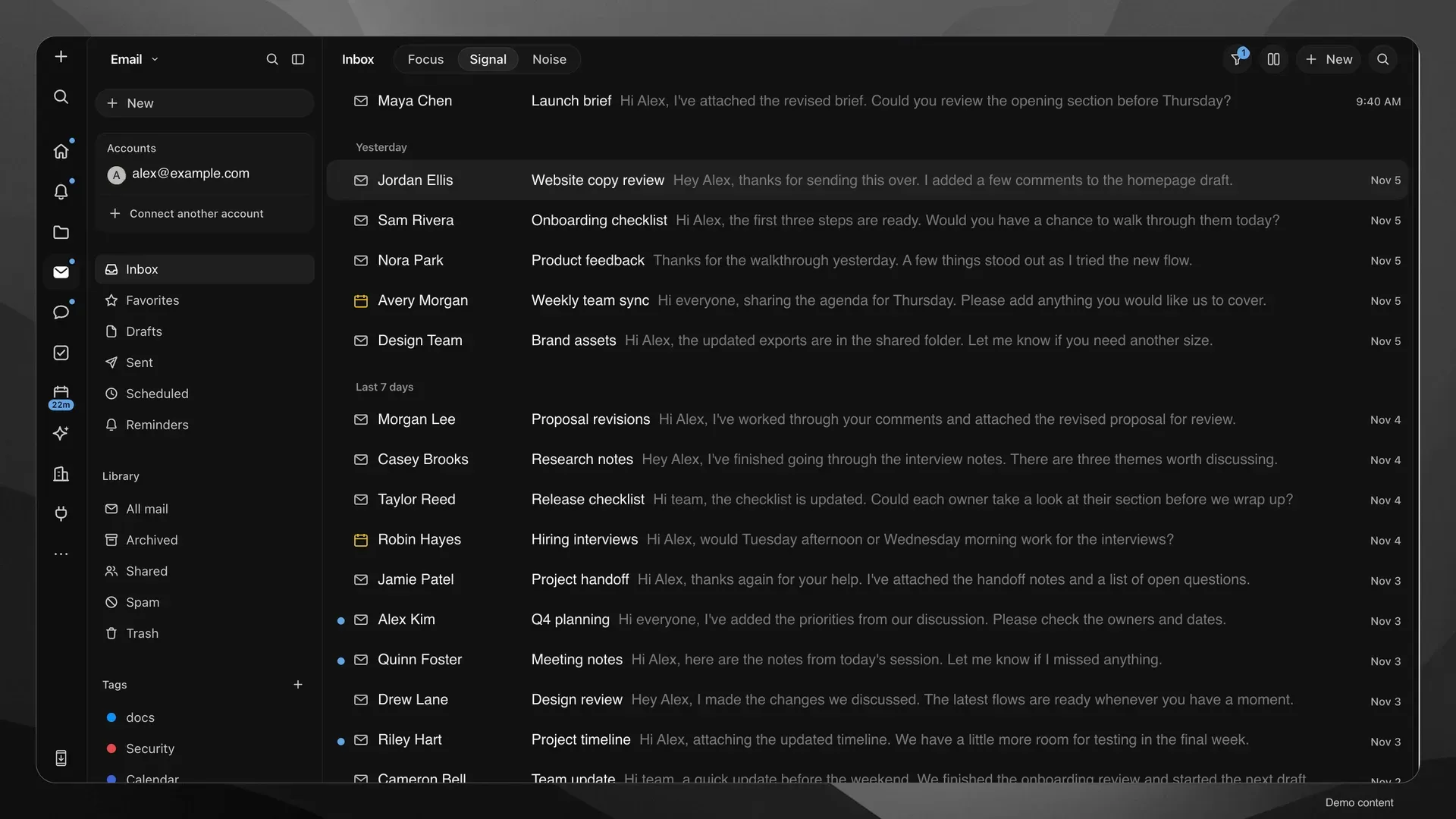
Email view with demo correspondence, account switcher, Signal tab, library folders and tags.
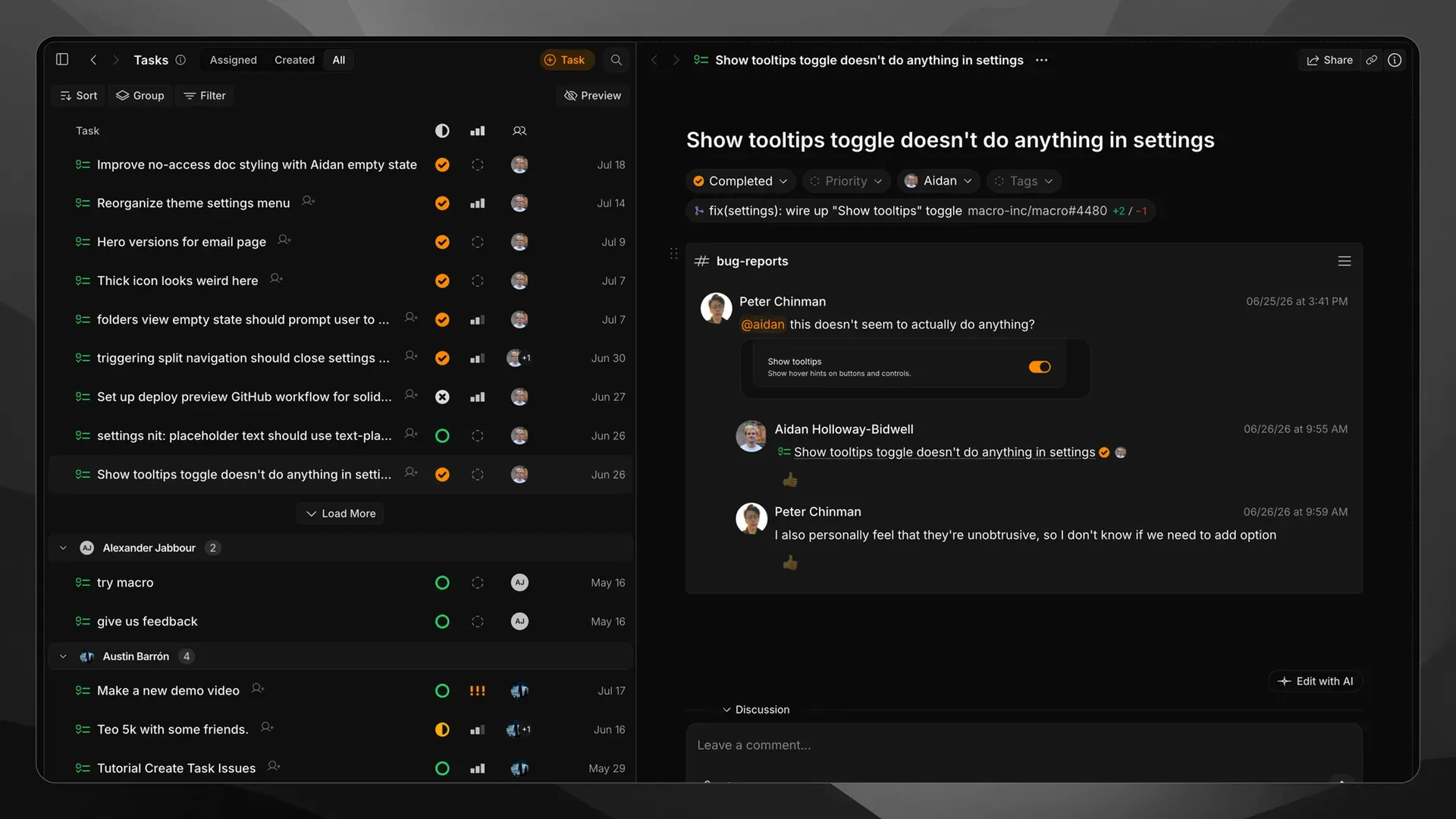
Tasks view: grouped task list, and a completed bug report linked to its fix pull request and the #bug-reports thread.
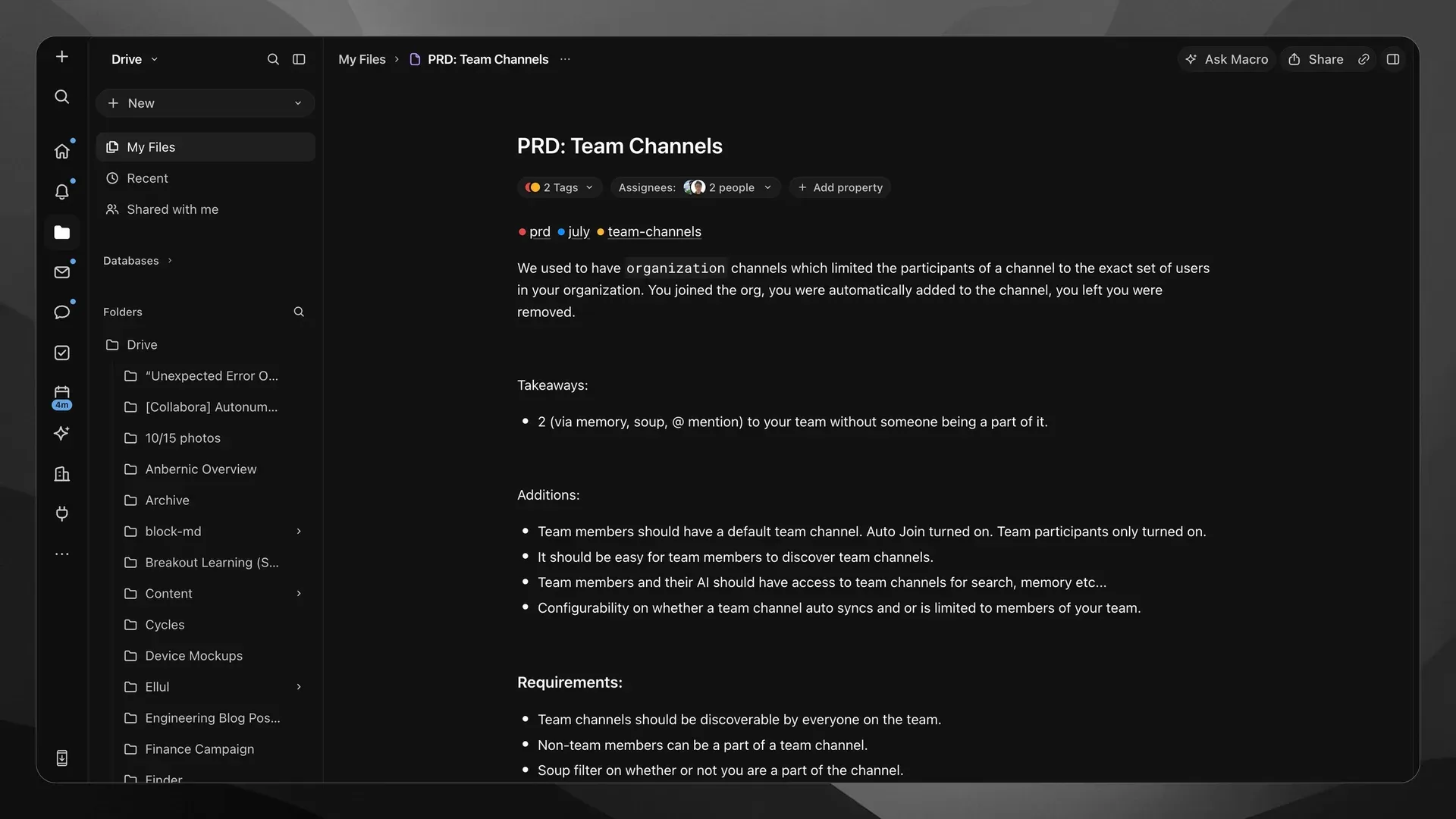
A PRD document in Drive with tags, assignees and the folder tree.
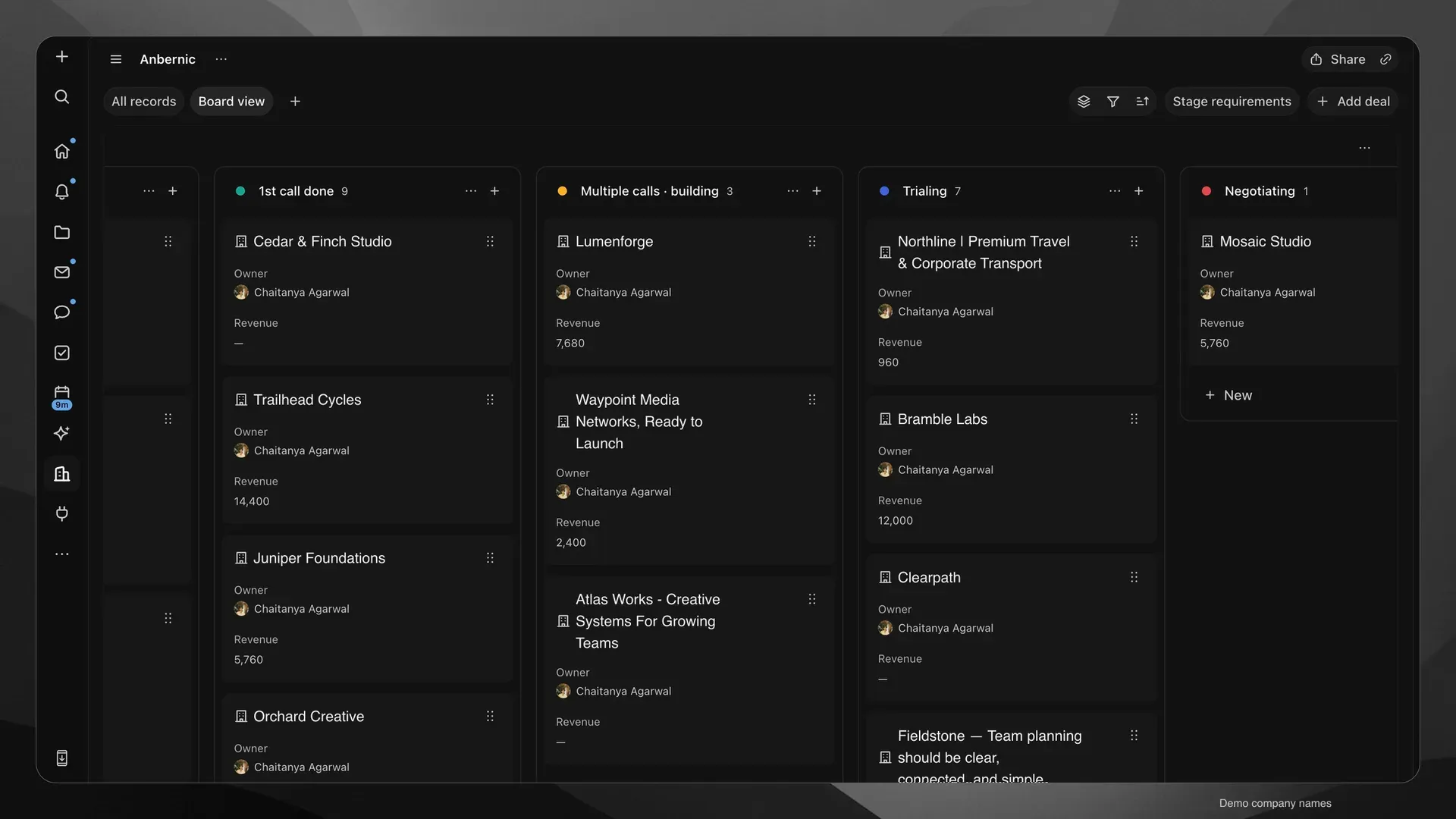
CRM board view with demo company names across pipeline stages, each card showing owner and revenue.
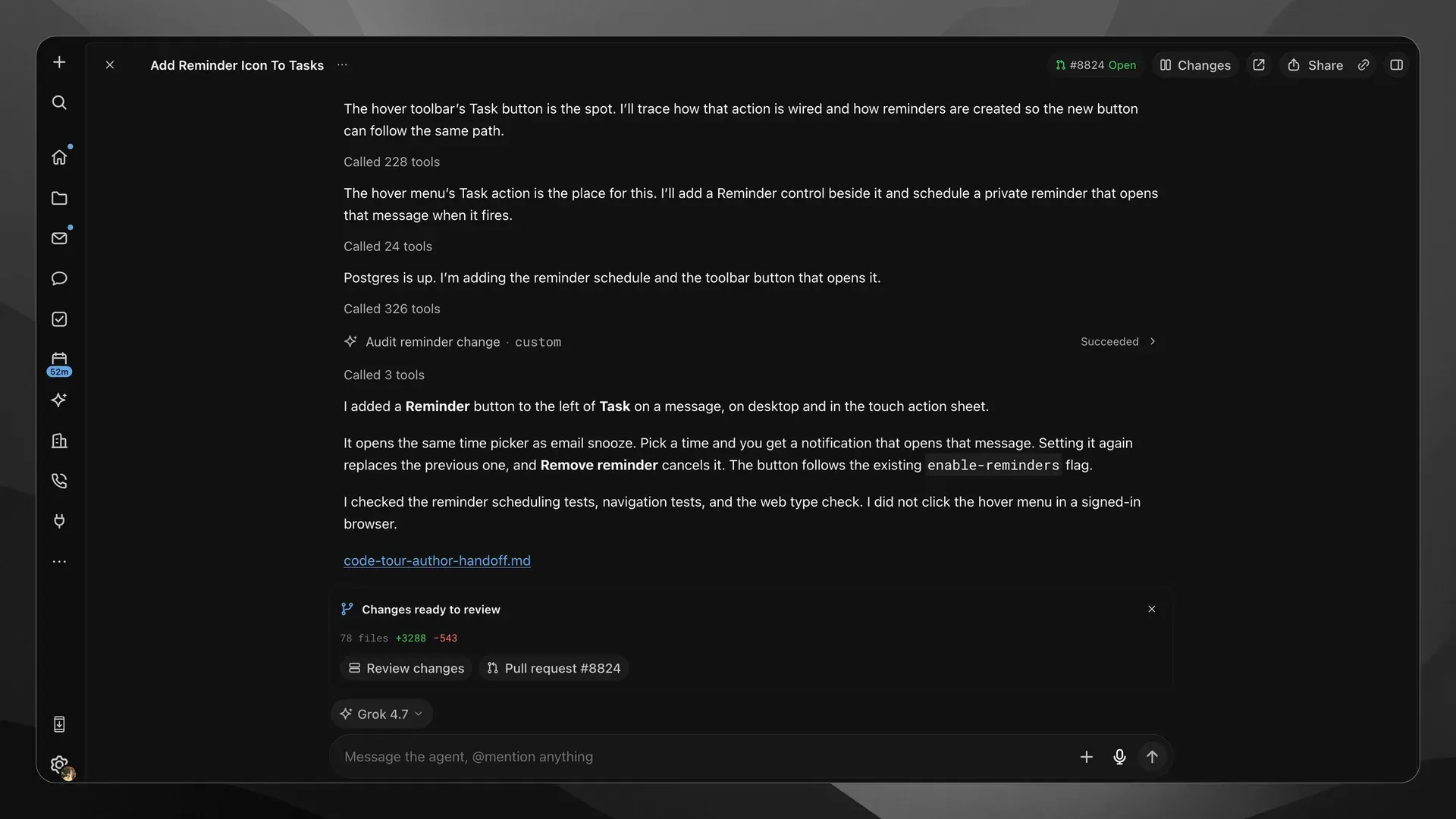
A coding-agent session that added a reminder button, ran a custom audit and opened a pull request for review.
Source: official Macro project page.
Key capabilities
- Web app and hosted workspace Macro runs in a modern browser at macro.com without installation, and the hosted service is the configuration the company supports first. Signing up with a Gmail or Outlook account is the documented starting point, and the getting started guide estimates about 15 minutes to a working setup. Splits, keyboard navigation and inbox or agent connection settings are desktop-sized features.
- Mobile apps for iOS and Android The iPhone and Android apps connect to the same workspace for notifications, email, chat, tasks, Drive and agents. They work one Block at a time, without the split window manager or the keyboard launcher. The apps rely on the hosted service, so a self-hosted deployment does not inherit them.
- Desktop builds for macOS and Linux Each GitHub release includes a macOS Apple Silicon DMG and app bundle, and a Linux x86_64 AppImage, with signature files and SHA256SUMS. No Windows or Intel Mac desktop build is attached to the current release. The desktop app bundles
macrod, so local agents can be paired from Settings, Runtimes without a terminal. - Multi-account email Macro syncs Gmail and Outlook accounts into one keyboard-driven inbox with
j,kandenavigation, tags, shared inboxes, drafts, scheduled sends and reminders. Email can be shared into a channel or DM through the same permission system as other Blocks, and any thread can become a linked task. The Free plan connects up to two email accounts; paid seats have no stated limit. - Channels and direct messages Chat shows the first replies inline and collapses the rest into a thread to keep busy channels readable. People outside the team can be added to chats, and a connected WhatsApp account exposes selected direct and group chats for reading, replying and sharing. Message links can be referenced from tasks, docs and CRM records.
- Tasks and projects Tasks carry statuses, priorities, assignees, tags and a discussion, and can be grouped into projects with list, board and saved views. They can be created from an email, with the
ctshortcut, with/taskin a document, from a checklist bullet, by mentioning @Macro in a channel, from an agent chat, or through MCP and the SDK. Importers exist for Linear, Jira and Notion. - Markdown documents on CRDTs Documents are markdown-native and edited live by several people, with history scrubbing, forking and offline editing that reconciles on reconnect. They can embed @links to emails, tasks, contacts and channels, and live database views or query results. Agents edit documents as peers in the same CRDT session, so concurrent human edits are merged rather than overwritten.
- Spreadsheets, canvas and Drive Native spreadsheets support formulas, charts, comments and Excel import and export. The canvas is a 2D board where sketches sit next to live Blocks from the workspace. Drive stores files and attachments that are imported automatically from email and channels and are included in search.
- Databases Databases hold typed columns and relations, with table, board and timeline views. Records can link to people, tasks and files. Agents can create tables and answer questions through SQL, which the MCP
QueryDatabasetool documents as the only way to read or change rows programmatically. - CRM built from team email Company and contact records are assembled from the team's email, with related emails, files, tasks, calls and discussions on each record. Pipelines provide deal stages with board and list views, owners, revenue and custom fields, and CSV import and export. Since release 2026.11.6.1 a primary mailbox only feeds the CRM after that user gives individual consent.
- Calls with recording and transcripts Calls start from a DM or channel with video and screen sharing, and meeting links work for guests without a Macro account. Calls are recorded and transcribed with speaker labels and AI summaries. Calls started from a channel are shared with the team unless that default is turned off, and standalone calls stay with participants.
- Calendar and booking links Several Google and Outlook calendars can be connected in one view, with availability checked across them. Personal and team booking links accept guests without accounts. Agents can look up availability and create, move or delete events through the same calendar tools.
- Agents, routines and skills Agents can be messaged directly, mentioned in a channel or assigned a task, and they act with the permissions of the user. Teams can use Macro's models, run Cursor agents on their own Cursor plan, or connect local agents. Routines run an agent on a schedule or on workspace activity, and skills store reusable markdown instructions. The agents documentation covers setup.
- Bring your own agent with macrod The
macroddaemon pairs Claude Code, Codex, OpenCode, OpenClaw, Hermes or a custom Agent Client Protocol command with the workspace. It connects outbound, so no public endpoint, port forwarding or tunnel is needed. The agent can run commands and edit files on that machine, so the bring-your-own-agent guide recommends a dedicated workspace folder and leaving permission bypass off. - Remote MCP server External clients connect to
https://mcp-server.macro.com/mcpwith OAuth sign-in, on every plan including Free. The MCP setup page gives commands for Claude Code and Codex CLI, a JSON snippet for editors and a sign-in path for clients on remote machines. The generated tool reference covers email threads, tasks, channels, CRM pipelines, databases, calendars, routines and imports. - Unified search and memory One search covers email, tasks, documents, call transcripts, agent sessions and files, and Macro states results return in under 50 milliseconds. Agents can search parsed PDF attachments directly instead of opening threads first. Personal and team memory gives agents background across mail, messages, tasks and docs, while live search supplies current details.
- Channel-based permissions Mentioning a Block in a channel shares it with every member, and leaving the channel removes that access. Team roles are Member, Admin and Owner, with optional auto-join for a company domain and optional public links per Block. Macro stores no passwords: sign-in uses Google, Apple on iOS or a one-time email link.
- Self-hosting and local development The repository documents running the web app against hosted development services, or a full local stack with Postgres, Redis, LocalStack, OpenSearch, Kafka and FusionAuth in Docker. Nix provides the toolchain, including Rust, Bun and just. This is a contributor workflow rather than a packaged production installer, and production self-hosting questions go to self-host@macro.com.
Where Macro fits
Replacing separate chat, issue and email tools for a small team
Connect each member's Gmail or Outlook account, create a team under Settings, Team, and set up channels per function. The Switch to Macro guide and the Linear, Jira and Notion importers move existing issues and pages. Check how tasks, calls and email default to team sharing before inviting everyone, because channel membership controls access to anything mentioned there, and confirm that each paid team member has a seat.
Turning customer email into tracked engineering work
From a support email, create a linked task, assign it to an engineer or an agent, and link the resulting GitHub pull request so the task status follows the review. The chain from email to task to agent session to pull request stays navigable in both directions. Verify that the GitHub integration is connected for the relevant repositories and that the customer thread is shared only with the channel that needs it.
Running a lightweight CRM next to the inbox
Let company and contact records build up from team email, then create a pipeline with stages, owners and revenue fields. Mention a company in channel messages or tasks to attach those discussions to the record. Check the individual mailbox consent introduced in 2026.11.6.1, review which email threads sync to company records, and export the pipeline to CSV if records must also live in another CRM.
Delegating tasks to coding agents
Pair a machine with macrod or use the desktop app's Runtimes settings, choose the agent and a workspace folder, then assign a task or mention the agent in a channel. Sessions show tool calls, the diff and the pull request. Keep the runtime on a dedicated directory or server, decide who on the team may use it, and leave full access off unless unattended commands are acceptable.
Querying the workspace from an external AI client
Add the Macro MCP server to Claude Code, Codex CLI or another MCP client and complete the OAuth flow in a browser. The client can then search content, read threads, create tasks and edit documents with the user's permissions. Review which tools perform deletions, such as call record and routine deletion, and test on a non-critical project before granting the client to a shared account.
Keeping meetings attached to their context
Start calls from the relevant channel so the recording, transcript and summary land where the work is discussed, and use booking links for external participants. Agents can then draft follow-ups or create tasks from the transcript. Confirm that participants are informed about recording, and check whether channel calls should stay shared with the whole team.
Install
curl -fsSL https://raw.githubusercontent.com/macro-inc/macro/main/crates/coding_agent_worker/install/install.sh | shReviews of Macro
Be the first to share your experience with Macro.
Write a review
Loading review form…
Alternatives to Macro
 SlackSlack is a messaging platform with channels, huddles, clips and no-code Workflow Builder automations, available with a free plan and paid upgrades.
 NotionNotion is a hosted workspace from Notion Labs, Inc. for documents, wikis, databases and projects, with Notion Agent, Custom Agents, an MCP server, a REST API, desktop apps for macOS and Windows, and mobile apps for iOS and Android.
 LinearLinear is a product development tool for planning and building software, with issue intake, projects, cycles and workflows shared by humans and agents.