

What is Obscura?
Obscura is a headless browser engine written in Rust and aimed at web scraping and AI agent automation. The project README describes it as an open-source headless browser that runs real JavaScript through V8, implements the Chrome DevTools Protocol (CDP) and can be used in place of headless Chrome by Puppeteer and Playwright clients. The engine does not start or bundle Chromium: HTML parsing, the DOM, networking, cookie handling, layout and paint are implemented in the project's own crates.
The source is organised as a Cargo workspace of ten crates, documented in the architecture overview: obscura-cli (the fetch, serve, scrape and mcp commands), obscura-cdp (WebSocket server and protocol domains), obscura-browser (pages, navigation and lifecycle), obscura-js (V8 through deno_core), obscura-dom, obscura-net (HTTP client, stealth client, cookie jar, robots cache and tracker blocklist), obscura-ssrf, obscura-mcp, obscura-render (CSS cascade, layout with Taffy, text shaping and CPU paint) and the embeddable obscura library crate.
Distribution is through GitHub release archives for Linux x86_64 and ARM64, macOS on Apple Silicon and Intel, and 64-bit Windows, a Docker image built on distroless and running as a non-root user, a Nix package and a Scoop manifest. Each platform has four archive variants: with or without the rendering engine, and with or without the stealth transport. Building from source requires stable Rust; the first build compiles V8, and the stealth feature additionally compiles BoringSSL, which needs CMake, Clang and LLVM development libraries.
The current release is v0.2.6, published on October 31, 2026. Its notes list main-document request interception before transport for Playwright and Puppeteer, CDP commands that stay responsive while awaited evaluations settle, child-frame navigation fixes, faster startup through precompiled methods and shared bootstrap source, and patched Tokio, rustls-webpki and zstd dependencies. It also changes the Rust API: StoredResponseBody.body now holds raw bytes. Version v0.2.0, published in August 2026, added the native rendering engine for screenshots, scrolling, screencasting and PDF export, and v0.2.3 added built-in authentication for exposed CDP and MCP servers.
The project website at obscura.sh presents a managed service in which the operators run isolated browser sessions on their infrastructure, reachable over CDP with an API key. The README calls this Obscura Cloud, describes it as in preparation with managed infrastructure, residential proxies and support, and links a waitlist and a demo booking page; no public price list is published. The README states that the open-source engine remains Apache-2.0 without feature gating. The rendering documentation notes that the engine is still evolving and that long-tail CSS, some Web APIs, media playback, compositor effects and font rasterisation can differ from Chromium. Similar listings on iThub include Lightpanda and Browser Use.
Obscura screenshots
Explore the interface. Open a screenshot to view it at full size.
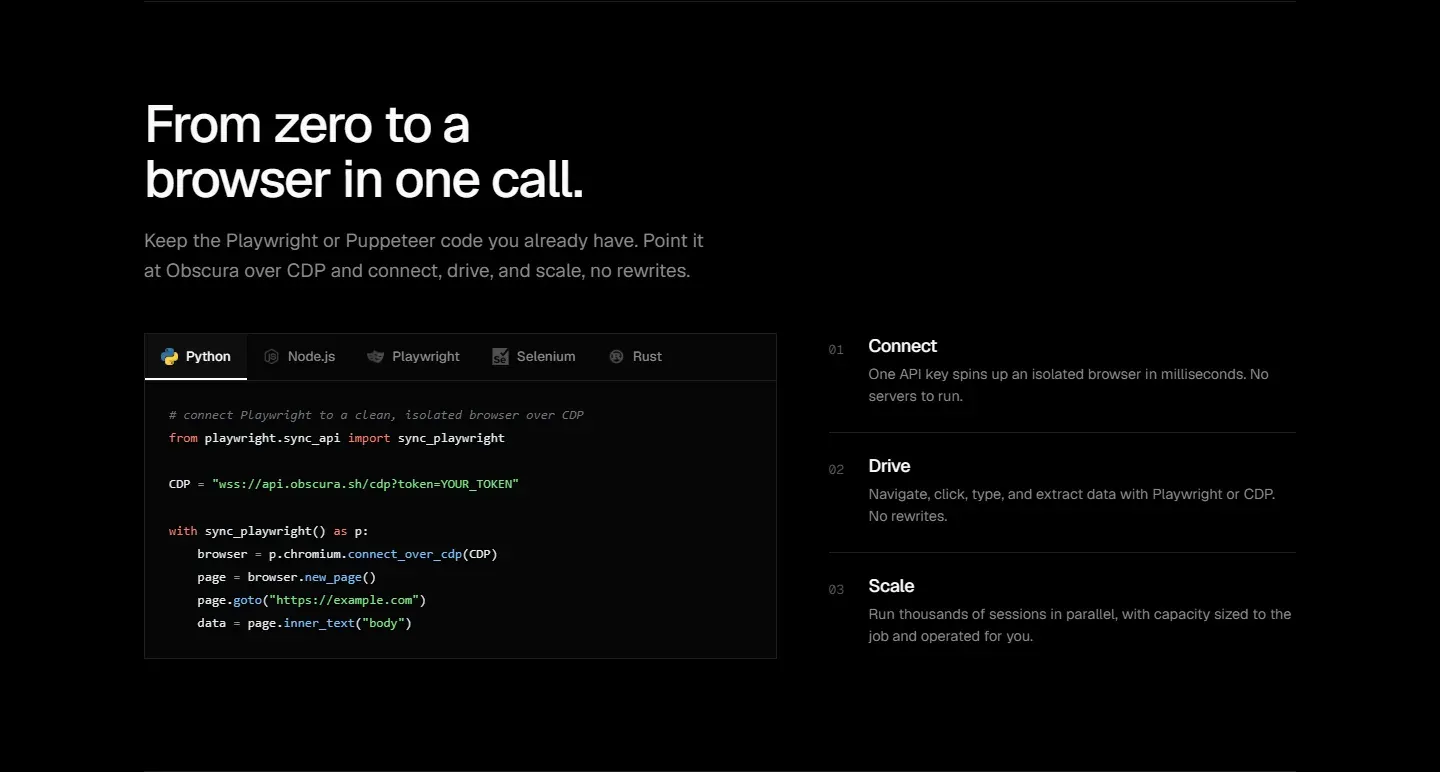
Website section showing a Playwright connect_over_cdp example for the hosted service and the connect, drive and scale steps.
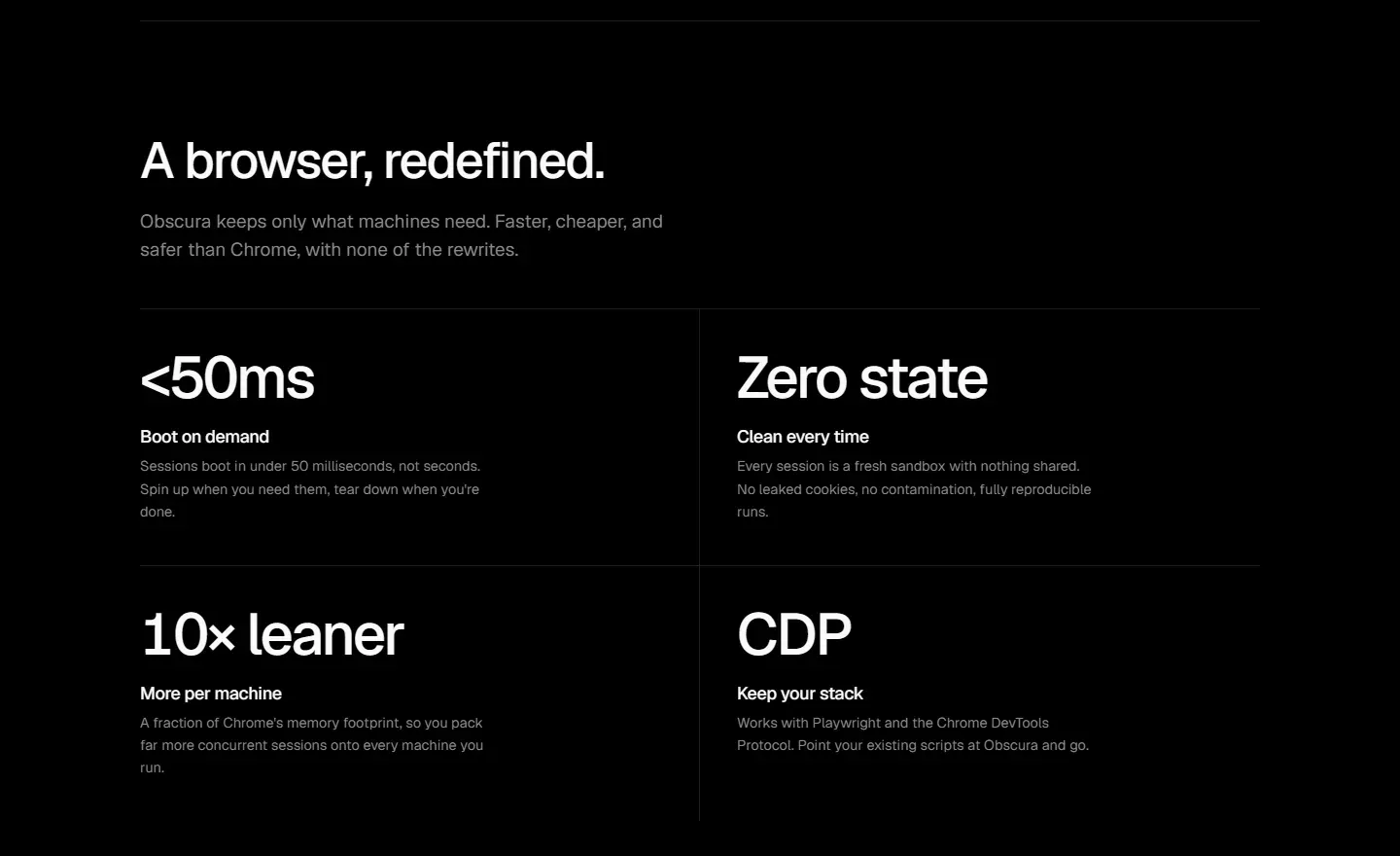
Feature grid from obscura.sh with the vendor's stated session start time, isolation, memory and CDP claims.
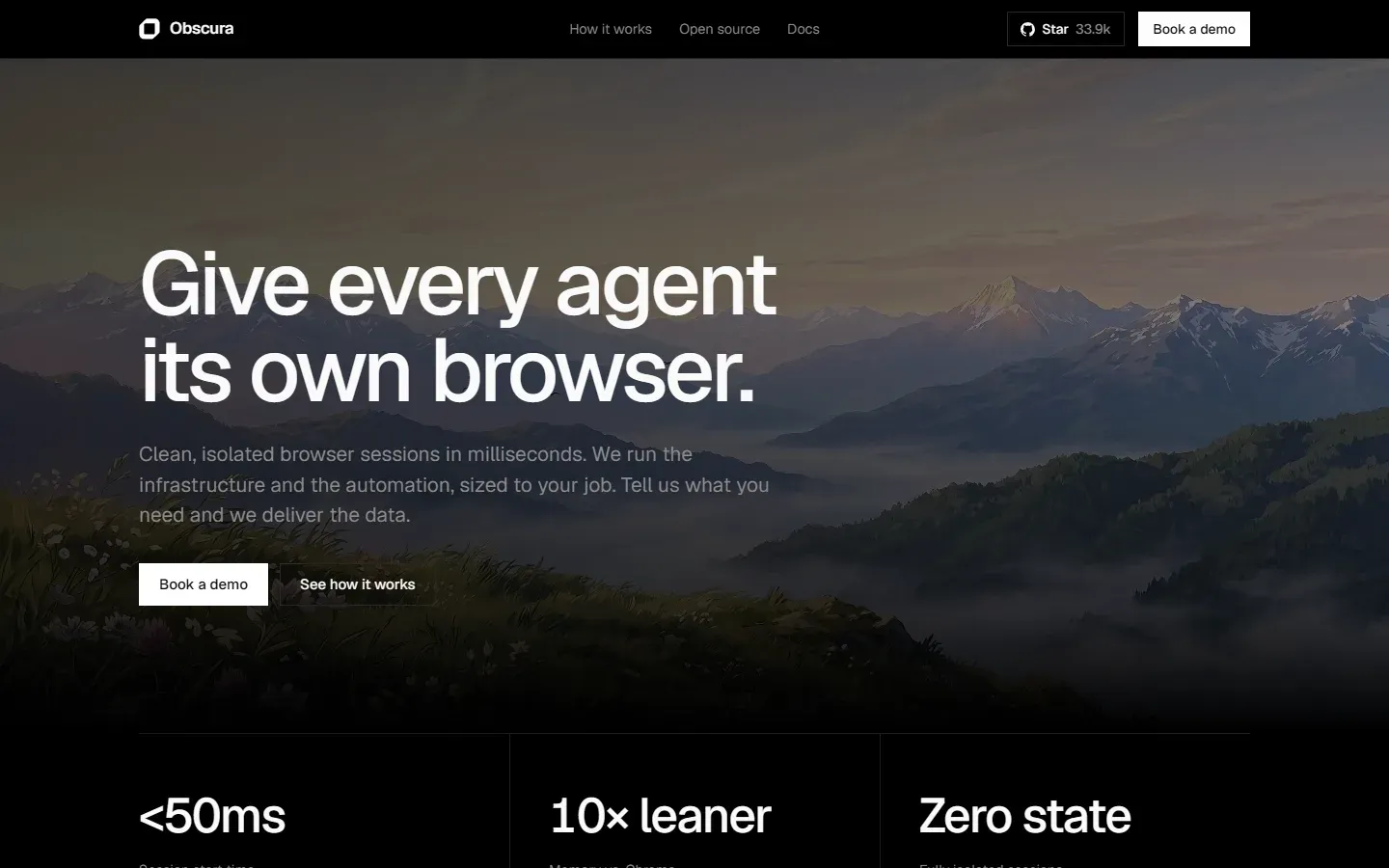
Home page of obscura.sh presenting the managed browser session offering.
Source: official Obscura project page.
Key capabilities
- V8 JavaScript runtime Pages run their scripts in an embedded V8 engine through deno_core, with DOM bindings provided by the project's bootstrap layer. Raw V8 flags can be passed with
--v8-flags, for example to raise the heap limit on script-heavy pages. A script execution budget of 30 seconds by default is adjustable withOBSCURA_SCRIPT_DEADLINE_MS, and non-essential modules have a separate per-module budget. - Chrome DevTools Protocol server
obscura serve --port 9222starts a CDP WebSocket server. The README lists implemented methods in the Target, Page, Runtime, DOM, Network, Fetch, IO, Storage and Input domains, plus anLP.getMarkdownmethod for DOM-to-Markdown conversion. An optional bearer token (OBSCURA_CDP_TOKEN) protects the discovery and WebSocket endpoints, as described in the environment variables reference. - Puppeteer and Playwright clients The documentation shows
puppeteer-coreconnecting withbrowserWSEndpointandplaywright-coreconnecting throughchromium.connectOverCDP. Separate guides for Puppeteer and Playwright cover navigation, evaluation, cookies, screenshots, PDFs, screencasting and their documented limits. Compatibility covers the CDP methods the project implements rather than the full Chrome protocol surface. - Native rendering engine Release archives and the Docker image include
obscura-render, which performs CSS layout and paint on the CPU. It supports viewport and full-page screenshots, scroll-aware fixed and sticky positioning, CDP screencasting and raster PDF export. The README lists block, inline, flex, grid, table, float, positioning, overflow, transform, text, image, SVG, canvas, border and animation paths, and states that output can differ from Chromium for long-tail CSS and media. - One-shot fetch command
obscura fetch <URL>loads and renders a single page and prints HTML, text, links, Markdown, an NDJSON list of sub-resources, or the raw response body. Options include--evalfor a JavaScript expression,--wait-until(load,domcontentloaded,networkidle0),--selector,--timeout,--outputand-sfor a PNG screenshot. - Parallel scraping
obscura scrapeprocesses a list of URLs with a configurable number of worker processes (10 by default), evaluates an expression on each page and returns JSON or text in input order. Workers inherit the global proxy and stealth settings. Release archives ship a separateobscura-workerbinary that must sit next toobscurafor this command. - Worker pool for the CDP server
--workersruns several worker processes behind one port; crashed workers are restarted, and the balancer returns HTTP 503 when none is ready. Workers can be recycled after a number of connections, a resident memory limit on Linux or a maximum age, with a drain timeout so existing sessions finish first. The production guide covers Docker deployment and storage permissions. - MCP server for AI agents
obscura mcpexposes browser tools over stdio or HTTP for MCP clients such as Claude Desktop and Claude Code. Tools include navigate, snapshot, screenshot, PDF, click, fill, type, key press, option selection, evaluate, wait for a selector, network request and console message listings, and close. The MCP guide documents bearer authentication withOBSCURA_MCP_TOKENand an origin allowlist for the HTTP transport. - Stealth build Archives with the
-stealthsuffix and the global--stealthflag switch to the wreq HTTP client with browser-matching TLS fingerprints and load a tracker blocklist. The README lists per-session randomisation of GPU, screen, canvas, audio and battery values, Chrome-stylenavigator.userAgentData,navigator.webdriver = falseand native function masking. The stealth guide states that it does not handle Cloudflare interactive challenges, DataDome or Akamai active challenges, CAPTCHAs, IP rate limiting or passive TCP/IP fingerprinting. - Tracker blocking In stealth mode, requests to a bundled list of 3,520 analytics, advertising, telemetry and fingerprinting domains are dropped before they load, according to the README. The list lives in the
obscura-netcrate. - Request interception CDP
Fetch.enablelets clients block, continue, modify or fulfil requests, including main-document navigations since v0.2.6. Large bodies can be streamed withFetch.takeResponseBodyAsStreamandIO.read; bodies above a 2 MiB default cache limit are not retained unlessOBSCURA_NETWORK_BODY_BUFFER_BYTESis raised. - Markdown extraction
--dump markdownand the CDPLP.getMarkdownmethod convert headings, paragraphs, emphasis, links, images, lists, quotes, code blocks and tables while stripping scripts, styles and ARIA attributes. The Markdown guide notes that images are kept without checking their purpose, so tracking pixel URLs can remain. - Persistent profiles
--storage-dirkeeps cookies incookies.jsonandlocalStorageas one JSON file per origin across runs and CDP sessions. The documentation states that the cookie file holds live session tokens in plaintext and that, on Unix, the directory is created owner-only. - Proxies and user agent A global
--proxyoption accepts HTTP and SOCKS5 URLs with optional credentials and applies tofetch,serve,scrapeandmcp.--user-agentoverrides both request headers andnavigator.userAgent.--obey-robotsmakes the server respect robots.txt. - Private network protection Fetches to private and internal IP addresses are blocked by default as SSRF protection, with checks at DNS resolution time.
--allow-private-networkorOBSCURA_ALLOW_PRIVATE_NETWORK=1permits local development servers, andfile://access requires an explicit opt-in. - Embeddable Rust library The
obscuracrate offers aBrowser,Page,Elementand cookie store API without CDP round trips. It is consumed as a git dependency rather than from crates.io because V8 is compiled from source, as explained in the library guide. - Linux and macOS binaries Release tarballs exist for
x86_64andaarch64Linux and for Apple Silicon and Intel Macs. Linux builds target Ubuntu 22.04 and require glibc 2.35 or later. NixOS users can install theobscurapackage from nixpkgs. - Windows package A 64-bit Windows zip contains both executables and their runtime DLLs; there is no 32-bit build. A Scoop manifest in the repository installs the default variant with rendering and without stealth.
- Docker image
h4ckf0r0day/obscurarunsobscura serveon a distroless base as uid 65532, about 57 MB compressed. The README publishes the port to host loopback and sets a CDP token; a mounted storage directory must be writable by that user.
Where Obscura fits
Running existing Puppeteer or Playwright scripts
A Node.js script that already uses puppeteer-core or playwright-core connects to ws://127.0.0.1:9222 after obscura serve starts, using puppeteer.connect or chromium.connectOverCDP. The documented examples cover navigation, page.evaluate, form submission with redirects and cookies, screenshots and PDF output. Which calls work depends on the CDP methods listed in the README and the client guides.
Scraping lists of URLs from the command line
obscura scrape url1 url2 ... --concurrency 25 --eval "..." --format json fetches many pages in parallel worker processes and returns one result per URL in input order. For single pages, obscura fetch prints rendered HTML, text, links or Markdown, waits for network idle or a selector, and writes output to a file. A global proxy and the stealth flag apply to every worker.
Giving an AI agent a browser over MCP
Adding {"command": "obscura", "args": ["mcp"]} to an MCP client configuration lets an agent navigate, read page snapshots with element references, click, fill forms, evaluate JavaScript and capture screenshots or PDFs. The HTTP transport serves shared or remote clients and requires a bearer token of at least 32 bytes when bound to a non-loopback address. The README also links a community plugin that runs Hermes agent browser tasks on Obscura over CDP.
Preparing web pages as LLM context
obscura fetch URL --dump markdown --quiet renders a page, including client-side content when --wait-until or --selector is set, and writes Markdown to standard output while logs go to standard error. CDP clients can request the same conversion with LP.getMarkdown. The project's guide describes which elements are converted and which are stripped.
Capturing screenshots, screencasts and PDFs without Chromium
With a rendering-enabled build, obscura fetch URL -s page.png or Puppeteer's page.screenshot and page.pdf produce PNG and raster PDF output from the native renderer. CDP screencasting streams frames, and the live viewer guide shows a small page that displays an agent session as it runs. Fonts for rendering are loaded from directories passed with --font-dir.
Operating a shared browser endpoint
The Docker image runs obscura serve with OBSCURA_CDP_TOKEN set and the port published on loopback, optionally with a mounted --storage-dir for persistent cookies. --workers and the recycling options spread connections across processes and replace workers by connection count, memory or age. The production guide describes the non-root container model and why page JavaScript runs with unprivileged credentials.
Install
docker run -d --name obscura -p 127.0.0.1:9222:9222 -e OBSCURA_CDP_TOKEN h4ckf0r0day/obscuraReviews of Obscura
Be the first to share your experience with Obscura.
Write a review
Loading review form…
Alternatives to Obscura
 LightpandaLightpanda is an AGPL-3.0 headless browser built from scratch in Zig with V8, not a Chromium fork. It runs page JavaScript without graphical rendering and serves Puppeteer, Playwright, Selenium, MCP clients and its own agent.
 Browser UseMIT-licensed Python agent that drives Chromium over CDP with your choice of model: click, type, extract, custom tools and structured output. Includes a CLI and MCP server; Browser Use Cloud adds paid stealth browsers and a hosted agent API.
 Crawl4AICrawl4AI is an Apache-2.0 Python crawler built on Playwright that outputs Markdown, JSON, screenshots and PDFs for RAG and agents. Run it as a library, a Docker server with REST and MCP, or use the hosted Crawl4AI Cloud API.