

What is CyberChef?
CyberChef is a web app for carrying out data operations inside a web browser: simple encodings such as XOR and Base64, encryption such as AES, DES and Blowfish, binary and hexdumps, compression and decompression, hashes and checksums, IPv6 and X.509 parsing and character encoding changes. Its GitHub description calls it "The Cyber Swiss Army Knife". The project is published by GCHQ, which describes itself in its GitHub organisation profile as the UK's intelligence, security and cyber agency. According to the README, the tool was conceived, designed and built by an analyst in their 10% innovation time over several years, for technical and non-technical analysts alike.
Work in CyberChef is organised as a recipe. Operations are dragged from a categorised, searchable list into the Recipe pane, configured with arguments (called ingredients) and applied in order to the data in the Input pane, with the result shown in the Output pane. The repository's operation index groups more than 500 operations into 16 menu categories, from Data format and Encryption / Encoding to Networking, Forensics, Multimedia and Flow control. The in-app About page names cybersecurity and antivirus companies, academia, developers, analysts, mathematicians and puzzle solvers as expected users. For dedicated binary reverse engineering, this directory also lists Ghidra and REA.
CyberChef is written in JavaScript and has no server-side component. The README states that recipe configuration and input, whether text or files, are never sent to the CyberChef web server, and that all processing happens in the browser on the user's computer. The app's download dialog lists three operations that contact external services: Show on map loads map tiles from wikimedia.org, DNS over HTTPS resolves queries through Google or Cloudflare, and HTTP request calls the URL the user enters. The same static files run from the official site at gchq.github.io/CyberChef, from a downloaded ZIP, from the prebuilt container image or from a source build, and the cyberchef npm package exposes most operations to Node.js.
The latest GitHub release is v11.5.0, published September 18, 2026. The changelog lists a security fix that stops Auto Bake from running on a loaded recipe when any operation in it is set to manual baking, a new Parse PGP Key operation, an optional key ID for PEM to JWK and Safari drag-and-drop fixes. Version 11.4.0 patched cross-site scripting in the Regular expression module and added XPRESS decompression and Node.js 26 support. Version 11.0.0 (April 28, 2026) raised the minimum Node.js version from 16 to 24, moved the container's exported port from 80 to 8080 and made the Node API bake and execute functions asynchronous.
CyberChef is released under the Apache 2.0 licence and is covered by Crown Copyright. Pull requests require signing the GCHQ Contributor Licence Agreement through the CLA assistant. The security policy states that the project is supported on a best endeavours basis, that patches go to the latest version rather than older ones, that no guarantee is offered for correctness or security, and that the security of its cryptographic operations should not be relied upon. The README lists Google Chrome 50+ and Mozilla Firefox 38+ as supported browsers.
CyberChef screenshots
Explore the interface. Open a screenshot to view it at full size.
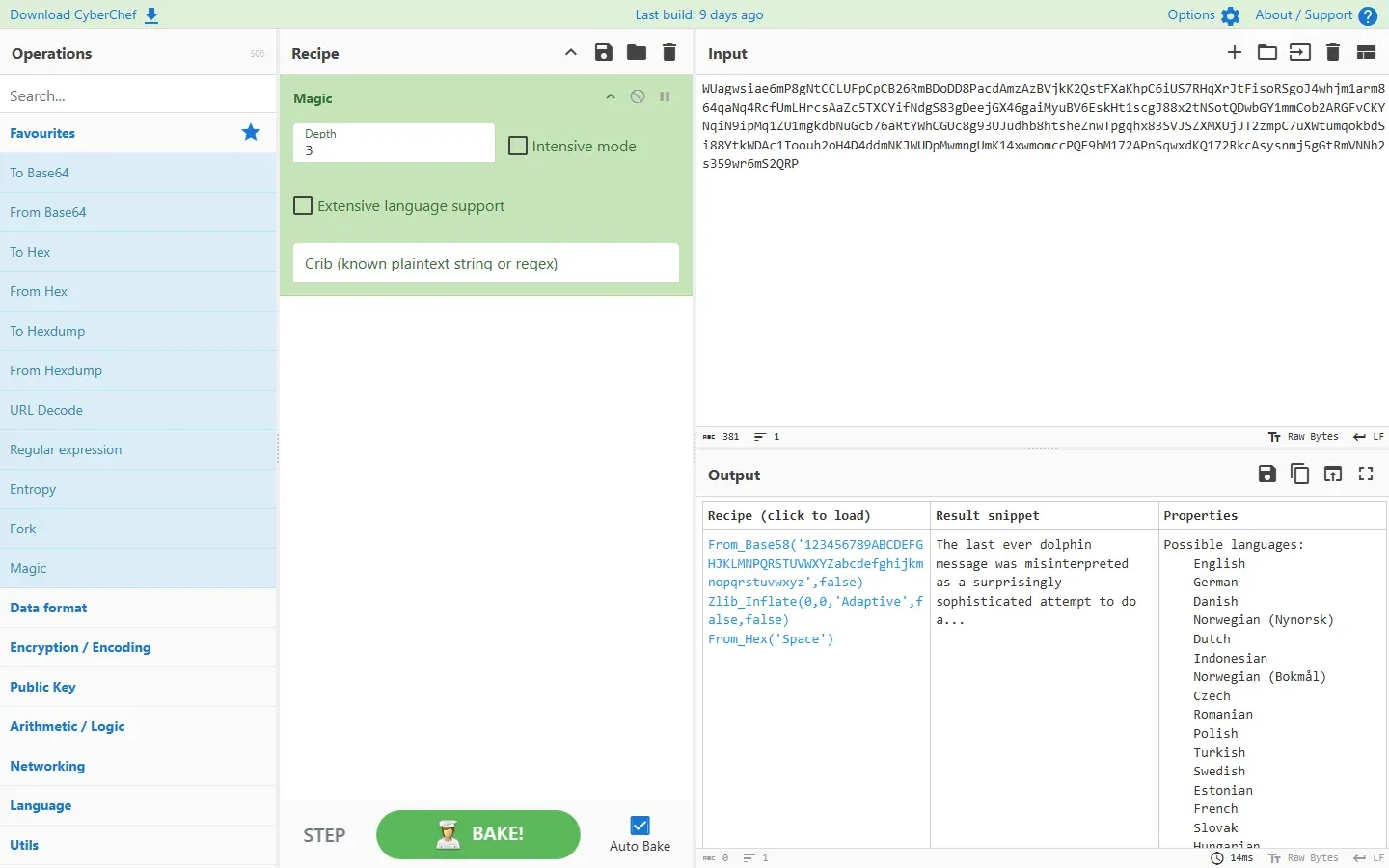
Official CyberChef web app with the README nested-encoding example: Magic at depth 3 proposes From Base58, Zlib Inflate and From Hex.
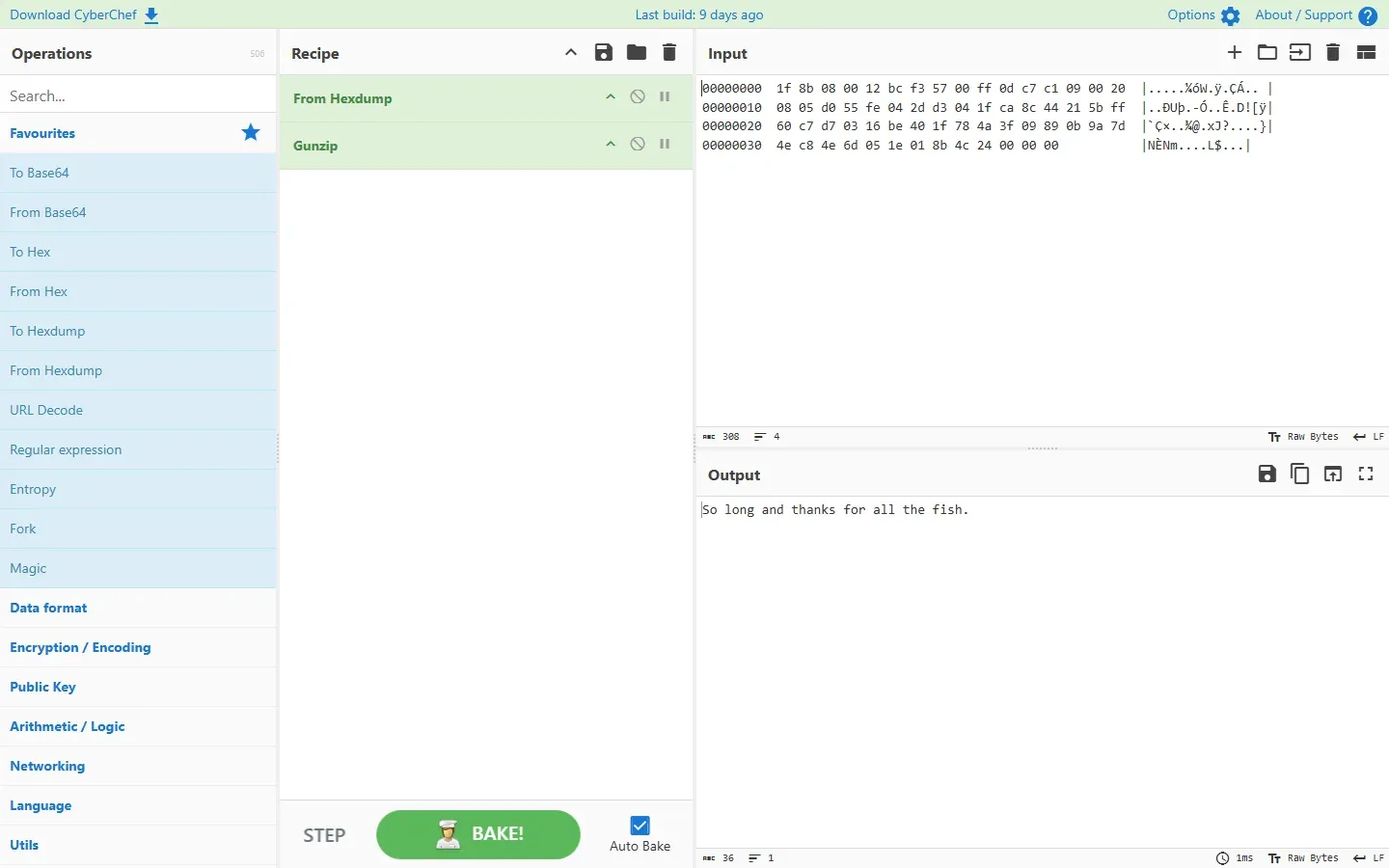
Official CyberChef web app with the README example that converts a hexdump back to bytes and decompresses it with Gunzip.
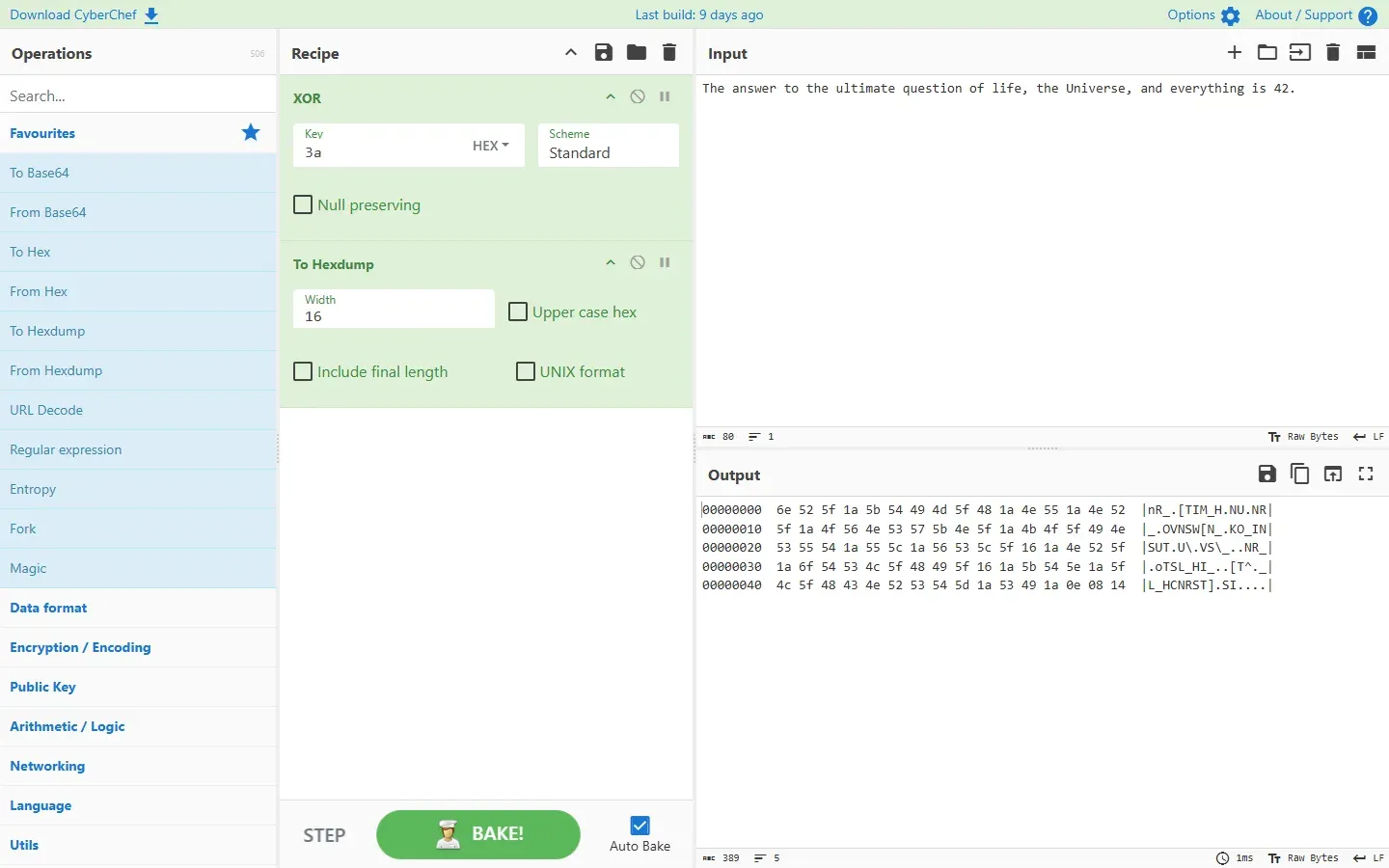
Official CyberChef web app with the README highlighting example: XOR with key 3a followed by To Hexdump.
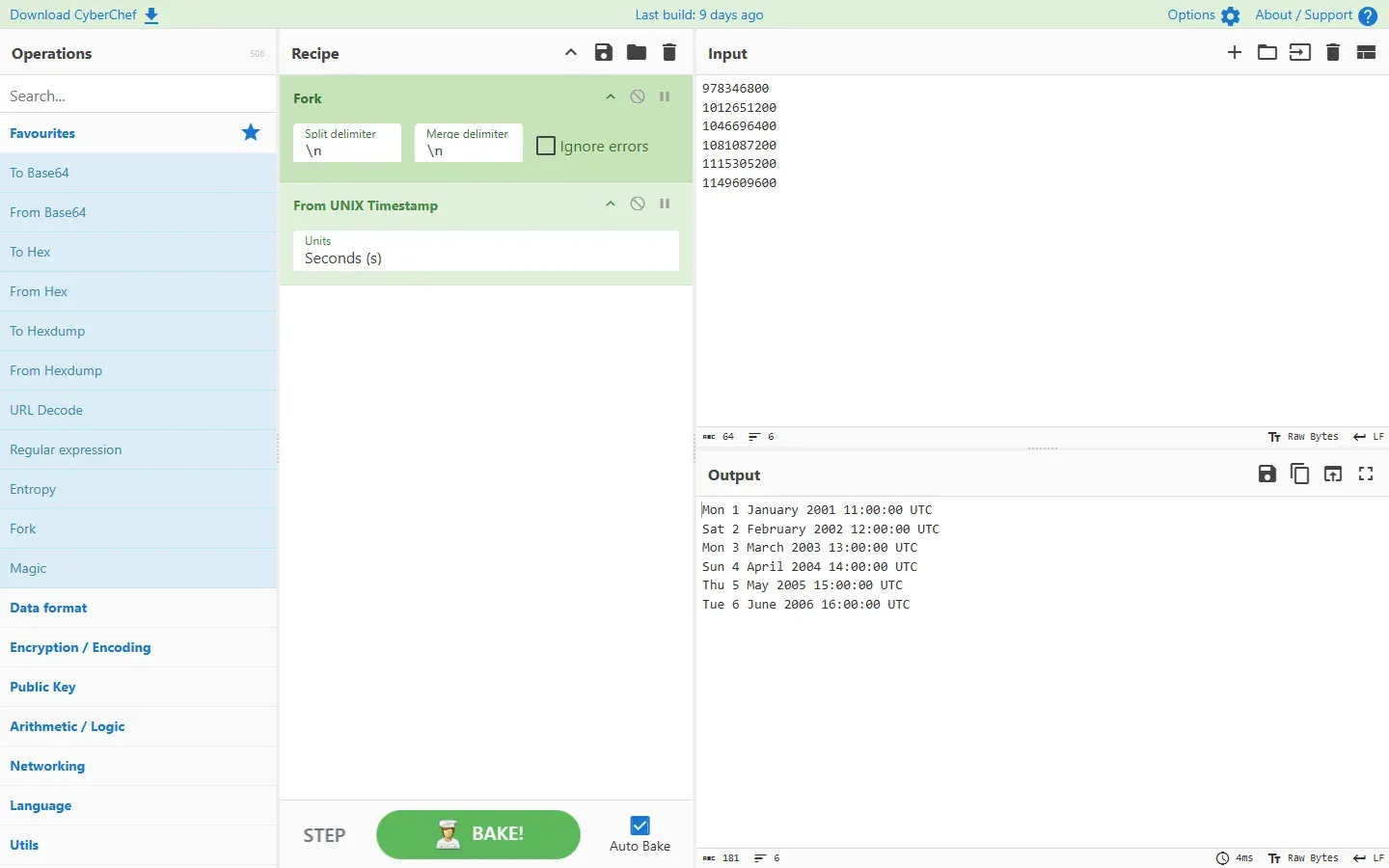
Official CyberChef web app with the README example that uses Fork to convert each line of UNIX timestamps into a full date.
Source: official CyberChef project page.
Key capabilities
- Official hosted web app The instance at gchq.github.io/CyberChef is a static site that needs no account or installation, and the security policy describes it as always up to date. The About / Support dialog shows the build version and compile time, FAQs and keybindings.
- Standalone ZIP for offline and closed networks The Download CyberChef link in the app, and each GitHub release, provides a ZIP file containing the whole web app; the v11.5.0 release asset is about 83 MB. Once uncompressed it runs locally or from a web server with no configuration, and the download dialog shows the SHA256 hash of the file. The project notes that a standalone copy never updates itself and that unofficial copies could have been modified to exfiltrate input or recipes.
- Prebuilt container image
docker run -it -p 8080:8080 ghcr.io/gchq/cyberchef:lateststarts the published image, after which the app answers on localhost:8080. The release workflow publishes it to the GitHub Container Registry for linux/amd64, linux/arm64 and linux/arm/v7. The image is based on nginx-unprivileged, a change made for Kubernetes compatibility. - Source build with Node.js Building requires Node.js v24, and package.json accepts versions from 24 up to, but not including, 27. After
npm install,npm startruns a development server with live reload on port 8080,npm run buildwrites a production build to build/prod, andnpm testruns the test suites. The getting started guide states that only bash-based development environments, primarily Linux and macOS, are supported for builds. - Operations, Recipe, Input and Output panes The interface has four areas: a searchable operations list on the left, the recipe in the middle, input at the top right and output at the bottom right. Search matches operation names and descriptions, and an editable Favourites list sits at the top of the operations. Operations are added by double-clicking or dragging, reordered by dragging, and can be disabled or given a breakpoint individually.
- Encoding and data format conversion The Data format category covers hexdumps, hex, decimal, binary, octal and charcodes, Base32, Base45, Base58, Base62, Base64, Base85 and Base92, plus URL, HTML entity, quoted-printable, Punycode and Unicode escapes. Structured formats include CSV, JSON, YAML, CBOR, Avro, MessagePack and BSON.
- Symmetric, classical and token ciphers Encryption / Encoding includes AES, DES, Triple DES, Blowfish, RC2, RC4, RC6, ChaCha, Salsa20, XSalsa20, Rabbit, SM4, GOST, Fernet, Ascon, PRESENT, Twofish, TEA, XTEA and XXTEA. Key derivation covers PBKDF2, EVP and HKDF, and JWT tokens and Flask session cookies can be decoded, signed or verified. Classical ciphers include ROT13, ROT47, Vigenère, Affine, Bacon, Bifid, Rail Fence and Atbash, and XOR, ROT13 and ROT47 have brute-force variants.
- Public key and certificate parsing The Public Key category parses X.509 certificates, certificate bundles, CRLs, CSRs, ASN.1 structures and SSH host keys, and converts between PEM, hex, JWK and object identifiers. It generates RSA, ECDSA and PGP key pairs, signs and verifies with RSA and ECDSA, and encrypts, decrypts, signs and verifies PGP messages.
- Hashes, checksums and fuzzy hashing The Hashing category includes MD2 to MD6, SHA0, SHA1, SHA2, SHA3, Keccak, Shake, RIPEMD, Whirlpool, BLAKE2b, BLAKE2s, BLAKE3, SM3, Streebog and Ascon Hash, with HMAC and CMAC. Password hashing covers Bcrypt, Argon2, Scrypt, NT Hash and LM Hash, with compare operations for Bcrypt and Argon2. SSDEEP and CTPH fuzzy hashes can be generated and compared and Analyse hash lists candidate algorithms for a digest.
- Compression and archives Gzip, Zlib and raw Deflate work in both directions, as do Bzip2, LZMA, LZ4 and LZString. Zip, Unzip, Tar and Untar handle archives, and LZNT1 and XPRESS decompression cover Microsoft compression formats.
- Network and protocol analysis The Networking category parses Ethernet frames, IPv4, TCP and UDP headers, TLS records, IPv6 addresses including transition addresses such as Teredo, IP ranges, URIs and user agents. It computes JA3, JA3S, JA4, JA4Server and HASSH fingerprints, decodes Protobuf and VarInt data, and defangs or fangs URLs and IP addresses. HTTP request and DNS over HTTPS are the operations in this category that send network traffic.
- Forensics, extraction and disassembly Forensics operations detect file types, scan for and extract embedded files, run YARA rules and read or remove EXIF data; image operations extract least significant bits, view bit planes and split colour channels. Extractors pull strings, IP and MAC addresses, email addresses, URLs, domains, file paths, dates and hashes out of data. Disassemble x86 and Disassemble ARM render machine code, and Entropy, Frequency distribution and Chi Square describe data statistically.
- Magic encoding detection The Magic operation, added in version 8, detects how data is encoded and which operations decode it. The Magic documentation describes pattern matching with regular expressions, speculative execution of candidate operations and ranking by magic bytes, valid UTF-8, entropy and byte frequency, with a Depth argument for nested layers and an Intensive mode.
- Flow control Fork splits input on a delimiter and runs the following operations on each part, Merge joins the branches again, and Subsection applies operations only to regular expression matches. Register stores captured values for use as arguments through
$R0,$R1and so on. Label, Jump, Conditional Jump, Return and Comment add loops, branches and notes, as described on the flow control page. - Auto Bake, stepping and highlighting Auto Bake reruns the recipe whenever the input or recipe changes and can be switched off for large inputs. Step runs one operation at a time, and breakpoints pause before a chosen operation. Selecting text shows its offset and length and highlights the matching data on the other side where possible.
- Saving and sharing recipes Save recipe stores a recipe in the browser's local storage for later visits. The URL hash can carry the recipe, the Base64-encoded input and the theme, so a link reproduces a configuration; the README documents the format
#recipe=Operation()&input=.... An option controls whether the URL updates as the input or recipe changes. - Files, multiple inputs and batch output Files up to around 2 GB, depending on the browser, can be dragged onto the input, and output above a threshold (1 MiB by default) is offered as a download with slices viewable in the pane. Since version 9 several inputs can be loaded as tabs, including every file of a folder, and Bake runs the recipe on all tabs using worker threads (number of cores minus one). All outputs can be saved to one ZIP file. The multiple inputs page lists browser memory limits.
- Editor features and themes Version 10 added status bars with length, line count and selection, explicit character encoding selection for input and output, end-of-line separator selection, rendering of non-printable characters as red control pictures, rectangular selection and bracket matching. Themes are Classic, Dark, GeoCities, Solarized Dark and Solarized Light.
- Node.js API
npm install --save cyberchefadds the library, which supports ES module import and CommonJS require. Operations are exposed as camelCase functions such aschef.fromBase64, accept arguments as objects and work on Dish objects;chef.bakeruns recipes andchef.helpdescribes an operation. The Node API page states that flow control operations are excluded and throw an ExcludedOperationError, and since version 11.0.0 bake and execute are asynchronous. - Historical cipher machines and new operations Enigma, Bombe, Multiple Bombe, Typex, Lorenz, Colossus and SIGABA operations simulate wartime cipher machines and codebreaking equipment, with wiki guides for Enigma, the Bombe and Typex, the Lorenz SZ40/42 and Colossus. For contributors,
npm run newopscaffolds a new operation, as described in the operation guide.
Where CyberChef fits
Unwrapping data with unknown or nested encoding
An encoded string pasted into the input and passed to the Magic operation produces a table of candidate recipes, result snippets and properties such as likely languages. The README example for nested encoding resolves a string through From Base58, Zlib Inflate and From Hex at depth 3. Clicking a candidate loads it into the Recipe pane, where further operations can be added, and a crib (a known plaintext string or regular expression) narrows the candidates.
Converting a hexdump and decompressing the contents
A hexdump copied from a terminal or a report is turned back into bytes with From Hexdump and then passed to Gunzip, Unzip, Bzip2 Decompress or another decompression operation. The README example decodes a four-line hexdump of gzip data into a short English sentence. Detect File Type and Scan for Embedded Files identify formats when the content type is not known in advance.
Decrypting data with values taken from the input
Register captures part of the input with a regular expression, for example an initialisation vector at the start of a cipher stream, and later operations reference it as $R0. The README shows AES decryption in CTR mode where the first 16 bytes supply the IV and Drop bytes removes them from the ciphertext, plus a shorter variant in which AES Decrypt reads the IV from the start of the input itself, an option added in version 11.1.0. Another README example extracts an RC4 key from a URL parameter and decrypts the data parameter with it.
Converting many values in one pass
Fork splits the input line by line so that each value runs through the rest of the recipe separately; the README example turns six UNIX timestamps into full dates with From UNIX Timestamp. Conditional Jump and Label send lines of different types to different operations. For whole files, the multiple inputs feature loads a folder as tabs, Bake processes every tab, and the outputs can be downloaded together as one ZIP file.
Running CyberChef on an isolated network
Where the public site cannot be reached, the ZIP from Download CyberChef or from a GitHub release runs from a local folder or an internal web server, and the container image serves the same build through nginx on port 8080. The download dialog shows the SHA256 hash of the ZIP, and the app's help text points to the browser's network tab for observing which requests a recipe makes. Standalone copies stay at their downloaded version, while the security policy states that fixes are applied only to the latest release.
Moving a recipe from the browser into a script
The About page describes CyberChef as a way to prototype a solution in the browser that can then be scripted once it works. In Node.js, chef.bake runs a recipe saved from the web tool, and individual operations can be chained with Dish.apply, as in the wiki example that converts a hexdump and then gunzips it. Flow control operations such as Fork and Register are not part of the Node API.
Install
docker run -it -p 8080:8080 ghcr.io/gchq/cyberchef:latestReviews of CyberChef
Be the first to share your experience with CyberChef.
Write a review
Loading review form…
Related to CyberChef
 GhidraGhidra is an Apache-2.0 software reverse engineering framework from the NSA Research Directorate, with disassembly, decompilation, graphing, debugging, emulation, Java and Python scripting, headless analysis and a collaboration server.
 REAREA (Reverse Engineer Anything) is an MCP server and CLI, distributed as the rea-agents npm package, that lets coding agents inspect native binaries, JavaScript and Electron apps, .NET assemblies, Android APKs and websites locally and return findings with evidence.