What is Endstate GUI?
Endstate GUI is the official open-source desktop application for rebuilding a Windows workstation from a saved setup. It scans installed applications and captures supported settings in a portable profile that you can open on another Windows installation. The application then previews the missing software and lets you install it, with an optional settings restore.
Read the full overview
Applications are reinstalled through package-manager references rather than copied as executable folders. On Windows, winget supplies the main installation path. Settings coverage comes from the Endstate engine's configuration modules, so an application appearing in the inventory does not automatically mean its preferences can be restored.
The interface is built with React and TypeScript inside a Tauri desktop shell, with Rust handling native integration. A separate Go engine performs capture, planning, installation, configuration restore and verification. The GUI consumes the engine's structured responses and streams progress into the window.
This is useful when replacing a development laptop, reinstalling Windows or keeping a repeatable personal workstation setup. A profile describes applications and supported configuration; your Windows installation, project directories, credentials and personal documents need a separate backup process.
The latest published GUI release checked for this profile is 3.11.0, released October 5, 2026, with engine 2.31.0. Both repositories use Apache License 2.0. The profile is based on source and public documentation reviewed on October 16, 2026; the application has not been independently installed or benchmarked for this review.
 Endstate GUIEndpoint & Patch Management
Capture Windows apps and supported settings, then rebuild your workstation from one portable profile
Endstate GUI screenshots
Explore the interface. Open a screenshot to view it at full size.
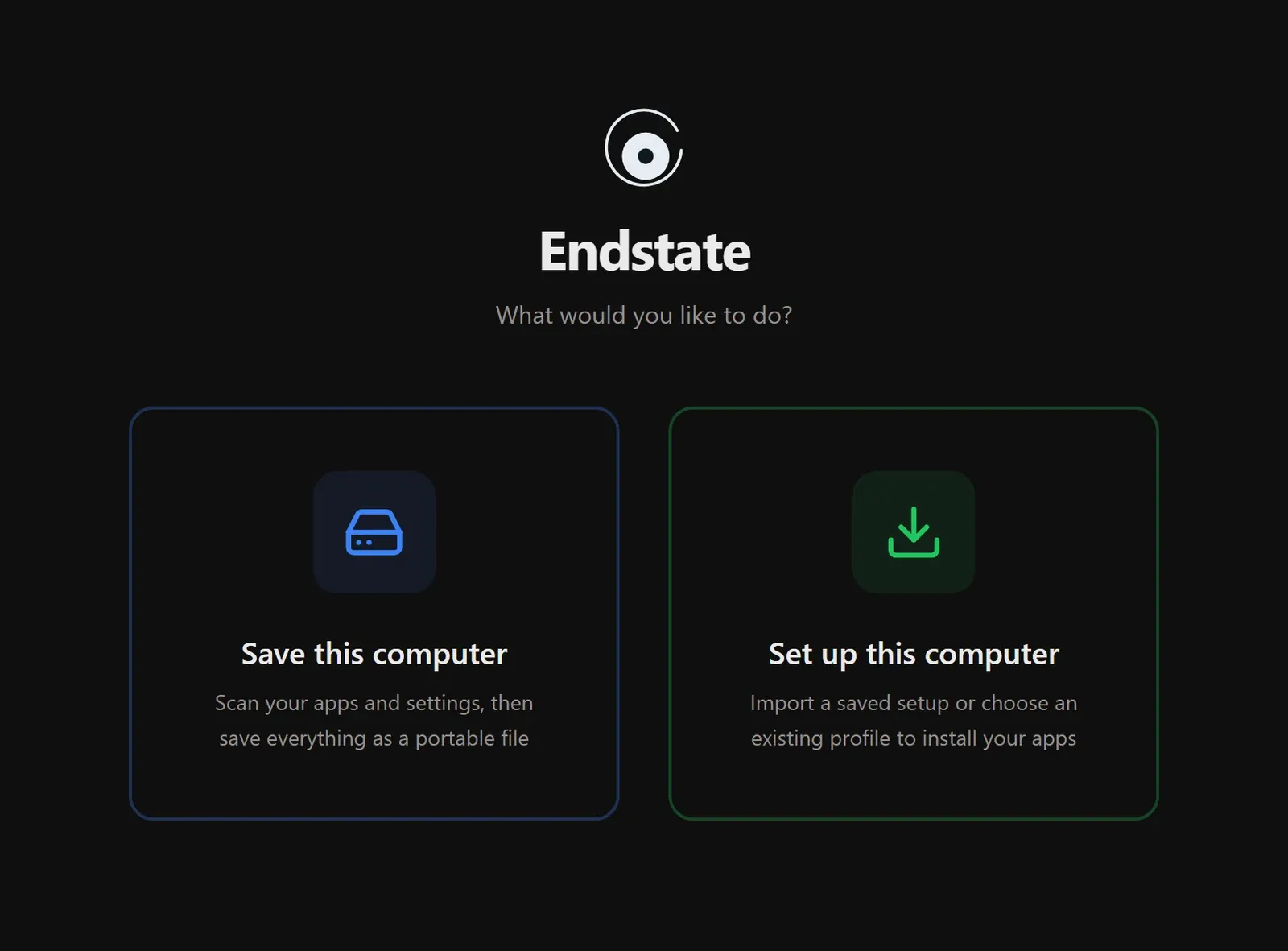
Official Endstate GUI screenshot. Source: Substrate Systems.
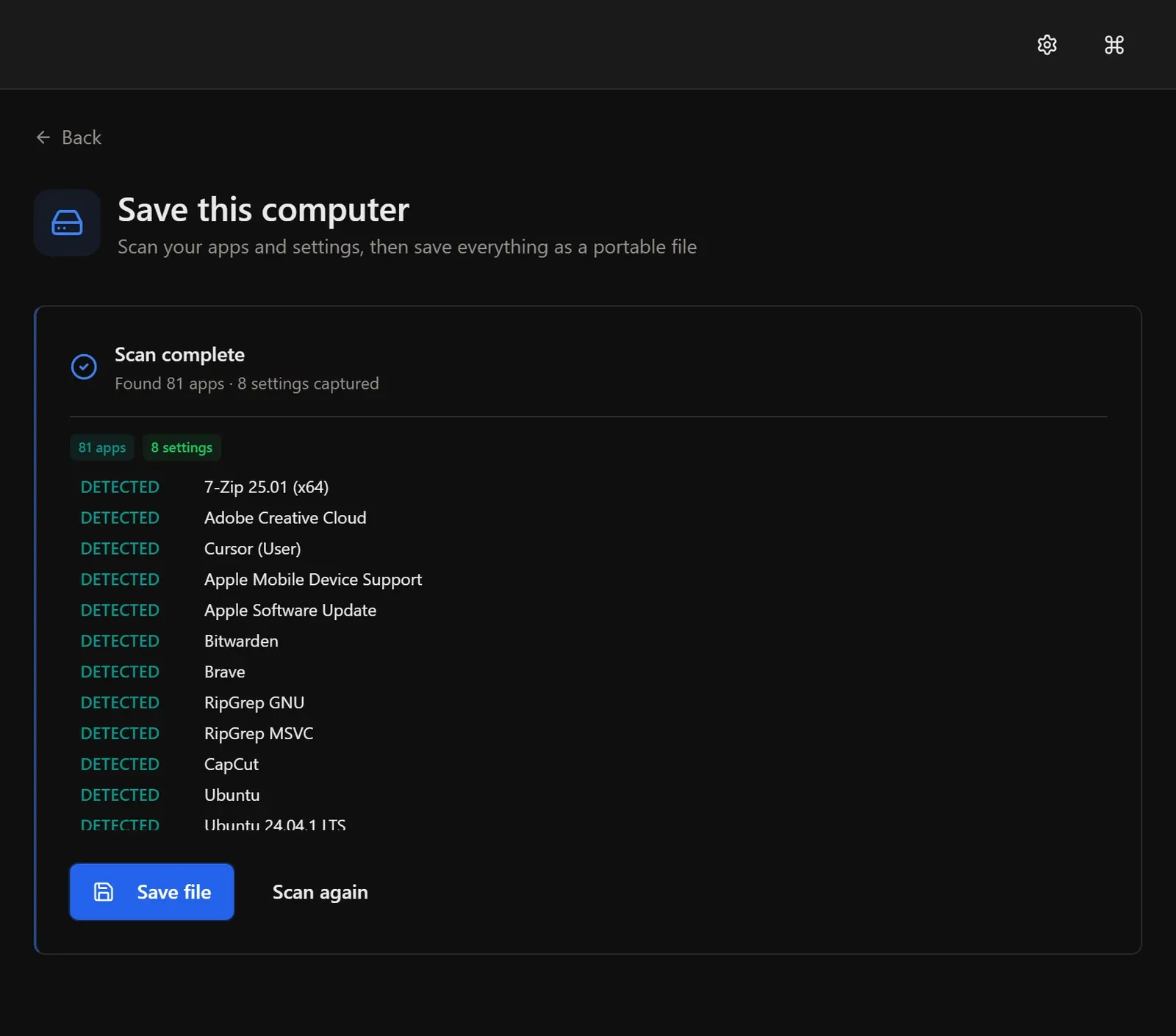
Official project example of application detection and settings capture; displayed counts are not an ITHub test result.
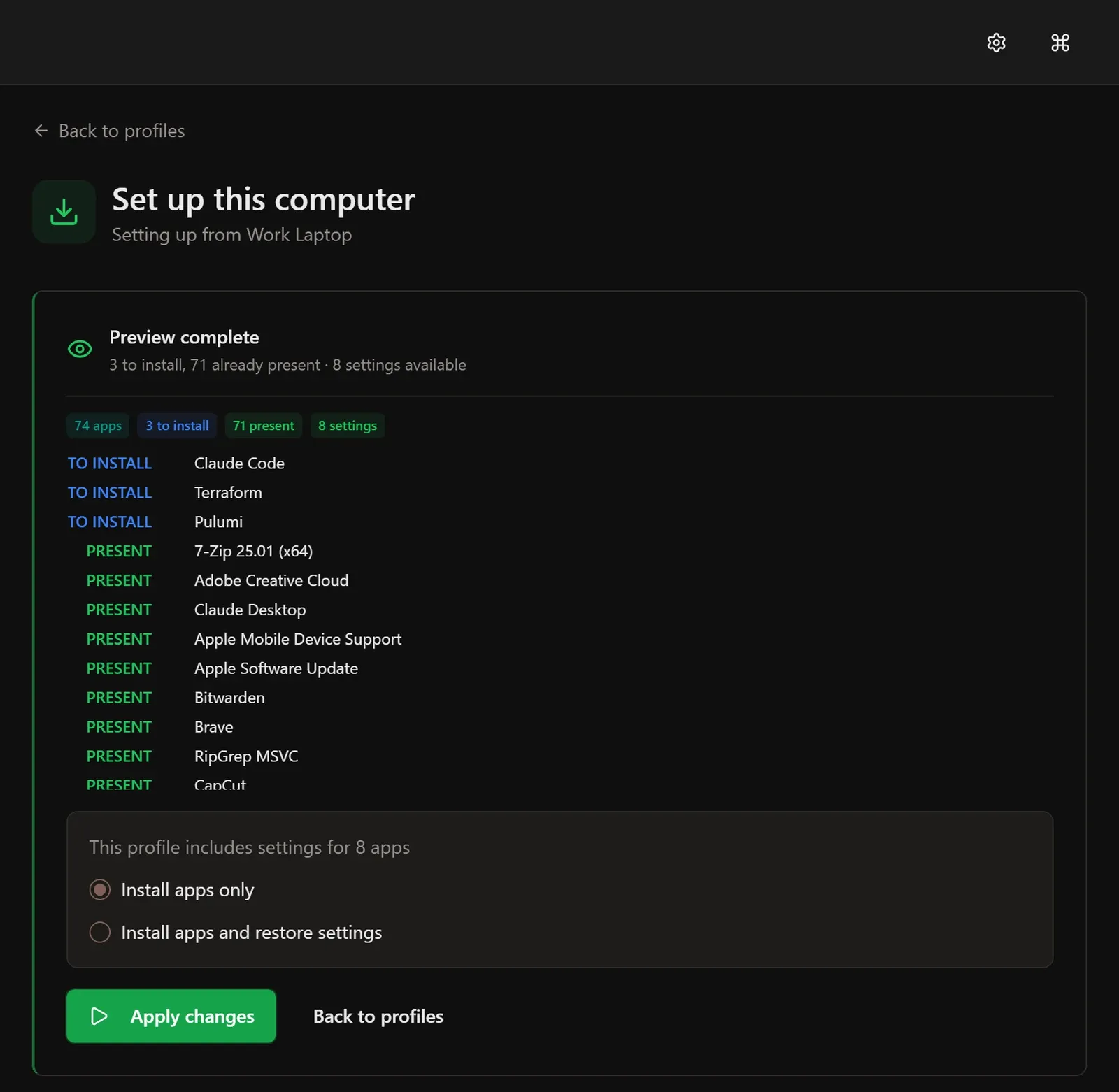
Official project example of a target-machine preview; displayed results are illustrative.
Source: official Endstate GUI project page.
Key capabilities
- Application inventory Scan software registered with Windows, including traditional installer and Microsoft Store applications. The result separates what was detected from what can actually be installed through an available package reference. Unregistered portable applications fall outside the published detection scope.
- Portable setup profiles Save an application list and selected supported settings to a file you control. Current releases recognize the .endstate capture-bundle extension; older ZIP bundles and manifest workflows also exist. A bundle can include configuration payloads, while an application-only manifest carries package references without those settings.
- Preview before installation Load a saved setup on the target computer and inspect which applications are present and which need installation. Choose application installation alone or installation with supported settings. Review the actual plan before approval, especially where an application is unavailable or its target version differs.
- Opt-in configuration capture The product site advertises configuration modules for more than 300 applications, including editors, terminals and creative tools. That is a published catalog claim, not a count of independently tested migrations. Select the settings you need and verify coverage for your application's version.
- Backups before settings replacement The engine documents backups of existing files before a configuration restore and a revert operation for that restore. This protects the configuration changes it handles. A complete package installation, operating-system change or application-created data set may require its own recovery procedure.
- Verification and run reports The engine checks the resulting machine against its manifest and retains execution reports. Developers can also use CLI commands for planning, verification and environment diagnostics. An application launching and its expected settings loading are useful additional checks after the automated result.
- Local use without an account Capture, profiles and local configuration operations do not require an Endstate account or paid subscription. Save a setup on a USB drive or another location you control. Package downloads still need a network connection; the local-first design does not make missing installers available offline.
- Optional encrypted cloud history Endstate Cloud stores encrypted setup versions for transfer to another supported Windows PC. The engine performs the documented client-side encryption and key handling; the GUI displays account, backup and restore state. Cloud storage requires its own account and paid plan, while local features remain free.
Where Endstate GUI fits
Moving a developer workstation to a new laptop
Capture the applications and supported preferences from the old Windows machine before retiring it. On the new laptop, preview the profile, install the available packages and restore selected editor or terminal settings. Transfer Git repositories, SSH keys and development secrets through their established backup or credential-management process.
Rebuilding after a clean Windows installation
Store the .endstate file somewhere other than the drive being erased. After Windows and its package manager are ready, install Endstate and load that profile. Check application availability, account activation and settings compatibility before removing the old machine's recovery copy.
Maintaining a repeatable personal baseline
A saved setup makes the intended software list inspectable. The engine's plan and verify commands help compare a machine with that baseline. Update the profile when requirements change; an old capture can otherwise preserve applications that are no longer useful or available.
Sharing a starter development environment
The engine repository publishes starter manifests for several workloads, including a full-stack development machine. The documented sanitized-manifest export keeps application IDs and package-manager references while removing machine-specific paths, timestamps and credentials. Inspect the resulting file before sharing; a configuration bundle has a broader data scope.
Evaluating workstation recovery for a small IT team
An administrator can test Endstate on a spare Windows machine and document which applications and settings survive the move. The published Teams offer is still design-partner research, with no current team product to purchase. Treat any fleet-management, policy or service-level requirement as a separate evaluation.
Positioning and limitations
Endstate GUI fits developers, system administrators and Windows power users who want a visible capture-and-restore workflow around an inspectable engine. Its focus is the software environment of a workstation: application references, selected settings, a preview and a verification result. It works alongside personal-file and disk-image backups.
The local product is free, requires no account and has no published artificial profile limit. At the time of review, Endstate Cloud is advertised at EUR 4 per month for managed encrypted setup history. The paid service protects the application list and supported non-secret settings captured by Endstate; it is explicitly not personal-file backup. Check the live pricing and service terms before subscribing.
The current release supplies Windows x64 EXE and MSI installers through GitHub Releases. Production configuration bundles the engine as a native sidecar. The README's older instruction to provide a CLI on PATH describes a different integration stage; it should not be confused with the checked installer architecture. Node.js, Rust and Microsoft C++ build tools are development requirements when building the GUI from source.
Scanning does not require administrator privileges according to the product FAQ. Installing particular applications may trigger Windows elevation. The GUI is a Windows desktop product in the checked release; the engine's separate Linux and macOS work does not establish equivalent downloadable GUI releases for those platforms.
IntuneGet addresses packaging and deployment through Microsoft Intune, while Ansible handles broader automation through playbooks and its own execution model. They are related operational tools with different control planes. Endstate's current personal-machine workflow should be judged against the capture, restore and verification tasks you actually need.
A workstation rebuild has two separate jobs: obtaining the required applications and recovering the parts of their configuration that matter. Endstate records those inputs in a portable setup and shows a plan before applying it. That makes the migration easier to inspect than an undocumented sequence of remembered installations.
Coverage is the practical constraint. A detected application might lack a usable package reference, and a supported configuration module might not cover the exact version installed on the target. Use the preview to identify missing packages, then read the run report for installation and settings errors. Launch the important applications afterwards and check extensions, paths and preferences against the original task.
The project principles state that local use needs no account and collects no telemetry by default. Those are published project commitments, not the result of a network audit here. Inspect captured configuration before sharing it, and restrict access to a local profile if it contains sensitive preferences. Cloud encryption should not be assumed to encrypt an ordinary local export.
The Cloud contract documents Argon2id key derivation and AES-256-GCM encryption in the engine, with a recovery-key flow. Losing both the passphrase and recovery key makes the hosted data unrecoverable under that design. A compromised endpoint is also outside the protection provided by encrypting data for cloud storage.
Before replacing a working PC, rehearse the process on a spare machine or disposable Windows environment. Capture a small approved profile, copy it to independent storage, inspect the preview and restore one supported application's settings. Check the resulting application, the installation report and the settings-revert path. Keep the original computer and separate file backup until that rehearsal answers the actual migration requirements.
“Capture Windows apps and supported settings, then rebuild your workstation from one portable profile”
Technical details
- Access
- Windows app
- Source model
- Open source
- License
- Apache-2.0
- Founded
- Not specified
- Data location
- Local Windows profiles by default; optional Cloud uses encrypted hosted storage, with data residency not verified
- Pricing model
- Open source
- Pricing details
- Software and service terms ↗
- API
- Not specified
- Version reference
- GUI 3.11.0 / engine 2.31.0 ↗
- Source checked
- October 16, 2026
- Website
- substratesystems.io ↗
- GitHub
- Source repository ↗
What to verify
Profile audiences: Developers, System Administrators, IT Teams.
- Confirm current features, licensing and support terms.
- Validate deployment, data location and access control.
- Test integrations, exports and recovery workflows.
Reviews of Endstate GUI
No published reviews yet.
Loading review form…