What is SuniPDF?
SuniPDF is a free, open-source PDF reader and editor for Windows 10 and 11, created by Emanuel DE ALMEIDA. It processes documents on the local computer, with a native desktop interface and a command-line tool for repeatable tasks. English is the default interface language; French remains available, and existing language preferences are preserved.
Read the full overview
Version 0.9.0 adds offline English/French OCR, certificate-based signatures, text and checkbox field creation, automatic recovery snapshots and Windows printing. Reading gains logical text selection across pages and two-page or cover-first Book views. These extend the existing editing, annotation, page organization, AcroForm filling, encryption and redaction tools.
Rust is the main implementation language. The egui/eframe interface and sunipdf-cli use a shared document core, while PDFium renders PDFs. Tesseract and Leptonica provide the bundled OCR path. Document processing needs no account or cloud upload. Optional update checks contact GitHub for release information and can be disabled; they do not upload PDF contents.
The checked release is v0.9.0, published October 16, 2026. Its downloads include a Windows x64 MSI and x64/ARM64 portable ZIP files with matching SHA256 files. ARM64 packages are built in CI, but the release explicitly says ARM64 hardware, physical printers and real installation/upgrade flows remain unverified.
The official Navanem product page supplies the four screenshots in this profile: light and dark home screens, page organization and object editing. That page currently presents version 0.6.0. The gallery illustrates those workflows; the functionality and release reference here follow the newer 0.9.0 documentation.
 SuniPDFDeveloper Tools
Free Windows PDF editor with offline OCR, forms, redaction and a scriptable CLI
SuniPDF screenshots
Explore the interface. Open a screenshot to view it at full size.
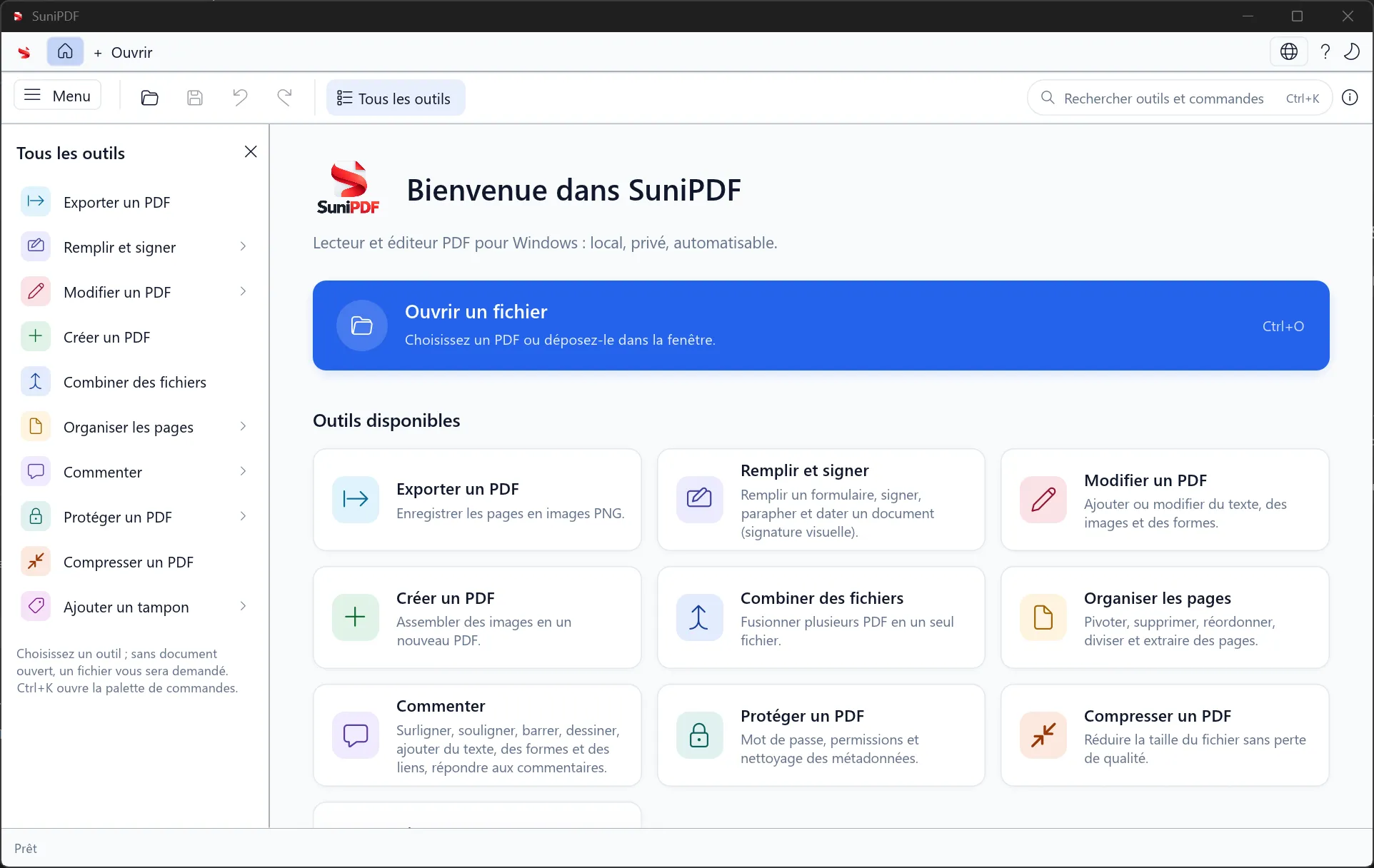
The light-theme home screen and its panel of available PDF tools.
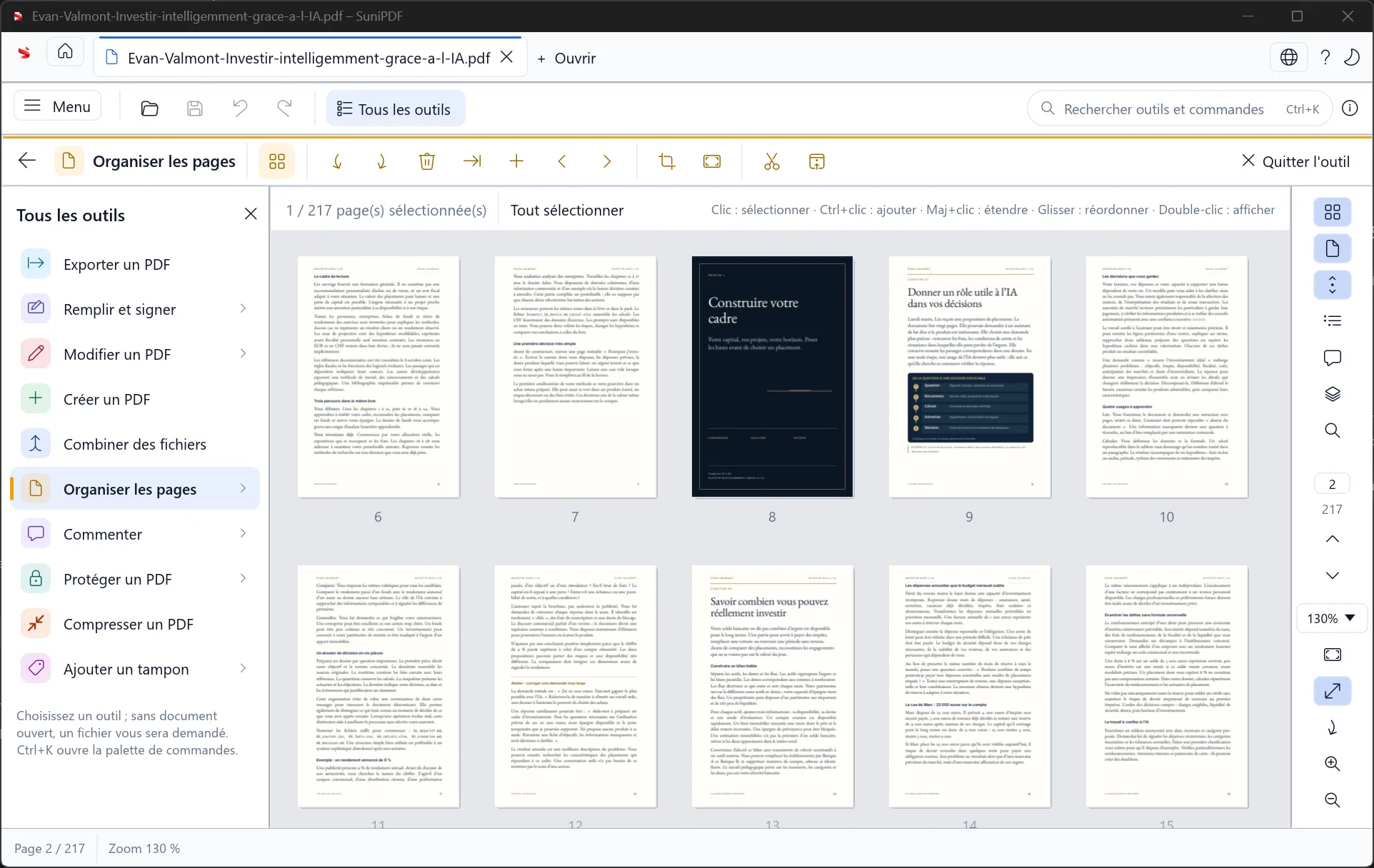
Select, inspect and reorder document pages from the thumbnail grid.
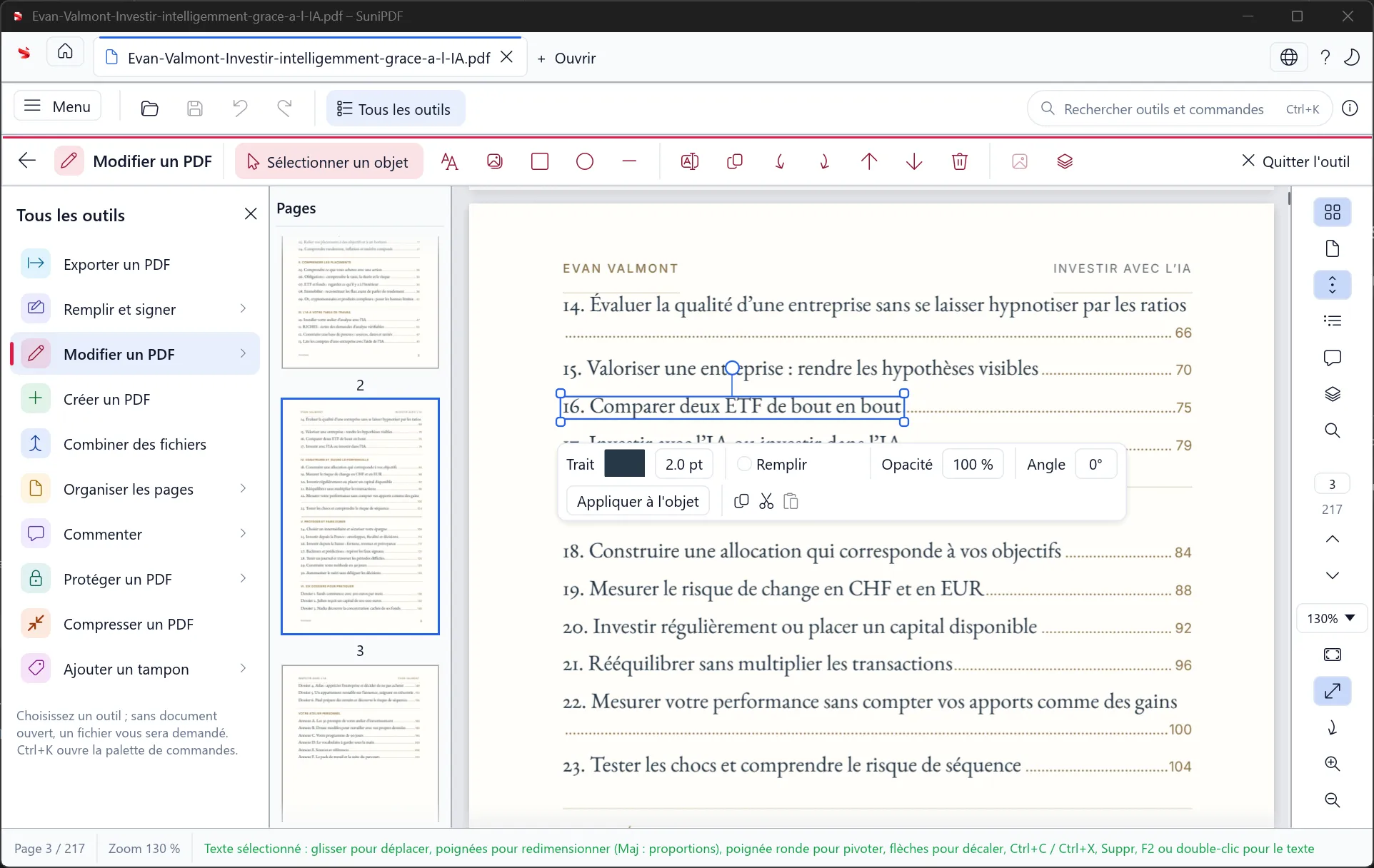
A selected text object with the controls for editing its appearance and position.
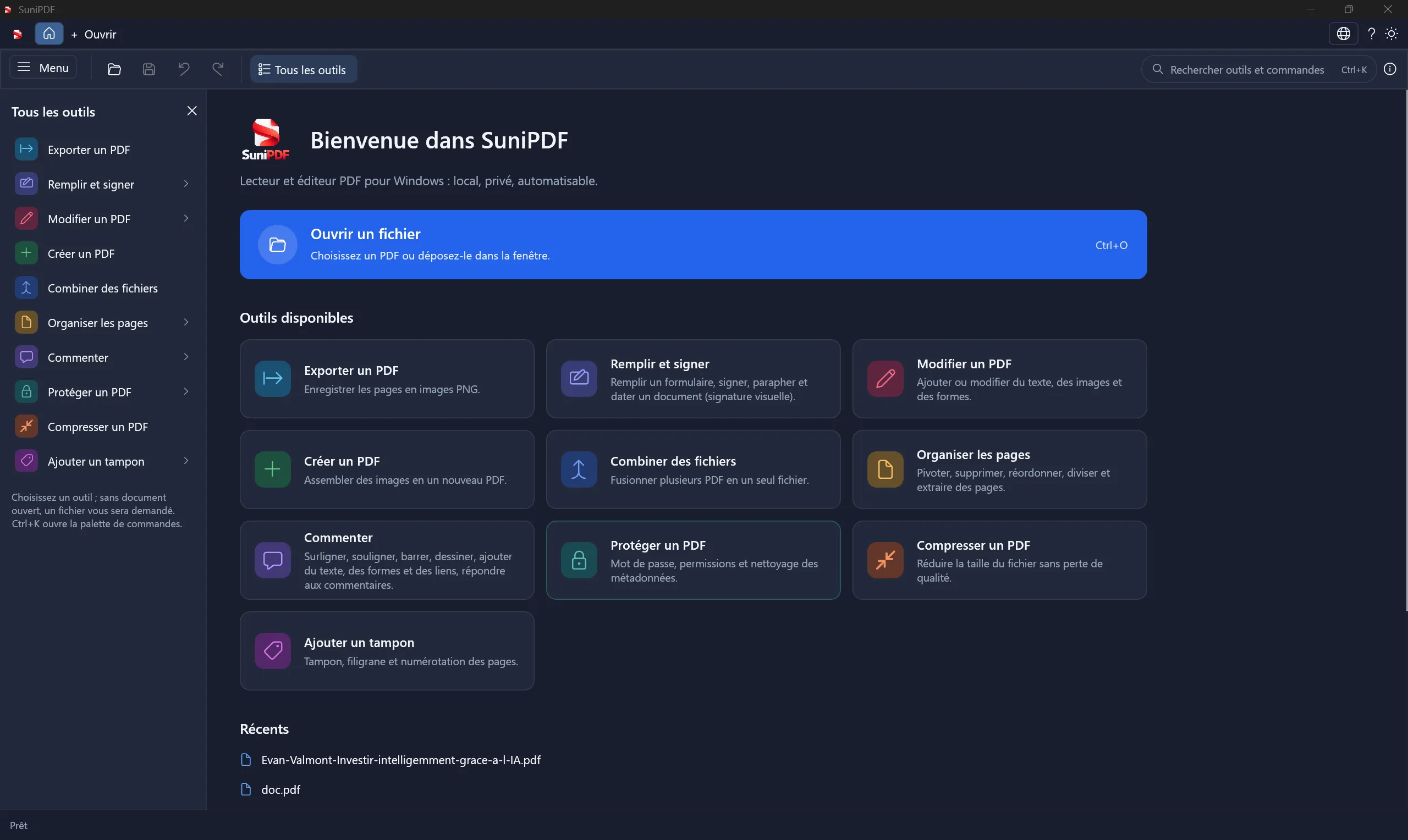
The home screen, available tools and recent documents in the dark theme.
Source: official SuniPDF project page.
Key capabilities
- Reading and text selection Open documents in tabs, search their text, inspect bookmarks and thumbnails, and choose continuous, single-page, two-page or Book views. Select logical text ranges across pages in either direction and double-click words. Reading order follows PDFium; arbitrary untagged multi-column layouts are not reconstructed.
- Annotations and review threads Highlight, underline or strike through text, then add notes, ink, text boxes, shapes, arrows and clickable links. The Comments panel stores replies and review statuses. External web addresses require confirmation. Existing annotations from other producers have narrower editing support, and Acrobat/Foxit thread interoperability is not independently established.
- Text, image and object editing Insert supported text, images and shapes; move, resize, rotate, recolor or delete eligible page objects. New text can use embeddable system TrueType fonts. Existing text retains its original font limitations, while pasted objects become groups with restricted editing and group-transformation support.
- Page organization Combine, split or extract documents; insert blank pages and rotate, delete or reorder existing pages. Cropping changes the visible frame without removing the hidden content. Resizing a page can scale its content, but existing annotations and links are not scaled with it.
- Form filling and field creation Fill supported AcroForms, import or export values as JSON, and flatten a delivery copy. Version 0.9.0 can create named text fields and checkboxes using numeric page rectangles, including rotated or cropped pages. XFA forms remain read-only and embedded PDF JavaScript calculations are not executed.
- Recovery copies for interrupted work The application creates recovery snapshots every 60 seconds and when a modified document is suspended during tab switching. The original file stays unchanged, and recovery uses Save As. Protected PDFs retain encryption in the recovery copy; passwords are not stored. Keep ordinary file backups as well.
- Windows printing Print the current document, including unsaved edits, through the native Windows printer dialog. Page ranges and driver choices are available, with progress and cancellation. Output is raster based and capped at 300 dpi. Physical printer and interactive native-dialog testing remain documented limitations.
- Bundled offline OCR Recognize English or French scans using included Tesseract and Leptonica components and pinned language models. OCR adds invisible searchable text while keeping the scanned appearance. Existing-text pages are skipped; progress, cancellation and undo are available. Recognition quality depends on the scan and needs checking.
- Content redaction Mark rectangles or text occurrences, then confirm redaction. The engine removes affected content and rewrites earlier revisions, rasterizing the retained portions of affected elements as needed. It checks for extractable text remaining beneath marked areas and refuses an incomplete result. Hidden-information cleanup is available; inspect the saved delivery copy before sharing.
- Certificate signatures Inspect the integrity of saved PDF signatures or create a new incrementally signed copy using a PFX/P12 certificate. Certificate identity trust, revocation and trusted timestamps are not checked. Signing encrypted PDFs is refused, and modifying a signed document requires confirmation. Certificate-password handling is documented separately from ordinary document passwords.
- Visual signatures, stamps and protection Handwritten or imported signature images, initials and dates remain available as visual marks; they do not establish certificate identity. Add text watermarks and page numbers, apply AES-128/256 protection, clean metadata, convert supported images to PDF and export pages as PNG. Office-document conversion remains outside the implemented scope.
- Scriptable document operations The 0.9.0 README lists 46 CLI commands, including add-form-field, ocr, signatures and sign. Most return JSON, with stable error handling and explicit output behavior; text extraction can return plain text. Supply PFX passwords through the documented environment-variable or stdin path, rather than a plaintext command-line argument.
Where SuniPDF fits
Reviewing a technical document locally
Annotate a specification, copy text across pages and compare a two-page spread without uploading the PDF. Use comments and supported object edits to prepare a revised copy, then reopen it in the reader used by the recipient. Check font rendering and review-thread compatibility on that actual output.
Making scanned records searchable
Run the English or French OCR workflow on a representative scan before processing a larger set. Search for a distinctive name or number and compare the recognized text with the page image. Inspect low-resolution, skewed and multilingual samples; adding a searchable layer does not guarantee correct extraction.
Preparing forms and signed copies
Create supported text and checkbox fields, fill their values and save a copy for reopening. Choose a visual signature image when a visible mark is sufficient, or the certificate workflow when saved-byte signature integrity is required. Identity trust and revocation still need verification in an appropriate external process.
Removing content before distribution
Use the redaction tool for text or areas that must be removed from the exported file. A crop, watermark or black shape leaves different information in the document and is unsuitable for that job. Inspect extractable text, rendered pages and hidden-data choices in the delivery copy, while retaining the original privately.
Automating recurring PDF jobs
Use sunipdf-cli to inspect documents, extract pages, apply stamps, run OCR or create form fields. Read the result and exit code before passing output to another job. The command-line guide documents page numbering, coordinate conventions, passwords and overwrite controls; those details should remain explicit in scripts.
Deploying and updating a Windows desktop tool
Choose the x64 MSI for installation or unpack the portable ZIP. Since 0.8.2, startup checks can offer an update, with an explicit Close and install step after document handling. Installed copies use the MSI; portable copies update their folder with a rollback backup. Older versions need one manual upgrade to obtain the updater.
Building a Rust document workflow
The architecture documentation describes the shared core and dedicated PDFium worker. Source builds need stable Rust, Windows C++ build tools, CMake and the documented PDFium/OCR setup scripts. OCR introduces native dependencies and language assets; keep their licensing notices with redistributed packages.
Positioning and limitations
SuniPDF fits Windows users who want document reading, editing and selected production tasks in a local application with CLI access. Its source is dual-licensed under MIT or Apache-2.0, at the user's choice. The project has no published subscription or paid feature tier, and local document processing does not require an account.
The 0.9.0 release changes several earlier limitations: offline OCR, direct printing, supported form-field creation and certificate signatures are now implemented. Their boundaries still matter. OCR includes English and French models, printing produces raster output, and certificate verification checks integrity without establishing identity trust, revocation or trusted timestamp status.
Some work remains outside this release, including PDF-to-Office conversion and advanced typography. Existing-text editing depends on the original font, system fonts are embedded without subsetting, and group rotation/resizing is restricted. OpenGL driver availability can affect virtual machines or reduced Windows environments. Use the known-issues list when selecting representative documents.
Windows 10 and 11 are the advertised desktop platforms. An ARM64 portable archive is available, with the maintainer's hardware-testing limitation stated explicitly. There is no supported browser, macOS, Linux or mobile edition in the checked product release. Local desktop execution is also distinct from operating a self-hosted web service.
Compare SuniPDF with PdfCraft around the operations, package format and compatibility you need. Test complex layouts, protected files, forms and signed documents in the actual receiving tool. An open-source license and an implementation entry in a feature matrix do not replace a successful round trip through that workflow.
A shared document core gives the desktop application and CLI a common set of operations and errors. That makes a recurring extraction, cleanup or conversion task inspectable from a script. Preserve original inputs, check failures before chaining commands and verify the resulting PDF rather than relying on a successful process exit alone.
Local processing keeps PDF contents out of a hosted editing service, while ordinary Windows account and file protections still matter. Saved visual-signature images are stored locally without encryption. Splitting or extracting a protected PDF can produce unencrypted output, which needs protection again where required. The recovery workflow retains encryption, so these operations should not be treated as interchangeable. Older source files and crash-recovery copies can still contain material removed from a redacted delivery copy.
Keep three kinds of evidence separate: the visible appearance of a page, the information still stored in the file and the integrity status of a saved signature. Cropping only changes visibility. Redaction rewrites selected content. A pasted signature image supplies a visible mark, while certificate signing adds cryptographic data with explicitly limited trust checks.
The changelog, feature matrix and security policy explain implemented features, known limits and reporting channels. This profile follows the tagged 0.9.0 sources. It does not claim independent installer testing, OCR accuracy measurements, hardware validation or a security audit.
Before adopting the new release, reopen a saved form, search an OCR-treated scan, inspect a redacted copy and verify a certificate-signed file in the recipient's software. Include a protected PDF and a rotated page in the acceptance set. Keep the originals and recovery copies until those checks confirm the required output.
“Free Windows PDF editor with offline OCR, forms, redaction and a scriptable CLI”
Technical details
- Access
- Windows app
- Source model
- Open source
- License
- MIT OR Apache-2.0
- Founded
- 2026
- Data location
- Local Windows document processing; optional update checks fetch GitHub release metadata without uploading PDFs
- Pricing model
- Open source
- Pricing details
- Software and service terms ↗
- API
- Not specified
- Version reference
- v0.9.0 ↗
- Source checked
- October 16, 2026
- Website
- navanem.com ↗
- GitHub
- Source repository ↗
What to verify
Profile audiences: Developers, System Administrators, IT Teams.
- Confirm current features, licensing and support terms.
- Validate deployment, data location and access control.
- Test integrations, exports and recovery workflows.
Reviews of SuniPDF
No published reviews yet.
Loading review form…