What is OpenCut?
OpenCut is an open-source video editor and CapCut alternative for creators and developers who want an inspectable editing stack. There are currently two code paths to understand: the public opencut.app website runs OpenCut Classic, while the repository linked in this profile is being rewritten around a Rust core. Use the public editor for the available browser workflow and treat the new repository as development software.
Read the full overview
Classic covers timeline editing and visual composition in the browser, including layers, text, audio and export. Its v0.3.0 changelog documents masks, keyframe curves, speed and volume controls, custom canvas sizes and transcript-based captions. These are Classic release capabilities; the rewrite README lists plugins, an Editor API, MCP and headless automation as upcoming work rather than a finished replacement.
The Classic repository is archived and says it is no longer maintained. The new desktop README describes a very early GPUI application that currently opens a window. Windows, macOS and Linux build requirements exist, but that should not be confused with a completed native video editor or a downloadable mobile application.
OpenCut uses the MIT license. The repository began in June 2025. The last non-prerelease editor reference checked was v0.3.0; a newer ffmpeg-8.1.3-1 prerelease packages a media dependency rather than naming a new editor release. This profile records the current rewrite commit separately so readers can distinguish the public editing experience, historical editor releases and active development.
 OpenCutDeveloper Tools
Open-source video editor with a browser Classic version and a Rust rewrite
Key capabilities
- Browser video editing in Classic Open the public editor to work with a timeline, media clips, text and audio without installing a native desktop editor. The current main repository is a separate rewrite; capabilities listed for Classic must be tested on the Classic site or a matching Classic revision.
- Masks and animation controls The v0.3.0 Classic changelog includes shape masks, feathering, independently animated position values and a graph editor for keyframe curves. These tools support title treatments and visual composition, with final results dependent on the source media and browser rendering path.
- Audio and speed adjustments Classic release notes describe per-element volume, playback-speed controls with pitch handling and RMS-based waveforms. Test synchronization and export on representative footage, particularly when mixing variable-frame-rate recordings, long audio tracks and several playback speeds.
- Captions and canvas layout Classic supports importing transcript files for captions, custom canvas dimensions, background colors and gradients, stickers and preview zoom. Review line breaks, timing, font coverage and readability in the exported file rather than relying entirely on the interactive preview.
- Inspectable rendering code The Classic release documents Rust and wgpu composition compiled to WebAssembly, together with GPU effects and mask code. Developers can follow the implementation, but GPU acceleration and media decoding support still depend on the browser and device used for editing.
- A new plugin-oriented architecture The active repository is designing a Rust-centered editor with an API, third-party plugins and scripting. Its README marks these as the rewrite direction. Evaluate the available code and milestone status before planning a plugin integration around an interface that may still change.
- Development workspaces The rewrite pins proto-managed Moon, Bun and Rust versions. Documented commands start the web workspace on port 5173, the API workspace on 8787 and the early GPUI desktop app. Classic uses a different Bun and Next.js setup, with optional database and Redis services.
- MIT-licensed application code The source can be inspected and adapted under its MIT terms. Redistributed builds still need the required notices, and bundled media libraries, codecs, fonts and supplied creative assets retain their own terms. A free editor does not grant rights to footage, music or templates imported into a project.
Where OpenCut fits
Short explainers and product demonstrations
Use Classic to assemble a screen recording, trim supporting footage, add text and check a final export. Start with a small representative project before choosing it for a recurring production workflow. A useful trial includes the camera format, screen recording, soundtrack and final aspect ratio your team actually uses, rather than an empty timeline.
Accessible browser workflows
The hosted editor is the lowest-friction evaluation path. Browser execution avoids a large native installation, but local editing state and media still need explicit backup procedures. Test what survives a page reload and what happens when browser storage is cleared or the machine runs short of disk space.
Frontend and media engineering
The archived Classic code provides a substantial reference for timelines, rendering, masks, audio and export behavior. The rewrite is a separate opportunity to examine workspace design and the Rust core. Keep those architectures separate in a fork: a fix or deployment recipe for the Next.js Classic application may not apply to the TanStack and Vite rewrite.
Private or customized deployments
Developers can run the source locally and adapt it, but each code path has different operational requirements. Classic documents optional PostgreSQL and Redis services and Cloudflare deployment configuration. The rewrite has Cloudflare web and API workspaces. A self-hosted operator must inspect enabled services and keys before making claims about data residency or offline behavior.
Related creative tooling
OpenCut addresses hands-on editing. HyperFrames focuses on code-authored video compositions and rendering pipelines, while Doory centers on canvas design and collaboration. Those are related workflows rather than direct substitutes for every timeline feature. Choose based on the type of source, the required edits and the final output.
Positioning and limitations
OpenCut is relevant when an open-source browser editor fits the job and the team accepts its current transition between codebases. Its main advantage for a technical audience is access to the implementation and the option to run or modify it. The maintenance status of Classic and the maturity of the rewrite are more useful decision factors than a popularity count.
Use Classic to evaluate the available editor, then record the exact revision used for a self-hosted build. Because that repository is archived, a long-lived deployment means owning dependency updates and fixes yourself. For a time-sensitive client delivery, validate the entire import-to-export path before making the editor a required part of the workflow.
The rewrite status lists a shared Rust core, an Editor API, first-class plugins, MCP, headless mode and an in-editor scripting tab. These are development goals. A folder named API or a working desktop window is not evidence that those integration contracts are complete. This listing therefore does not mark a supported public Editor API or finished native/mobile apps as available.
MIT covers the OpenCut application code. The repository separately records FFmpeg build information and library licensing. Teams redistributing an editor or shipping a fork should review those exact dependencies alongside their media permissions. The hosted site and beta remain useful for evaluation, while an organization must define its own support and upgrade policy for a private deployment.
View interface preview
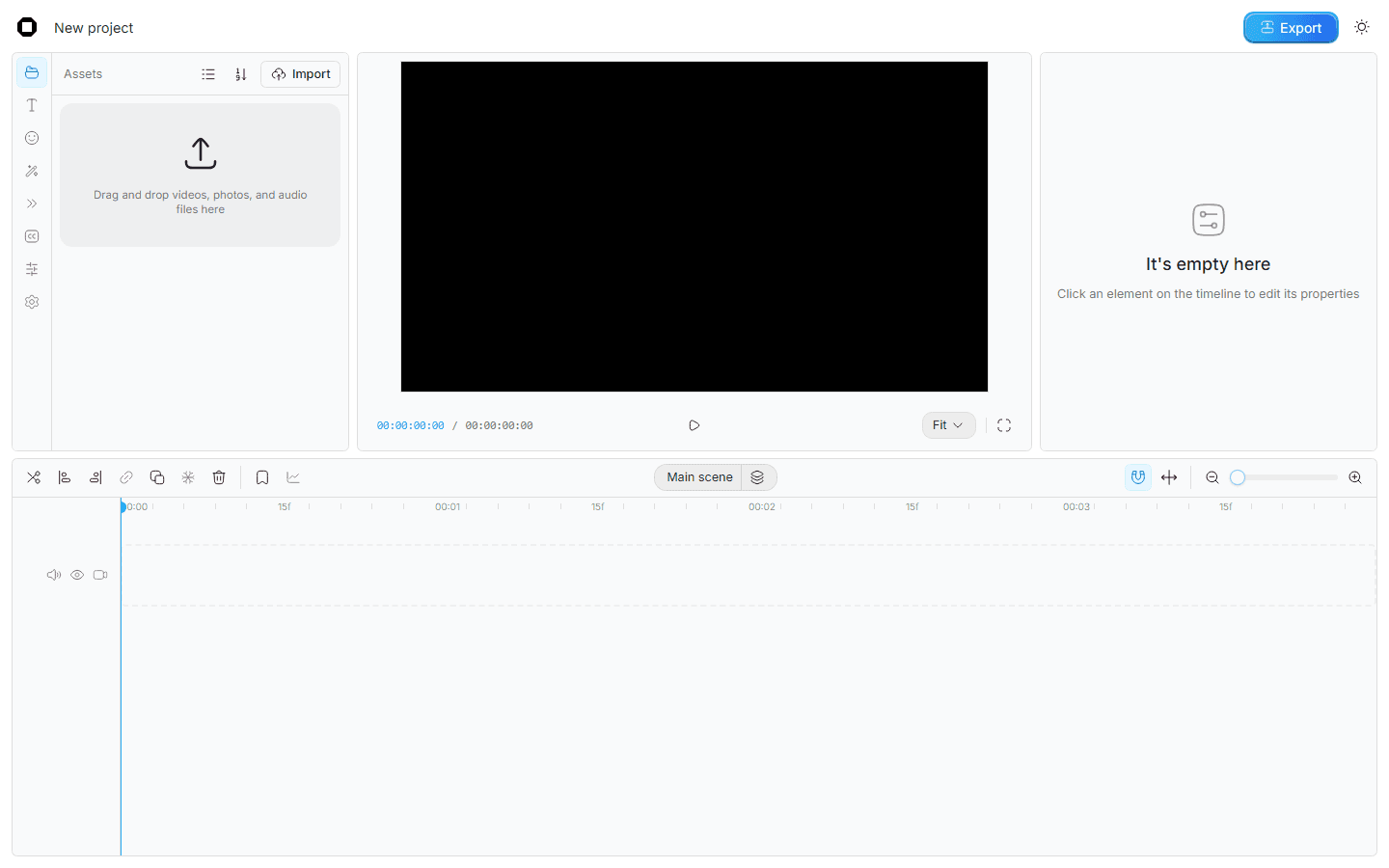
Video-editing software crosses several technical boundaries at once: file decoding, GPU rendering, timeline state, audio timing and export. OpenCut exposes those implementation choices. A developer can inspect a mask, a command or a storage migration and understand what changed instead of depending entirely on a hosted editing service.
The main operational constraint is project durability. Keep source footage outside browser storage, retain explicit exports and test the persistence behavior of the chosen codebase. A finished video file is a useful deliverable but does not necessarily preserve a fully editable project. Treat browser cleanup, quota exhaustion and an upgrade as separate recovery scenarios.
The v0.3.0 changelog provides concrete test cases: masks, keyframe curves, speed changes, captions and exports with audio. Add your own representative footage and check frame alignment, visual quality and audio sync in the encoded result. Those checks are more informative than a quick playback of the timeline preview.
For developers evaluating the rewrite, follow its desktop status and pinned toolchain rather than assuming the older setup still applies. The web and API development commands run separate processes, and the early native app has platform build dependencies. This profile is based on source and documentation review; it does not claim a tested production rollout or guaranteed export performance.
“Open-source video editor with a browser Classic version and a Rust rewrite”
Technical details
- Access
- Self-hosted
- Source model
- Open source
- License
- MIT
- Founded
- 2025
- Data location
- Classic browser editing and operator-selected self-hosting; inspect enabled external services and deployment configuration
- Pricing model
- Open source
- Pricing details
- Software and service terms ↗
- API
- Not specified
- Version reference
- v0.3.0; main @ e668010 ↗
- Source checked
- October 15, 2026
- Website
- opencut.app ↗
- GitHub
- Source repository ↗
What to verify
Profile audiences: Developers, Startups, IT Teams.
- Confirm current features, licensing and support terms.
- Validate deployment, data location and access control.
- Test integrations, exports and recovery workflows.
Reviews of OpenCut
No published reviews yet.
Loading review form…
Official resources
Related integrations: Cloudflare.