What is PPT Master?
PPT Master is an open-source AI workflow for creating editable PowerPoint presentations from documents or a topic through an agent and local Python tools. Its main output is a .pptx containing supported native PowerPoint objects, so you can continue editing the deck after generation.
Read the full overview
The workflow separates understanding the material, deciding the presentation structure, designing slides and exporting the file. A project-specific SVG representation connects authoring to PowerPoint conversion under a controlled format contract. It does not promise to convert every SVG feature or reproduce any presentation perfectly.
The documented routes include generating a new presentation, creating a reusable template workspace and editing an existing native PPTX, each with its own preservation rules. Choosing the correct route matters when a company template, existing slide masters or unchanged pages must survive the operation.
The checked release is PPT Master 6.7.2, published October 17, 2026, under MIT. Python and an authenticated agent host are required; model access has separate costs. The examples below are official project outputs, and ITHub has not independently generated or benchmarked a presentation with this release.
 PPT MasterBusiness Software
Generate editable PowerPoint decks from documents through an AI agent and a local Python workflow
PPT Master screenshots
Explore the interface. Open a screenshot to view it at full size.
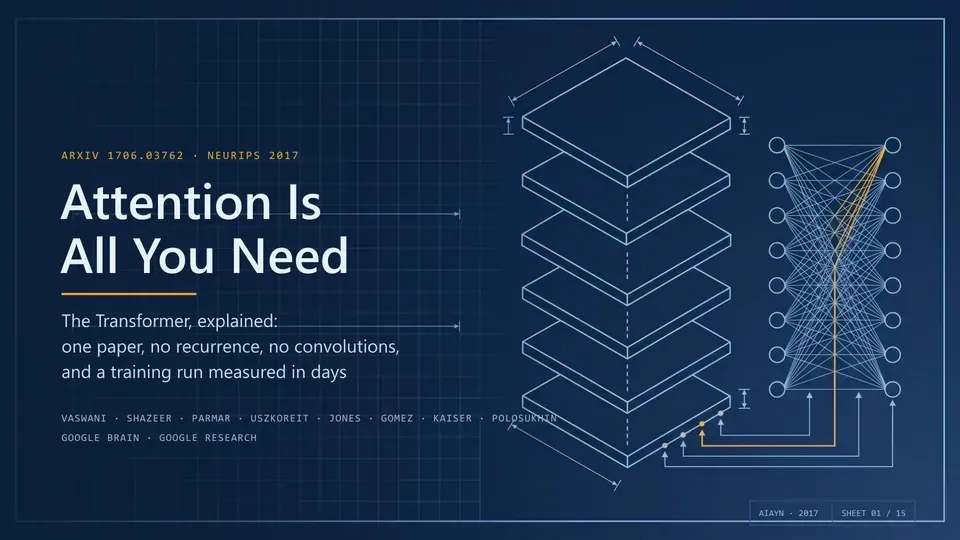
Official technical-blueprint output example. Source: Hugo He / PPT Master.
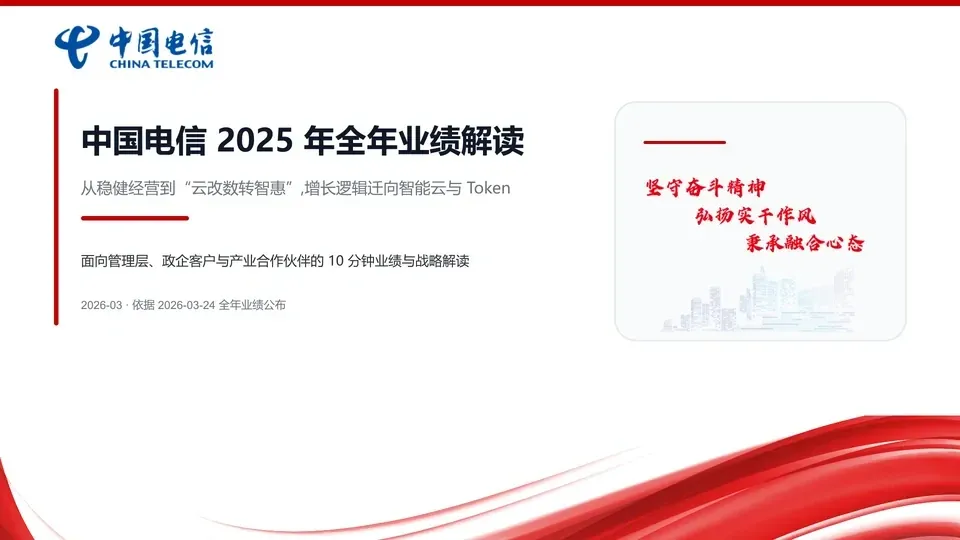
Official project example illustrating template use; not evidence of an ITHub customer engagement.
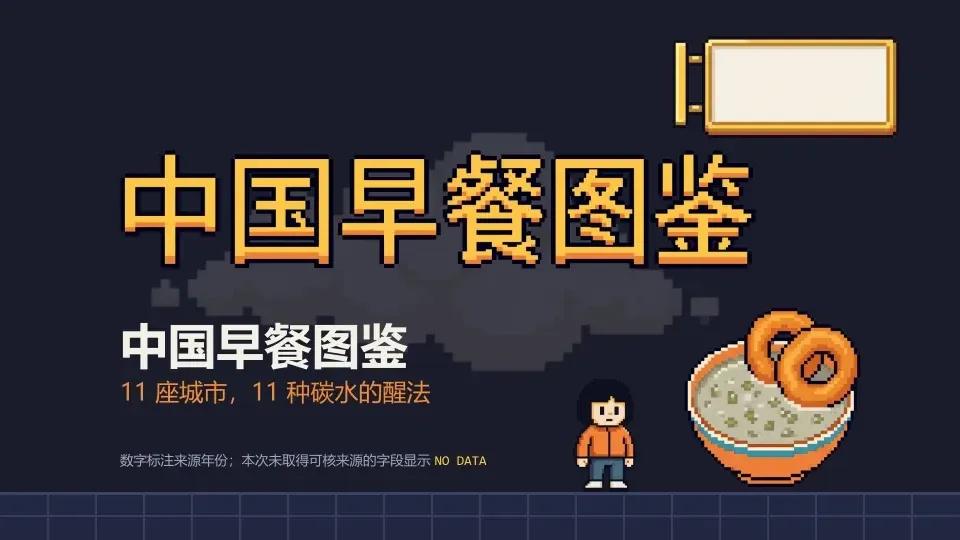
Official generated-output example illustrating a different presentation style.
Source: official PPT Master project page.
Key capabilities
- Document-to-presentation preparation The workflow accepts supported documents, web material, Markdown and topic text. Source processing and factual checks precede slide authoring. Review the imported tables, references and narrative before treating the deck as accurate. A successful conversion cannot establish that a source document itself is correct.
- Editable PowerPoint objects Supported shapes, connectors, text, charts and tables can remain native objects in the exported PPTX. The exact result depends on the selected route and supported mappings. Inspect the actual deck in PowerPoint, especially when you need to change chart values, geometry or text after delivery.
- A controlled SVG pipeline The technical design defines a project-specific SVG language and quality checker. Unsupported or ambiguous structures can block export. This makes the format contract inspectable for developers. It also means an arbitrary SVG copied from another tool may require adaptation before it can enter the formal export path.
- Template and brand reuse Create Template builds a reusable Brand, Style, Layout or Deck workspace from references. Edit Native PPTX instead works from an existing presentation under a round-trip contract. The template guide explains those boundaries. Reusing a raw PPTX and generating from a validated template workspace are separate operations.
- Local preview and visual edits A companion browser preview helps inspect slides during generation. The documented launcher prefers a local port and can select another when it is occupied. Project files and exports live in the chosen working folder. The preview is part of the local workflow, not a hosted presentation account.
- Transitions and object animations The animation pipeline writes supported transitions and object effects into PowerPoint OOXML. Motion can be added without regenerating all slide artwork. Application support still matters when presenting the result in another viewer. Inspect the final animation sequence in the software that will actually run the presentation.
- Narration from speaker notes Optional speech generation creates per-slide audio, using the selected provider. Some providers also return timing for external subtitle files. This sends the relevant notes to a speech service unless you select an appropriate local arrangement. Voice access, terms and charges are separate from the MIT license.
- Narrated deck and video preparation Audio can be embedded into a narrated PPTX. Automated video export delegates to installed Windows PowerPoint, according to the audio and video guide. The Python workflow alone does not establish equivalent native video rendering on every operating system or office suite.
Where PPT Master fits
Explaining an engineering system
Provide the source material and the audience's technical background. Ask for a narrative that explains the system boundaries before implementation details. Review every architecture label and data flow against the original design. Use editable objects for the elements colleagues will need to revise after the presentation is shared.
Turning a report into a briefing
Supply the actual report, then decide which findings support the intended decision. Check chart values against the source cells and keep qualifications near the relevant slide. A presentation can compress evidence too aggressively. Preserve the references and assumptions needed to explain a number during questions.
Reusing an organization's deck
Choose Edit Native PPTX when the existing slide shells and unchanged pages should be retained. Choose Create Template when you want a reusable design workspace for future presentations. Test one representative page before processing a long deck. Pay particular attention to fonts, masters, placeholders and native chart data.
Preparing a recorded technical lesson
Write speaker notes that explain the visuals rather than reading every label. Generate narration only after verifying those notes. Check pronunciation, slide timing and transitions in the final narrated deck. If video delivery is required, confirm the documented PowerPoint dependency and review the exported video and subtitles together.
Maintaining a repeatable generation workflow
Keep the installed skill, writable working folder and active project distinct. Version 6.7.2 includes a fix for project placement in skill-only installations. Retain source documents, intermediate files and exports when a deck needs later revision. Use the exact project path reported by the workflow, rather than assuming a cache directory is permanent storage.
Positioning and limitations
PPT Master suits developers and technical authors who want an agent-assisted document pipeline with editable PowerPoint delivery. It exposes the intermediate files and conversion tools needed to inspect a result. The agent still makes design and content decisions. Its output should be reviewed as a draft that can be refined in the target presentation software.
The software is free and open source. Model inference, generated imagery and optional narration can incur separate charges. The local pipeline does not make every model interaction offline. Check which source material and notes reach each configured provider before using confidential reports or customer documents.
Presentation fidelity depends on the route, supported object mappings, fonts and playback software. Some capabilities require a specific host or native application. The technical design records those contracts. Avoid treating a successfully written PPTX as proof that every source element remained editable or unchanged.
Doory is a visual browser editor, while HyperFrames addresses programmatic video creation. Their interaction models and outputs differ from this PowerPoint workflow. The related profiles are useful for choosing a delivery format; they are not advertised integrations or interchangeable replacements.
A presentation has an editing life after its first export. A colleague may need to replace a diagram, update a chart or change a master layout. Native PowerPoint delivery gives that work a practical starting point. The meaningful check is whether the particular objects you need to revise remain usable in the exported file.
The distinction between generation and source-preserving editing is equally useful. A fresh deck can follow a new narrative. An existing corporate presentation may require much tighter preservation. Select the route before production, then inspect a representative output against the original file and its intended use.
Before adopting PPT Master, try a small deck containing a real table, a technical diagram and a slide master you care about. Review source accuracy, object editability and font behavior in the target PowerPoint installation. If you add narration, check the actual audio and final timing. Keep the working project so later corrections can be traced to their source.
“Generate editable PowerPoint decks from documents through an AI agent and a local Python workflow”
Technical details
- Access
- Windows / macOS / Linux app
- Source model
- Open source
- License
- MIT
- Founded
- Not specified
- Data location
- Local project and export files; configured AI, image and narration providers process supplied material separately
- Pricing model
- Open source
- API
- Not specified
- Version reference
- 6.7.2 ↗
- Source checked
- October 20, 2026
- Website
- hugohe3.github.io ↗
- GitHub
- Source repository ↗
What to verify
Profile audiences: Developers, IT Teams.
- Confirm current features, licensing and support terms.
- Validate deployment, data location and access control.
- Test integrations, exports and recovery workflows.
Reviews of PPT Master
No published reviews yet.
Loading review form…