What is CleanYourTV?
CleanYourTV is an open-source workflow for simplifying an Android TV or Google TV home screen. It connects a computer to the television through Android Debug Bridge, or ADB, disables selected unwanted packages and installs a small native launcher. The important choice is which television functions to retain before changing the installed software state.
Read the full overview
The debloating step uses Android package disabling rather than uninstalling system applications. The tools record the previous state so the selected changes can be reversed. The launcher then provides an application dock, a larger application grid, television inputs and local settings. Advertising shown inside a streaming application is outside that home-screen change.
The project combines shell and PowerShell tools, community device lists and a Java launcher. A coding assistant can help discover the device and prepare a plan, but the TV owner still needs to approve the package choices. A list for a similarly named television is useful evidence, not proof that every firmware uses identical packages.
The reviewed release is CleanYourTV 2.5.0, published October 21, 2026. The source license is MIT; the bundled Outfit font has its own SIL Open Font License. The gallery contains official project screenshots. ITHub has not installed this release on a television.
 CleanYourTVAutomation & Scripting
Use ADB to disable unwanted Android TV packages and install a clean, locally controlled home screen
CleanYourTV screenshots
Explore the interface. Open a screenshot to view it at full size.
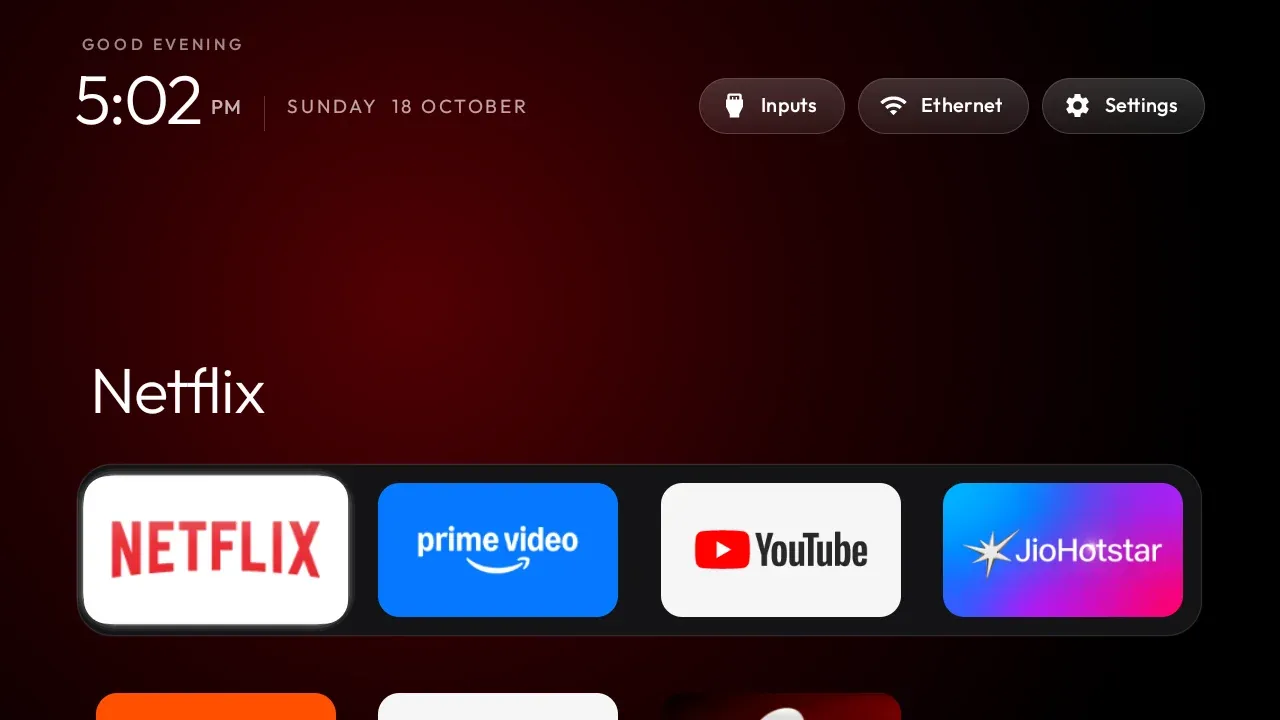
Official launcher example supplied by the project; no ITHub television installation is claimed.
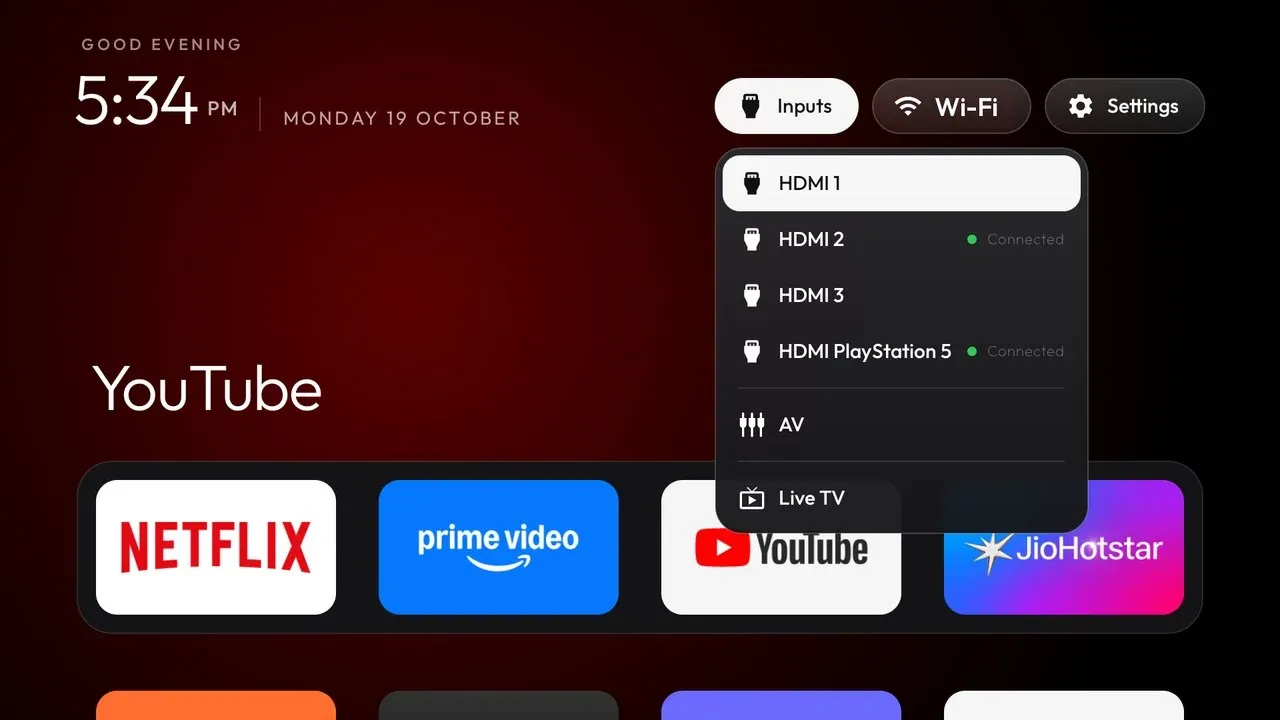
Official project screenshot of the input picker; available sources depend on the television.
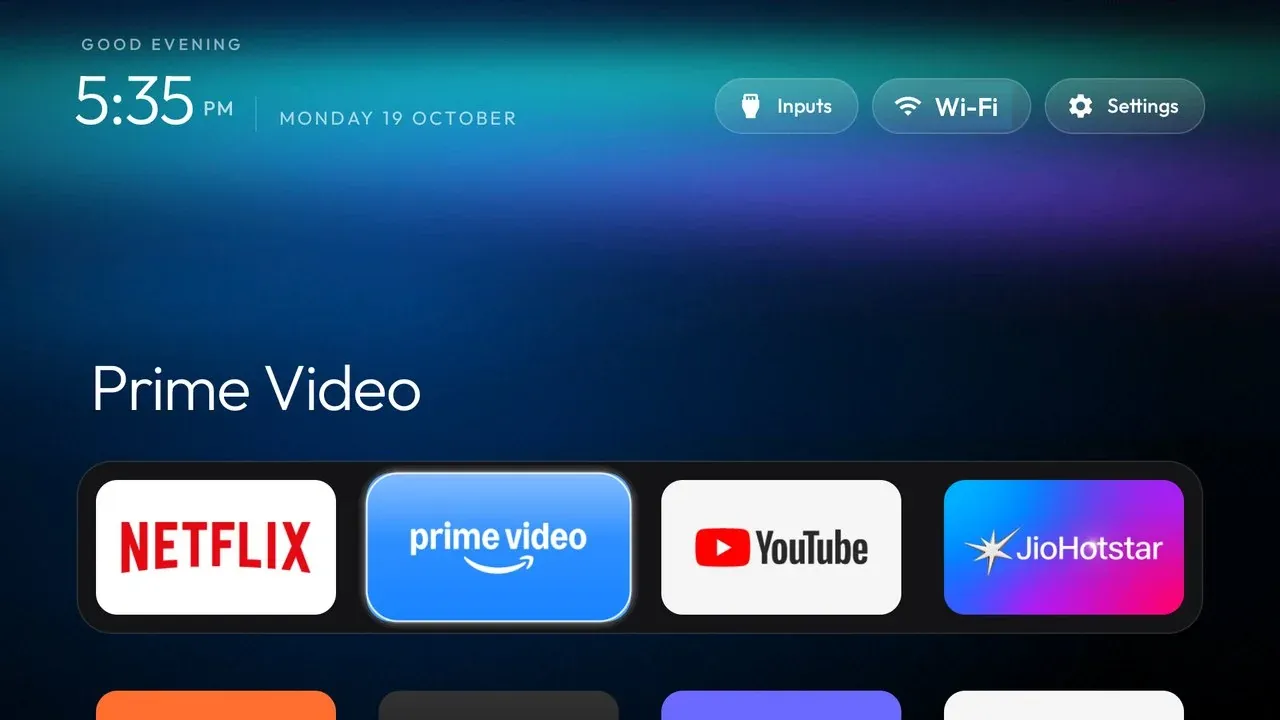
Official theme example, not an ITHub-created screenshot.
Source: official CleanYourTV project page.
Key capabilities
- ADB administration over the local network A computer and television communicate through the Android debug bridge. The TV must expose and authorize debugging. The workflow uses that access to inspect packages and settings; it is not a remote service that discovers arbitrary televisions across the internet.
- Reversible package disabling The disabling and restore tools use the recorded package state. This helps avoid enabling something that was already disabled before the change. Keep the device-specific list and recovery record together, and verify that the original launcher is enabled before relying on it as Home again.
- A native television launcher The launcher supplies a dock, application grid, focus effects, clock and controls designed for a remote. Its source is plain Java rather than a web page embedded in the television. The build requires JDK 17 and Android SDK platform 34, according to the documented setup.
- Per-device examples Community lists cover particular brands, models and firmware situations. They show what contributors changed on their own devices. Compare package identifiers and the functions you use before applying a list. The device-list guide explains the examples and their role.
- Themes and local configuration Themes can change wallpaper, dock contents, labels and layout without rebuilding the launcher. Supported options vary by version. Release 2.5 also adds remote-based controls for parts of the dock and wallpaper workflow; review the selected theme rather than assuming every screenshot is the default.
- Input and remote controls The project documents HDMI and television input handling, application launching and remote-button behavior. Device firmware can route those actions differently. Test Home, input selection, the voice assistant and any manufacturer-specific keys after a change, using the remote-control documentation where relevant.
- Optional modules and application library Module cards and the optional application library extend the local interface. They are separate choices from basic debloating. Read the module contract and the library settings before enabling additions, especially when an extension changes what is displayed or installed.
Where CleanYourTV fits
Simplifying a family television
Start by listing the applications and TV functions people actually use. Preserve casting, voice input, broadcast television and update components when they are wanted. Then choose a smaller dock and remove unwanted home-screen rows through the reviewed package plan. Verify that another household member can still use the remote without a computer.
Working on a specific Android TV model
Match the model and firmware to the available community evidence. Save an inventory before using a debloat list, and review unexplained packages individually. A shared brand name does not establish compatibility. If the new launcher cannot become Home on that firmware, treat that restriction as a device constraint rather than forcing unrelated package changes.
Maintaining a recoverable configuration
Keep the applied list, local configuration, build version and recovery record with your device notes. After an update, test the launcher and the original Home path again. The troubleshooting guide is a better starting point than rerunning a different model's cleanup blindly.
Separating the launcher from broader advertising control
Use this project when the unwanted material belongs to the television home screen or selected system packages. An ad-supported video subscription or advertisement delivered by a streaming service is a different layer. That distinction helps set a useful goal and prevents treating a launcher change as a universal ad blocker.
Positioning and limitations
CleanYourTV fits owners who can work with ADB, inspect a package plan and retain recovery information. It offers more control than changing a few stock home-screen settings, while requiring more care than installing a normal streaming application. Root access is not part of the documented workflow, but debug access still grants meaningful control over the television.
The main target is Android TV or Google TV. Samsung Tizen and LG webOS use different systems. The README describes separate porting discussions; they are not equivalent support for this Android launcher. Fire TV has a narrower debloating role, and some firmware prevents assigning a third-party launcher as Home.
The launcher itself is local software. Model-assisted setup is a separate processing path: a selected coding agent may receive package inventories, device details and terminal output. Review what is supplied to that provider. The project security policy and the chosen agent's settings address different parts of that workflow.
The software is free under its source license. A coding-agent subscription, model usage or optional third-party application can have separate costs. Browse automation and scripting tools for the administration workflow, or IT operations resources for wider device-management requirements.
Television interfaces combine user applications with manufacturer services, recommendation systems and device controls. A useful cleanup has to distinguish those functions. CleanYourTV makes that decision inspectable through package lists and a separate launcher, rather than treating every preinstalled package as interchangeable clutter.
Recovery is part of the operating model. Disabling a package is easier to reverse when its original state and the exact applied list remain available. That record is more useful than a promise that every television can be restored identically. Keep it somewhere accessible if the new Home screen stops responding.
For an initial evaluation, use one television you control, a reviewed device list and a short set of wanted functions. Check application launching, HDMI selection, casting, reboot behavior and the restore path. Disconnect debugging when administration is finished. The ITHub evaluation method explains how source evidence and practical checks differ.
“Use ADB to disable unwanted Android TV packages and install a clean, locally controlled home screen”
Technical details
- Access
- Windows / macOS / Linux app
- Source model
- Open source
- License
- MIT
- Founded
- Not specified
- Data location
- Launcher and configuration on the television; local ADB administration, with separate processing by any selected coding-agent provider
- Pricing model
- Open source
- API
- Not specified
- Version reference
- 2.5.0 ↗
- Source checked
- October 21, 2026
- Website
- cleanyour.tv ↗
- GitHub
- Source repository ↗
What to verify
Profile audiences: System Administrators, Developers.
- Confirm current features, licensing and support terms.
- Validate deployment, data location and access control.
- Test integrations, exports and recovery workflows.
Reviews of CleanYourTV
No published reviews yet.
Loading review form…